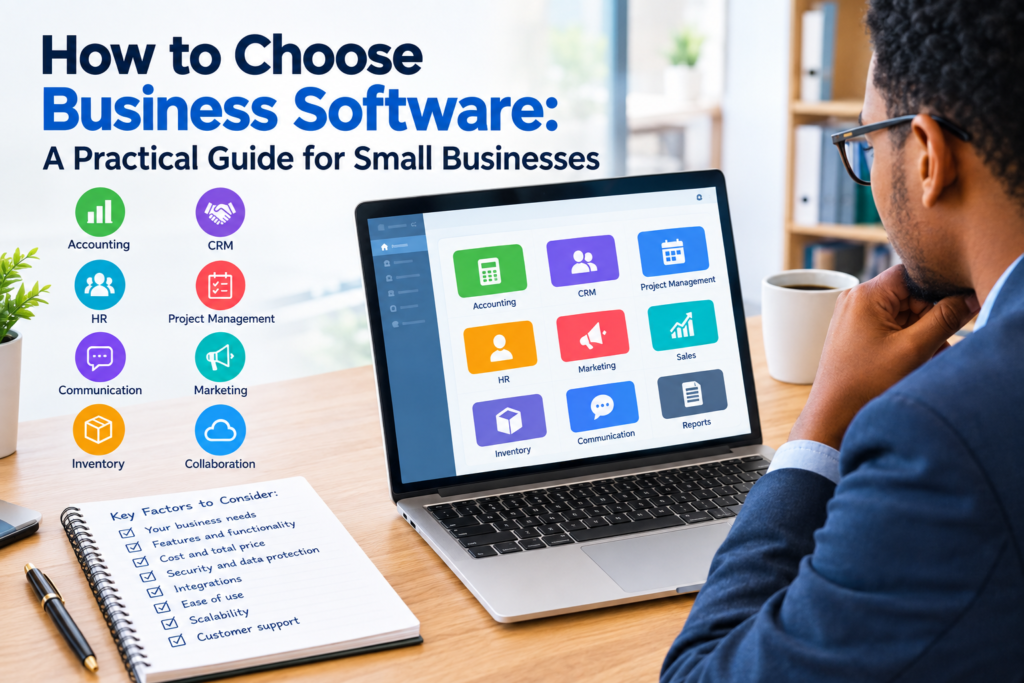

Choosing business software can be difficult. There are thousands of tools available for accounting, customer relationship management, project management, communication, human resources, marketing, inventory, sales, and other business functions. Many products may appear similar at first, but their features, pricing, integrations, security, usability, and support can be very different.
The right software should solve a genuine business problem rather than simply provide a long list of features. Before making a purchase, businesses should understand what they need, who will use the software, how it will fit into existing workflows, and what the total cost will be.
This guide explains how to choose business software using a practical step-by-step process. It also covers common mistakes, important features to evaluate, software costs, security considerations, and questions to ask before making a final decision.
Why Choosing the Right Business Software Matters
Business software can become part of everyday operations. Employees may use it to record customer information, process invoices, manage projects, communicate with colleagues, track inventory, or prepare reports.
A poor software choice can create unnecessary work. Employees may struggle with complicated interfaces, important features may be missing, or the system may not work well with other tools the business already uses.
A suitable solution should make an existing process easier, more organized, or more reliable.
For example, a small company that manages customer information in spreadsheets may eventually need a customer relationship management system. A growing business with manual invoices may benefit from accounting or invoicing software. A team handling several projects may need a dedicated project management platform.
The important question is not simply, “Which software has the most features?” Instead, ask:
“Which software addresses our actual needs without creating unnecessary complexity?”
How to Choose Business Software Step by Step
There is no single software solution that works for every organization. A structured evaluation process can make the decision easier.
1. Identify the Business Problem
Start by identifying the problem you want the software to solve.
Avoid beginning with software brands or specific products. First document the current process and identify where problems occur.
For example:
- Customer information is stored in multiple spreadsheets.
- Employees spend too much time creating reports manually.
- Invoices are difficult to track.
- Project deadlines are managed through email.
- Inventory records are not updated consistently.
- Sales leads are difficult to monitor.
- Teams use several disconnected communication tools.
A clear problem statement gives you something measurable to evaluate.
Instead of saying, “We need better software,” define the need more precisely:
“We need a system that allows our sales team to record leads, track follow-ups, and view customer information in one place.”
That makes software comparison much easier.
2. Define Your Essential Requirements
Create a list of features your business genuinely needs.
Separate requirements into three categories:
Essential: Features the business cannot operate effectively without.
Useful: Features that would improve the workflow but are not critical.
Optional: Features that may be convenient but are not necessary.
For example, a small accounting team might consider invoice creation and financial reporting essential, automated reminders useful, and advanced customization optional.
This approach prevents a common purchasing mistake: paying for a large number of features that employees rarely use.
3. Consider Who Will Use the Software
The people using the software should be part of the evaluation process.
A system may look impressive to management but be frustrating for employees who use it every day.
Consider:
- How many employees will use it?
- What technical skills do they have?
- Will employees use computers, tablets, or mobile phones?
- Will external customers or partners access the system?
- Does the software require extensive training?
- Are different user roles available?
- Can administrators control permissions?
User experience is particularly important for software that will become part of daily operations.
4. Determine Your Budget
Price should be evaluated carefully rather than treated as the only deciding factor.
Software may be priced through monthly subscriptions, annual plans, per-user fees, one-time licenses, usage-based pricing, or combinations of these models.
The advertised price may not represent the complete cost.
Consider:
- Subscription or license fees
- Number of users
- Setup or implementation costs
- Data migration
- Training
- Premium support
- Additional storage
- Optional features
- Integration costs
- Hardware requirements
- Contract or cancellation terms
A less expensive product may become more costly if it requires extensive customization or additional services.
Conversely, a more expensive system may not provide enough additional value for a small organization.
The goal is to understand the total cost of ownership, not just the initial price.
Compare Business Software by Features
Once you understand your requirements, compare potential solutions against the same criteria.
Creating a simple comparison table can help.
| Evaluation Area | Questions to Ask |
|---|---|
| Core features | Does it solve the main business problem? |
| Ease of use | Can employees learn it without excessive training? |
| Pricing | What is the complete cost? |
| Scalability | Can it support the business as it grows? |
| Integrations | Does it connect with existing tools? |
| Security | What security and access controls are available? |
| Support | What customer support options are provided? |
| Reporting | Can users create the reports they need? |
| Mobile access | Is mobile access available if required? |
| Data management | Can data be exported or migrated? |
Using the same criteria for every product makes comparisons more consistent.
Evaluate Software Integrations
Modern businesses often use multiple software applications.
For example, a company might use:
- Accounting software
- CRM software
- Email platforms
- Payment systems
- Project management tools
- Cloud storage
- Marketing platforms
- Communication applications
If these systems cannot exchange information effectively, employees may need to enter the same data more than once.
Before choosing software, check whether it integrates with the tools your business already uses.
Look for supported integrations, APIs, import and export options, and automation capabilities where relevant.
Do not assume that two products will integrate simply because both advertise themselves as cloud-based. Check the vendor’s current documentation for supported connections.
Consider Ease of Use and Training
Software is only useful if employees can use it effectively.
A system with many advanced features may not be appropriate if the interface is unnecessarily complicated for the intended users.
During evaluation, consider:
- Is the navigation intuitive?
- Can users complete common tasks easily?
- Is documentation available?
- Are tutorials or training resources provided?
- Can administrators manage user accounts?
- Is technical support available when problems occur?
Whenever possible, use a free trial, demonstration, or test environment before purchasing.
Ask employees who will actually use the software to complete realistic tasks. Their feedback can reveal usability problems that may not be obvious during a sales demonstration.
Check Scalability Before You Buy
A business may have different software requirements as it grows.
For example, a company may initially have five users but later need support for dozens of employees. It may also need additional departments, locations, customers, transactions, or data.
When evaluating software, ask:
- Can more users be added easily?
- Are there user or storage limits?
- Can additional features be activated later?
- Does pricing change significantly as usage increases?
- Can the software support additional departments?
- Can the system handle increased data volume?
Scalability does not necessarily mean choosing the most advanced product available. It means choosing a solution that can reasonably support expected changes without creating unnecessary cost or complexity.
Review Security and Data Protection
Business software may store sensitive information such as customer details, financial records, employee information, business documents, or operational data.
Security should therefore be part of the purchasing process.
Look for information about:
- User authentication
- Role-based permissions
- Data encryption
- Backup procedures
- Security monitoring
- Account recovery
- Data export
- Data retention
- Privacy practices
- Incident response
The exact requirements will depend on the type of information being processed and the business’s legal and regulatory obligations.
Before purchasing, review the vendor’s official security and privacy documentation. If your organization operates in a regulated environment, additional requirements may apply.
Check Customer Support
Technical problems can affect business operations, so support options matter.
Check whether the vendor provides:
- Email support
- Live chat
- Telephone support
- Knowledge bases
- Documentation
- Training resources
- Community forums
- Different support plans
Also check support hours and whether support is available in the locations and time zones where your team operates.
Do not judge support solely by marketing claims. Review the actual support terms and service documentation before signing a contract.
Test the Software Before Committing
A trial or demonstration can be one of the most useful parts of the evaluation process.
Instead of simply clicking through features, create a short test plan.
For example, if you are evaluating CRM software, ask users to:
- Create a customer record.
- Add a sales lead.
- Schedule a follow-up.
- Update the customer’s information.
- Generate a report.
- Export relevant data.
Then ask users how easy each task was.
Testing realistic workflows provides more useful information than simply counting the number of features listed on a product page.
Check Data Migration and Export Options
If you are replacing existing software, data migration should be considered before purchase.
Find out:
- What file formats can be imported?
- Can existing records be transferred?
- Is migration handled by the vendor?
- Are migration services included in the price?
- Can data be exported later?
- Are there limits on exports?
- What happens to your data if you cancel the subscription?
Data portability is important because business circumstances can change. A company may eventually replace its software, consolidate systems, or move to a different provider.
Understand the Contract and Pricing Terms
Before signing up, read the pricing and contractual terms carefully.
Pay attention to:
- Billing frequency
- Renewal terms
- Minimum contract periods
- Cancellation rules
- Refund policies
- User-based pricing
- Usage limits
- Price changes
- Additional charges
- Data retention after cancellation
Pricing pages can change over time, so verify current pricing directly with the software provider before making a purchasing decision.
Common Mistakes to Avoid
Choosing Based Only on Price
The cheapest option is not automatically the most suitable.
A low-cost solution may lack an important feature or require manual work that consumes employee time.
Compare total costs and practical value instead of looking only at the monthly subscription.
Buying Too Many Features
More features do not necessarily mean better software.
If employees only need five core functions, purchasing a platform with dozens of complicated features may increase training and administration requirements.
Choose functionality based on actual business needs.
Ignoring Employee Feedback
Employees often understand operational problems better than anyone else because they work with the processes every day.
Include relevant users in software testing and evaluation.
Failing to Check Integrations
A new system may create additional work if it cannot communicate with existing tools.
Confirm integration requirements before making a final decision.
Skipping the Trial
A product demonstration may not reveal every usability issue.
If a trial is available, use it with realistic workflows before committing.
Forgetting About Future Costs
Consider how the price could change when your business adds users, storage, locations, or additional features.
A pricing model that works for a small team may become significantly more expensive as usage increases.
A Simple Business Software Evaluation Checklist
Before making a final decision, ask the following questions:
- Does the software solve our main business problem?
- What are our essential features?
- Who will use the system?
- Is it easy enough for our employees?
- What is the total cost?
- Are there setup or migration fees?
- Does it integrate with our existing tools?
- Can it scale with our business?
- How is business data protected?
- What support is available?
- Can we export our data?
- What are the cancellation and renewal terms?
- Have we tested realistic workflows?
- Have the relevant employees provided feedback?
If several important questions remain unanswered, gather more information before committing.
How to Choose Business Software for a Small Business
Small businesses often have limited budgets and smaller teams, so simplicity can be especially important.
A practical approach is to prioritize:
- Essential functionality
- Ease of use
- Predictable costs
- Reliable support
- Useful integrations
- Reasonable scalability
- Appropriate security
A small business does not necessarily need an enterprise-level platform. The appropriate solution depends on the company’s processes, size, industry, budget, and future plans.
For example, a five-person company may need a straightforward invoicing application, while a larger organization with multiple departments may require a more comprehensive financial management platform.
Should You Choose One All-in-One Platform?
All-in-one business software can combine several functions within one system. This may reduce the number of separate applications employees need to manage.
However, there can be trade-offs.
An all-in-one platform may simplify administration but may not provide the depth available from specialized applications.
Specialized software can offer more focused functionality, but managing several systems may increase integration and administration requirements.
The right approach depends on your business priorities.
Ask whether having multiple specialized systems creates unnecessary complexity or whether a single platform would compromise an important business function.
When Should a Business Replace Existing Software?
Replacing software is not always necessary.
Consider a change when the current system:
- No longer supports important business processes
- Has significant usability problems
- Cannot integrate with required systems
- Has become difficult to maintain
- Does not provide necessary reporting
- Creates unacceptable operational costs
- Cannot reasonably support future requirements
Before replacing a system, identify the specific problems with the current solution. This helps prevent switching to another product that creates similar issues.
Frequently Asked Questions
What is the most important factor when choosing business software?
The most important starting point is whether the software solves the business problem you are trying to address. Features, price, usability, security, integrations, support, and scalability should then be evaluated against that requirement.
How much should a small business spend on software?
There is no universal amount that every business should spend. Costs depend on the type of software, number of users, features, pricing model, and business requirements. Compare the complete cost against the value and operational needs of the organization.
Should I choose cloud-based or desktop business software?
It depends on your requirements. Cloud software can provide access through internet-connected devices and may simplify vendor-managed updates, while desktop applications may suit organizations with different technical or operational requirements. Review the specific product’s capabilities, security, costs, and access requirements before deciding.
Is free business software a good choice?
Free software can be useful when its features meet your needs and its limitations are acceptable. However, check restrictions such as user limits, storage, integrations, support, reporting, and data export before relying on it for important business processes.
How can I compare several software products?
Create a comparison checklist based on your requirements. Evaluate each product using the same criteria, such as features, usability, pricing, integrations, security, support, scalability, and data portability. Testing the leading options with realistic workflows can make the comparison more practical.
Conclusion
Learning how to choose business software starts with understanding the business problem rather than searching for the product with the longest feature list.
Define your requirements, involve the people who will use the system, calculate the total cost, evaluate integrations and security, test realistic workflows, and review the vendor’s terms before making a commitment.
The right software is not necessarily the most expensive or most feature-rich option. It is the solution that fits the organization’s actual needs, resources, workflows, and future plans.
Because software features, pricing, security practices, and service terms can change, always verify important details directly with the software provider before purchasing.