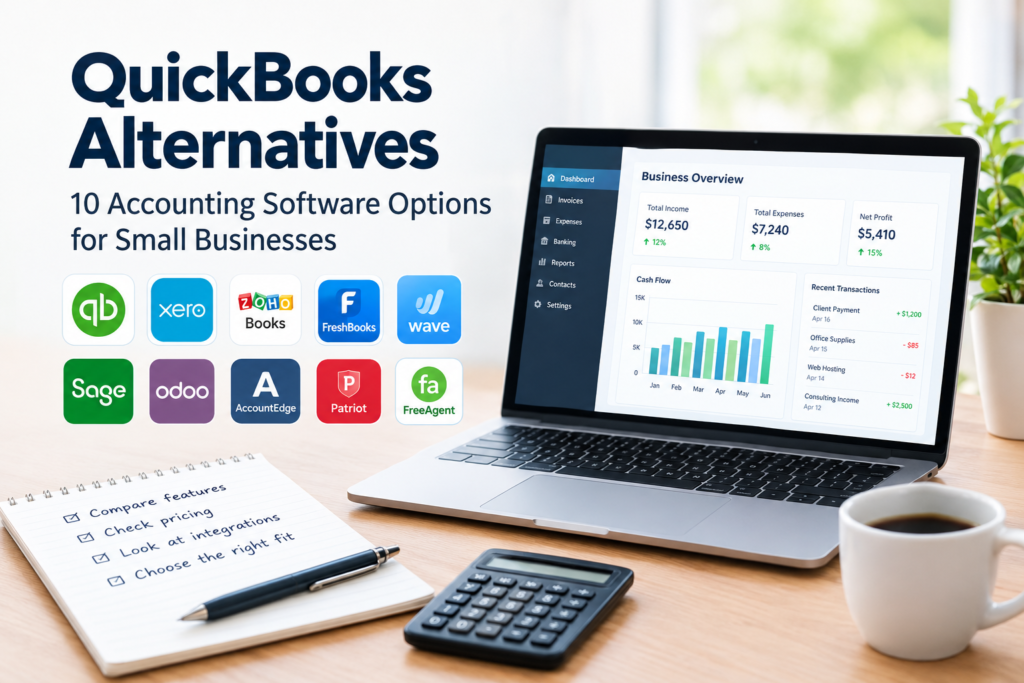

Choosing accounting software is an important decision for any small business. The right platform can make it easier to track income and expenses, manage invoices, monitor cash flow, and keep financial records organized.
While QuickBooks is a well-known accounting platform, it is not necessarily the right fit for every business. Some companies may prefer a simpler interface, different features, a lower-cost plan, stronger project management tools, or software designed for a particular type of business.
Fortunately, there are several QuickBooks Alternatives worth considering.
This guide looks at 10 accounting software options and explains what each one is generally suited for, along with potential limitations to consider before making a decision.
Note: Software features, plans, integrations, and pricing can change. Always check the provider’s official website before purchasing or switching accounting software.
What Are QuickBooks Alternatives?
QuickBooks Alternatives are accounting and financial management platforms that businesses can use instead of QuickBooks.
Depending on the software, alternatives may provide features such as:
- Income and expense tracking
- Invoicing
- Bank connections
- Financial reporting
- Expense management
- Tax-related reporting
- Payroll
- Inventory management
- Project accounting
- Time tracking
- Multi-currency support
- Business performance reporting
However, not every platform offers the same capabilities. A freelancer may only need invoicing and expense tracking, while a growing company may require inventory, payroll, multiple users, and more advanced reporting.
The best choice therefore depends on the business rather than simply the number of features available.
Why Consider QuickBooks Alternatives?
Businesses consider alternatives for different reasons.
1. You Want Simpler Accounting Software
Some small-business owners do not need a large collection of accounting features. If your business primarily needs invoicing, expense tracking, and basic financial reports, a simpler platform may be easier to manage.
2. Your Business Has Different Requirements
Different industries and business models have different accounting requirements.
For example, a consulting company may prioritize project billing and time tracking, while a retail business may place greater importance on inventory management.
3. You Want to Compare Costs
Accounting software is usually offered through different plans, and the total cost can depend on users, features, payroll, integrations, and other services.
Comparing alternatives can help businesses understand which platform provides the features they actually need.
4. You Prefer a Different User Experience
Accounting software can involve regular data entry and financial administration. A platform that feels intuitive to your team may make routine tasks easier to manage.
5. You Need Specialized Features
Some alternatives focus strongly on particular areas, such as freelancers, international businesses, project-based companies, or larger organizations.
10 QuickBooks Alternatives to Consider
The following platforms have different strengths and target users. They should not be treated as identical replacements because their features, pricing models, and intended audiences vary.
1. Xero
Xero is a cloud-based accounting platform used by businesses and accounting professionals.
It provides tools for areas such as invoicing, bank reconciliation, expenses, financial reporting, and business accounting.
Why consider Xero?
Xero may be worth considering if you want:
- Cloud-based accounting
- Online invoicing
- Bank reconciliation
- Financial reporting
- Integration with other business applications
- Collaboration with accounting professionals
Potential limitation
Businesses should carefully compare the features included in each plan because capabilities and limits can vary between subscription levels and markets.
2. Zoho Books
Zoho offers Zoho Books as part of its broader collection of business software.
Zoho Books provides accounting capabilities including invoicing, expenses, banking, reporting, and tax-related functionality depending on the region and plan.
Why consider Zoho Books?
It can be particularly interesting for businesses already using other Zoho applications because an integrated software ecosystem can reduce the need to manage completely separate systems.
Potential limitation
Businesses should verify regional tax support and integrations before switching, particularly if they operate across multiple countries.
Visit Zoho Books’ official website
3. FreshBooks
FreshBooks is designed with small businesses and service-based professionals in mind.
Its capabilities include invoicing, expenses, time tracking, financial reporting, and other accounting-related functions.
Why consider FreshBooks?
It may be useful for:
- Freelancers
- Consultants
- Agencies
- Service businesses
- Professionals who bill clients for their time
The combination of invoicing and time tracking can be useful for businesses that charge clients based on projects or hours.
Potential limitation
Businesses with complex inventory or more advanced accounting requirements should compare FreshBooks carefully with platforms designed for those needs.
Visit FreshBooks’ official website
4. Wave
Wave provides financial tools aimed primarily at small businesses and independent professionals.
Wave has become known for offering accessible accounting and invoicing tools, although available products and pricing can vary by location.
Why consider Wave?
It may be worth examining if your business needs straightforward tools for:
- Invoicing
- Income and expense tracking
- Basic accounting
- Financial organization
Potential limitation
Wave may not be appropriate for businesses that need sophisticated inventory, complex accounting workflows, or extensive enterprise-level functionality.
Check the current availability of specific features in your country before signing up.
5. Sage Accounting
Sage provides accounting and business-management software for organizations of different sizes.
Sage’s product range includes accounting solutions that can support invoicing, expenses, reporting, and financial management.
Why consider Sage?
Sage may be suitable for businesses looking for established accounting software with options that can support growing financial-management requirements.
Potential limitation
Sage has multiple products and plans, so businesses should identify the specific product that matches their size, location, industry, and accounting requirements.
6. Odoo Accounting
Odoo takes a broader approach than traditional standalone accounting software.
Its accounting functionality is part of a larger business-management ecosystem that can also include CRM, sales, inventory, project management, purchasing, and other applications.
Why consider Odoo?
Odoo can be interesting for businesses that want to connect accounting with other business operations.
For example, a company could potentially manage sales, inventory, projects, and accounting within a connected platform.
Potential limitation
A broader platform can also mean more configuration and administration. Businesses should consider whether they actually need an integrated business-management system before choosing it.
7. AccountEdge
AccountEdge provides accounting software with features designed for small businesses.
Depending on the product and plan, its capabilities can include accounting, invoicing, payroll-related functionality, inventory, and financial reporting.
Why consider AccountEdge?
It may be worth comparing for businesses that prefer a more traditional accounting environment and need more than basic invoicing.
Potential limitation
Businesses should check current operating-system compatibility, cloud capabilities, integrations, and regional availability before choosing the software.
Visit AccountEdge’s official website
8. Patriot Software
Patriot Software provides accounting and payroll products primarily focused on small businesses.
Its accounting tools can help businesses manage financial records, invoices, expenses, and related activities.
Why consider Patriot Software?
It may be useful for small businesses that want accounting and payroll capabilities from the same provider.
Potential limitation
Businesses outside the markets supported by Patriot should verify availability before considering it, especially where local payroll and tax requirements differ.
Visit Patriot Software’s official website
9. FreeAgent
FreeAgent is an accounting platform designed particularly around small businesses, freelancers, and contractors.
It offers features such as invoicing, expense management, accounting, and financial reporting.
Why consider FreeAgent?
Its focus on small businesses and independent professionals makes it an option worth comparing if your accounting needs are relatively straightforward.
Potential limitation
Availability and specific tax or accounting functionality can depend on the country in which your business operates.
Visit FreeAgent’s official website
10. Manager
Manager is accounting software designed for small businesses.
It provides accounting functionality for areas such as financial transactions, invoicing, and reporting.
Why consider Manager?
It may appeal to businesses looking for an accounting solution with a straightforward approach and a different pricing model from many subscription-based platforms.
Potential limitation
Before adopting it for business-critical accounting, check whether its features, integrations, support, tax requirements, and workflow fit your organization’s needs.
Visit Manager’s official website
Quick Comparison of QuickBooks Alternatives
| Software | Potentially suitable for | Key areas to explore | Important consideration |
|---|---|---|---|
| Xero | Small and growing businesses | Accounting, invoicing, banking | Compare plans and regional features |
| Zoho Books | Small businesses and Zoho users | Accounting, invoicing, expenses | Check local tax functionality |
| FreshBooks | Freelancers and service businesses | Invoicing, time tracking, expenses | Compare advanced accounting needs |
| Wave | Small businesses and independent professionals | Invoicing, accounting | Check country availability |
| Sage | Small and growing organizations | Accounting, reporting | Multiple products require comparison |
| Odoo | Businesses wanting an integrated platform | Accounting, CRM, inventory, operations | Configuration can be more involved |
| AccountEdge | Small businesses | Accounting, inventory, reporting | Check current platform compatibility |
| Patriot | Small businesses | Accounting and payroll | Primarily focused on supported markets |
| FreeAgent | Freelancers and small businesses | Accounting, invoicing, expenses | Check regional functionality |
| Manager | Small businesses | Accounting and reporting | Verify required integrations and support |
This table is a starting point rather than a ranking. The appropriate choice depends on your business model and requirements.
How to Choose the Right QuickBooks Alternative
Instead of choosing software based only on price or popularity, create a list of your actual accounting requirements.
Step 1: Identify Your Business Type
Start by asking what kind of organization you operate.
Are you:
- A freelancer?
- A consulting business?
- An online store?
- A nonprofit?
- A growing company?
- A professional services agency?
- A retailer?
- A company with employees?
Your answer can significantly influence which features you need.
Step 2: List Your Essential Features
Separate your requirements into two groups.
Essential
For example:
- Invoicing
- Expense tracking
- Bank reconciliation
- Financial reports
- Tax reporting
- Multiple users
Nice to Have
For example:
- Advanced automation
- Time tracking
- Inventory
- Project management
- Additional integrations
This prevents you from paying for features your business rarely uses.
Step 3: Check Total Cost
Don’t look only at the advertised starting price.
Consider:
- Monthly or annual subscription
- Number of users
- Payroll costs
- Payment processing fees
- Additional integrations
- Advanced reporting
- Accountant access
- Migration costs
- Training or setup requirements
The cheapest plan may not be the cheapest option once your actual requirements are included.
Step 4: Check Local Requirements
Accounting and taxation rules differ between countries.
Before switching software, confirm that the platform supports the tax, invoicing, reporting, currency, and compliance requirements relevant to your business.
This is especially important for businesses operating internationally.
Step 5: Test the User Experience
If a free trial or demonstration is available, use it before committing.
Try completing common tasks such as:
- Creating an invoice
- Recording an expense
- Connecting a bank account
- Finding a financial report
- Adding another user
- Correcting a transaction
The goal is to determine whether the software works naturally with your daily workflow.
What to Consider Before Switching Accounting Software
Changing accounting platforms is more than creating a new account.
You may need to migrate:
- Customer information
- Supplier records
- Invoices
- Expenses
- Account balances
- Historical transactions
- Product information
- Tax information
Before migrating, create a backup of your existing records and understand how the new platform handles imported data.
For important financial records, consider involving your accountant or financial professional during the transition.
Don’t Forget About Integrations
Many businesses connect their accounting software with other applications.
These might include:
- Payment platforms
- E-commerce systems
- Banks
- Payroll services
- CRM software
- Inventory systems
- Expense-management tools
- Project-management platforms
An accounting platform may appear suitable until you discover that an essential integration is unavailable.
Always check the current integration list before making the final decision.
QuickBooks Alternatives for Different Business Needs
There is no single accounting platform that fits every business.
For freelancers
Focus on:
- Easy invoicing
- Expense tracking
- Time tracking
- Client management
- Simple reports
FreshBooks and FreeAgent may be worth comparing alongside other options.
For growing small businesses
Look for:
- Bank reconciliation
- Financial reporting
- Multiple users
- Integrations
- Expense management
- Scalability
Xero, Zoho Books, and Sage may be among the platforms worth researching.
For businesses wanting an integrated system
If accounting is only one part of your software requirements, consider platforms such as Odoo that combine accounting with other business applications.
For businesses with payroll requirements
Don’t assume that an accounting platform automatically provides the payroll functionality you need. Verify availability, country coverage, tax handling, and additional costs before choosing a solution.
Common Mistakes When Choosing Accounting Software
Choosing Based Only on Price
A low subscription price does not necessarily mean lower overall cost.
If the basic plan lacks a feature you need, you may eventually spend more on upgrades or separate applications.
Buying Too Many Features
The opposite problem is also common.
A small business may purchase a complex platform when it only needs basic accounting and invoicing.
More features can mean more setup, training, and administration.
Ignoring Data Migration
Before switching, determine how your historical accounting information will move to the new system.
Ask:
- What data can be imported?
- What format is required?
- Can historical transactions be preserved?
- What happens to attachments?
- Can the old system remain accessible?
Forgetting About Support
Accounting problems can affect important business processes.
Check whether support is available through the channels and during the hours your team needs.
Not Checking Regional Availability
A platform may offer a feature in one country but not another.
Always verify country-specific availability, taxation, currency, payments, and payroll capabilities directly with the provider.
Frequently Asked Questions
1. What are the best QuickBooks Alternatives?
There is no universal best option for every business. Xero, Zoho Books, FreshBooks, Wave, Sage, Odoo, AccountEdge, Patriot, FreeAgent, and Manager are among the platforms businesses can compare. The right choice depends on features, budget, location, business size, and accounting requirements.
2. Are QuickBooks Alternatives cheaper?
Some alternatives may have lower starting prices, while others may cost more depending on the features and number of users required. Compare the total cost of the plan you actually need rather than comparing introductory prices alone.
3. Can I move my accounting data from QuickBooks to another platform?
Migration may be possible, but the exact process depends on both the old and new software. Before switching, check supported import formats, migration tools, historical-data limitations, and whether professional assistance is recommended.
4. Which QuickBooks Alternative is suitable for freelancers?
Freelancers often need straightforward invoicing, expense tracking, time tracking, and financial reporting. Platforms such as FreshBooks and FreeAgent can be worth investigating, although the best option depends on the freelancer’s location and specific requirements.
5. Should a small business switch from QuickBooks?
That depends on the reason for switching. A business may have a valid reason to compare alternatives if its current software does not meet its needs, but switching also involves migration, training, workflow changes, and potential integration issues. Compare the benefits and transition costs before making a decision.
Conclusion
The market for accounting software gives small businesses more choices than simply using one platform.
QuickBooks Alternatives such as Xero, Zoho Books, FreshBooks, Wave, Sage, Odoo, AccountEdge, Patriot, FreeAgent, and Manager offer different combinations of accounting, invoicing, reporting, payroll, integrations, and business-management features.
The right approach is to start with your business requirements rather than a software brand. Identify the features you actually need, calculate the total cost, check local requirements, review integrations, and test the software before committing.
Most importantly, verify current pricing, features, availability, and tax-related functionality directly with the software provider because these details can change over time.