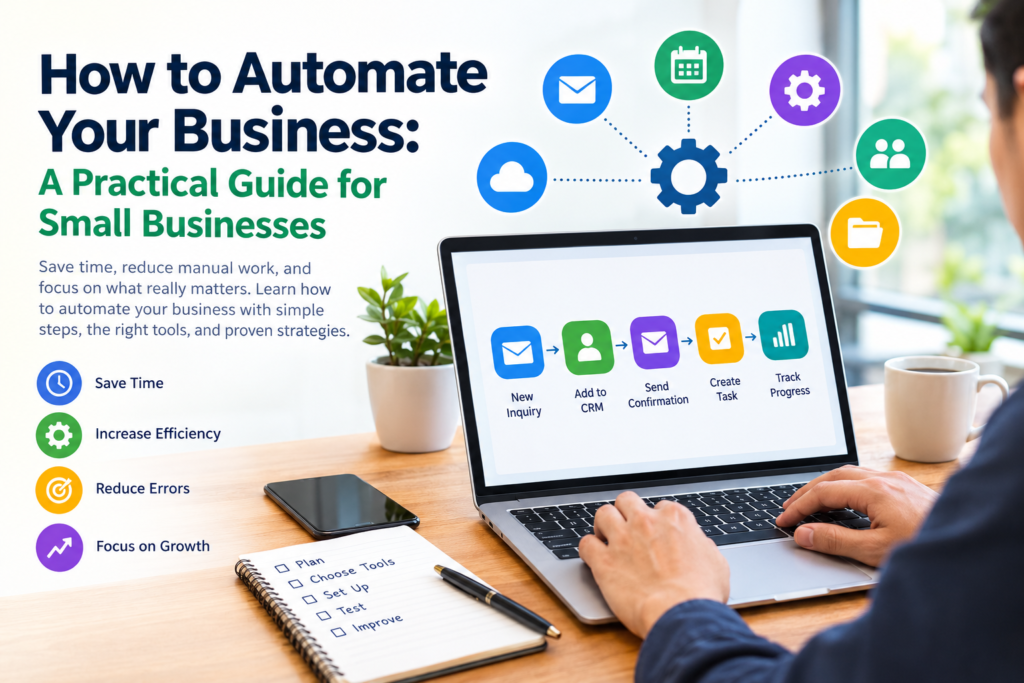

Running a business often means managing many repetitive tasks alongside the work that actually drives growth. Sending follow-up emails, scheduling appointments, creating invoices, updating customer records, organizing projects, and preparing routine reports can consume a significant amount of working time.
Business automation can help reduce some of this manual workload. Instead of completing the same predictable task repeatedly, you can configure software to perform certain steps automatically when specific conditions are met.
However, automation is not about replacing every human activity with software. Good automation starts by identifying repetitive, rules-based processes where technology can make work more consistent and easier to manage while people remain responsible for decisions that require judgment.
This guide explains how to automate your business, which processes are suitable for automation, how to choose tools, how to implement automation step by step, and what limitations to consider.
What Is Business Automation?
Business automation is the use of software and technology to perform recurring business tasks or workflows with limited manual intervention.
For example, a business could create a workflow that:
- Receives a customer inquiry through a website form.
- Saves the contact information in a customer management system.
- Sends an acknowledgment email.
- Creates a follow-up task for a team member.
- Updates the customer’s status.
The exact workflow will depend on the business and the software being used.
Automation can range from a simple scheduled email to a multi-step workflow connecting several business applications.
Why Automate Your Business?
The main reason to automate a process should be to make a useful business activity easier, more consistent, or easier to manage.
Reduce Repetitive Work
Employees and business owners often spend time performing tasks that follow the same steps every time.
Examples include:
- Copying information between systems
- Sending routine notifications
- Scheduling appointments
- Creating recurring tasks
- Updating spreadsheets
- Generating routine reports
- Organizing incoming inquiries
Automating appropriate tasks can reduce the amount of manual work involved.
Improve Consistency
Manual processes can sometimes result in missed steps or inconsistent data entry.
A well-designed workflow can follow the same predefined process each time. This can be particularly useful for routine administrative operations.
Automation does not eliminate errors completely, however. Incorrect rules, incomplete information, or poorly configured integrations can create new problems.
Make Follow-Ups Easier
Businesses frequently need to follow up with customers, leads, suppliers, applicants, or internal teams.
For example, a sales workflow might create a reminder when a potential customer submits an inquiry. The reminder does not replace the salesperson’s conversation; it simply helps ensure that the follow-up task is not forgotten.
Free Up Time for Higher-Value Work
When repetitive administrative tasks require less manual attention, employees can spend more time on activities that require communication, creativity, analysis, or decision-making.
The goal should be better use of people’s time rather than automation for its own sake.
What Business Processes Should You Automate?
Not every process is a good candidate for automation.
A suitable process usually has several characteristics:
- It happens frequently.
- It follows predictable steps.
- The required information is available digitally.
- The rules can be clearly defined.
- The consequences of an occasional error are manageable.
- Automation can provide a meaningful benefit compared with the setup effort.
Good Candidates for Automation
Common examples include:
Email workflows: Automatically send confirmations, notifications, or internal alerts.
Lead management: Create a customer record and assign a follow-up task when someone submits a form.
Appointment scheduling: Allow customers to choose available times and automatically send calendar notifications.
Invoicing: Generate or send routine invoices when predefined conditions are met.
Project management: Automatically create recurring tasks or notify team members when a task changes status.
Customer support: Route incoming requests to the appropriate team or create support tickets.
Reporting: Collect information from connected systems and prepare recurring reports.
Document organization: Automatically move or categorize files based on predefined rules.
What Should You Not Automate?
Automation can create problems when applied to activities that require significant human judgment.
Be cautious about automating:
- Sensitive customer decisions
- Complex complaints
- Important negotiations
- Unusual financial decisions
- Tasks involving ambiguous information
- Decisions requiring professional judgment
- Communications where empathy and personal context are essential
For these processes, automation can still assist with administrative steps while leaving important decisions to people.
How to Automate Your Business Step by Step
If you want to automate your business, start small rather than attempting to automate everything at once.
Step 1: List Your Repetitive Tasks
Write down the recurring activities your business performs during a normal week or month.
For example:
| Task | Frequency | Manual Time | Possible Automation |
|---|---|---|---|
| Appointment reminders | Daily | Moderate | Yes |
| Customer data entry | Daily | High | Often |
| Monthly report | Monthly | High | Partially |
| Complex customer complaint | Occasional | Variable | Limited |
| Strategic planning | Periodic | Variable | No, primarily human |
This simple exercise can reveal where automation may have the greatest practical value.
Step 2: Map the Current Workflow
Before automating anything, document how the task currently works.
Ask:
- What starts the process?
- Who performs each step?
- Which software is involved?
- What information is required?
- Where are decisions made?
- What happens when something goes wrong?
- What is the final result?
Mapping the process helps you identify unnecessary steps before putting them into software.
Step 3: Identify the Bottleneck
Do not automatically choose the task that takes the most time.
A smaller process may be a better automation candidate if it is repetitive, predictable, and easy to automate.
For example, automatically creating a project task from a completed online form may be simpler and safer than attempting to automate an entire sales process.
Step 4: Choose the Right Automation Approach
Different processes require different types of software.
You may use:
- Customer relationship management software
- Project management platforms
- Accounting and invoicing systems
- Email marketing platforms
- Appointment scheduling software
- Workflow automation platforms
- Business intelligence and reporting tools
- Forms and data collection applications
The best option depends on your existing systems, budget, technical requirements, and the complexity of your workflow.
Step 5: Start With One Workflow
Choose one clearly defined process and automate it first.
For example:
Customer form → CRM record → Confirmation email → Team notification → Follow-up task
Testing one workflow makes it easier to identify problems before introducing automation throughout the organization.
Step 6: Define Rules and Exceptions
Automation works best when its conditions are clear.
For example:
If a new customer completes the inquiry form, create a customer record and notify the assigned team member.
But what happens if the email address is missing?
What happens if the customer submits the form twice?
What happens if the assigned employee is unavailable?
A reliable automation should account for these situations where practical.
Step 7: Test Before Going Live
Test the workflow using realistic scenarios.
Check:
- Correct information is transferred.
- Emails are sent to the intended recipients.
- Duplicate records are handled appropriately.
- Tasks are assigned correctly.
- Failed actions generate useful notifications.
- Sensitive information is handled appropriately.
Testing is particularly important when automation connects multiple systems.
Step 8: Monitor the Automation
Automation should not be treated as a set-it-and-forget-it system.
Review workflows periodically to make sure they still work as intended.
Software updates, changed business processes, new employees, pricing changes, and discontinued integrations can affect an existing workflow.
Examples of Business Automation
Example 1: Automating Customer Inquiries
A small service business receives inquiries through its website.
Instead of manually processing every inquiry, it could create a workflow that:
- Captures the submitted information.
- Stores the inquiry in a customer system.
- Sends a confirmation message.
- Assigns a follow-up task.
- Records the inquiry status.
A team member can then focus on understanding the customer’s needs and responding personally.
Example 2: Automating Appointment Reminders
A business that relies on appointments can use scheduling software to handle routine reminders.
The system may send a confirmation after an appointment is booked and another reminder before the scheduled time, depending on the platform’s capabilities.
The business still needs a process for cancellations, rescheduling, and unusual customer requests.
Example 3: Automating Project Tasks
A company may repeatedly perform the same steps when starting a new project.
A project management system could create a standard task list whenever a new project reaches a particular stage.
For example:
New project → Create task list → Assign team → Set deadlines → Notify team
This can provide a consistent starting structure while allowing employees to modify the project when necessary.
How to Choose Business Automation Software
Choosing software based only on the number of features can lead to unnecessary complexity.
Consider these factors instead.
Compatibility
Check whether the software works with the applications your business already uses.
An automation platform that cannot reliably connect to your existing systems may create more work than it removes.
Ease of Use
Consider who will maintain the workflow.
A technically sophisticated system may not be practical if only one person understands how it works.
Scalability
Your requirements may change as your business grows.
Consider whether the software can support additional users, workflows, records, integrations, or business locations if needed.
Security and Privacy
Automation may involve customer, employee, financial, or other sensitive information.
Review the provider’s security documentation, privacy terms, access controls, data retention practices, and compliance information where relevant.
For sensitive business information, check the software provider’s current official documentation before implementation because policies and features can change.
Cost
Automation software may use subscriptions, usage-based pricing, per-user pricing, or different feature tiers.
Do not evaluate cost only by the monthly subscription.
Also consider:
- Setup time
- Training
- Integration costs
- Maintenance
- Migration costs
- Additional user licenses
- Premium features
A low-cost tool may not be economical if it requires extensive manual maintenance.
Benefits and Limitations of Business Automation
Automation has useful advantages, but it is not a solution for every business problem.
| Potential Benefits | Potential Limitations |
|---|---|
| Reduces repetitive work | Initial setup takes time |
| Creates consistent workflows | Incorrect rules can cause errors |
| Helps with routine follow-ups | Some processes need human judgment |
| Connects business applications | Integrations can break or change |
| Improves process visibility | Staff may need training |
| Supports recurring tasks | Software can add ongoing costs |
The objective is to balance these factors rather than assuming automation is always beneficial.
Common Business Automation Mistakes
Automating a Bad Process
If a workflow is unnecessarily complicated, automating it does not automatically make it better.
First simplify the process where possible.
Automating Too Much at Once
Large automation projects can become difficult to test and maintain.
Starting with one or two well-defined workflows can make implementation easier.
Ignoring Human Oversight
Automated systems can make mistakes.
Create appropriate review points for processes where errors could have significant consequences.
Failing to Document Workflows
Document what each automation does, what triggers it, and who is responsible for maintaining it.
This becomes particularly important when employees change roles.
Forgetting About Exceptions
A workflow designed only for the normal situation may fail when something unexpected happens.
Define what the system should do when information is missing, duplicated, invalid, or outside the normal range.
Tips for Successful Business Automation
Start With a Clear Business Problem
Instead of asking, “What can we automate?” ask:
“Which repetitive problem is slowing down our business?”
This keeps automation connected to a genuine business need.
Keep Humans Involved Where They Add Value
Use software for predictable tasks and people for activities requiring judgment, relationships, creativity, or context.
Measure the Result
After implementing an automation, compare the process before and after.
Useful measures may include:
- Time spent on the task
- Number of manual steps
- Processing errors
- Response time
- Number of missed follow-ups
- Employee workload
The appropriate measurement depends on the workflow.
Review Automations Regularly
Business processes change.
Review important workflows periodically to confirm that they still match the way your organization operates.
How Much Does Business Automation Cost?
There is no single price for business automation.
Costs depend on the software, number of users, required integrations, usage levels, and complexity of the workflow.
Some businesses can automate simple tasks using features already included in their existing software. Others may need dedicated automation platforms or professional implementation assistance.
Before purchasing a tool, identify the specific workflow you want to automate and determine what features are actually required.
Is Business Automation Suitable for Small Businesses?
Yes, small businesses can use automation, but the approach should match their resources and needs.
A small business does not necessarily need a complicated automation system.
Simple workflows such as appointment reminders, lead notifications, recurring tasks, invoice reminders, or customer follow-ups may provide a practical starting point.
The important question is not how much automation a business has. It is whether the automation solves a real operational problem.
Frequently Asked Questions
1. What is the easiest way to automate a business?
Start with one repetitive, predictable process. Common starting points include appointment reminders, customer notifications, recurring tasks, lead capture, and routine administrative workflows.
2. How to automate your business without hiring a developer?
Many modern business applications provide visual workflow builders that allow users to create basic automations without programming. However, more complex integrations may require technical assistance.
3. What tasks should a small business automate first?
Prioritize repetitive tasks that happen frequently, follow clear rules, and consume meaningful amounts of administrative time. Customer follow-ups, scheduling, notifications, and recurring data-entry tasks can be reasonable candidates.
4. Can automation replace employees?
Automation can reduce manual work in particular processes, but it does not eliminate the need for human judgment across a business. Employees remain important for communication, problem-solving, creativity, relationship management, and decisions that require context.
5. Is business automation expensive?
It can range from using existing software features at little additional cost to implementing paid platforms, integrations, and professional services. The total cost depends on the complexity and scale of the automation.
Conclusion
Learning how to automate your business starts with understanding your existing processes rather than immediately purchasing software.
Identify repetitive tasks, document how they work, simplify unnecessary steps, and choose automation tools that fit your actual requirements. Begin with a manageable workflow, test it carefully, monitor the results, and improve it over time.
The most useful automation is not necessarily the most complicated. A simple workflow that reliably removes repetitive work and helps employees focus on higher-value responsibilities can be more practical than a large system that is difficult to maintain.
Use automation as a tool to support your business—not as a substitute for thoughtful processes, human judgment, or good customer relationships.