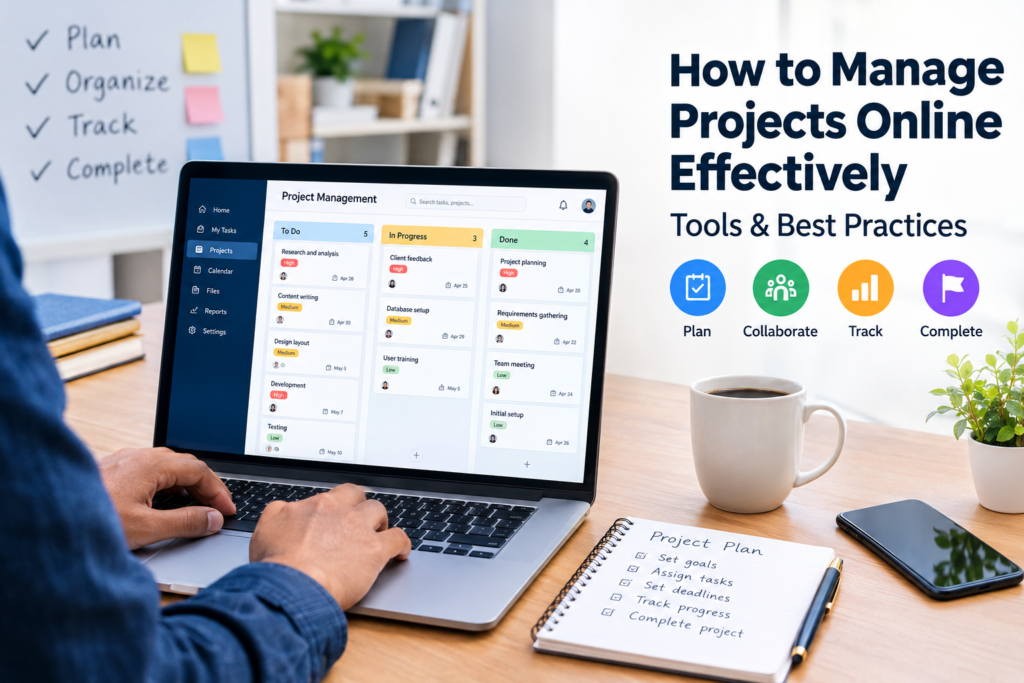

Managing a project online can make teamwork easier, especially when people work from different locations or need to coordinate multiple tasks at the same time. Instead of relying on scattered emails, spreadsheets, chat messages, and handwritten notes, teams can use online project management systems to organize work in one place.
However, simply choosing a project management tool does not automatically make a project successful. Teams still need clear goals, defined responsibilities, realistic deadlines, regular communication, and a consistent way to monitor progress.
If you want to learn how to manage projects online, this guide explains the process from planning and task assignment to progress tracking, communication, reporting, and project completion.
What Does It Mean to Manage Projects Online?
Online project management means planning, organizing, monitoring, and completing project activities using internet-based software and digital collaboration tools.
Depending on the project, an online system may allow a team to:
- Create and assign tasks
- Set deadlines
- Organize work into projects or categories
- Track progress
- Share documents
- Communicate with team members
- Monitor priorities
- Record completed work
- Review project performance
- Generate reports
For example, a small marketing team working remotely might create an online project for a new website campaign. Tasks could include keyword research, content writing, graphic design, publishing, and performance review. Each task can have an owner, deadline, priority, and status.
The important point is that online project management is not just about software. The tool supports the project management process, but the team still needs a clear system for getting work done.
Why Manage Projects Online?
There are several practical reasons businesses and teams use online project management.
1. Centralized Project Information
Project information can become difficult to manage when it is spread across emails, spreadsheets, messaging apps, and individual documents.
An online project workspace can bring important information together so team members know where to find tasks, deadlines, files, and updates.
2. Better Task Visibility
A project manager can see which tasks are:
- Not started
- In progress
- Waiting for information
- Completed
- Delayed
This makes it easier to identify problems before they affect the entire project.
3. Easier Remote Collaboration
Online project management is particularly useful when employees, freelancers, contractors, or clients are working from different locations.
Team members can access assigned work, provide updates, and review shared information without needing to be in the same office.
4. Clearer Responsibilities
Every important task should have an owner.
When responsibilities are clearly assigned, team members are less likely to assume that someone else is handling an important activity.
5. Easier Progress Monitoring
Instead of waiting until the end of a project to discover problems, managers can review progress throughout the project.
This allows them to adjust priorities, redistribute work, or address delays when necessary.
How to Manage Projects Online Step by Step
A structured process can make online project management much easier.
Step 1: Define the Project Goal
Start by explaining what the project is expected to accomplish.
A useful project goal should answer questions such as:
- What are we trying to achieve?
- Why is the project important?
- What will the final result look like?
- Who is involved?
- When should it be completed?
For example, instead of creating a vague goal such as “Improve our website,” a team could define the project as “Redesign the company website’s main pages and publish the approved version by the agreed deadline.”
A clear goal gives the team a common direction.
Step 2: Break the Project Into Tasks
Large projects can become difficult to manage when treated as one large activity.
Break the project into smaller tasks that can be assigned and monitored individually.
For a website project, the task list might include:
- Confirm project requirements
- Create website structure
- Prepare content
- Design page layouts
- Develop pages
- Test functionality
- Review content
- Fix identified issues
- Publish the website
- Monitor the initial results
Breaking work into smaller activities makes progress easier to understand.
Step 3: Assign Responsibilities
Each important task should have a clearly identified person responsible for completing it.
Avoid assigning a task to an entire department when one person can be responsible for coordinating its completion.
For example:
| Task | Responsible Person | Deadline | Status |
|---|---|---|---|
| Content research | Content Specialist | May 5 | In Progress |
| Page design | Designer | May 8 | Not Started |
| Website development | Developer | May 15 | Not Started |
| Quality review | Project Manager | May 18 | Not Started |
The exact structure can vary depending on the project, but the principle is simple: people should know what they are responsible for.
Step 4: Set Realistic Deadlines
Deadlines should reflect the amount of work involved and any dependencies between tasks.
For example, a designer may need approved content before completing a page design. If the content is delayed, the design deadline may also need to change.
Avoid setting deadlines simply because they look attractive on a project schedule. A realistic deadline is more useful than an unrealistic one that is repeatedly missed.
Step 5: Prioritize Tasks
Not every task has the same level of importance.
A simple priority system can divide work into:
- High priority
- Medium priority
- Low priority
You can also identify tasks that are dependent on other activities.
For example, testing cannot begin until the relevant development work has been completed.
Understanding these dependencies helps the team focus on the work that needs attention first.
Step 6: Choose an Online Project Management Tool
The right tool depends on the size and complexity of your project.
Common types of project management platforms include:
- Task boards
- List-based project managers
- Calendar-based systems
- Gantt chart software
- Team collaboration platforms
- Work management platforms
When evaluating a tool, consider:
- Number of users
- Project complexity
- Required features
- File storage needs
- Communication requirements
- Reporting capabilities
- Integration options
- Ease of use
- Pricing
- Security and access controls
A small team may need only task management and deadlines, while a larger organization may require advanced reporting, resource planning, permissions, and workflow automation.
Step 7: Create a Single Source of Truth
One common problem with online projects is having important information in too many places.
For example, a team might use:
- Email for deadlines
- WhatsApp for task updates
- Excel for project tracking
- Google Drive for files
- Another application for comments
This can make it difficult to determine which information is current.
Where practical, establish one primary project workspace. Other communication channels can still be used, but important decisions and task updates should be recorded in the appropriate project location.
Step 8: Establish a Communication Process
Good project communication does not mean sending messages constantly.
Instead, establish clear rules for different types of communication.
For example:
- Urgent issues → direct message or agreed urgent channel
- Task updates → project management system
- Important decisions → project record
- Formal documents → shared document system
- Regular progress → scheduled project meeting or written update
This reduces unnecessary communication while keeping important information accessible.
Step 9: Monitor Progress Regularly
Project managers should review progress throughout the project rather than only at the end.
A regular review can examine:
- Completed tasks
- Delayed tasks
- Upcoming deadlines
- Current priorities
- Blocked activities
- Changes in project scope
- Available resources
- Risks or issues
For smaller projects, a short weekly review may be enough. More complex projects may require more frequent monitoring.
Step 10: Document Changes
Projects rarely remain exactly the same from beginning to end.
A client may request additional work, a deadline may change, or a team member may become unavailable.
Record significant changes so the team understands:
- What changed
- Why it changed
- Who approved it
- What effect it has on the schedule
- Whether additional resources are required
Good documentation reduces confusion later.
How to Choose the Right Online Project Management Tool
There is no single project management platform that is best for every business.
For Simple Task Management
A simple task-based application may be enough when the main requirement is creating tasks, assigning them, and tracking their status.
This can work well for small teams and straightforward projects.
For Visual Workflows
Kanban-style boards can be useful when teams want to move work through stages such as:
To Do → In Progress → Review → Completed
This approach provides a visual overview of the current workload.
For Complex Projects
Projects involving many dependencies, deadlines, teams, or resources may benefit from more advanced project management software.
Features such as Gantt charts, workload views, reporting, dependencies, and permissions can become more valuable as project complexity increases.
For Remote Teams
Remote teams may benefit from tools that combine task management with communication, document sharing, calendars, and integrations.
However, adding more features can also make a system harder to learn. Choose functionality based on actual requirements rather than selecting a platform simply because it has a long feature list.
Online Project Management Tools: What to Look For
Before choosing software, create a short list of requirements.
| Feature | Why It Matters |
|---|---|
| Task management | Organizes individual activities |
| Assignments | Makes responsibility clear |
| Deadlines | Helps teams manage schedules |
| Status tracking | Shows project progress |
| File sharing | Keeps project documents accessible |
| Comments | Supports task-level communication |
| Notifications | Helps users stay aware of updates |
| Reporting | Provides project visibility |
| Integrations | Connects other business tools |
| Permissions | Controls access to information |
A good tool should make your process clearer, not create unnecessary administrative work.
Best Practices for Managing Projects Online
Keep Tasks Specific
“Work on website” is too broad to be a useful task.
A better task might be:
“Review and approve the homepage content.”
Specific tasks are easier to assign and complete.
Avoid Excessive Meetings
Online project management should reduce unnecessary coordination, not create more of it.
Use project updates and written documentation for routine information when possible. Schedule meetings when discussion, decision-making, or problem-solving genuinely requires them.
Keep Project Information Current
An outdated task board can be worse than having no project board because people may make decisions based on incorrect information.
Encourage team members to update task status and deadlines when circumstances change.
Don’t Overcomplicate the Workflow
A small project does not necessarily need a complicated project management methodology.
If three people are working on a short project, a simple task list with owners and deadlines may be more effective than a complex workflow requiring multiple approval stages.
Review Completed Projects
After a project ends, spend a little time reviewing what happened.
Ask:
- What worked well?
- What caused delays?
- Were responsibilities clear?
- Were deadlines realistic?
- Which processes should change next time?
These lessons can improve future projects.
Common Problems When Managing Projects Online
Online tools solve many organizational problems, but they can also introduce new ones.
Too Many Notifications
Constant notifications can distract employees and make important messages harder to notice.
Use notification settings carefully and distinguish between urgent and routine updates.
Too Many Tools
Using several platforms for overlapping purposes can create confusion.
Before adding a new application, ask whether the existing tools can already handle the requirement.
Poor Task Descriptions
A vague task creates questions and delays.
Include enough information for the assigned person to understand what needs to be done, what the expected output is, and when it is needed.
Unclear Ownership
When multiple people are responsible for a task, accountability can become unclear.
For important activities, identify one primary owner even when several people contribute.
Scope Creep
Scope creep occurs when additional work gradually gets added without properly reviewing its impact on the original project.
When new requests appear, evaluate whether they should be added immediately, scheduled for a later phase, or treated as a separate project.
How to Manage Projects Online With a Small Team
Small businesses do not necessarily need expensive or complicated software.
A practical system might include:
- One central project workspace
- A list of project goals
- Clearly defined tasks
- One owner per task
- Deadlines
- Simple priority levels
- A weekly progress review
- A location for important project files
- A process for recording major decisions
The objective is to create visibility without creating unnecessary administrative work.
How to Manage Projects Online With Remote Employees
Remote project management requires additional attention to communication and documentation.
Team members may work different schedules or have limited opportunities for face-to-face discussion.
To support remote collaboration:
- Document important decisions.
- Use clear task descriptions.
- Set expectations for response times.
- Record deadlines in the project system.
- Avoid relying entirely on private messages.
- Use shared documents for collaborative work.
- Schedule regular check-ins when necessary.
- Make project status visible to relevant team members.
The goal is to make important information available without requiring employees to be online at the same time.
How to Track Project Performance
Project performance can be monitored using simple indicators such as:
- Tasks completed
- Tasks overdue
- Milestones reached
- Open issues
- Remaining work
- Project expenses, where relevant
- Delivery against agreed deadlines
The right indicators depend on the project.
For example, a software development project may focus heavily on completed development tasks, testing, and unresolved issues, while a marketing campaign may focus on content delivery, campaign activities, and agreed reporting milestones.
Avoid tracking measurements simply because the software makes them available. Track information that helps the team make better decisions.
Online Project Management vs. Traditional Project Management
Online project management is not necessarily a completely different discipline from traditional project management.
The main difference is often where and how information is managed.
Traditional approaches may rely more heavily on physical documents, face-to-face meetings, printed schedules, or locally stored files.
Online systems can make project information accessible through connected devices and support collaboration across locations.
However, online tools do not eliminate the need for project planning, leadership, communication, risk management, or decision-making.
Frequently Asked Questions
1. What is the easiest way to manage projects online?
Start with a clear project goal, break the work into tasks, assign owners, set deadlines, and track progress in one central system. Keep the workflow simple enough that everyone will actually use it.
2. Can small businesses manage projects online without expensive software?
Yes. Small businesses can use simple task management and collaboration tools, including free or lower-cost options, depending on their requirements. The best choice depends on the number of users and features needed.
3. How often should an online project be reviewed?
There is no universal schedule. Simple projects may need a weekly review, while complex or fast-moving projects may require more frequent monitoring. Review frequency should reflect project risk, size, and pace.
4. What information should every project task include?
A useful task should normally include a clear description, responsible person, deadline, priority where relevant, and any important supporting information or files.
5. Can online project management work for remote teams?
Yes. Online project management can be particularly useful for distributed teams because tasks, deadlines, documents, and updates can be shared digitally. Clear communication rules and accurate project information remain important.
Conclusion
Learning how to manage projects online is less about finding the most feature-rich software and more about building a clear and consistent process.
Start by defining the project goal, divide the work into manageable tasks, assign clear responsibilities, establish realistic deadlines, and use a central system to monitor progress. Keep communication organized, document important changes, and regularly review the project’s status.
The right online project management approach should make work easier to understand and coordinate. Whether you are managing a small business project, a remote team, a marketing campaign, or a larger organizational initiative, simplicity, accountability, and accurate information are often more valuable than unnecessary complexity.
Before choosing a platform, identify what your team actually needs and compare available tools based on features, usability, cost, integrations, and access requirements. A tool is most useful when it supports the way your team already needs to work.