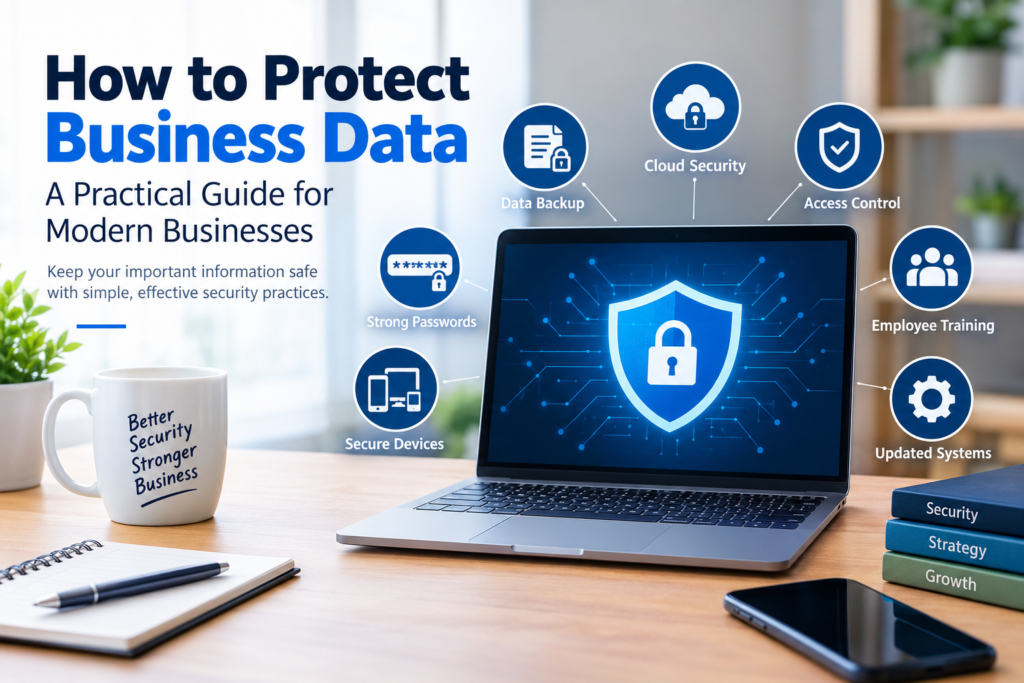

Business data is one of the most valuable resources an organization has. Customer information, financial records, employee details, contracts, marketing data, passwords, product information, and internal documents all need to be handled carefully.
A data problem can happen in many ways. A laptop can be lost, an employee account can be compromised, a file can be accidentally deleted, or a system can become unavailable. Businesses also increasingly rely on cloud services, mobile devices, remote employees, and third-party software, creating more places where information needs protection.
Learning how to protect business data does not necessarily require a complicated security system. A good approach starts with understanding what information the business has, who needs access to it, where it is stored, and what could happen if it were lost or exposed.
This guide explains practical steps businesses can take to improve data protection while keeping security manageable.
Why Protecting Business Data Matters
Business data supports everyday operations and decision-making. Losing access to important information can interrupt work, while unauthorized access can create privacy, financial, legal, and reputational risks.
Data protection is therefore not only an IT responsibility. Business owners, managers, employees, contractors, and service providers may all have a role in keeping information secure.
Common types of business data include:
- Customer and contact information
- Employee records
- Financial and accounting documents
- Sales and transaction records
- Business contracts
- Passwords and account credentials
- Marketing and analytics data
- Product and operational information
- Internal communications
- Intellectual property and business documents
Not every piece of information requires the same level of protection. A useful first step is to identify which data is sensitive and prioritize it.
How to Protect Business Data
There is no single security measure that protects every type of business information. Effective data protection usually involves several layers working together.
1. Identify and Classify Your Business Data
Before deciding how to protect information, determine what you actually have.
Create an inventory of important data and identify where it is stored. For example, customer information might exist in a CRM system, while financial documents may be stored in accounting software and company cloud storage.
You can organize information into categories such as:
- Public
- Internal
- Confidential
- Highly sensitive
The exact categories can vary by organization.
This classification helps determine who should have access to each type of information and what security controls are appropriate.
2. Use Strong, Unique Passwords
Weak or reused passwords can put multiple business accounts at risk.
Employees should use strong, unique passwords for important accounts. Password managers can make this easier by securely storing credentials without requiring people to memorize every password.
Avoid using predictable information such as:
- Company names
- Employee names
- Birth dates
- Common words
- Simple number sequences
- The same password across multiple services
Business administrators should also review old accounts and remove access that is no longer required.
3. Enable Multi-Factor Authentication
Multi-factor authentication, often called MFA, adds another verification step when someone signs in.
For example, after entering a password, a user may need to approve a sign-in through an authentication application or provide another verification factor.
MFA can provide an additional layer of protection when a password is compromised.
Businesses should consider enabling MFA for important services such as:
- Cloud storage
- Financial systems
- CRM platforms
- Administrative accounts
- Website management
- Business communication tools
4. Control Who Can Access Sensitive Information
Employees generally do not need access to every business file or system.
Use the principle of least privilege: give users only the access they need to perform their responsibilities.
For example, a marketing employee may need access to marketing platforms but not payroll records. Similarly, an external contractor may need access to a specific project folder without needing access to the entire company storage system.
Review permissions regularly, especially when employees:
- Change roles
- Leave the company
- Join new projects
- Stop working with a particular system
Removing unnecessary access reduces the number of accounts that can potentially expose sensitive information.
5. Back Up Important Business Data
Backups are an important part of protecting information from accidental deletion, hardware failure, system problems, and other incidents.
A business should determine which information needs to be backed up and how frequently backups should occur.
Important considerations include:
- What data needs backup?
- How often should backups run?
- Where are backups stored?
- Who can access them?
- How long should backups be retained?
- How will the business restore information if necessary?
A backup is only useful if the business can actually restore the information. Periodically testing the restoration process can help identify problems before an emergency occurs.
6. Keep Software and Devices Updated
Software updates often include security fixes as well as new features and performance improvements.
Businesses should keep operating systems, browsers, applications, security tools, and other important software reasonably up to date.
This applies to:
- Office computers
- Laptops
- Smartphones
- Tablets
- Servers
- Routers and network equipment
- Business applications
Where practical, enable automatic updates for software that supports them, while maintaining appropriate controls for business-critical systems.
7. Secure Company Devices
Business information may be stored on laptops, phones, tablets, and other devices.
Basic device security should include measures such as:
- Screen locks
- Strong device passwords or PINs
- Encryption where appropriate
- Security software
- Automatic updates
- Remote management for company-owned devices where appropriate
- Secure disposal of old devices
Employees should also know what to do if a company device is lost or stolen.
8. Protect Business Data in Cloud Services
Cloud platforms can be useful for storing and sharing business information, but businesses still need to configure them properly.
When using cloud services, review:
- User permissions
- Sharing settings
- Administrative accounts
- MFA availability
- Backup options
- Data retention settings
- Third-party integrations
- Account recovery options
Avoid making sensitive files publicly accessible unless there is a specific business reason to do so.
A cloud provider may offer security features, but the business remains responsible for using the service appropriately and controlling its own accounts and permissions.
9. Train Employees About Data Security
Technology alone cannot protect business information.
Employees interact with emails, websites, files, applications, customers, and external contacts every day. Simple mistakes can create security problems.
Regular training should cover topics such as:
- Recognizing suspicious emails
- Handling sensitive information
- Creating secure passwords
- Using MFA
- Reporting lost devices
- Avoiding unauthorized software
- Checking unexpected requests for information
- Following company data-handling procedures
Training should be practical rather than overly technical.
For example, employees can be shown how to recognize an unusual login request or suspicious attachment and what action they should take.
10. Be Careful With Email and File Sharing
Email is commonly used for sending business documents, but sensitive information should be handled carefully.
Before sending an important file, verify:
- The recipient’s address.
- That the recipient actually needs the information.
- That the correct document is attached.
- That the sharing method is appropriate for the sensitivity of the information.
For sensitive files, businesses may use access-controlled cloud sharing or other approved secure transfer methods instead of ordinary attachments.
11. Secure Remote Work
Remote work can introduce additional security considerations because employees may work from different networks and devices.
Businesses should establish clear rules for remote workers, including:
- Using company-approved devices where possible
- Keeping devices updated
- Using secure Wi-Fi
- Protecting screens from unauthorized viewing
- Avoiding sensitive work on untrusted computers
- Using approved cloud and communication services
- Reporting lost devices or suspicious activity promptly
Employees should understand which information they are allowed to download, store, or share outside company systems.
12. Choose Third-Party Vendors Carefully
Businesses often share data with external providers such as payroll companies, cloud platforms, CRM providers, marketing services, and IT contractors.
Before giving a third party access to sensitive information, consider:
- What information does the provider need?
- Why does it need the information?
- Who can access the data?
- What security controls are available?
- How is the information stored?
- What happens when the relationship ends?
- What does the provider’s contract say about data handling?
The appropriate requirements depend on the type of data and the organization’s legal and regulatory responsibilities.
13. Have a Data Incident Response Plan
Even businesses with strong security controls should prepare for the possibility of an incident.
A simple response plan should explain:
- Who should be notified?
- Who is responsible for investigating?
- How affected accounts or devices should be secured
- How evidence should be preserved
- How customers or other stakeholders should be informed when necessary
- When legal or regulatory advice should be obtained
- How the business will recover operations
Having responsibilities defined in advance can make the response more organized during a stressful situation.
A Simple Business Data Protection Checklist
A small business can start with the following checklist:
| Area | Recommended Action |
|---|---|
| Passwords | Use strong and unique passwords |
| MFA | Enable it for important accounts |
| Access | Give users only the permissions they need |
| Backups | Back up important information regularly |
| Devices | Use screen locks, updates, and appropriate security controls |
| Cloud | Review sharing and account permissions |
| Software | Keep important systems updated |
| Employees | Provide practical security awareness training |
| Vendors | Review how third parties handle business information |
| Incidents | Create a simple response and recovery plan |
This checklist is a starting point rather than a complete security program.
Common Mistakes Businesses Should Avoid
Some data protection problems come from everyday habits rather than sophisticated technical attacks.
Using One Password Everywhere
If the same password is reused across several services, compromising one account can create problems elsewhere.
Giving Everyone Administrator Access
Administrative privileges should be limited to users who genuinely need them.
Ignoring Old Accounts
Former employees and unused accounts should not retain unnecessary access to company systems.
Assuming Cloud Storage Means Automatic Protection
Cloud services provide useful security features, but incorrect permissions, weak passwords, and poor account management can still create risks.
Never Testing Backups
A backup that cannot be restored when needed is a serious operational problem.
Sharing Sensitive Files Without Checking Recipients
An incorrect email address or sharing permission can expose information to someone who should not receive it.
Treating Security as Only an IT Problem
Employees across the organization interact with business data. Everyone should understand their responsibilities.
How Small Businesses Can Start Without Overcomplicating Security
Smaller organizations may not have dedicated cybersecurity teams. That does not mean they should ignore data protection.
Start with the fundamentals:
- Identify important business information.
- Secure administrator accounts.
- Enable MFA on critical services.
- Use unique passwords.
- Establish reliable backups.
- Update software and devices.
- Review user permissions.
- Train employees.
- Document how incidents should be reported.
- Review security practices regularly.
Once these basics are established, the business can gradually introduce additional controls based on its risks, budget, industry, and regulatory requirements.
Benefits of a Strong Data Protection Strategy
A thoughtful data protection approach can help a business:
- Reduce unnecessary exposure of sensitive information
- Improve control over user access
- Recover more effectively from data loss
- Reduce the impact of common mistakes
- Protect important business records
- Support customer and employee privacy
- Improve operational resilience
- Establish clearer responsibilities for employees
Security should be viewed as an ongoing process rather than a one-time project.
What About the Cost of Data Protection?
The cost depends on the size of the business, the type of information it handles, the systems it uses, and the level of protection required.
Some useful security measures may already be included in existing software subscriptions. Others may require additional services, professional support, hardware, or employee training.
Instead of buying every security product available, businesses should first identify their most important risks and prioritize controls that address those risks.
This approach can make security spending more practical and easier to manage.
Frequently Asked Questions
1. What is the best way to protect business data?
There is no single best solution for every business. A strong foundation includes unique passwords, multi-factor authentication, appropriate access controls, reliable backups, updated software, secure devices, employee training, and an incident response plan.
2. How often should a business back up its data?
The appropriate frequency depends on how often information changes and how much data the business can afford to lose. Businesses with frequently changing or critical information may need more frequent backups than organizations with less frequently updated records.
3. Is cloud storage safe for business data?
Cloud storage can provide useful security features, but its safety depends partly on how the service and business accounts are configured. Businesses should review permissions, authentication, sharing settings, backup options, and the provider’s security documentation.
4. Should every employee have access to all business data?
No. Employees should generally receive only the access needed for their responsibilities. Limiting unnecessary access can reduce the potential impact of compromised or misused accounts.
5. What should a business do if important data is accidentally exposed?
The business should follow its incident response procedures, secure affected accounts or systems, preserve relevant information for investigation, determine what data may have been affected, and seek appropriate technical, legal, or regulatory guidance when necessary. Notification requirements can vary depending on the location, industry, and type of information involved.
Conclusion
Knowing how to protect business data is an important part of running a modern organization. Businesses do not need to implement every security technology at once. The better approach is to understand the information they hold, identify their most important risks, and build practical layers of protection.
Start with strong authentication, controlled access, reliable backups, updated systems, secure devices, employee training, and careful use of cloud services and third-party providers. Then review those measures regularly as the business grows and its technology changes.
Good data protection is an ongoing responsibility. By making security part of everyday business practices, organizations can better protect important information and prepare for problems before they become major disruptions.