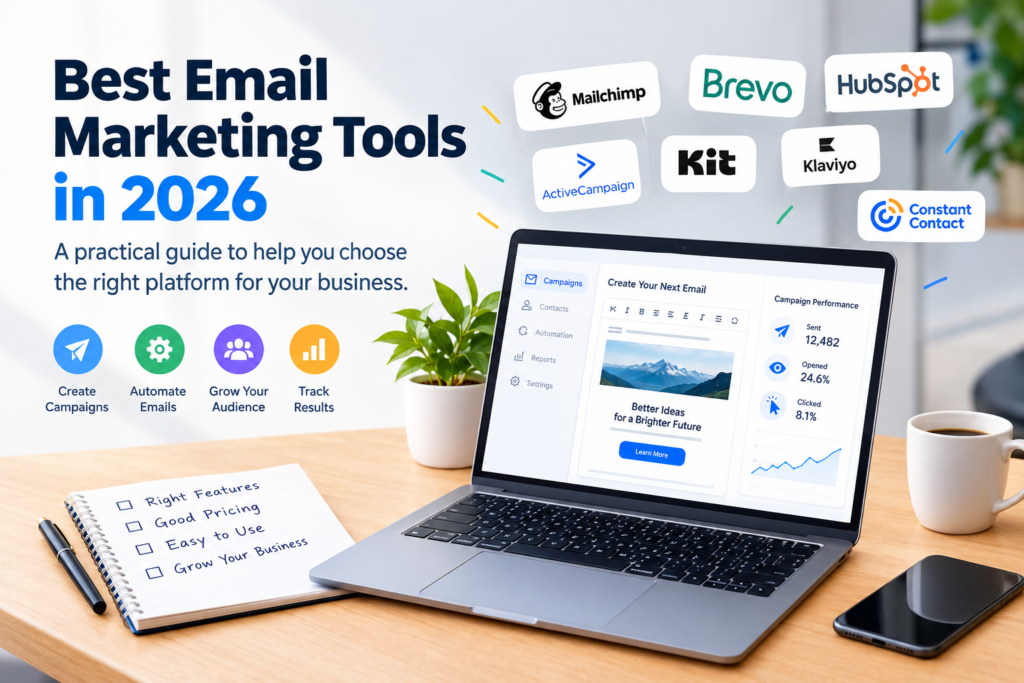

Email remains a useful channel for businesses that want to communicate directly with customers, prospects, subscribers, and existing audiences. But sending professional campaigns requires more than an email address and a list of contacts.
The best email marketing tools in 2026 can help businesses create newsletters, automate messages, organize subscribers, analyze campaign performance, and manage customer communication from one platform.
However, there is no single tool that is best for every business. A freelancer sending a monthly newsletter may need very different features from an online store, SaaS company, nonprofit organization, or marketing agency.
This guide explains what to look for, compares several popular options by their strengths, and provides a practical process for choosing the right platform.
What Is an Email Marketing Tool?
An email marketing tool is software that helps businesses create, send, automate, and measure email communications.
Depending on the platform, common features may include:
- Email campaign creation
- Drag-and-drop editors
- Newsletter templates
- Contact management
- Subscriber segmentation
- Automated email sequences
- Welcome emails
- Customer journeys
- Analytics and reporting
- Signup forms
- Landing pages
- A/B testing
- Ecommerce integrations
- CRM features
Some platforms focus primarily on newsletters, while others combine email marketing with customer relationship management, automation, sales, or ecommerce features.
Why Businesses Use Email Marketing Software
Managing campaigns manually becomes difficult as a contact list grows. An email marketing platform can make repetitive work easier and provide tools for organizing communication.
1. Campaign management
Businesses can prepare newsletters and promotional or informational emails in a central dashboard instead of manually sending individual messages.
2. Automation
Automation allows certain emails to be sent when predefined conditions are met.
For example, a business could create a welcome sequence:
- A visitor subscribes.
- The platform sends a welcome email.
- A follow-up message is sent after a specified period.
- Another message provides useful resources or information.
The exact automation capabilities depend on the platform.
3. Audience segmentation
A single message may not be appropriate for every subscriber.
Segmentation can allow marketers to organize contacts based on factors such as:
- Signup source
- Previous interactions
- Customer status
- Interests
- Location
- Purchase history
- Engagement
This can make campaigns more relevant to different groups.
4. Reporting
Email platforms commonly provide reports that help marketers understand how campaigns performed.
Depending on the service, reports may include metrics such as deliveries, opens, clicks, unsubscribes, and other engagement information.
These measurements should be interpreted carefully because tracking technology and privacy features can affect some email metrics.
Best Email Marketing Tools in 2026
The right platform depends on your audience, budget, technical requirements, integrations, and marketing strategy.
Below are several well-known options worth evaluating.
1. Mailchimp
Mailchimp is one of the most recognizable email marketing platforms and offers tools for campaign creation, audience management, automation, analytics, and related marketing activities.
Best suited for: Small businesses, creators, and teams looking for an established marketing platform.
Potential advantages:
- Familiar email campaign workflow
- Email templates and design tools
- Audience management
- Automation capabilities
- Reporting features
- Integrations with other services
Things to consider:
Businesses should review current plan limits and pricing carefully because available features can vary by subscription level.
2. Brevo
Brevo combines email marketing with other communication and customer-management capabilities.
Best suited for: Businesses that want email marketing alongside broader customer communication tools.
Potential advantages:
- Email campaigns
- Marketing automation
- Contact management
- Transactional email capabilities
- Additional communication channels
- Reporting and analytics
Things to consider:
If you only need a simple newsletter platform, some of its broader functionality may be unnecessary.
3. Constant Contact
Constant Contact provides email marketing and related digital marketing tools, with an emphasis on helping organizations create campaigns without requiring advanced technical knowledge.
Best suited for: Small businesses, organizations, and users who prefer a relatively straightforward marketing workflow.
Potential advantages:
- Email templates
- Contact management
- Campaign reporting
- Signup tools
- Marketing automation
- Event and marketing-related features
Things to consider:
Compare its current pricing and included features against alternatives before committing to a long-term plan.
Constant Contact official website
4. HubSpot
HubSpot offers email marketing as part of a broader CRM and marketing ecosystem.
Best suited for: Businesses that want email marketing closely connected with CRM, sales, and customer-management workflows.
Potential advantages:
- CRM integration
- Marketing automation
- Contact management
- Campaign tools
- Reporting
- Sales and marketing workflows
Things to consider:
Businesses should evaluate which features they actually need because a larger platform can be more complex than a dedicated newsletter service.
5. ActiveCampaign
ActiveCampaign focuses strongly on email marketing, customer engagement, automation, and related customer experience workflows.
Best suited for: Businesses with more sophisticated automation requirements.
Potential advantages:
- Email campaigns
- Marketing automation
- Customer segmentation
- Automated journeys
- CRM functionality
- Customer engagement tools
Things to consider:
Advanced automation can introduce additional complexity, so smaller teams should determine whether they will actually use those capabilities.
ActiveCampaign official website
6. Kit
Kit is designed particularly around creators, publishers, and people building audiences through email.
Best suited for: Bloggers, creators, writers, educators, and digital publishers.
Potential advantages:
- Subscriber management
- Email broadcasts
- Automation
- Signup forms
- Landing pages
- Creator-oriented workflows
Things to consider:
Organizations that need extensive CRM, sales, or enterprise marketing features may want to compare it with broader platforms.
7. Klaviyo
Klaviyo is particularly well known for ecommerce-focused marketing and customer data workflows.
Best suited for: Ecommerce businesses that want to connect customer data with email and other marketing activities.
Potential advantages:
- Ecommerce integrations
- Customer segmentation
- Automated campaigns
- Behavioral targeting
- Email and SMS marketing
- Customer analytics
Things to consider:
Its broader capabilities may be more than a small business needs if the goal is simply to send occasional newsletters.
Email Marketing Tools Compared
| Tool | Strongest Use Case | Key Strength |
|---|---|---|
| Mailchimp | Small businesses and general marketing | Broad email marketing features |
| Brevo | Email and customer communication | Multi-channel capabilities |
| Constant Contact | Small organizations | Straightforward campaign creation |
| HubSpot | CRM-connected marketing | CRM and marketing ecosystem |
| ActiveCampaign | Advanced automation | Customer journeys and automation |
| Kit | Creators and publishers | Audience and creator workflows |
| Klaviyo | Ecommerce | Customer data and ecommerce marketing |
This table is a starting point rather than a universal ranking. The “best” option depends on your specific requirements.
How to Choose the Best Email Marketing Tools in 2026
Before signing up for a platform, identify what you actually need.
1. Define your primary goal
Start with one simple question:
What do I want email marketing to accomplish?
Your answer might be:
- Send a weekly newsletter
- Welcome new subscribers
- Promote products
- Recover potential ecommerce customers
- Nurture leads
- Communicate with existing customers
- Build a creator audience
- Automate repetitive communication
Your goal should influence your platform choice.
2. Estimate your audience size
Pricing structures can differ considerably between platforms.
Check:
- Number of contacts allowed
- Number of emails included
- Automation limits
- Available users or seats
- Monthly or annual billing
- Additional charges
- Feature restrictions
Do not choose a platform based only on its entry-level price.
Calculate what you are likely to pay as your audience grows.
3. Check automation features
If automation is important, look beyond the word “automation” on a pricing page.
Check whether the platform supports the specific workflows you need.
For example:
Simple workflow:
Subscriber → Welcome email → Follow-up email
More advanced workflow:
Subscriber → Segment by interest → Send relevant content → Track interaction → Start another sequence
The second workflow may require more advanced functionality.
4. Evaluate email design tools
A good email editor should make it reasonably easy to create professional messages.
Look for:
- Responsive templates
- Reusable layouts
- Image support
- Buttons and links
- Personalization
- Mobile previews
- Custom branding
If your team has limited design experience, ease of use can be more important than having hundreds of advanced features.
5. Review analytics
Good reporting helps you understand whether campaigns are performing as intended.
Look for reporting related to:
- Delivery
- Opens
- Clicks
- Unsubscribes
- Bounces
- Campaign comparisons
- Audience engagement
Remember that email metrics are not perfect measurements of user behavior. Privacy technologies can affect tracking, so campaign performance should be evaluated using multiple signals.
6. Check integrations
Your email platform may need to connect with other software.
Common integrations include:
- WordPress
- Ecommerce platforms
- CRM systems
- Forms
- Analytics tools
- Customer-support software
- Webinar platforms
- Payment systems
A tool with many integrations is not automatically better. What matters is whether it connects with the services your business actually uses.
7. Consider deliverability features
Deliverability refers to whether emails successfully reach recipients’ mailboxes rather than being rejected or filtered.
A responsible email strategy should include:
- Permission-based subscriptions
- Clear unsubscribe options
- Accurate sender information
- Clean contact lists
- Appropriate sending practices
- Proper domain authentication
No legitimate platform can guarantee that every email will reach the inbox.
Free vs. Paid Email Marketing Tools
Many email marketing platforms offer free or lower-cost plans, but these plans usually come with limitations.
A free plan may restrict:
- Number of subscribers
- Monthly email volume
- Automation
- Reporting
- Templates
- Integrations
- Branding removal
- Customer support
A paid plan may make sense when email becomes an important part of your business.
However, paying more does not automatically mean getting better results.
The right approach is to pay for features that solve a real business problem.
Common Email Marketing Mistakes to Avoid
Even an excellent platform cannot compensate for poor email practices.
Sending emails without proper permission
Build your list through legitimate, transparent signup methods.
Avoid purchasing questionable lists or adding people who did not agree to receive your marketing communications.
Sending too frequently
More emails do not necessarily mean better communication.
A useful schedule depends on your audience and the type of content you provide.
Ignoring mobile readers
Many subscribers may read email on phones.
Always check how your campaigns look on smaller screens before sending them.
Making every email promotional
A newsletter should provide a reason for subscribers to keep opening it.
Educational content, useful resources, product information, updates, and relevant insights can all have a place in an email strategy.
Failing to maintain your list
Remove or manage invalid addresses and monitor engagement.
Keeping your audience organized can make campaigns easier to manage and help maintain healthy sending practices.
A Simple Email Marketing Workflow
If you are starting from scratch, you do not need a complicated system.
Step 1: Choose your audience
Define who you want to communicate with.
Step 2: Select an email platform
Compare features, pricing, integrations, and usability.
Step 3: Create a signup method
Add a legitimate signup form to your website or other appropriate channels.
Step 4: Set expectations
Tell subscribers what type of content they will receive and, where appropriate, how frequently.
Step 5: Create a welcome email
Thank new subscribers and explain what they can expect.
Step 6: Publish useful content
Send information that is relevant to your audience rather than relying entirely on promotions.
Step 7: Review performance
Monitor campaign data and look for meaningful changes over time.
Step 8: Improve gradually
Test subject lines, content formats, calls to action, timing, and segmentation where appropriate.
How Much Should You Spend on Email Marketing?
There is no universal budget that works for every business.
Your costs can depend on:
- Number of subscribers
- Email volume
- Automation requirements
- Number of team members
- Required integrations
- CRM requirements
- Ecommerce functionality
- Support requirements
A small newsletter may need only basic functionality, while a growing ecommerce company may require advanced customer segmentation and automation.
Before purchasing a plan, estimate your expected subscriber growth and email volume for the next year rather than looking only at today’s requirements.
Best Email Marketing Tools in 2026 by Business Type
Different businesses can prioritize different capabilities.
For small businesses
Look for an easy-to-use platform with contact management, templates, basic automation, and useful reporting.
For ecommerce businesses
Prioritize customer data, ecommerce integrations, segmentation, behavioral automation, and revenue-related reporting.
For creators and bloggers
Look for simple subscriber management, newsletters, landing pages, and audience-building features.
For larger marketing teams
Consider automation, CRM integration, permissions, reporting, collaboration, and integration requirements.
For beginners
Start with the simplest platform that can handle your current needs. You can move to a more sophisticated system later if your requirements change.
Frequently Asked Questions
1. What are the best email marketing tools in 2026?
There is no single best platform for everyone. Mailchimp, Brevo, Constant Contact, HubSpot, ActiveCampaign, Kit, and Klaviyo are examples of established platforms with different strengths. Your best choice depends on your audience, goals, budget, and required features.
2. What is the best email marketing tool for beginners?
Beginners should generally prioritize ease of use, clear pricing, templates, basic automation, contact management, and straightforward reporting. A simpler platform can be a better starting point than a complex system with features you do not need.
3. Are free email marketing tools worth using?
They can be useful for testing an email strategy or managing a smaller audience. However, free plans often have restrictions on contacts, sending volume, automation, integrations, or other features. Review the current terms before choosing one.
4. How often should a business send marketing emails?
There is no universal frequency. The appropriate schedule depends on your audience, content, business type, and subscriber expectations. Focus on sending useful and relevant information rather than maximizing the number of messages.
5. What should I look for when comparing email marketing platforms?
Compare subscriber limits, pricing, automation, segmentation, templates, analytics, integrations, deliverability features, ease of use, customer support, and scalability. Also check the provider’s current pricing and feature documentation because plans can change.
Conclusion
The best email marketing tools in 2026 are not necessarily the platforms with the longest feature lists. The right choice is the one that fits your audience, marketing goals, budget, technical requirements, and expected growth.
For a simple newsletter, a straightforward email platform may be enough. Businesses with more complex customer journeys may benefit from advanced automation, CRM integration, or ecommerce functionality.
Before choosing a service, compare its current pricing, features, integrations, and usage limits on the provider’s official website. Start with the capabilities you genuinely need, build a permission-based audience, and improve your email strategy based on real campaign results.
The goal is not simply to send more emails. It is to create useful, relevant communication that gives subscribers a good reason to remain engaged.