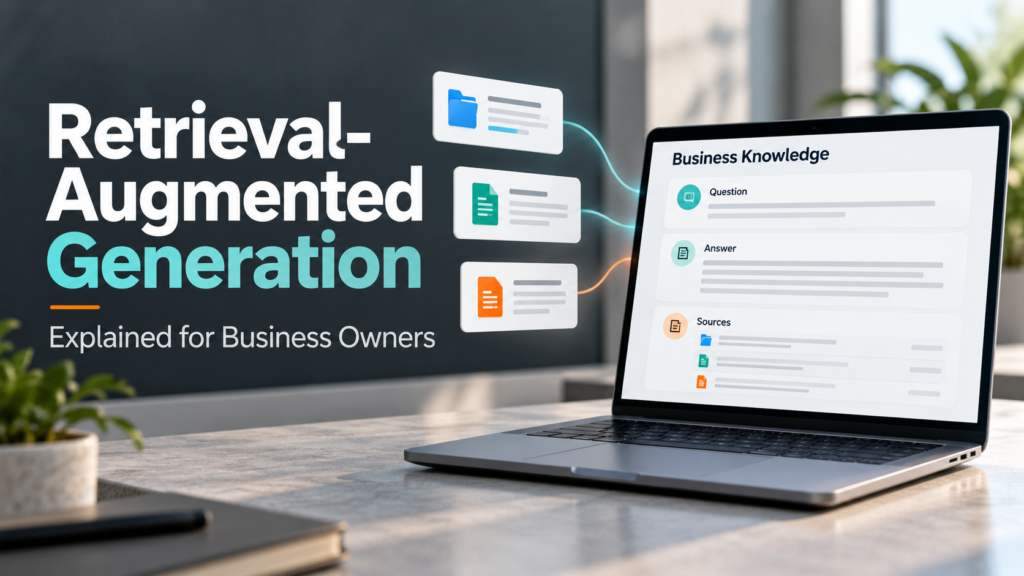

Imagine an employee asking an AI assistant, “What does our standard maintenance package include?”
A general-purpose chatbot may explain what maintenance packages typically cover. However, that answer might have little connection to your company’s actual services.
Retrieval-augmented generation, usually shortened to RAG, connects an AI system to information it can retrieve when answering a question. That information might come from approved service documents, product manuals, internal procedures, or another business knowledge source.
The potential benefit is practical: people can ask questions in everyday language and receive answers informed by relevant business material.
This guide provides retrieval-augmented generation explained for business owners, including how it works, suitable uses, costs, privacy questions, and the limitations to understand before investing.
What Is Retrieval-Augmented Generation?
Retrieval-augmented generation is an approach that combines information retrieval with AI-generated responses.
The name describes its main parts:
- Retrieval: Find information relevant to a question.
- Augmentation: Add that information to the model’s input.
- Generation: Produce an answer using the supplied context.
AWS describes RAG as a technique for supplementing a large language model with external information, such as a company’s internal documents. AWS Prescriptive Guidance
For a business owner, think of it as an assistant that searches reference material before drafting its response.
That reference material still needs to be accurate, accessible, and appropriate for the person asking.
How RAG Works in a Business Setting
A typical document-based system has two stages: preparing the information and answering questions.
Stage 1: Prepare the Knowledge Source
Your business selects approved material, such as:
- Service descriptions.
- Product documentation.
- Staff procedures.
- Troubleshooting guides.
- Frequently asked questions.
The system makes this information searchable.
A common approach converts documents into text, divides them into smaller sections called chunks, and indexes those sections. Some systems use embeddings—numerical representations that help match related meanings. AWS documents this approach for its knowledge base service. Amazon Bedrock
Not every RAG system requires a separate vector database. Implementations can use keyword search, semantic search, structured queries, or combinations.
Stage 2: Retrieve Information and Draft an Answer
When someone asks a question, the system:
- Searches the connected information.
- Selects relevant material.
- Provides it to the language model.
- Generates a response.
- Displays source references if that feature is implemented.
It usually retrieves selected information rather than sending every business document with every question.
The quality of the result depends on both the search process and how the model uses what it receives.
A Simple Business Example
Consider a fictional company offering website maintenance.
Its approved service guide states that a particular package includes monthly updates and backup checks, while emergency recovery is quoted separately.
A customer service employee asks:
“Does this package include emergency recovery?”
A well-designed RAG assistant could retrieve the relevant package section, explain the exclusion, and link to the source.
However, several things could go wrong:
- It retrieves an outdated package.
- It confuses two service tiers.
- The relevant exclusion is missing from the retrieved text.
- It generates wording that goes beyond the source.
This example shows why connecting documents is only the beginning. You also need version control, reliable retrieval, and testing.
RAG, Search, Fine-Tuning, and Automation Compared
These approaches solve different problems.
| Approach | Main purpose | Business example |
|---|---|---|
| Traditional search | Return relevant documents or passages | Find the current onboarding checklist |
| RAG | Use retrieved information to generate an answer | Explain which onboarding steps apply to a situation |
| Fine-tuning | Adjust model behavior through additional training | Improve consistency for a specialized output format |
| Workflow automation | Carry out actions according to defined rules | Create onboarding tasks after approval |
RAG generally does not require retraining the model whenever a reference document changes. The searchable source still needs to be updated or synchronized.
Fine-tuning is not a substitute for a maintained knowledge source, and the two approaches can be combined.
Also, answering a question is different from taking action. A RAG assistant does not automatically have permission to change a customer record, issue a refund, or send an email. Those capabilities require separate integrations and controls.
Where RAG Can Be Useful
Internal Knowledge Assistance
Employees can ask questions about approved procedures instead of searching several folders.
For example:
- Where is the current project handover checklist?
- What information is required before creating a customer account?
- Who reviews an exception request?
The assistant should show which procedure supports the answer.
Customer Support Drafting
Support staff can use product guides and troubleshooting material to prepare responses.
An internal drafting assistant is a manageable starting point because staff can review answers before sending them to customers.
Sales and Service Information
A RAG system can help staff find service scope, product specifications, and approved proposal material.
Time-sensitive information needs particular care. Live availability or current account balances may require a direct query to the relevant business system rather than a periodically indexed document.
Employee Onboarding
New employees can ask questions about routine processes and find related resources.
The system should distinguish general guidance from situations requiring a manager’s approval.
When RAG May Be Unnecessary
RAG adds components that require maintenance.
Consider simpler options when:
- You have only a few short reference pages.
- Ordinary search already works well.
- Questions are rare.
- The information is poorly organized and contradictory.
- The task is primarily a calculation or transaction.
- Nobody can maintain the source material.
A clear FAQ, a searchable handbook, or a rules-based form may meet the need at a lower operating cost.
Choose the simplest approach that solves the problem reliably.
Benefits to Evaluate
Answers Informed by Business Material
RAG can provide context that a general model would not otherwise have.
This helps with organization-specific questions, although it does not guarantee the model will interpret the material correctly.
More Manageable Information Updates
You can update a source and refresh the retrieval system without retraining the underlying model.
Ask how long that refresh takes. “Connected” does not necessarily mean “updated instantly.”
Easier Source Checking
If the application provides accurate citations, users can inspect the material behind an answer.
A citation should point to the passage that supports the claim, not merely a related document.
Potential Time Savings
An assistant may reduce searching and repetitive questions.
Measure that benefit during a pilot. Include time spent checking answers, correcting mistakes, and maintaining documents.
Limitations Business Owners Should Understand
Relevant Information Can Be Missed
The correct answer may exist in your files but fail to appear in the retrieved material.
Microsoft identifies query understanding, information access, limited model input space, response time, and security as important RAG challenges. Microsoft Learn
Outdated Documents Can Produce Outdated Answers
A retrieval system cannot make an obsolete policy current.
Assign owners, identify approved versions, and remove superseded content from active retrieval.
Generated Answers Can Still Be Wrong
RAG can support better grounding, but it does not eliminate unsupported statements or misinterpretation.
An assistant should be able to say that the available sources do not answer a question.
Document Formatting Can Affect Results
Scanned pages, complex tables, and unclear headings may be extracted incorrectly.
Check the searchable text, especially where numbers, conditions, or package comparisons matter.
Conflicting Sources Need Resolution
If two documents give different instructions, the system needs a way to identify the authoritative version or flag the conflict.
Do not expect the model to resolve every business disagreement correctly.
Privacy and Security Questions to Ask
Are Permissions Enforced Before Retrieval?
A user should receive information only from sources they are authorized to access.
Ask how the system handles:
- Different departments.
- External users.
- Separate customer accounts.
- Permission changes.
- Deleted documents.
- Previously cached results.
Test these boundaries directly. Instructions telling the assistant to “keep information private” do not replace access controls.
Where Is Information Stored and Processed?
Review the treatment of:
- Original documents.
- Extracted text.
- Search indexes and embeddings.
- Prompts and responses.
- Usage logs.
- Backups.
Check retention, deletion, subcontractors, processing locations, and applicable subscription terms.
RAG describes how information reaches the model. It does not, by itself, establish whether a provider stores that information or uses it for training.
Can Retrieved Content Contain Malicious Instructions?
Documents or webpages can contain text designed to influence the assistant’s behavior, a risk associated with prompt injection.
Approved sources, restricted permissions, testing, and human review remain important. NIST’s initial public draft describing its own chatbot implementation discusses risks including prompt injection, hallucinations, data exposure, and unauthorized access. CSRC
Be especially careful when connecting unreviewed external content or allowing the assistant to perform actions.
What Does a RAG System Cost?
There is no universal price because scope and architecture vary.
Possible costs include:
| Cost area | What to consider |
|---|---|
| Content preparation | Cleaning files, resolving conflicts, and extracting text |
| Setup | Connectors, permissions, application design, and testing |
| Search infrastructure | Indexing, storage, and retrieval |
| Model usage | Processing questions, context, and answers |
| Synchronization | Keeping sources and permissions current |
| Monitoring | Reviewing errors and investigating failures |
| Staff time | Maintaining documents and approving outputs |
Ask for an estimate based on your document volume, expected usage, and service requirements.
Also ask what happens when usage increases. A demonstration with a few files may not represent the operating cost of a production system.
How to Run a Practical RAG Pilot
1. Choose One Narrow Use Case
For example:
Help customer service staff answer questions about one approved service package.
Keep the initial audience and source collection manageable.
2. Prepare Reliable Documents
Confirm ownership, effective dates, permissions, and clear wording.
Resolve contradictions before adding the files.
3. Build a Representative Test Set
Include:
- Straightforward questions.
- Questions using different terminology.
- Questions requiring several passages.
- Questions the sources cannot answer.
- Questions involving outdated material.
- Requests for unauthorized information.
Write expected answers or evaluation criteria before testing.
4. Review Retrieval and Answers Separately
Ask:
- Did it find the right material?
- Did it answer accurately?
- Do the citations support the statements?
- Did it preserve limitations and conditions?
- Did it decline unsupported requests appropriately?
5. Measure Business Value
Track answer quality, correction time, response time, access-control failures, operating cost, and actual use.
Define acceptance criteria before launch. A polished interface should not outweigh unreliable answers.
Frequently Asked Questions
1. Does RAG train an AI model on my documents?
Not necessarily. In a typical RAG setup, retrieved material is supplied as context when answering. That is different from changing the model’s weights through training. Provider data-use terms still require separate review.
2. Does RAG stop AI hallucinations?
No. It can provide relevant evidence, but retrieval errors and unsupported generation can still occur. Test important answers and verify their sources.
3. Can a small business use RAG without building everything itself?
Yes. Managed products can provide parts of the system. You still need to evaluate permissions, supported sources, synchronization, answer quality, and total cost.
4. Is a chatbot that accepts uploaded files always using RAG?
No. It may retrieve selected passages, process the entire file directly, or use another method. Ask how it handles documents, updates, and permissions rather than relying on the label.
5. What is the best first use case?
Choose a frequent information need with clear answers in maintained documents. An internal assistant with human review is often easier to evaluate than a public assistant handling a broad range of requests.
Conclusion
Retrieval-augmented generation connects AI responses to information your business selects. Its usefulness depends on the quality of that information, the reliability of retrieval, and the controls around access and output.
Start with one defined problem, test realistic questions, and measure the effort required to maintain and review the system.
Invest when the pilot demonstrates a practical improvement over simpler ways of finding and using information.