
Publishing blog posts regularly does not automatically create a useful content strategy. A website can have dozens of articles while leaving visitors unsure about its services or where to find the answers they need.
A topic cluster gives related content a clear purpose. It connects a central page with supporting articles that address specific questions, helping readers move from understanding a problem to evaluating a solution.
Learning how to build a topic cluster around your main service starts with your customers’ needs. What do they ask before contacting you? What affects their decision? What do they need to prepare before work begins?
This guide explains how to turn those questions into a focused content plan, organize internal links, and measure whether the cluster supports your business.
What Is a Topic Cluster?
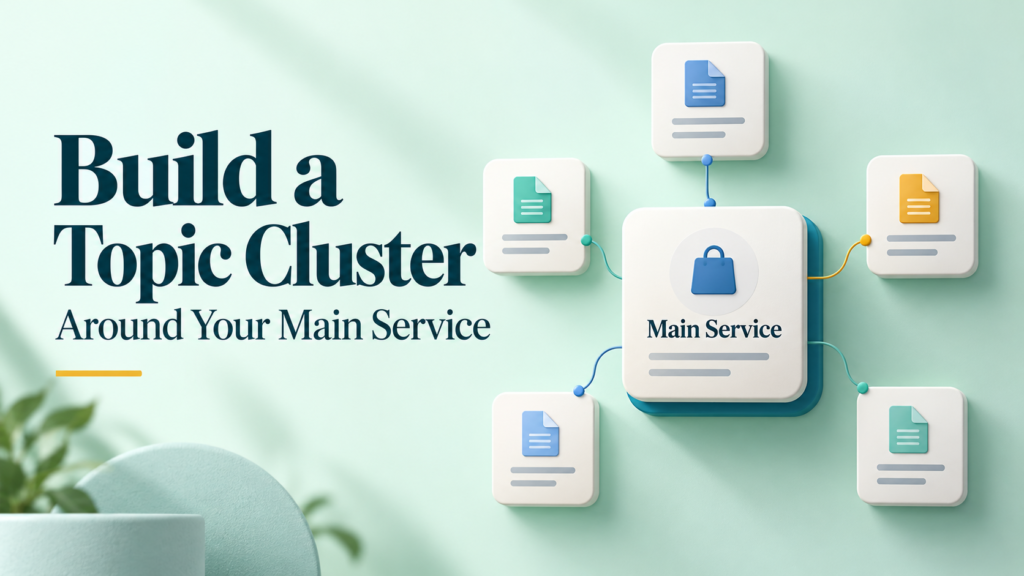
A topic cluster is a group of related pages organized around a central subject.
For a service business, it usually includes:
- A central page: Introduces the service or explains the broader subject.
- Supporting articles: Answer narrower questions in useful detail.
- Internal links: Connect pages where the relationship helps the reader.
For example, a business offering website maintenance could publish supporting guides about maintenance costs, backup planning, updates, and choosing a provider.
The articles serve different needs while remaining connected to the same service.
A topic cluster is a content-planning approach, not a special Google submission format. Google’s SEO guidance supports logical site organization because it helps users and search engines understand how pages relate. developers.google.com
Start With One Clearly Defined Service
Choose a service that is important to your business and specific enough to support a coherent group of questions.
“Digital marketing” may be too broad for a small first cluster. “Email marketing setup for small businesses” gives you a clearer audience and purpose.
Before planning articles, write a short statement:
We help small service businesses set up email marketing so they can organize subscribers, create useful messages, and manage campaigns.
Then identify:
- Who buys the service.
- What problem they want to solve.
- What the service includes.
- What it excludes.
- What customers need to know before deciding.
- What next step your website should make available.
This prevents the cluster from drifting into unrelated topics.
How to Build a Topic Cluster Around Your Main Service
1. Decide Which Page Should Be at the Center
Your central page can be a service page, an educational guide, or a combination that serves both purposes clearly.
| Central page type | Main purpose | Suitable situation |
|---|---|---|
| Service page | Explain the offer and help visitors evaluate it | Readers are considering a provider |
| Educational pillar guide | Explain a broad subject and organize deeper resources | Readers need background before choosing a solution |
| Combined page | Explain the subject and the service together | Both needs can be met without making the page confusing |
You do not need separate pages simply to follow a template.
If your service page already provides a useful overview, it may work as the center. If it is intentionally concise, a separate guide can organize educational content and link to the service where appropriate.
Give each page a distinct purpose. Avoid publishing two pages that answer the same question in nearly identical ways.
2. Collect Questions From Real Customer Conversations
Start with the information already available in your business:
- Sales inquiries.
- Discovery calls.
- Support requests.
- Proposal questions.
- Onboarding discussions.
- Feedback forms.
- Website search queries.
Record the wording customers use, while removing personal or confidential details.
For a website maintenance service, questions might include:
- What does website maintenance include?
- Can I handle maintenance myself?
- How often should I check my website?
- What affects the price?
- What happens if an update causes a problem?
- What access does a provider need?
These questions reveal practical concerns that a generic keyword list may miss.
Google recommends creating content that benefits people and provides useful, reliable information rather than publishing primarily to attract search traffic. developers.google.com
3. Research How People Search for Those Questions
Use customer questions as starting points for search research.
Useful sources include:
- Google Search Console for queries already associated with your website.
- Search suggestions for alternative wording.
- Relevant search results for understanding the expected answer format.
- Keyword research tools for estimated demand and related phrases.
Treat keyword volumes as estimates. They can differ between tools, locations, and reporting periods.
Inspect the intent behind each query:
| Query | Likely reader need | Suitable content |
|---|---|---|
| What is website maintenance? | Understand the service | Introductory explanation |
| Website maintenance cost | Understand pricing factors | Cost guide |
| DIY website maintenance | Evaluate doing the work internally | Practical comparison |
| Website maintenance checklist | Complete routine checks | Actionable checklist |
| How to choose a maintenance provider | Evaluate suppliers | Selection guide |
A keyword is useful when it connects an audience need to content your business can explain well.
4. Audit Existing Pages Before Creating New Ones
Review what your website already covers.
For each relevant page, record its URL, purpose, main question, current quality, and connection to the service.
Then decide whether to:
- Keep it.
- Update it.
- Expand a missing section.
- Combine overlapping content.
- Create a genuinely new resource.
For example, “Website Maintenance Tasks” and “What Website Maintenance Includes” may answer substantially the same question. One stronger page may serve readers better.
Multiple pages appearing for related searches do not automatically indicate a problem. Investigate whether they have distinct purposes before merging them.
If you remove or combine established pages, plan appropriate redirects and update internal links.
5. Give Each Supporting Article a Separate Job
Build the cluster around decisions and tasks, rather than small variations of the same keyword.
A useful planning test is:
Can you describe what the reader will learn from this article that another page does not already explain?
If the answer is unclear, revise the topic or combine it with an existing page.
Possible article roles include:
- Explaining a problem.
- Comparing approaches.
- Clarifying costs.
- Preparing for a service.
- Troubleshooting an issue.
- Evaluating a provider.
Do not force every question into a separate article. A short answer may belong in a section or FAQ on a broader page.
Example: A Topic Cluster for Website Maintenance
The following is an illustrative plan for a business offering website maintenance.
| Page | Purpose | Useful next destination |
|---|---|---|
| Website Maintenance Services | Explain scope, process, and suitability | Relevant supporting guides |
| What Does Website Maintenance Include? | Explain common tasks and boundaries | Service page |
| Website Maintenance Costs: What Affects the Price? | Explain pricing variables | Service details or quote inquiry |
| DIY Maintenance vs a Managed Service | Help readers compare responsibilities | Checklist or service page |
| A Practical Website Maintenance Checklist | Support routine checks | Backup and update guides |
| How to Prepare Before a Website Update | Explain preparation and verification | Maintenance checklist |
| What to Ask a Website Maintenance Provider | Help readers evaluate providers | Service page |
The plan covers different needs without requiring a large publishing commitment.
These are example topics, not verified high-volume keywords. Validate their relevance to your audience before choosing the publishing order.
Build Internal Links Around the Reader’s Next Question
Internal links connect the cluster, but they should also make sense within the article.
A practical approach is to:
- Link from the central page to useful supporting resources.
- Link supporting articles to the central page when the service is relevant.
- Connect supporting articles where one provides a useful next step.
- Add links from existing relevant pages to new resources.
For example, an article about maintenance costs could link to the service scope guide when explaining why different packages have different prices.
Use descriptive link text such as “what website maintenance includes” rather than an isolated “click here.”
Google recommends descriptive, concise, relevant anchor text and says important pages should have a link from another page on the site. It does not prescribe an ideal number of links per page. developers.google.com
Avoid linking every article to every other article. Include a link when the destination adds useful context.
Write Content That Helps Readers Make Decisions
A cluster needs substance beyond definitions.
Depending on the topic, include:
- A checklist readers can use.
- A clearly labeled example.
- A comparison of practical options.
- Factors that change the answer.
- Limitations and exceptions.
- Questions to ask before purchasing.
- An explanation of when the service may be unnecessary.
For example, a cost guide should explain what affects the price and what may be excluded. Do not invent a market average to make the article appear more authoritative.
If you include your own prices, state what they cover and keep them current. If a detail depends on a software platform, link to its official documentation.
Offer a Relevant Next Step
Supporting articles can help readers explore your service without turning every section into a sales pitch.
Match the next step to the article:
| Article type | Suitable next step |
|---|---|
| Introductory guide | Read the service overview |
| Checklist | Use the checklist or review related instructions |
| Cost guide | Check scope or request a tailored estimate |
| Provider comparison | Review your process and service details |
| Preparation guide | Complete the relevant onboarding steps |
Keep the wording specific and proportionate.
A reader learning the basics may want another explanation. Someone comparing providers may be ready to discuss their requirements.
Prioritize a Manageable Publishing Plan
You do not need to publish the whole cluster at once.
A practical starting sequence is:
- Improve the central page.
- Update one useful existing article.
- Publish the most important unanswered customer question.
- Add another distinct supporting resource.
- Review links, navigation, and results.
Prioritize topics using:
- Customer relevance.
- Connection to the service.
- Evidence of demand.
- Gaps in existing content.
- Available expertise.
- Effort required to produce a useful answer.
Choose a pace that allows proper research and maintenance.
Measure the Cluster as a Group
Record which URLs belong to the cluster so you can review their combined performance.
Useful measures include:
| Measure | What it helps assess |
|---|---|
| Search impressions and clicks | Whether relevant search visibility is developing |
| Queries associated with each page | Whether the page is reaching its intended audience |
| Visits from articles to the service page | Whether readers explore the offer |
| Completed inquiries | Whether the website supports business goals |
| Inquiry relevance | Whether visitors need the service you provide |
| Repeated customer questions | Whether important information is still missing |
Use Search Console for search performance and appropriately configured analytics for on-site actions.
Treat attribution carefully. A customer may read several articles, return later, or contact you through another channel.
Review trends over a meaningful period. Publication alone does not guarantee indexing, rankings, traffic, or inquiries.
Common Topic Cluster Mistakes
Choosing a subject that is too broad. Start with a service and a defined audience.
Publishing several versions of the same answer. Assign each page a separate purpose.
Ignoring existing content. Update useful resources before adding duplicates.
Using repetitive keyword-heavy links. Write link text that fits the sentence and destination.
Leaving the service page unclear. Helpful articles cannot compensate for missing scope, contact details, or service information.
Creating more pages than you can maintain. Prioritize useful coverage over a large article count.
Promising rankings through “topical authority.” Demonstrating knowledge is valuable, but a cluster is not a guaranteed ranking mechanism.
Frequently Asked Questions
1. How many articles should a topic cluster contain?
There is no fixed requirement. Start with the central page and enough supporting content to answer distinct, important questions. Expand when you identify a useful gap.
2. Does the pillar page have to be a long article?
No. Its length should fit its purpose. A service page may serve as the center if it explains the offer clearly and directs readers to relevant resources.
3. Can I build a cluster using existing blog posts?
Yes. Audit the posts, update useful information, clarify overlapping topics, and add relevant internal links. You may need fewer new articles than expected.
4. Should every supporting article link to my service page?
Link when the service page provides a useful next step. The relationship should be clear to the reader. Avoid inserting the same promotional link repeatedly without context.
5. How long does a topic cluster take to produce results?
There is no reliable universal timeline. Results depend on content quality, competition, demand, site condition, and other factors. Monitor relevant visibility and inquiries over time rather than expecting an immediate increase.
Conclusion
Build your topic cluster around the questions customers need answered before, during, and after choosing your service.
Give each page a clear role, reuse strong existing content, and connect resources where the next step helps the reader. Begin with a manageable group of pages and expand based on evidence.
A useful cluster should make your website easier to navigate and your service easier to understand.