
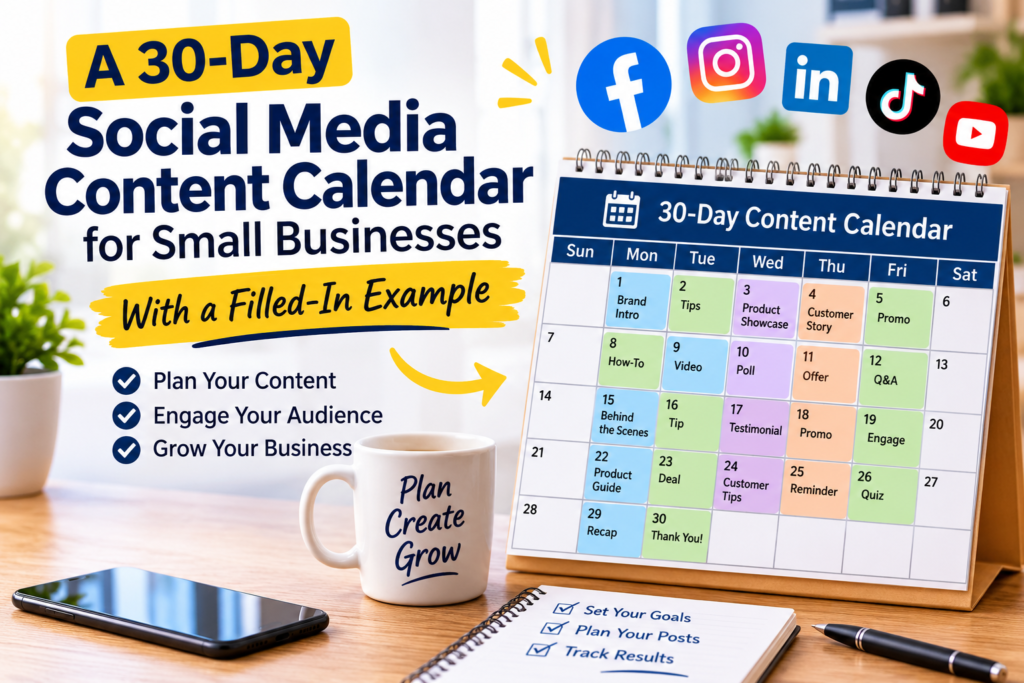

A consistent social media presence can help small businesses attract potential customers, build brand awareness, increase engagement, and generate sales. However, maintaining regular activity across social media platforms can be challenging when business owners are also responsible for customer service, marketing, sales, and daily operations.
Without a clear plan, businesses often publish content randomly, repeat the same messages, or struggle to decide what to post next.
A 30-day social media content calendar provides a practical solution. It helps business owners organize their ideas, plan promotional activities, prepare content in advance, and maintain a consistent publishing schedule.
Whether you run a local shop, restaurant, consulting company, online store, or service-based business, a well-organized content calendar can make social media marketing easier to manage.
In this guide, you will learn how to create a 30-day social media content calendar for small businesses, choose the right content formats, measure performance, and use a completed example that you can adapt to your own business.
A 30-Day Social Media Content Calendar for Small Businesses With a Filled-In Example
A consistent social media presence can help small businesses attract potential customers, build brand awareness, increase engagement, and generate sales. However, maintaining regular activity across social media platforms can be challenging when business owners are also responsible for customer service, marketing, sales, and daily operations.
Without a clear plan, businesses often publish content randomly, repeat the same messages, or struggle to decide what to post next.
A 30-day social media content calendar provides a practical solution. It helps business owners organize their ideas, plan promotional activities, prepare content in advance, and maintain a consistent publishing schedule.
Whether you run a local shop, restaurant, consulting company, online store, or service-based business, a well-organized content calendar can make social media marketing easier to manage.
In this guide, you will learn how to create a 30-day social media content calendar for small businesses, choose the right content formats, measure performance, and use a completed example that you can adapt to your own business.
1. What Is a Social Media Content Calendar?
A social media content calendar is a planning document that organizes what a business will publish on its social media accounts over a specific period.
It usually includes publishing dates, platforms, content topics, formats, captions, calls to action, and publishing status.
Instead of deciding what to post every morning, business owners can prepare their content in advance and follow an organized schedule.
A typical content calendar includes:
- Publishing date and time.
- Social media platform.
- Content topic or theme.
- Content format.
- Caption or post description.
- Visual requirements.
- Call to action (CTA).
- Publishing status.
- Performance results.
For example, a small clothing store might plan to publish a product photograph on Monday, a styling tip on Tuesday, a customer testimonial on Wednesday, and a promotional offer on Thursday.
This approach creates variety while ensuring that every post supports a marketing objective.
2. Why Small Businesses Need a 30-Day Content Calendar
Planning social media content for an entire month offers several advantages, particularly for businesses with limited marketing resources.
Maintain a consistent publishing schedule
Consistency helps businesses remain visible to their target audiences. A calendar makes it easier to maintain a realistic publishing schedule without constantly creating last-minute content.
Save time and reduce daily pressure
Preparing several posts together can be more efficient than creating content individually every day.
Business owners can write captions, design graphics, record videos, and organize photographs in advance.
Improve content quality
Planning gives businesses more time to research topics, prepare useful information, and review their messages before publishing.
This can reduce spelling errors, unclear promotions, and repetitive content.
Support business objectives
Every social media post should have a purpose. Some posts may educate customers, while others build trust, encourage conversations, or generate sales.
A calendar helps balance these objectives instead of focusing exclusively on promotional messages.
Measure marketing performance
When businesses organize their content, they can compare performance across different formats and topics.
For example, a company may discover that educational videos generate more engagement than ordinary product photographs.
These insights can guide future marketing decisions.
3. Define Your Social Media Marketing Goals
Before creating your calendar, identify what you want social media to achieve for your business.
Publishing content without clear objectives makes it difficult to evaluate whether your marketing activities are successful.
Common social media marketing goals include:
| Marketing goal | What you want to achieve | Example measurement |
|---|---|---|
| Brand awareness | Introduce your business to more people | Reach and impressions |
| Engagement | Encourage interactions with content | Comments, shares, and engagement rate |
| Website traffic | Bring visitors to your website | Link clicks and website sessions |
| Lead generation | Collect potential customer enquiries | Leads and enquiries |
| Sales growth | Generate purchases or bookings | Conversions and revenue |
| Customer loyalty | Maintain relationships with existing customers | Repeat purchases and customer interactions |
Set realistic monthly targets
Suppose a small online store currently receives approximately 1,000 monthly social media profile visits.
It may establish the following example targets:
- Increase monthly profile visits to 1,200.
- Publish 20 planned posts during the month.
- Generate 50 meaningful customer enquiries.
- Increase average post engagement compared with the previous month.
These are illustrative targets, not guaranteed results.
The important point is to establish measurable objectives that reflect your business’s current position and available resources.
4. Identify Your Target Audience
Your content calendar should reflect the interests, needs, and purchasing behavior of the people you want to reach.
A business that sells office furniture may attract entrepreneurs, office managers, and professionals. A restaurant may target nearby residents, workers, families, and people looking for convenient meals.
Understanding your audience helps you create content that addresses relevant problems.
Consider the following questions:
- Who are your ideal customers?
- What products or services are they interested in?
- What problems are they trying to solve?
- Which social media platforms do they use?
- What questions do they frequently ask?
- What information influences their purchasing decisions?
Example audience profile
Imagine a small business selling skincare products.
Its target audience might include:
- Adults interested in skincare routines.
- Customers looking for affordable personal care products.
- People comparing different skincare products.
- Existing customers interested in product recommendations.
Based on this audience, the business could publish skincare tips, product demonstrations, customer feedback, frequently asked questions, and special offers.
The objective is to create useful content that connects with the audience rather than publishing advertisements every day.
5. Choose the Right Social Media Platforms
Small businesses do not need to publish on every social media platform.
Managing too many accounts can consume time and reduce content quality. Start with platforms that are relevant to your audience and business objectives.
<AsyncImage query=”Facebook small business social media business page promotional post example desktop smartphone” aspectRatio=”16:9″ width=”100%”/>
Facebook can support community engagement, local business promotion, customer communication, events, and product announcements.
It may be particularly useful for businesses that serve local communities.
<AsyncImage query=”Instagram small business professional product photography reels stories social media grid” aspectRatio=”16:9″ width=”100%”/>
Instagram is useful for visual storytelling, product photography, short-form videos, behind-the-scenes content, and customer-generated content.
It can be suitable for restaurants, fashion businesses, beauty brands, and online stores.
TikTok
<AsyncImage query=”TikTok short form video creator filming small business product demonstration smartphone” aspectRatio=”16:9″ width=”100%”/>
TikTok supports short-form video content, demonstrations, educational clips, and creative storytelling.
Small businesses can use it to demonstrate products, answer customer questions, and introduce their brand personality.
<AsyncImage query=”LinkedIn business company page professional content marketing business networking desktop” aspectRatio=”16:9″ width=”100%”/>
LinkedIn is particularly relevant for business-to-business companies, consultants, professional service providers, and organizations targeting decision-makers.
It can support professional insights, industry updates, case studies, and business announcements.
Practical recommendation: Start with one or two platforms that your target customers use regularly. Expand only when you have enough time and resources to maintain quality.
6. Use Different Types of Social Media Content
A successful content calendar should include different content categories rather than repeating promotional messages.
A useful starting point is to organize content into five categories.
1. Educational content
Educational posts provide useful information that helps customers understand a topic, solve a problem, or make better purchasing decisions.
Examples:
- Five tips for choosing the right product.
- How to maintain your purchased equipment.
- Common mistakes customers should avoid.
- Answers to frequently asked questions.
2. Promotional content
Promotional content introduces products, services, discounts, and special offers.
Examples:
- New product announcements.
- Limited-time discounts.
- Service packages.
- Seasonal promotions.
Promotional content should be clear and honest. Explain the offer, relevant conditions, and how customers can respond.
3. Behind-the-scenes content
Behind-the-scenes posts show how your business operates.
Examples:
- Preparing customer orders.
- Introducing team members.
- Showing how a product is made.
- Sharing daily business activities.
This type of content can make a brand feel more approachable and transparent.
4. Social proof and customer stories
Customer feedback can help potential buyers understand other people’s experiences.
Examples:
- Customer testimonials.
- Product reviews.
- Customer photographs shared with permission.
- Project results and case studies.
Always obtain appropriate permission before publishing customer photographs, names, or personal information.
5. Engagement content
Engagement posts encourage people to interact with your business.
Examples:
- Customer polls.
- Questions and answers.
- Product preference comparisons.
- Short quizzes.
- Requests for customer opinions.
These posts can help businesses understand customer interests while creating opportunities for conversation.
7. How to Create a 30-Day Social Media Content Calendar
Creating a monthly calendar does not need to be complicated. Follow these steps to organize your content effectively.
Step 1: Select your main platforms
Choose the platforms that best match your audience and business objectives.
For example, a local restaurant might prioritize Facebook and Instagram, while a consulting company might focus on LinkedIn.
Step 2: Select your monthly content themes
Choose several themes that will guide your posts throughout the month.
For example:
- Week 1: Introduce your business and products.
- Week 2: Educate your audience.
- Week 3: Build trust through customer stories.
- Week 4: Promote products and generate enquiries.
- Final days: Review performance and encourage engagement.
Step 3: Decide how frequently to publish
Choose a schedule that your business can maintain.
A small business might start with four or five posts per week rather than attempting to publish several times every day.
Remember that consistency and content quality are more important than an unrealistic publishing target.
Step 4: Assign a content format
Choose an appropriate format for each post:
- Image or graphic.
- Short-form video.
- Carousel.
- Story.
- Text-based update.
- Customer testimonial.
- Live session.
Step 5: Prepare captions and calls to action
Write captions before publishing day.
Each post should communicate one main message and include a relevant call to action.
Examples:
- Visit our website to learn more.
- Send us a message for pricing.
- Share your experience in the comments.
- Contact our team to request a quotation.
- Save this guide for future reference.
Step 6: Prepare your visual materials
Create the photographs, videos, illustrations, and graphics required for the calendar.
Use consistent brand colours, fonts, and design elements while varying the visual presentation to keep content interesting.
Step 7: Schedule and review your posts
Use a suitable scheduling tool or the platform’s available publishing features.
Before publishing, review the caption, spelling, image quality, links, promotional details, and CTA.
8. A Filled-In 30-Day Social Media Content Calendar Example
The following example uses a fictional small business called BrightHome Supplies, which sells home and office products.
The business wants to increase brand awareness, attract potential customers, introduce products, and generate enquiries.
The calendar uses Facebook and Instagram as its primary platforms. The suggested schedule is an example and should be adjusted according to audience activity and business resources.
Monthly content strategy
| Item | Example plan |
|---|---|
| Business | BrightHome Supplies |
| Industry | Home and office products |
| Target audience | Homeowners, students, and small businesses |
| Main platforms | Facebook and Instagram |
| Primary objective | Increase awareness and customer enquiries |
| Publishing frequency | 5 planned posts per week, with lighter weekend activity |
| Content categories | Education, promotion, engagement, product demonstrations, and customer stories |
Week 1: Introduce your business and products
Goal: Increase awareness and introduce the business to potential customers.
| Day | Content topic | Format | Example caption or message | CTA |
|---|---|---|---|---|
| Day 1 | Meet BrightHome Supplies | Brand introduction graphic | Welcome to BrightHome Supplies! We help customers find practical products for comfortable homes and productive workplaces. | Follow our page |
| Day 2 | Three useful home office essentials | Carousel | Creating a productive workspace starts with choosing the right essentials. Here are three items worth considering. | Save this post |
| Day 3 | Our most popular products | Product photos | Explore some of the products our customers frequently ask about. Which one would you like to know more about? | Comment below |
| Day 4 | Behind the scenes | Short video | Take a look at how we prepare and organize customer orders. Every order receives attention before dispatch. | Watch and share |
| Day 5 | Customer preference poll | Story or poll | Which workspace improvement would you choose first: a comfortable chair, better lighting, or extra storage? | Vote in the poll |
| Day 6 | Product care tip | Single-image graphic | Keep your workspace organized by cleaning surfaces regularly and storing frequently used items within easy reach. | Share this tip |
| Day 7 | Weekly recap | Story | This week, we introduced our business, highlighted useful products, and shared workspace ideas. Thank you for joining us! | Follow for updates |
Week 2: Educate and provide value
Goal: Build credibility by sharing practical information.
| Day | Content topic | Format | Example caption or message | CTA |
|---|---|---|---|---|
| Day 8 | How to organize a small workspace | Carousel | A small workspace can still be comfortable and productive. Start by removing unnecessary items and organizing your essentials. | Save this guide |
| Day 9 | Product demonstration | Short video | See how this storage organizer can help keep everyday office supplies in one convenient place. | Ask for details |
| Day 10 | Common workspace mistakes | Graphic | Too much clutter, poor lighting, and uncomfortable seating can make working more difficult. Start with small improvements. | Share your experience |
| Day 11 | Frequently asked questions | Carousel | Have questions about choosing home and office products? Here are answers to some common customer questions. | Comment with questions |
| Day 12 | Product comparison | Carousel | Comparing two storage solutions? Consider available space, capacity, material, and how frequently you will use them. | Contact us |
| Day 13 | Customer question | Story | What is the biggest challenge you face when organizing your home or office? | Send us a response |
| Day 14 | Weekly educational recap | Story or graphic | This week’s tips focused on workspace organization, product selection, and everyday productivity. | Save your favourite tip |
Week 3: Build trust and encourage engagement
Goal: Demonstrate customer value and make the business more approachable.
| Day | Content topic | Format | Example caption or message | CTA |
|---|---|---|---|---|
| Day 15 | Customer feedback | Testimonial graphic | We appreciate customers who take the time to share their experiences. Your feedback helps us improve our service. | Leave a review |
| Day 16 | How we prepare an order | Short video | From selecting products to preparing them for delivery, here is a look at part of our order preparation process. | Watch the video |
| Day 17 | Product of the week | Product photograph | This week, we are highlighting a practical product designed to help customers organize their workspace. | Message us |
| Day 18 | Team introduction | Photo or short video | Meet the people behind BrightHome Supplies. We are here to help customers find products that meet their needs. | Say hello |
| Day 19 | Customer preference question | Graphic or poll | What matters most when choosing office products: price, durability, design, or convenience? | Vote below |
| Day 20 | Customer success story | Short case-study graphic | A well-organized workspace can make everyday tasks easier. Here is how one customer approached improving their office setup. | Share your thoughts |
| Day 21 | Weekly highlights | Story | Thank you for your questions, feedback, and continued support this week. | Follow our page |
Week 4: Promote products and generate enquiries
Goal: Encourage potential customers to explore products and contact the business.
| Day | Content topic | Format | Example caption or message | CTA |
|---|---|---|---|---|
| Day 22 | Featured product collection | Carousel | Looking for practical home and office essentials? Explore our featured product collection and find options that suit your needs. | Browse products |
| Day 23 | Product benefits | Short video | Discover three practical reasons to consider this product for your workspace. | Request details |
| Day 24 | Special offer announcement | Promotional graphic | We are introducing a special offer on selected products this week. Contact our team for availability and applicable terms. | Message us |
| Day 25 | Product comparison guide | Carousel | Before purchasing, compare product size, materials, functionality, and suitability for your space. | Save this guide |
| Day 26 | Frequently asked sales questions | Graphic | Need information about pricing, availability, or delivery? Here are some answers to help you make an informed decision. | Send an enquiry |
| Day 27 | Customer review reminder | Story | Have you purchased from us recently? We would appreciate hearing about your experience. | Leave feedback |
| Day 28 | Final promotional reminder | Promotional graphic | Our selected-product promotion is approaching its end. Contact us to confirm availability and offer conditions. | Contact our team |
Days 29–30: Review and strengthen relationships
Goal: Encourage continued engagement and evaluate the month’s performance.
| Day | Content topic | Format | Example caption or message | CTA |
|---|---|---|---|---|
| Day 29 | Monthly customer appreciation | Brand graphic | Thank you to everyone who followed, shared, commented, and contacted BrightHome Supplies this month. Your support means a lot to us. | Share your feedback |
| Day 30 | Monthly recap and audience question | Carousel or short video | This month, we shared product ideas, workspace tips, customer stories, and special offers. What would you like to see next month? | Comment below |
How to use this calendar: Replace BrightHome Supplies with your business name, adjust the topics to match your products or services, and rewrite the captions using your actual business information. Do not publish fictional testimonials, unverified product claims, or promotional offers that your business cannot honor.
9. How to Write Effective Social Media Captions
A good social media caption should communicate a clear message and encourage the audience to take an appropriate action.
You do not need to write long paragraphs for every post. Some content works better with short, direct messages, while educational posts may need more explanation.
A useful caption structure is:
1. Opening hook: Capture attention with a question, statement, or customer problem.
2. Main message: Explain the product, tip, service, or information.
3. Supporting detail: Add a useful example or benefit.
4. Call to action: Tell the audience what to do next.
Example caption
Topic: Organizing a small workspace
“Is your workspace becoming difficult to manage?
A few simple changes can make a difference. Start by removing unnecessary items, organizing your frequently used supplies, and keeping important documents within easy reach.
A more organized workspace can help you manage everyday tasks more efficiently.
What is the biggest challenge you face when organizing your desk?
Share your answer in the comments.”
This caption introduces a problem, offers practical advice, and encourages interaction without forcing a sales message.
10. Use a Mix of Images, Videos, and Carousel Posts
Different content formats serve different purposes. A good calendar should use formats that communicate the message effectively.
Images and graphics
<AsyncImage query=”professional small business social media product marketing square promotional graphic product photography” aspectRatio=”16:9″ width=”100%”/>
Images work well for product announcements, customer reviews, promotional messages, and simple educational tips.
Use clear photographs and readable text. Avoid placing too much information inside a single graphic.
Short-form videos
<AsyncImage query=”small business owner creating product demonstration vertical smartphone video filming setup” aspectRatio=”16:9″ width=”100%”/>
Videos can demonstrate how products work, introduce team members, show business activities, and answer common customer questions.
Focus on one main message per video and make the opening seconds relevant to the topic.
Carousel posts
<AsyncImage query=”social media carousel educational business marketing multiple slide infographic design” aspectRatio=”16:9″ width=”100%”/>
Carousel posts allow businesses to explain a topic across multiple slides.
They are useful for:
- Step-by-step guides.
- Product comparisons.
- Checklists.
- Frequently asked questions.
- Educational tips.
Stories
Stories are useful for timely updates, quick polls, customer questions, behind-the-scenes content, and reminders.
Use them to maintain communication between your main feed posts.
11. Tools to Help Manage Your Content Calendar
Small businesses can manage a content calendar using simple spreadsheets or dedicated social media management tools.
The best option depends on your publishing volume, budget, team size, and required features.
Google Sheets
<AsyncImage query=”Google Sheets monthly marketing social media content calendar spreadsheet interface” aspectRatio=”16:9″ width=”100%”/>
Google Sheets is useful for creating a simple calendar with dates, platforms, captions, links, content formats, and publishing status.
Advantages include:
- Easy editing.
- Team collaboration.
- Flexible formatting.
- Simple performance tracking.
- Low-cost planning.
Meta Business Suite
<AsyncImage query=”Meta Business Suite planner social media scheduling calendar dashboard” aspectRatio=”16:9″ width=”100%”/>
Meta Business Suite provides tools for managing supported Facebook and Instagram business activities.
Depending on account eligibility and available features, businesses can use it to organize content, manage messages, and schedule posts.
Canva
<AsyncImage query=”Canva social media content planner graphic design templates workspace” aspectRatio=”16:9″ width=”100%”/>
Canva can help small businesses create social media graphics, promotional materials, presentations, and visual content using templates and design tools.
Buffer
<AsyncImage query=”Buffer social media scheduling publishing calendar dashboard” aspectRatio=”16:9″ width=”100%”/>
Buffer provides social media publishing and scheduling features for supported platforms. It can help businesses organize posts and manage a planned publishing schedule.
Before choosing a paid tool, review its current platform support, pricing, scheduling limits, and available account features.
12. Track and Measure Your Social Media Performance
Creating and publishing content is only part of social media marketing. Businesses should also review performance to understand what works and what needs improvement.
At the end of each week or month, compare your results with your original objectives.
Important social media metrics
| Metric | What it measures | Why it matters |
|---|---|---|
| Reach | Unique accounts that saw your content | Helps evaluate audience exposure |
| Impressions | Total content displays | Shows how often content appeared |
| Engagement | Interactions with your posts | Helps evaluate audience response |
| Engagement rate | Engagement relative to a defined audience or reach measure | Supports content comparisons |
| Link clicks | Clicks on links in your content | Measures interest in further information |
| Profile visits | Visits to your social media profile | Indicates interest in your business |
| Leads | Potential customer enquiries | Helps evaluate lead generation |
| Conversions | Desired completed actions | Connects marketing activity with business results |
Example: Measuring monthly engagement
Imagine a business publishes a post that receives:
- 5,000 people reached.
- 250 engagements.
- 100 likes.
- 80 comments.
- 70 shares.
Using reach as the denominator:
Engagement rate by reach = (Total engagements ÷ Reach) × 100
= (250 ÷ 5,000) × 100
= 5%
This example demonstrates one way to calculate engagement rate. Different platforms and reporting tools may use different formulas, so use a consistent definition when comparing results.
Use performance data to improve future content
Ask the following questions:
- Which posts received the most engagement?
- Which videos attracted the most views?
- Which topics generated customer enquiries?
- Which posts received the most link clicks?
- Which content formats performed poorly?
- Did the published content support the monthly business objectives?
Use these findings to improve the next 30-day calendar.
13. Common Social Media Content Planning Mistakes
Even businesses with a content calendar can make mistakes that reduce the effectiveness of their social media marketing.
Publishing too much promotional content
If every post asks customers to buy something, the audience may lose interest.
Balance promotional messages with educational, entertaining, and informative content.
Ignoring audience questions
Customer questions can reveal valuable content opportunities.
Use common enquiries as topics for educational posts, short videos, and FAQs.
Using the same format every day
Repeating the same type of post can make your content feel predictable.
Experiment with photographs, videos, carousels, polls, and customer stories.
Publishing without a clear objective
Every post should have a reason for being published.
Determine whether the purpose is to educate, increase awareness, encourage interaction, generate leads, or support sales.
Failing to review results
Do not continue publishing content simply because it was included in the original calendar.
Review performance and adjust your approach when the results show that certain topics or formats are more effective.
Creating an unrealistic schedule
A small business may not have enough time to publish several posts every day.
Choose a manageable schedule and maintain it consistently.
14. Final Checklist for Creating Your 30-Day Content Calendar
Before starting your next monthly campaign, review this checklist:
- Define clear social media marketing objectives.
- Identify your target audience.
- Select the most relevant social media platforms.
- Choose monthly content themes.
- Create a realistic publishing schedule.
- Include educational, promotional, and engagement content.
- Prepare captions and calls to action.
- Create or organize images and videos.
- Schedule posts where appropriate.
- Respond to comments and customer messages.
- Track reach, engagement, clicks, and enquiries.
- Review monthly performance.
- Use the results to improve next month’s calendar.
Frequently Asked Questions
1. What is a 30-day social media content calendar?
A 30-day social media content calendar is a monthly plan that organizes the content a business intends to publish. It includes publishing dates, platforms, topics, formats, captions, and calls to action.
2. How many times should a small business post on social media?
A small business can start with three to five planned posts per week, depending on its audience, resources, and platform. The most important consideration is maintaining a consistent and manageable schedule.
3. What should a small business post on social media?
Useful content includes product demonstrations, educational tips, customer testimonials, behind-the-scenes videos, frequently asked questions, promotional announcements, and interactive questions.
4. Should I post on Facebook and Instagram every day?
Not necessarily. Posting frequency should reflect your audience’s behavior and your ability to produce quality content. Start with a realistic schedule and adjust it using performance data.
5. What is the best tool for creating a social media content calendar?
Google Sheets is a practical option for basic planning. Meta Business Suite can support eligible Facebook and Instagram publishing activities, while tools such as Canva and Buffer can help with visual design and scheduling.
6. How far in advance should I plan social media content?
Planning approximately 30 days ahead can provide a useful structure. However, businesses should leave room for timely announcements, customer questions, seasonal events, and unexpected opportunities.
7. How do I know whether my content calendar is working?
Measure results against your original objectives. Review reach, engagement, profile visits, link clicks, leads, and conversions. Compare results over time and identify the topics and formats that generate the most useful outcomes.
8. Should every social media post include a call to action?
Not necessarily. Some posts can focus on sharing useful information or building brand awareness. However, a relevant call to action can help guide customers toward an appropriate next step.
Conclusion
A 30-day social media content calendar helps small businesses organize their marketing activities, maintain a consistent publishing schedule, and communicate more effectively with potential customers.
By defining clear objectives, understanding your audience, selecting suitable platforms, and using a variety of content formats, you can create a practical monthly plan that supports your business goals.
The filled-in BrightHome Supplies example provides a starting point that can be adapted to different industries, products, and services.
Remember that an effective content calendar is not simply a list of scheduled posts. It is a marketing plan that connects useful content with audience needs and measurable business objectives.
Start with a manageable schedule, review your performance regularly, and use what you learn to make the next month more effective.