
Artificial intelligence is becoming a practical business tool rather than something limited to technology companies or research laboratories. Businesses of different sizes are exploring AI to automate repetitive work, analyze information, support employees, improve customer service, and make everyday operations more efficient.
How businesses are using AI to reduce costs and increase productivity depends largely on the type of work involved. AI does not automatically make a company more efficient. The greatest value often comes when businesses identify specific problems, choose appropriate tools, and combine automation with human judgment.
For a business considering AI, the important question is not simply, “How can we use AI?” A better question is, “Which business tasks can AI improve without reducing quality, security, or customer trust?”
What Does AI Mean for Business?
AI refers to technologies that can perform tasks that traditionally require aspects of human intelligence, such as recognizing patterns, generating content, processing information, making predictions, or understanding natural language.
In business, AI can be incorporated into existing software or used through dedicated applications. Examples include:
- Customer-service chatbots
- Document and email assistance
- Data analysis
- Sales forecasting
- Marketing content assistance
- Meeting transcription and summaries
- Software development assistance
- Inventory and demand analysis
- Workflow automation
- Fraud and anomaly detection
The usefulness of these applications varies by organization. A large company may use AI across multiple departments, while a small business may begin with one repetitive administrative task.
How Businesses Are Using AI to Reduce Costs and Increase Productivity
AI can influence business costs and productivity in several ways. However, businesses should evaluate each application based on its actual results rather than assuming that automation will always produce savings.
1. Automating Repetitive Administrative Tasks
Many employees spend part of their working day handling repetitive activities such as organizing information, drafting routine communications, summarizing documents, or transferring data between systems.
AI and workflow automation can assist with some of these processes.
For example, a company could use AI to:
- Summarize lengthy documents
- Categorize incoming customer inquiries
- Draft routine emails
- Extract information from documents
- Create first drafts of reports
- Organize unstructured information
- Assist with scheduling workflows
The goal is not necessarily to eliminate employees. Instead, automation can give employees more time for work requiring judgment, communication, creativity, and problem-solving.
2. Improving Customer Service
Customer service is another area where businesses are experimenting with AI.
AI-powered systems can help answer frequently asked questions, provide information about products or services, and direct customers to appropriate resources.
A business might use an AI assistant to handle basic questions such as:
- What are your business hours?
- How can I track an order?
- What payment methods do you accept?
- Where can I find a particular product?
- How do I contact customer support?
More complicated issues can be transferred to human employees.
This approach can help organize customer-service workloads, but businesses should monitor AI-generated responses carefully. An incorrect answer can create frustration and potentially damage customer trust.
3. Helping Employees Work With Information Faster
Businesses generate large amounts of information through emails, reports, spreadsheets, customer interactions, and internal documents.
Finding useful information can consume significant time.
AI tools can help employees summarize information, identify patterns, classify documents, and generate initial analyses.
For example, a manager could use an AI system to organize customer feedback into categories such as:
- Product quality
- Delivery
- Pricing
- Customer support
- Website experience
Employees can then review those categories and investigate the underlying feedback.
This can improve the speed of information processing while keeping important decisions under human oversight.
4. Supporting Marketing Operations
Marketing teams can use AI to assist with a variety of tasks.
These may include:
- Generating initial content ideas
- Creating content outlines
- Analyzing customer segments
- Summarizing campaign results
- Personalizing certain communications
- Identifying frequently discussed customer problems
- Assisting with advertising copy variations
AI can reduce the time required for some production tasks, but it should not replace marketing strategy.
A business still needs to understand its customers, verify information, maintain its brand voice, and ensure that published content is useful and accurate.
5. Assisting Sales Teams
Sales employees often spend time researching prospects, preparing notes, updating customer records, and writing follow-up communications.
AI can assist with some of these activities.
For example, an AI-enabled sales system may help summarize previous customer interactions or prepare a draft follow-up message based on information already available to the sales team.
This can allow sales representatives to spend more time on conversations and relationship-building.
However, businesses should be particularly careful with customer data. AI tools should only receive information that the organization is permitted to process under its privacy and security requirements.
6. Improving Data Analysis
Data can be valuable, but only if employees can understand and use it effectively.
AI can help businesses examine large datasets and identify trends or unusual patterns.
For example, an online retailer might analyze:
- Product sales
- Customer purchases
- Website activity
- Returns
- Inventory levels
- Seasonal demand
AI can help identify patterns that deserve further investigation.
Importantly, an AI-generated analysis should not automatically be treated as a fact. Employees should check the underlying data and understand how conclusions were reached before making important decisions.
7. Supporting Software and Technical Teams
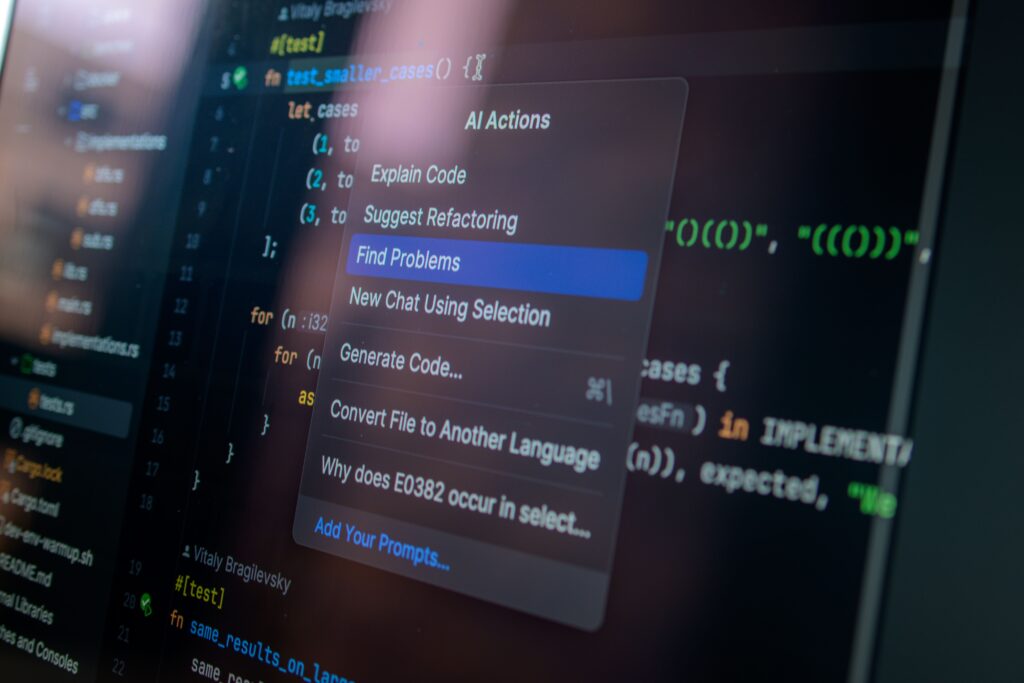
AI coding assistants can help developers with certain programming tasks, such as generating code suggestions, explaining existing code, identifying potential errors, or creating documentation.
For a business, this may improve development workflows and reduce time spent on some routine coding activities.
However, generated code still requires review and testing. Security vulnerabilities, incorrect assumptions, compatibility problems, and other errors can occur.
AI should therefore be treated as an assistant rather than an unquestioned replacement for technical expertise.
How AI Can Reduce Business Costs
Cost reduction does not simply mean spending less money immediately. A more useful approach is to examine how AI can improve the relationship between time, resources, quality, and output.
Reducing Time Spent on Routine Work
If employees spend fewer hours performing repetitive administrative tasks, those hours can potentially be redirected toward higher-value activities.
For example:
Traditional workflow:
Employee → Collect information → Organize information → Create draft → Review
AI-assisted workflow:
AI assists with collection/organization → Employee reviews → Employee improves → Final output
The second workflow may be faster for suitable tasks, although the actual time savings will depend on the process and technology being used.
Reducing Process Inefficiencies
Businesses sometimes lose resources because of duplicated work, inconsistent processes, or information being stored across disconnected systems.
AI can be part of a broader automation strategy that connects certain workflows.
For example, information from a customer inquiry could potentially be categorized and routed to the appropriate department automatically.
The benefit comes from improving the overall process—not simply from adding an AI tool.
Helping Businesses Use Existing Resources More Effectively
AI may help employees handle more information or complete certain tasks more efficiently.
That can be particularly useful for growing businesses that need to improve operations without continuously increasing administrative workloads.
However, this does not mean businesses should expect AI to replace every additional employee as they grow. Human expertise remains important in management, customer relationships, strategy, quality control, and many other areas.
How AI Can Increase Productivity
Productivity is often misunderstood as simply “doing more work.”
In business, productivity is better considered in terms of how effectively resources are converted into useful outcomes.
AI can contribute to productivity by helping employees:
Work faster
AI can handle or assist with certain repetitive activities.
Find information more easily
AI-powered search and summarization can help employees navigate large collections of information.
Reduce manual work
Automation can eliminate unnecessary steps from appropriate workflows.
Make better use of expertise
Employees can spend more time on activities requiring experience, judgment, communication, and creativity.
Standardize routine processes
AI-assisted workflows can help organizations create more consistent processes, provided they are properly designed and monitored.
AI Does Not Automatically Reduce Costs
One of the most important points for business leaders is that AI itself has costs.
Businesses may need to pay for:
- AI software subscriptions
- Implementation
- Integration with existing systems
- Employee training
- Data preparation
- Security controls
- Human review
- Technical support
- Ongoing monitoring
There can also be indirect costs if employees spend significant time learning new systems or if an AI implementation creates additional complexity.
Therefore, businesses should evaluate the total cost of ownership, rather than looking only at the price of an AI subscription.
The Risks Businesses Should Consider
AI can provide useful capabilities, but it also introduces risks.
Accuracy
AI systems can generate incorrect information. Employees should verify important outputs, particularly when decisions have significant financial, legal, operational, or customer consequences.
Data Privacy
Businesses should understand how AI tools handle data before entering confidential business or customer information.
Organizations should establish clear rules regarding what employees can and cannot submit to external AI services.
Security
AI systems and integrations can introduce security considerations. Access controls, authentication, monitoring, and appropriate data-handling practices remain important.
Bias
AI systems can produce biased or inappropriate results depending on their design, training data, inputs, and application.
Businesses should monitor important automated decisions rather than assuming that an AI system is neutral or infallible.
Employee Adoption
An organization can purchase sophisticated AI software and still see little value if employees do not understand how to use it.
Training and clear internal processes are therefore important parts of successful implementation.
How Small Businesses Can Start Using AI
Small businesses do not necessarily need a large AI transformation project.
A practical starting point is to identify one repetitive problem.
Step 1: Identify repetitive tasks
Create a list of activities that consume employee time every week.
Examples include:
- Writing routine emails
- Creating reports
- Organizing documents
- Answering common questions
- Summarizing meetings
- Preparing content drafts
Step 2: Estimate the current cost
Consider how much employee time is spent on the task and what happens when the process is delayed or performed incorrectly.
Step 3: Choose an appropriate tool
Select technology based on the actual business problem rather than choosing a tool simply because it is popular.
Step 4: Start with a limited test
Run a small pilot before introducing the system throughout the organization.
Step 5: Measure the results
Track practical indicators such as:
- Time required
- Error rates
- Employee satisfaction
- Customer satisfaction
- Operating costs
- Output quality
Step 6: Keep human oversight
For important tasks, employees should review AI-generated information before it is used or published.
Step 7: Expand only when the results justify it
If the pilot demonstrates genuine value, the business can consider applying the approach to other suitable processes.
AI vs. Traditional Business Processes
AI should not always be viewed as a replacement for traditional processes. In many cases, the strongest approach is a combination.
| Area | Traditional Approach | AI-Assisted Approach |
|---|---|---|
| Customer questions | Employee answers every question | AI handles routine questions, employees handle complex cases |
| Document review | Manual review | AI summarizes, employee verifies |
| Content creation | Entirely manual drafting | AI assists with initial drafts, humans edit |
| Data analysis | Manual examination | AI identifies patterns for human investigation |
| Reporting | Employees compile information | AI assists with organization and summaries |
| Software development | Developer performs all drafting | AI provides coding assistance, developer reviews |
The right choice depends on the task, business requirements, available technology, and acceptable level of risk.
How to Measure Whether AI Is Actually Helping
Businesses should avoid judging an AI project simply by whether employees like the technology.
Instead, establish measurable objectives before implementation.
For example:
Productivity metric: How long does it take to complete a specific task?
Quality metric: How often does the process require correction?
Cost metric: What resources are required before and after implementation?
Customer metric: Does customer experience improve or decline?
Employee metric: Does the technology reduce repetitive workload or create additional work?
A simple before-and-after comparison can reveal whether an AI initiative is producing meaningful value.
Common Mistakes Businesses Make With AI
Adopting AI without a clear business problem
Technology should solve a problem rather than become a goal by itself.
Automating a broken process
If a workflow is inefficient, automating it may simply make the inefficient process happen faster.
Businesses should improve the workflow before automating it where appropriate.
Trusting AI output without verification
AI-generated content can contain errors. Human review remains important.
Ignoring employees
Employees who use the technology should be involved in implementation and training.
Focusing only on immediate savings
A low-cost tool is not necessarily valuable if it creates quality, security, or operational problems.
Using too many disconnected tools
An organization can create unnecessary complexity by adopting multiple AI applications without a coherent technology strategy.
The Future of AI in Business
AI is likely to become increasingly integrated into ordinary business software and workflows.
Instead of employees opening a separate AI application for every task, AI capabilities may increasingly appear inside tools used for communication, customer management, data analysis, accounting, project management, and other business activities.
This could shift the role of AI from an occasional productivity tool toward a more integrated part of business operations.
At the same time, organizations will need stronger policies around data, security, accuracy, accountability, and human oversight.
The businesses that benefit most may not necessarily be those that adopt the largest number of AI tools. They may be the organizations that identify meaningful problems and apply technology carefully to solve them.
Frequently Asked Questions
1. How are businesses using AI to reduce costs and increase productivity?
Businesses use AI to assist with repetitive administrative work, customer service, data analysis, marketing, sales, document processing, software development, and workflow automation. The potential benefit depends on the specific process and how well the technology is implemented.
2. Can AI completely replace employees?
AI can automate or assist with certain tasks, but many business activities require human judgment, creativity, communication, accountability, and expertise. Businesses should evaluate individual tasks rather than assuming that entire jobs can or should be automated.
3. Is AI useful for small businesses?
Yes. Small businesses can use AI for practical activities such as drafting routine communications, organizing information, supporting customer service, analyzing data, and assisting marketing workflows. Starting with a specific problem is generally more practical than attempting a large transformation immediately.
4. What are the biggest risks of using AI in business?
Important risks include inaccurate outputs, privacy issues, cybersecurity concerns, biased results, inappropriate automation, employee resistance, and unexpected implementation costs. Businesses should establish appropriate controls before using AI for sensitive or important processes.
5. How should a business measure the value of AI?
A business can compare measurable results before and after implementation. Useful indicators include time saved, operating costs, error rates, output quality, customer experience, and employee workload. The appropriate metrics depend on the AI application.
Conclusion
How businesses are using AI to reduce costs and increase productivity is ultimately a question of practical business improvement rather than technology alone.
AI can help organizations automate repetitive tasks, process information, support customers, assist employees, and improve workflows. But successful adoption requires more than purchasing an AI tool.
Businesses should begin with a clearly defined problem, evaluate the potential costs and risks, test solutions on a limited scale, measure the results, and maintain appropriate human oversight.
The most valuable use of AI may not be replacing people. In many situations, it is helping people spend less time on repetitive work and more time on activities where human judgment and expertise matter most.