
Cloud computing has become an important part of how many small businesses store information, run applications, collaborate with employees, and manage their technology. Instead of maintaining every server and software system on-site, businesses can use cloud services that are accessed through the internet.
However, choosing a cloud provider is not simply about finding the service with the most features. A small business needs to consider price, reliability, security, ease of use, storage requirements, integrations, scalability, and the technical skills available within the company.
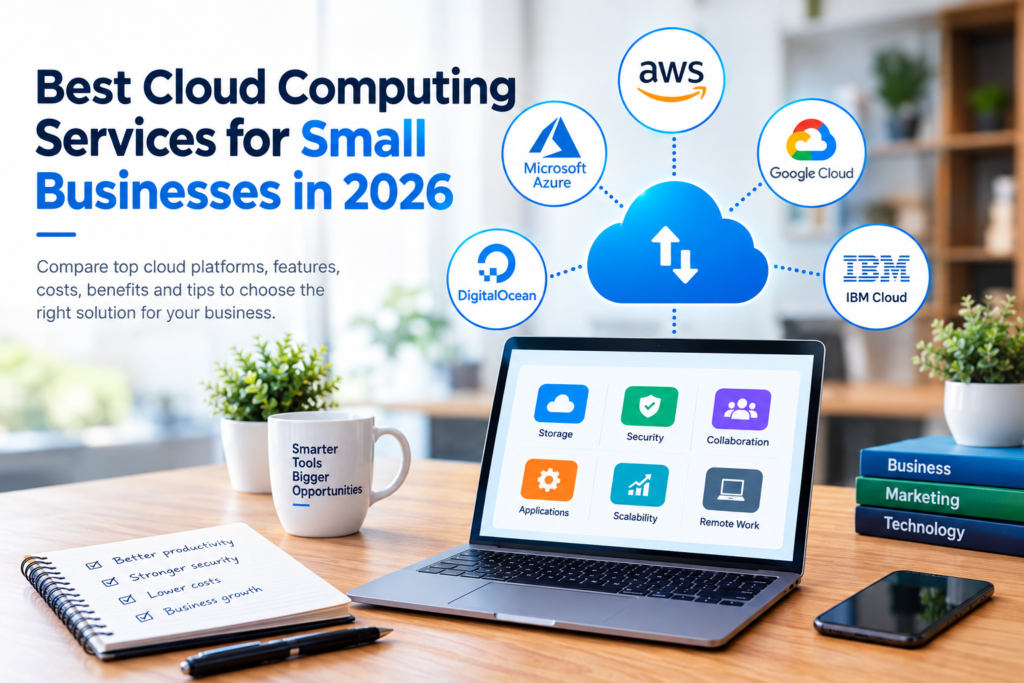
This guide to the Best Cloud Computing Services for Small Businesses in 2026 explains the major options, what each type of service is useful for, and how to choose a solution that fits your business needs.
What Is Cloud Computing?
Cloud computing is the delivery of computing resources over the internet. These resources can include storage, servers, databases, software, networking, analytics, and development tools.
For a small business, cloud computing might be as simple as using online file storage and collaboration software. It can also involve hosting a business application on a cloud platform instead of purchasing and maintaining physical servers.
The main cloud service models include:
Software as a Service (SaaS)
SaaS applications are ready-to-use software products delivered over the internet.
Examples include cloud-based email, accounting software, customer relationship management systems, project management platforms, and collaboration tools.
Infrastructure as a Service (IaaS)
IaaS provides computing infrastructure such as virtual servers, storage, and networking resources.
It is useful for businesses that need greater control over their computing environment but do not want to operate all physical hardware themselves.
Platform as a Service (PaaS)
PaaS provides an environment for developers to build, test, deploy, and manage applications without managing all of the underlying infrastructure.
This can be useful for technology-focused small businesses developing their own applications.
Best Cloud Computing Services for Small Businesses in 2026
There is no single cloud provider that is best for every business. Different platforms have different strengths.
1. Amazon Web Services (AWS)
Amazon Web Services is one of the major cloud computing platforms and provides a broad range of infrastructure and application services.
Small businesses can use AWS for website hosting, databases, storage, backups, application development, analytics, and other workloads.
Best for: Businesses that need a broad selection of cloud infrastructure services.
Advantages:
- Large selection of cloud services
- Flexible infrastructure options
- Suitable for applications of different sizes
- Extensive documentation and learning resources
Limitations:
- The number of available services can make AWS difficult for beginners
- Costs can become complicated when businesses use multiple services
- Some workloads require technical knowledge to manage effectively
Amazon Web Services official website
2. Microsoft Azure
Microsoft Azure provides cloud infrastructure, databases, application services, analytics, security capabilities, and other technology services.
Azure can be particularly relevant for organizations already using Microsoft products and services.
Best for: Small businesses that rely heavily on Microsoft technologies or need flexible cloud infrastructure.
Advantages:
- Strong integration with Microsoft’s technology ecosystem
- Wide range of cloud services
- Infrastructure and application hosting options
- Support for hybrid environments
Limitations:
- Pricing can be difficult to estimate for complex workloads
- Advanced services may require specialized knowledge
- Businesses should monitor resource usage carefully
Microsoft Azure official website
3. Google Cloud
Google Cloud offers cloud infrastructure, storage, databases, data analytics, application development, and artificial intelligence-related services.
It can be useful for businesses that work with data-intensive applications or Google’s broader technology ecosystem.
Best for: Businesses interested in cloud infrastructure, data analytics, application development, and AI-related workloads.
Advantages:
- Broad cloud platform
- Strong data and analytics capabilities
- Application development services
- Flexible infrastructure options
Limitations:
- Some services require technical expertise
- Cloud pricing can vary according to usage
- Businesses need to understand which services they actually need
4. DigitalOcean
DigitalOcean focuses on cloud infrastructure and developer-oriented services.
Its simpler approach can make it attractive to small technology businesses, developers, and companies hosting websites or applications.
Best for: Startups, developers, and small technology businesses that want relatively straightforward cloud infrastructure.
Advantages:
- Developer-focused platform
- Infrastructure services for applications and websites
- Straightforward product selection compared with some larger providers
- Suitable for many smaller workloads
Limitations:
- Not designed to provide the same breadth of services as the largest cloud platforms
- Businesses with complex enterprise requirements may need another provider
- Technical knowledge is still necessary for many infrastructure tasks
5. IBM Cloud
IBM Cloud provides infrastructure, platform services, databases, security technologies, and other enterprise-oriented cloud capabilities.
It may be worth considering for small businesses with specialized technology requirements or existing relationships with IBM.
Best for: Businesses with specialized workloads or requirements that align with IBM’s cloud ecosystem.
Advantages:
- Broad enterprise-oriented capabilities
- Infrastructure and platform services
- Options for organizations with specific compliance and technology requirements
Limitations:
- May offer more complexity than a very small business needs
- Pricing and service selection require careful evaluation
- Some features may require specialized technical expertise
Cloud Storage Services for Small Businesses
Not every small business needs to purchase a large cloud infrastructure platform.
For many companies, the first cloud requirement is simply secure and convenient file storage.
Cloud storage services can help employees store, access, synchronize, and share business documents across devices.
Popular options include:
- Google Drive
- Microsoft OneDrive
- Dropbox
- Box
The right choice depends on the applications your company already uses.
For example, a business heavily invested in Microsoft 365 may find OneDrive convenient, while an organization using Google Workspace may prefer Google Drive.
When comparing cloud storage, look at:
- Available storage
- User management
- File-sharing controls
- Version history
- Security features
- Collaboration capabilities
- Integration with existing applications
- Pricing per user
- Administrative controls
Benefits of Cloud Computing for Small Businesses
Cloud computing can provide several practical advantages.
Lower Hardware Requirements
Businesses can reduce their dependence on maintaining physical servers for certain workloads.
This can simplify infrastructure management, although cloud services still have ongoing costs.
Easier Remote Access
Cloud-based applications and files can allow authorized employees to work from different locations, depending on the service and company policies.
Scalability
Cloud platforms generally allow businesses to increase or decrease resources as requirements change.
A growing company may therefore avoid purchasing physical infrastructure far ahead of its actual needs.
Collaboration
Cloud applications can make it easier for teams to work with shared documents, applications, and data.
Access to Modern Technology
Cloud providers offer services that can otherwise require substantial infrastructure and technical investment.
This includes databases, analytics, application hosting, automation, and AI-related services.
Potential Disadvantages of Cloud Computing
Cloud computing is not automatically the best solution for every workload.
Ongoing Costs
Instead of buying hardware once and depreciating it over time, many cloud services involve recurring or usage-based costs.
Businesses should understand both fixed subscription costs and variable usage charges.
Internet Dependence
Many cloud services depend on a reliable internet connection. If connectivity is poor, employees may experience difficulties accessing online systems.
Security Responsibilities
Moving information to the cloud does not eliminate security responsibilities.
Businesses still need appropriate passwords, access controls, user permissions, device security, backups, and employee security practices.
Vendor Dependence
Moving applications and data to a particular provider can make changing providers more complicated.
Before choosing a platform, consider whether your business can easily export its data and migrate workloads if circumstances change.
How to Choose the Best Cloud Computing Service for Your Business
Rather than selecting a provider based only on popularity, start with your actual requirements.
Step 1: Identify Your Workload
Determine what you want the cloud service to do.
For example:
- Store business documents
- Host a website
- Run a business application
- Manage databases
- Back up files
- Develop software
- Analyze business data
- Support remote employees
Step 2: Estimate Your Usage
Consider the number of employees, amount of storage, expected traffic, computing requirements, and potential growth.
This will help you compare providers more realistically.
Step 3: Compare Total Costs
Do not look only at the advertised starting price.
Consider:
- Subscription charges
- Storage costs
- Computing charges
- Data transfer fees
- Backup costs
- Support plans
- Additional software
- Administration costs
For usage-based services, estimate several realistic usage scenarios rather than relying on a single monthly estimate.
Step 4: Review Security Features
Look for features such as:
- Multi-factor authentication
- Role-based access
- Encryption
- Audit logs
- Backup capabilities
- Security monitoring
- Administrative controls
Security requirements should also reflect the type of information your business handles.
Step 5: Check Integrations
The best cloud service should work well with the tools your employees already use.
Check compatibility with your accounting, communication, CRM, productivity, website, and other business systems.
Step 6: Consider Technical Skills
A sophisticated cloud platform can be powerful but may require technical expertise.
A small company without dedicated IT staff may benefit from a simpler managed service for some requirements.
Step 7: Start Small
You do not necessarily need to move everything to the cloud at once.
Start with a specific workload, evaluate the results, and expand gradually when the service proves suitable.
Cloud Computing Best Practices for Small Businesses
Once you select a provider, good management remains important.
Use Strong Access Controls
Give employees only the access they need for their responsibilities. Remove access promptly when employees leave the organization or change roles.
Enable Multi-Factor Authentication
Where available, multi-factor authentication can add an additional layer of protection to accounts.
Monitor Cloud Spending
Review usage and billing regularly. Remove resources that are no longer required and investigate unexpected changes in consumption.
Maintain Backups
Do not assume that using cloud storage automatically means you have a complete backup strategy.
Important information should have an appropriate backup and recovery plan.
Train Employees
Employees should understand basic security practices, including password management, suspicious links, account protection, and safe handling of company information.
Review Your Provider Regularly
Technology, prices, features, and business requirements change. Review your cloud environment periodically to determine whether it still meets your needs.
Cloud Computing vs. Traditional On-Premises Infrastructure
The choice between cloud and on-premises infrastructure depends on the business.
| Factor | Cloud Computing | On-Premises |
|---|---|---|
| Hardware | Provider-managed for many services | Business purchases and manages hardware |
| Initial investment | Often lower for some workloads | Can require significant upfront investment |
| Scalability | Generally flexible | May require additional hardware |
| Maintenance | Provider handles much of the infrastructure | Business handles hardware and maintenance |
| Internet dependence | Often significant | Can be lower for local systems |
| Control | Varies by service model | Generally high |
| Pricing | Subscription and/or usage-based | Hardware plus ongoing operating costs |
| Technical management | Varies by provider/service | Usually requires internal technical resources |
Neither approach is universally better. Some businesses may benefit from a hybrid strategy that combines cloud and on-premises systems.
Common Mistakes to Avoid
Small businesses can reduce unnecessary problems by avoiding a few common mistakes.
Choosing based only on price: The cheapest option may not provide the features, support, reliability, or integrations you require.
Ignoring usage-based billing: A service that looks inexpensive at low usage can cost more as workloads grow.
Moving everything at once: Large migrations can create unnecessary disruption. A phased approach can be easier to manage.
Failing to plan backups: Cloud storage and backup are not always the same thing.
Giving everyone administrative access: Excessive permissions can increase security and operational risks.
Ignoring exit strategies: Before committing to a provider, understand how your business would retrieve its data and migrate important workloads.
Frequently Asked Questions
1. What is the best cloud computing service for a small business?
There is no universal best option. AWS, Microsoft Azure, Google Cloud, DigitalOcean, IBM Cloud, and other providers serve different requirements. The best choice depends on workload, budget, technical expertise, integrations, security requirements, and expected growth.
2. Is cloud computing expensive for small businesses?
Cloud computing costs vary significantly. Some services use monthly subscriptions, while infrastructure platforms can charge according to usage. Businesses should compare the total expected cost rather than relying on a starting price.
3. Is cloud computing secure for small businesses?
Cloud platforms provide security technologies, but security also depends on how the business configures and uses them. Strong authentication, appropriate permissions, backups, monitoring, and employee awareness remain important.
4. Should a small business use AWS, Azure, or Google Cloud?
All three are major cloud platforms, but their features, pricing structures, integrations, and management requirements differ. Businesses should compare the specific services they need rather than choosing solely based on brand recognition.
5. Can a small business switch cloud providers later?
Migration is possible, but the difficulty depends on the applications, databases, data formats, integrations, and architecture involved. Businesses should consider data portability and migration requirements before becoming heavily dependent on a particular provider.
Conclusion
Choosing among the Best Cloud Computing Services for Small Businesses in 2026 starts with understanding what your business actually needs.
AWS, Microsoft Azure, and Google Cloud provide broad cloud ecosystems for businesses with diverse infrastructure requirements. DigitalOcean can be attractive to smaller developer-focused teams, while IBM Cloud may suit businesses with specific enterprise-oriented requirements. For simpler needs such as document storage and collaboration, dedicated cloud storage services may be more appropriate than a full cloud infrastructure platform.
The most practical approach is to define your workload, estimate costs, review security and integrations, consider your team’s technical skills, and test a service before expanding its use. Because cloud pricing and features can change, businesses should also check the provider’s official documentation and current pricing before making a purchasing decision.