
Choosing customer relationship management (CRM) software is an important decision for a growing business. A CRM can help organize customer information, manage sales opportunities, automate repetitive tasks, and give teams a clearer view of their customer relationships.
Two widely known options are HubSpot and Zoho CRM. Both provide contact and deal management, automation, reporting, integrations, and tools designed to support sales teams. However, their approach, pricing structure, customization options, and wider business ecosystems are different.
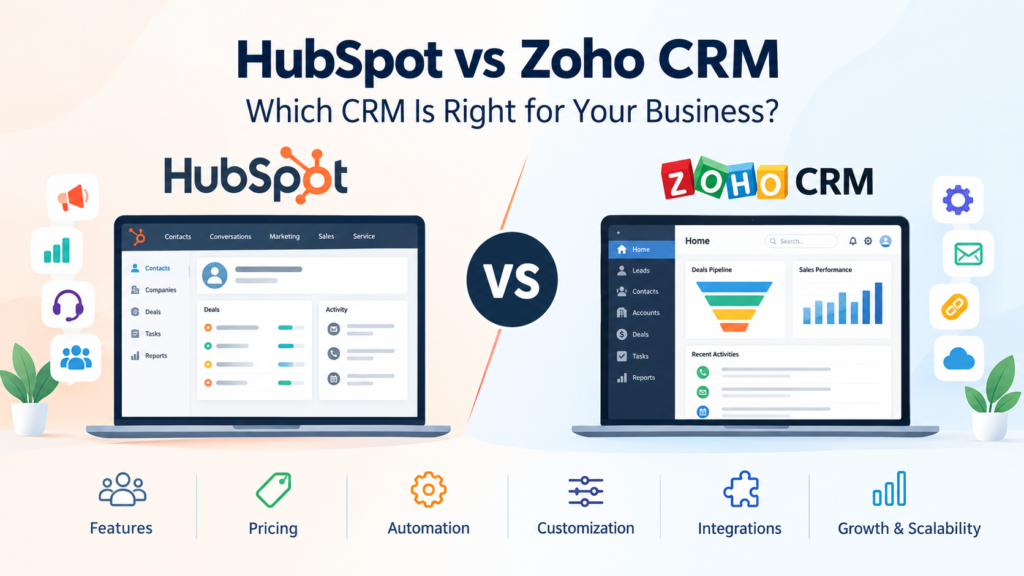
This HubSpot vs Zoho CRM comparison looks at the important differences so you can decide which platform better fits your business needs, budget, team size, and workflow.
Note: CRM pricing and feature availability can change. The figures and features discussed below reflect information available from the vendors’ official documentation at the time of writing. Always check the official pricing pages before making a purchase.
HubSpot vs Zoho CRM at a Glance
| Feature | HubSpot CRM | Zoho CRM |
|---|---|---|
| Contact management | Yes | Yes |
| Lead and deal management | Yes | Yes |
| Sales pipelines | Yes | Yes |
| Workflow automation | Available, depending on plan | Available, depending on plan |
| Marketing tools | Strong ecosystem | Available through Zoho products |
| Customer service tools | Available through Service Hub | Available through Zoho products |
| Customization | Available, with more advanced options on higher plans | Extensive customization across editions |
| Free option | Available | Available |
| Paid plans | Vary by product and plan | Multiple CRM editions |
| Broader business ecosystem | HubSpot customer platform | Zoho business application ecosystem |
The table is only a starting point. The right choice depends on how your organization intends to use the CRM.
What Is HubSpot CRM?
HubSpot CRM is part of the broader HubSpot customer platform. The platform includes products for marketing, sales, customer service, content, data management, and other business functions.
HubSpot’s Smart CRM is designed to provide a central place for customer information and connect that information with other HubSpot tools.
Businesses can start with HubSpot’s free CRM tools and later add paid functionality when they need more advanced capabilities.
One important consideration is that HubSpot’s pricing can depend heavily on the specific product and edition you choose. For example, Sales Hub, Marketing Hub, Service Hub, and Customer Platform have different pricing structures and feature sets.
What Is Zoho CRM?
Zoho CRM is a customer relationship management platform within the broader Zoho ecosystem.
It provides core CRM capabilities such as lead management, contact management, account tracking, deal management, workflows, and sales-related features.
Zoho currently offers Free, Standard, Professional, Enterprise, and Ultimate CRM editions. The exact features and limits vary by edition.
One advantage of this structure is that businesses can select a CRM edition according to the functionality they need and increase their capabilities as their requirements change.
HubSpot vs Zoho CRM: Key Differences
1. Ease of Use
Ease of use can have a major effect on CRM adoption.
HubSpot puts significant emphasis on bringing customer data, sales, marketing, and service activities into a connected platform. This can be useful for businesses that want teams to work within a relatively unified environment.
Zoho CRM also provides a broad range of features, but businesses may need more time to configure the platform according to their processes, particularly when they take advantage of its customization capabilities.
For a team that wants to begin with a straightforward CRM experience, HubSpot may be appealing. A business that values configuration and flexibility may find Zoho’s structure more suitable.
However, ease of use is subjective. A CRM that feels simple to one team may feel restrictive or unfamiliar to another.
2. CRM Features
Both platforms cover the basic functions expected from modern CRM software.
These include:
- Contact management
- Lead management
- Account management
- Deal tracking
- Sales pipelines
- Tasks and activities
- Reporting
- Workflow automation
- Integrations
- Mobile access
The difference becomes more noticeable when you examine advanced features and the wider ecosystem surrounding the CRM.
HubSpot connects its CRM with dedicated marketing, sales, service, content, data, and revenue products.
Zoho, meanwhile, provides CRM as part of a much broader collection of business applications. Its own documentation highlights Zoho CRM’s integration with the wider Zoho application ecosystem.
3. Marketing and Sales Integration
This is an important area to consider if your sales and marketing teams work closely together.
HubSpot has separate products for marketing and sales that connect to its Smart CRM. This can make it useful for companies looking for a connected customer platform rather than CRM software alone.
Zoho can also support sales and marketing processes, particularly when CRM is combined with other Zoho applications.
The practical question is not simply which platform has more features. Instead, consider which system matches your existing marketing process.
For example, a company that relies heavily on inbound marketing may prioritize:
- Lead capture
- Marketing automation
- Email campaigns
- Contact segmentation
- Sales handoffs
- Customer activity tracking
A sales-focused organization may place greater importance on:
- Pipeline management
- Sales forecasting
- Follow-up automation
- Custom sales processes
- Reporting
- Team permissions
4. Automation
Automation can reduce repetitive administrative work and help teams maintain consistent processes.
HubSpot provides automation capabilities across different products and plans. The availability and limits depend on the subscription selected.
Zoho CRM also provides workflow automation, with additional automation capabilities becoming available at higher editions. Zoho’s documentation, for example, lists workflow rules across editions and additional features such as Cadences and Blueprint on higher plans.
When comparing automation, don’t simply count the number of available features.
Instead, test real workflows such as:
- A new lead submits a form.
- The lead enters the CRM.
- The system assigns the lead to a salesperson.
- The salesperson receives a task.
- The lead moves through the sales pipeline.
- Follow-up activities are recorded automatically.
A short trial using your actual workflow can reveal more than a feature checklist.
5. Customization
Customization becomes increasingly important as a company develops its own sales process.
Zoho CRM provides substantial customization options. Its documentation lists custom modules and custom fields with limits that vary by edition.
HubSpot also supports customization, with more advanced CRM capabilities available on higher plans. Its Smart CRM documentation, for example, lists custom objects as an Enterprise feature.
If your business has unusual workflows, carefully review:
- Custom fields
- Custom objects or modules
- User roles
- Permissions
- Pipeline configuration
- Automation rules
- Reporting requirements
- API and integration requirements
A CRM should adapt to your important business processes without becoming unnecessarily complicated.
6. Pricing
Pricing is one of the areas where a simple HubSpot vs Zoho CRM comparison can become misleading.
HubSpot has free CRM tools, but its overall pricing depends on the products and editions selected. For example, HubSpot currently lists separate pricing for Sales Hub, Marketing Hub, Service Hub, and other products.
HubSpot’s Smart CRM also has separate paid editions, while the broader Customer Platform bundles multiple functions together.
Zoho CRM uses multiple editions, including Free, Standard, Professional, Enterprise, and Ultimate. Paid editions are generally priced according to the number of users and selected edition.
Therefore, compare the total cost of the setup you actually need, not just the advertised entry-level price.
Consider:
- Number of users
- Required CRM edition
- Marketing contacts
- Automation requirements
- Advanced reporting
- Integrations
- Additional products
- Data requirements
- Onboarding or implementation costs
- Future growth
A Simple Pricing Example
Imagine a company has 10 employees who need CRM access.
Instead of asking, “Which CRM is cheaper?” ask:
What will the complete system cost for the features these 10 people actually need?
This approach gives a more useful comparison because a low starting price does not necessarily mean a lower total cost for your particular requirements.
7. Integrations and Business Ecosystem
Integrations matter because CRM software rarely operates alone.
Businesses may need connections with:
- Email platforms
- Accounting software
- E-commerce systems
- Customer support tools
- Communication platforms
- Advertising platforms
- Analytics tools
- Productivity applications
HubSpot has built a broad customer platform around its CRM, while Zoho offers CRM alongside a large portfolio of business applications.
If your company already uses several products from one ecosystem, staying within that ecosystem may reduce the complexity of managing multiple systems.
Before selecting a CRM, create a list of the applications your business already uses and verify that the required integrations are available on the plan you intend to purchase.
8. Reporting and Analytics
A CRM is more useful when managers can turn customer data into practical information.
Common reporting requirements include:
- Sales pipeline value
- Deal stages
- Lead sources
- Sales activity
- Conversion rates
- Revenue information
- Customer activity
- Team performance
Both HubSpot and Zoho provide reporting capabilities, although specific features and limits vary by plan.
Rather than choosing based on the number of dashboards advertised, identify the five to ten reports your management team actually needs.
Then check whether those reports can be created without complicated workarounds.
HubSpot CRM: Potential Advantages and Limitations
Potential advantages
HubSpot may be attractive to businesses that want:
- A connected marketing, sales, and service platform
- A free starting point
- A centralized customer database
- Strong integration between HubSpot products
- The ability to add functionality as needs grow
HubSpot’s official documentation says its free CRM tools can be used without a credit card, while paid products add more advanced functionality.
Potential limitations
Businesses should also consider:
- Advanced functionality can require higher-tier subscriptions.
- Costs can increase as additional products, seats, contacts, or capabilities are added.
- HubSpot’s different product tiers can make pricing more complex to calculate.
- Some advanced functionality is restricted to specific plans.
For example, HubSpot currently lists additional costs and onboarding requirements for some Professional and Enterprise products.
Zoho CRM: Potential Advantages and Limitations
Potential advantages
Zoho CRM may be attractive to organizations that want:
- Multiple CRM editions
- Extensive customization
- Workflow automation
- A broad business software ecosystem
- Options for different business sizes and requirements
Zoho’s documentation shows that features such as Blueprint, inventory management, CPQ, and advanced customization become available at higher editions.
Potential limitations
Businesses should also consider:
- The large number of features may require more configuration.
- Some advanced capabilities require higher editions.
- The total cost depends on users, edition, and additional requirements.
- Teams may need training to take full advantage of a highly configurable CRM.
A feature-rich CRM is not automatically the right CRM if your employees only need a small number of functions.
HubSpot vs Zoho CRM for Small Businesses
Small businesses often have different priorities from larger organizations.
A small company may need:
- Simple contact management
- A sales pipeline
- Follow-up reminders
- Basic automation
- Email integration
- Affordable pricing
- Easy onboarding
HubSpot’s free CRM tools can provide a starting point for businesses that want to begin without immediately purchasing a paid CRM subscription.
Zoho CRM also offers a Free edition, followed by several paid editions with increasing functionality.
The best approach is to avoid paying for features that your business will not use.
HubSpot vs Zoho CRM for Growing Companies
As a company grows, CRM requirements often become more complicated.
You may need:
- Multiple sales pipelines
- More detailed reporting
- Automated lead assignment
- Advanced permissions
- Custom fields
- Custom objects or modules
- Marketing automation
- Customer service workflows
- More integrations
At this stage, both platforms deserve a detailed evaluation.
HubSpot may fit businesses looking for a connected customer platform across marketing, sales, service, and other functions.
Zoho may appeal to organizations that want extensive customization and access to a wider collection of business applications.
How to Choose Between HubSpot and Zoho CRM
Instead of choosing based on brand popularity, use a simple evaluation process.
Step 1: Define Your CRM Requirements
Write down what you actually need.
For example:
- Manage 5,000 contacts
- Track leads
- Manage two sales pipelines
- Automate lead assignment
- Generate monthly sales reports
- Connect email
- Integrate accounting software
Step 2: Determine Your Budget
Calculate the expected monthly and annual cost.
Include additional users, products, contacts, integrations, onboarding, and other charges that may apply.
Step 3: Test Both Platforms
Use available free options or trials where appropriate.
Don’t just explore the homepage. Build a small version of your real workflow.
Step 4: Test Data Import
If you’re moving from spreadsheets or another CRM, test importing a sample dataset.
Check:
- Contact fields
- Duplicate records
- Companies
- Deals
- Historical information
- Custom fields
Step 5: Test User Experience
Ask several employees to perform common tasks.
For example:
- Add a new contact
- Create a deal
- Update a pipeline stage
- Schedule a follow-up
- Find a customer record
- Generate a report
Their experience can help identify practical problems that a feature comparison may not reveal.
Step 6: Calculate the Long-Term Cost
Don’t evaluate only the first month.
Estimate what the CRM could cost after your team grows and you add the features you actually need.
Common Mistakes When Choosing CRM Software
Choosing Based Only on Price
The cheapest plan may not include the features your team needs.
Buying Too Many Features
A business may purchase an advanced CRM while using only contact management and basic pipeline tracking.
Ignoring Employee Adoption
If employees find a system difficult to use, having many features may not provide much practical value.
Forgetting Integration Requirements
Always verify that your essential applications can connect with the CRM before committing.
Not Planning for Growth
Consider how your database, users, workflows, and reporting requirements may change over the next few years.
Frequently Asked Questions
Is HubSpot better than Zoho CRM?
There is no single CRM that is best for every business. HubSpot and Zoho CRM have different approaches, features, pricing structures, and ecosystems. The appropriate choice depends on your team’s requirements, budget, integrations, and desired level of customization.
Is Zoho CRM cheaper than HubSpot?
It depends on the specific plans, number of users, and additional products required. Both platforms offer free options, while paid functionality varies by edition and product. Compare the complete setup your business requires rather than comparing only entry-level prices.
Does HubSpot have a free CRM?
Yes. HubSpot provides free CRM tools, although advanced functionality is available through paid products and plans. Current limits and included features should be checked on HubSpot’s official pricing and product pages.
Does Zoho CRM have a free plan?
Yes. Zoho CRM currently lists a Free edition as well as Standard, Professional, Enterprise, and Ultimate editions. Features and limits vary between editions.
Can a business switch from one CRM to another?
Yes, businesses can migrate CRM data, although the difficulty depends on the amount and structure of the data, integrations, custom fields, workflows, and historical records involved. Before switching, create a migration plan and test the process with a sample dataset.
Conclusion
The choice between HubSpot vs Zoho CRM should be based on how your business actually operates rather than on a simple feature count.
HubSpot provides a connected customer platform covering areas such as marketing, sales, service, content, and data. Zoho CRM provides multiple editions and extensive customization while fitting into the wider Zoho business application ecosystem.
Before making a decision, identify your essential CRM features, calculate the complete cost, test your most important workflows, and consider how your requirements may change as your business grows.
Most importantly, choose the system your team can realistically use consistently. A CRM becomes valuable when customer information is kept organized, processes are followed, and the data helps employees make better day-to-day decisions.