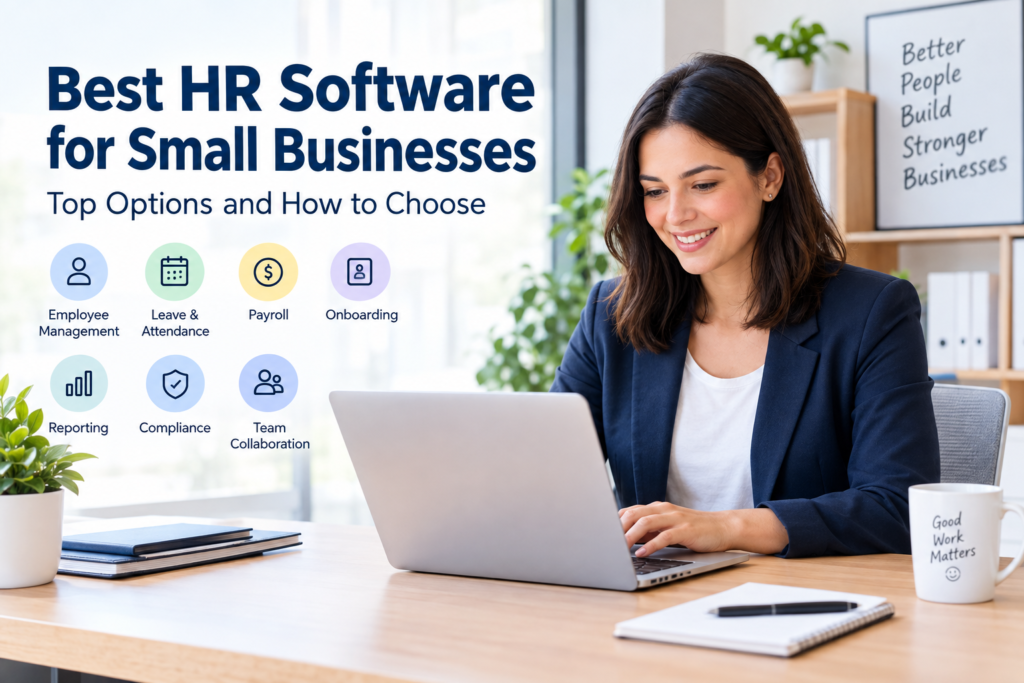

Managing employees becomes more complicated as a small business grows. Employee records, leave requests, onboarding documents, attendance, payroll, benefits, and performance information can quickly become difficult to manage with spreadsheets and paper files.
The best HR software for small businesses can bring these processes into one system, reduce repetitive administrative work, and give employees a simpler way to access their information. However, there is no single HR platform that is right for every company. The best choice depends on your employee count, location, payroll requirements, budget, and the HR functions you actually need.
In this guide, we compare several established HR software options and explain what to look for before making a purchase.
What Is HR Software?
HR software is a digital system that helps businesses manage employee-related information and processes.
Depending on the platform, it may include:
- Employee databases
- Employee self-service
- Leave and time-off management
- Attendance and timesheets
- Recruitment and applicant tracking
- Employee onboarding
- Payroll
- Benefits administration
- Performance management
- HR reporting
- Document management
- Employee communication
- Compliance-related workflows
Not every HR platform includes all of these functions. Some products concentrate on payroll, while others focus more heavily on HR management, employee records, recruitment, or workforce administration.
For a small business, the goal should not be to buy the platform with the largest feature list. It is usually more useful to choose software that solves the HR problems your business actually has.
Why Small Businesses Need HR Software
Small companies often have limited administrative resources. In some businesses, one person may handle HR alongside finance, operations, administration, or management.
A centralized HR system can help organize information and standardize routine processes.
1. Centralize employee information
Instead of keeping employee details across spreadsheets, email messages, and paper documents, an HR platform can provide a central employee record.
This can make it easier to find information such as:
- Job titles
- Contact information
- Employment dates
- Leave records
- Documents
- Compensation information
- Performance information
Access controls are important because HR records can contain sensitive personal information.
2. Simplify onboarding
A structured onboarding process can help new employees complete required forms, receive company information, and understand their responsibilities.
Some HR platforms provide onboarding workflows, checklists, electronic documents, and automated reminders.
3. Manage leave and attendance
Instead of handling leave requests through informal messages or spreadsheets, employees can submit requests through a centralized system.
Depending on the software, managers may also be able to review attendance, timesheets, schedules, and time-off information.
4. Reduce repetitive administration
Automation can handle routine activities such as reminders, approvals, employee notifications, and document workflows.
This does not eliminate the need for HR oversight. Instead, it can reduce the amount of manual administration required for repetitive processes.
Best HR Software for Small Businesses
The following platforms are established HR software options with different strengths. They should be evaluated according to your location and specific requirements rather than treated as interchangeable products.
1. BambooHR
BambooHR is an HR platform covering areas such as employee records, hiring, onboarding, payroll, benefits, time and attendance, performance management, reporting, and employee experience. Its platform is designed around a centralized employee-data system.
Potential strengths:
- Broad HR functionality
- Employee data management
- Hiring and onboarding tools
- Performance management
- Reporting and analytics
- Time and attendance
- Benefits and payroll capabilities
- Integrations with other business applications
BambooHR says companies with 25 or fewer employees are charged using a monthly flat-rate structure, while companies with more than 25 employees are priced per employee per month. Exact pricing depends on the company’s requirements, so businesses should request current pricing before budgeting.
Potential limitation: A small company that only needs basic employee records and leave tracking may not need such a broad platform.
BambooHR also introduced Bamboo AI in 2026, adding AI-powered capabilities to its HR platform. Businesses considering AI features should review exactly what data is used, what actions can be automated, and what human approval controls are available.
2. Gusto
Gusto combines payroll, benefits, and HR functions and is particularly focused on small businesses.
Its current published pricing includes a Simple plan at $49 per month plus $6 per person, a Plus plan at $80 per month plus $12 per person, and a Premium plan at $180 per month plus $22 per person. Features vary between plans.
Depending on the plan, Gusto provides functions such as:
- Payroll
- Tax filings and payments
- PTO policies
- Benefits administration
- Time tracking
- HR support
- Performance and compensation management
Potential strength: Businesses that want payroll and HR functions together may find an integrated system useful.
Important limitation: Gusto’s payroll and tax features are closely connected to the U.S. payroll environment. Businesses outside the United States should confirm whether the specific payroll, tax, benefits, and compliance services they need are supported in their country before selecting it.
3. Zoho People
Zoho People focuses on core HR management and offers employee database management, employee self-service, onboarding and offboarding, document management, leave management, attendance, timesheets, performance management, and HR reporting across its different plans.
Its published annual pricing currently ranges from a free plan to paid tiers starting at $1.25 per user per month for Essential HR, $2 for Professional, $3 for Premium, and $4.50 for Enterprise, with feature differences between the plans. Zoho notes a minimum of five users for these plans.
Potential strengths:
- Relatively broad HR functionality
- Employee database
- Leave management
- Attendance and timesheets
- Performance management
- HR reports
- Integration with the wider Zoho ecosystem
Potential limitation: Businesses should compare the features they actually need rather than choosing solely because the starting price is low. Some advanced capabilities are available only on higher plans.
HR Software Comparison
| Software | Best suited for | Key areas | Pricing approach |
|---|---|---|---|
| BambooHR | Businesses wanting a broad HR platform | HR records, hiring, onboarding, payroll, time, performance | Quote/plan dependent |
| Gusto | Small businesses needing payroll and HR | Payroll, benefits, PTO, HR, time tracking | Base fee + per-person pricing |
| Zoho People | Businesses looking for flexible HR management | Employee records, leave, attendance, timesheets, performance | Free and paid per-user plans |
Pricing and features can change, so use the vendors’ official pricing pages when preparing a purchasing decision. The prices above reflect information available when this article was researched.
How to Choose the Best HR Software for Small Businesses
Choosing HR software should start with your business requirements rather than the software brand.
1. Identify your biggest HR problems
Write down the processes that currently consume the most time.
For example:
- Employee records are difficult to organize.
- Leave requests are handled through messaging apps.
- Attendance is tracked manually.
- New employees do not have a consistent onboarding process.
- HR documents are stored in multiple locations.
- Payroll requires repeated data entry.
- Managers cannot easily access workforce reports.
The software should solve these problems.
2. Decide which features are essential
Create two lists: must-have features and nice-to-have features.
For example:
Must-have
- Employee database
- Leave management
- Attendance
- Document storage
- Employee self-service
Nice-to-have
- Performance reviews
- Applicant tracking
- Advanced analytics
- AI assistants
- Benefits administration
This approach can prevent you from paying for features your business does not use.
3. Check pricing carefully
Do not compare software using only the advertised starting price.
Look for:
- Monthly base fees
- Per-employee charges
- Minimum employee requirements
- Payroll fees
- Benefits fees
- Implementation costs
- Optional modules
- Support costs
- Contract requirements
- Additional charges for integrations
For example, Gusto currently combines a monthly base fee with per-person charges, while Zoho People publishes different per-user tiers. BambooHR uses a different pricing structure depending partly on employee count.
4. Confirm country availability
This is especially important for businesses operating outside the United States.
Payroll, tax filing, employment documentation, benefits, and labor requirements differ between countries.
Before purchasing, confirm:
- Whether payroll is supported in your country
- Whether local currency is supported
- Whether local tax requirements are covered
- Whether local employment rules are supported
- Whether customer support is available in your region
- Whether the software integrates with your accounting system
Do not assume that an HR platform’s international availability means every feature works in every country.
5. Check data security and access controls
HR systems contain sensitive employee information. Security should therefore be part of the buying decision.
Look for features such as:
- Role-based access
- Multi-factor authentication
- Encryption
- Audit logs
- Secure backups
- Data retention controls
- Administrative permissions
- Clear privacy documentation
Also ask who can access employee information and how access is removed when an employee or administrator leaves the organization.
6. Test the software before committing
A free trial or product demonstration can reveal problems that are not obvious from a feature list.
Ask employees or managers who will actually use the system to test common tasks.
For example:
- Add a new employee.
- Upload an employment document.
- Submit a leave request.
- Approve the request.
- Generate an HR report.
- Update employee information.
- Remove access for a departing employee.
If these basic workflows are confusing, the software may create additional administrative work rather than reducing it.
What Features Should Small Businesses Prioritize?
The right features depend on the company’s size and HR processes, but several are commonly useful.
Employee database
A central employee database provides one location for important workforce information.
Employee self-service
Self-service allows employees to access or update appropriate information without asking an administrator to handle every minor request.
Leave management
Leave management can replace spreadsheets and manual approval processes with a structured workflow.
Attendance and time tracking
This can be particularly useful for businesses that need to monitor working hours, shifts, overtime, or attendance.
Recruitment and onboarding
Applicant tracking and onboarding tools can help businesses create a consistent process from hiring through the employee’s first days.
Reporting
Useful HR reports can help managers understand information such as headcount, attendance, leave, turnover, and other workforce metrics.
Integrations
Your HR software should work with important systems you already use.
Potential integrations include:
- Accounting software
- Payroll platforms
- Time-tracking systems
- Communication tools
- Recruitment platforms
- Identity and access-management tools
Common Mistakes to Avoid When Buying HR Software
Choosing based only on price
The cheapest option may not provide the workflows your business needs.
Compare the total cost with the features, employee count, implementation requirements, and future growth.
Buying too many features
A small company does not necessarily need a large enterprise HR platform.
Extra features can increase complexity and cost if employees rarely use them.
Ignoring implementation
Moving employee records from spreadsheets or another HR system can require planning.
Before signing up, understand how existing data will be imported and whether historical records can be retained.
Forgetting employee adoption
An HR system is only useful if employees and managers can use it correctly.
Choose an interface that matches the technical comfort level of your workforce and provide basic training.
Failing to review privacy requirements
Employee information can be sensitive. Review the vendor’s privacy policy, security documentation, data-processing terms, and access controls before uploading employee data.
Is Free HR Software Enough for a Small Business?
Free HR software can be sufficient for a very small organization with simple requirements.
For example, a company may only need:
- Employee records
- Basic leave tracking
- Document storage
- Simple employee self-service
However, free plans often have limitations on users, features, automation, reporting, integrations, or support.
A useful approach is to start with the simplest solution that meets your current requirements and upgrade when your business genuinely needs additional functionality.
When Should a Small Business Upgrade Its HR System?
You may want to consider dedicated HR software when manual processes begin causing recurring problems.
Common signs include:
- HR information is spread across multiple spreadsheets.
- Managers frequently ask for updated employee information.
- Leave balances are difficult to calculate.
- Onboarding requires many manual reminders.
- Employee documents are difficult to locate.
- Payroll requires repeated data entry.
- HR reports take too long to prepare.
- Your employee count is increasing.
- Different departments maintain conflicting employee information.
The goal is not to automate everything. The goal is to make important HR processes more organized, consistent, and manageable.
A Simple HR Software Buying Checklist
Before choosing a platform, ask these questions:
- How many employees do we have now?
- How many employees might we have in the next two or three years?
- Do we need payroll?
- Do we need attendance tracking?
- Do we need leave management?
- Do employees need self-service access?
- Do we need recruitment tools?
- Do we need performance management?
- What integrations are required?
- Is the software available in our country?
- What currencies and payroll systems are supported?
- How is employee data protected?
- What is the total monthly and annual cost?
- Is there a free trial or demonstration?
- What support is included?
- What happens if we decide to cancel?
Answering these questions can make the buying process much easier.
Frequently Asked Questions
What is the best HR software for a small business?
There is no universal best option. BambooHR, Gusto, and Zoho People take different approaches to HR management. The appropriate choice depends on your employee count, country, payroll requirements, budget, and required features.
What is the most important HR software feature for a small business?
For many small businesses, a centralized employee database is a useful foundation. From there, the business can prioritize functions such as leave management, attendance, onboarding, payroll, reporting, or performance management according to its needs.
How much does HR software cost for a small business?
Costs vary considerably. Some platforms offer free plans, while others use monthly base fees, per-user pricing, or customized quotes. For example, Zoho People currently lists free and paid per-user plans, while Gusto uses monthly base fees plus per-person charges, and BambooHR’s pricing varies according to company size and selected services.
Is HR software worth it for a small company?
It can be useful when manual HR processes consume significant time or create recurring errors. However, a company with very few employees and simple administrative requirements may not need a complex HR platform. The decision should be based on actual workflow requirements and total cost.
Can small businesses use HR software for payroll?
Yes, some HR platforms include payroll or connect HR information with payroll systems. However, payroll availability varies by country. Businesses should confirm local payroll, tax, currency, and compliance support before selecting a provider.
Conclusion
The best HR software for small businesses is not necessarily the platform with the largest feature list or the lowest advertised price. It is the system that fits the company’s actual HR processes, budget, workforce size, and location.
BambooHR offers a broad HR platform covering areas across the employee lifecycle. Gusto combines HR with payroll and benefits, particularly for its supported payroll markets. Zoho People provides a range of HR management features with free and paid plans.
Before choosing, identify your essential HR tasks, compare the total cost, verify country and payroll support, review data-security controls, and test the software with the people who will use it.
A careful comparison can help a small business choose HR software that remains practical as its workforce and administrative needs grow.