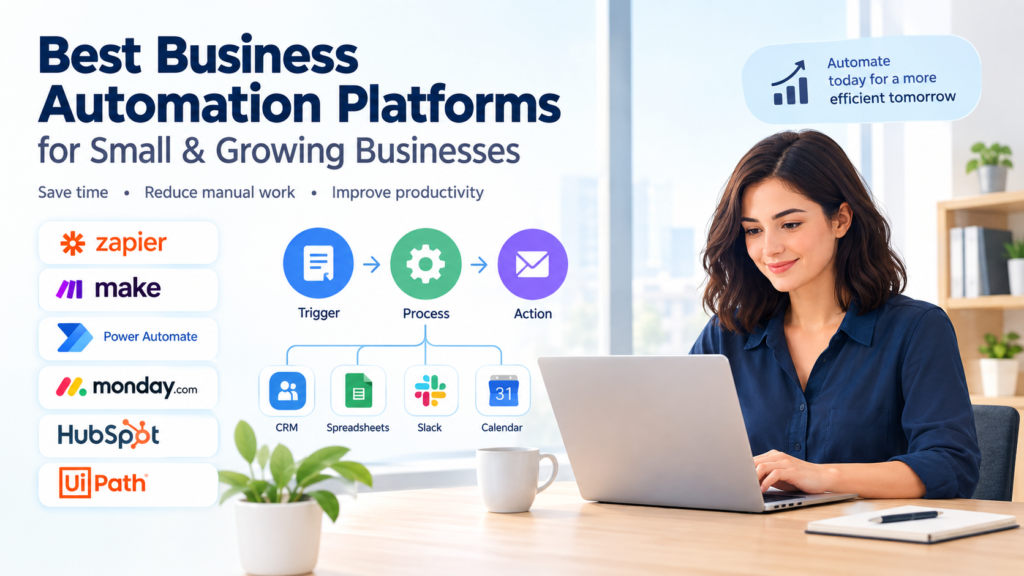

Running a business involves many repetitive activities: moving information between applications, sending follow-up emails, updating customer records, assigning tasks, generating reports, and notifying team members about important events.
As a business grows, these small tasks can consume significant amounts of staff time. Business automation platforms help organizations turn repeatable processes into workflows that can run automatically according to predefined triggers, conditions, and actions.
But choosing an automation platform is not simply about finding the tool with the most features. The right option depends on your existing software, business processes, technical skills, budget, security requirements, and the level of automation you actually need.
In this guide to the Best Business Automation Platforms, we examine several widely used options, explain what they are designed to do, compare their strengths and limitations, and provide a practical framework for selecting the right solution.
10 SEO-Friendly Title Ideas
- Best Business Automation Platforms for Small and Growing Businesses
- Best Business Automation Platforms to Streamline Repetitive Work
- Best Business Automation Platforms: Features, Benefits, and Comparison
- 7 Best Business Automation Platforms for Modern Companies
- Best Business Automation Platforms for Workflow and Process Automation
- Best Business Automation Platforms for Small Businesses in 2026
- Business Automation Platforms: Best Tools for Automating Workflows
- Best Automation Software for Business Processes and Productivity
- How to Choose the Best Business Automation Platform for Your Company
- Best Business Automation Platforms for Connecting Apps and Workflows
Best Title for This Article
Best Business Automation Platforms for Small and Growing Businesses
This title matches common search intent because people looking for business automation software generally want to understand their options, compare capabilities, and determine which type of platform fits their organization.
What Are Business Automation Platforms?
Business automation platforms are software tools that allow companies to automate repetitive tasks and business processes.
A basic workflow might look like this:
Trigger → Condition → Action
For example:
A customer completes a website form → the system checks the information → the customer is added to a CRM → a sales representative receives a notification → a follow-up task is created.
Instead of an employee performing every step manually, the software handles the predefined workflow.
Some platforms focus primarily on connecting different applications. Others are built around CRM, project management, Microsoft environments, robotic process automation (RPA), or broader enterprise processes.
The important distinction is that automation does not necessarily mean removing people from a process. In many cases, the goal is to automate routine steps while keeping people responsible for decisions, approvals, exceptions, and customer relationships.
Why Businesses Use Automation
Automation can be useful when employees repeatedly perform the same predictable actions.
Common examples include:
- Sending internal notifications
- Creating tasks automatically
- Updating CRM records
- Moving information between applications
- Sending appointment reminders
- Assigning leads to sales representatives
- Collecting information from forms
- Generating routine reports
- Updating project statuses
- Managing employee onboarding steps
- Routing customer service requests
- Synchronizing information between business systems
For example, a small marketing agency could create a workflow that adds a new website inquiry to its CRM, notifies the appropriate team member, creates a follow-up task, and sends a confirmation message.
The value comes from designing a reliable process—not simply turning on as many automations as possible.
Best Business Automation Platforms
There is no single platform that is ideal for every organization. The following options serve different automation needs.
1. Zapier
Zapier is a widely used workflow automation platform designed to connect applications and automate processes.
Zapier uses trigger-and-action workflows. For example, an event in one application can trigger one or more actions in other applications. Zapier currently states that its platform supports more than 9,000 apps.
What Zapier is useful for
Businesses can use it for workflows involving:
- Lead management
- Email notifications
- CRM updates
- Form submissions
- Customer onboarding
- Project management
- Data synchronization
- Internal alerts
- AI-assisted workflows
Advantages
- Large application ecosystem
- No-code and low-code options
- Relatively accessible for non-developers
- Supports multi-step workflows
- Useful for connecting different business applications
Limitations
As workflows become more complicated, businesses may need to spend more time designing, testing, monitoring, and maintaining them.
Pricing and available features also vary by plan, so businesses should check current plan limits before designing a large automation system.
Good fit for: Small businesses, marketing teams, operations teams, agencies, and companies that need to connect many different SaaS applications.
2. Make
Make is a visual automation platform that allows users to connect applications and build workflows through a visual interface.
Make describes its platform as a way to connect applications and services and automate both straightforward tasks and more complex end-to-end processes.
Its visual approach can be particularly useful when a workflow contains multiple branches, conditions, or processing steps.
What Make is useful for
Examples include:
- Lead routing
- Customer onboarding
- Data synchronization
- Report generation
- Invoice-related workflows
- Customer support routing
- Project management automation
- AI-assisted workflows
Make currently states that it connects more than 3,000 applications through its visual automation platform.
Advantages
- Visual workflow builder
- Suitable for multi-step processes
- Supports conditional logic
- Connects many applications
- Useful for more customized workflows
Limitations
The flexibility can also make complex scenarios harder for beginners to understand and maintain. Teams should document important workflows and test them carefully before relying on them for critical business processes.
Good fit for: Businesses that want visual control over moderately complex or highly customized workflows.
3. Microsoft Power Automate
Microsoft Power Automate is designed for automating workflows across Microsoft services and other applications.
Microsoft’s documentation describes capabilities for creating automated, scheduled, and desktop flows, as well as integrations with applications and services.
This can make Power Automate particularly relevant to organizations already using Microsoft 365 and related business systems.
What Power Automate can automate
Examples include:
- File and document workflows
- Notifications
- Data collection
- Scheduled processes
- Approval workflows
- Business application processes
- Desktop tasks
Advantages
- Strong connection with the Microsoft ecosystem
- Supports cloud-based workflows
- Includes desktop automation capabilities
- Suitable for business approval processes
- Offers AI-assisted capabilities in supported areas
Limitations
The platform can become more complicated as workflows, permissions, connectors, and governance requirements increase.
Organizations should also examine licensing requirements carefully because available capabilities can depend on the selected Microsoft plans and connectors.
Good fit for: Businesses already using Microsoft 365, Microsoft business applications, or Windows-based workflows.
4. monday.com
monday.com combines work management with workflow automation.
Its automation functionality can automatically update items, send notifications, move tasks, assign work, and perform other actions based on predefined rules.
What monday.com is useful for
Businesses can use automation for:
- Project management
- Task assignment
- Deadline notifications
- Team handoffs
- Workflow status changes
- Recurring work
- Internal coordination
For example, a team could configure a workflow so that when a project reaches a particular stage, the next person receives an assignment automatically.
Advantages
- Automation is integrated into work management
- Visual interface
- Useful for project and operations teams
- Supports customizable automation rules
- Can reduce repetitive project administration
Limitations
monday.com is primarily a work management platform, so businesses seeking highly specialized cross-application automation may need a dedicated integration platform as well.
Some newer AI workflow capabilities are also plan-dependent.
Good fit for: Project teams, agencies, operations departments, and businesses already using monday.com for managing work.
5. HubSpot
HubSpot offers workflow automation within its customer platform.
HubSpot’s workflow tools can automate actions involving marketing, sales, service, and CRM data. Examples include sending notifications, creating tasks, updating records, routing deals, and triggering actions when specific conditions occur.
What HubSpot is useful for
Common applications include:
- Lead nurturing
- Sales follow-ups
- Customer onboarding
- CRM data management
- Marketing workflows
- Customer service processes
- Deal routing
- Task creation
Advantages
- Automation works closely with CRM data
- Useful for customer-facing processes
- Supports marketing, sales, and service workflows
- Helps standardize repetitive customer processes
Limitations
HubSpot’s automation capabilities vary across products and subscription levels. Businesses should examine the current feature and pricing structure before choosing it specifically for advanced automation.
Good fit for: Businesses whose primary automation requirements involve marketing, sales, CRM, and customer service.
6. UiPath
UiPath takes a broader approach to business automation, including robotic process automation, workflow orchestration, application integration, and AI-powered automation.
UiPath describes its platform as supporting automation across applications, systems, and teams, with capabilities ranging from low-code workflows to more advanced enterprise automation.
What UiPath is useful for
Potential applications include:
- Repetitive desktop tasks
- Legacy application processes
- Document-heavy workflows
- Enterprise operations
- Data extraction
- API-based automation
- Business process orchestration
UiPath’s software robots can interact with applications through user interfaces as well as integrate with APIs, which can be useful where businesses have older systems that do not offer modern integrations.
Advantages
- Broad enterprise automation capabilities
- Strong RPA functionality
- Supports complex business processes
- Offers cloud and self-hosted deployment options
- Suitable for organizations with formal automation programs
Limitations
UiPath may be more platform than a small business needs for a few simple workflows. Implementation, governance, technical expertise, and licensing should be considered before adopting an enterprise automation platform.
Good fit for: Larger organizations and businesses with complex, repetitive, legacy-system, or enterprise automation requirements.
Business Automation Platforms Compared
| Platform | Primary Strength | Useful For | Consideration |
|---|---|---|---|
| Zapier | App-to-app automation | SaaS integrations and repetitive workflows | Complex workflows require careful management |
| Make | Visual workflow automation | Multi-step and customized processes | Can require more learning |
| Power Automate | Microsoft ecosystem automation | Microsoft 365 and Windows environments | Licensing and complexity need review |
| monday.com | Work management automation | Projects, tasks, and team workflows | Less focused on being a general integration platform |
| HubSpot | CRM-centered automation | Marketing, sales, and service | Advanced features depend on products/plans |
| UiPath | Enterprise automation and RPA | Complex processes and legacy systems | Can require greater implementation effort |
This comparison is descriptive rather than a universal ranking. The appropriate platform depends on the organization’s processes, existing software, technical requirements, and budget.
Key Benefits of Business Automation
1. Less Repetitive Manual Work
Automation can handle predictable tasks that otherwise require employees to repeat the same steps.
For example, instead of manually copying a new customer from a form into a CRM, a workflow can transfer the information automatically.
2. More Consistent Processes
A documented workflow follows predefined rules each time it runs.
This can help businesses standardize processes such as:
- Lead assignment
- Employee onboarding
- Customer follow-up
- Approval requests
- Internal notifications
Automation does not eliminate mistakes, however. A poorly designed workflow can repeat an incorrect action many times.
3. Better Information Flow
Businesses often use multiple systems at the same time.
For example:
Website → CRM → Email platform → Project management tool → Reporting system
Automation can connect these systems so that information does not have to be manually transferred at every stage.
4. Faster Routine Responses
Automated notifications and task creation can reduce delays in processes that do not require human judgment.
For example, a completed customer form could immediately notify the appropriate employee and create a follow-up task.
5. Easier Process Monitoring
Many automation platforms provide logs, workflow histories, or monitoring features.
These can help teams determine whether a workflow ran successfully and investigate problems when an automation fails.
Potential Disadvantages of Business Automation
Automation has benefits, but it should not be treated as a solution to every business problem.
Setup Time
Building reliable workflows requires planning, configuration, testing, and documentation.
A complicated process may take considerable time to automate properly.
Ongoing Maintenance
Applications change.
APIs, permissions, fields, authentication methods, and product features can change over time. An automation that works today may need maintenance later.
Automation Errors
Automation can execute an incorrect instruction very efficiently.
For example, if a workflow contains an incorrect condition, it could send information to the wrong team or update records incorrectly.
Critical workflows should therefore have appropriate validation, monitoring, and human oversight.
Subscription Costs
Many automation platforms use subscription plans, usage limits, task limits, user-based pricing, or premium connectors.
A workflow that appears inexpensive at a small scale may have different costs when usage increases.
Always check the provider’s current pricing and usage rules before making a purchasing decision.
Data and Security Considerations
Automation often moves information between applications.
Before connecting systems, businesses should consider:
- What data is being transferred?
- Where is the data processed?
- Who can access the workflow?
- Which credentials are being used?
- What happens when an employee leaves?
- Are audit logs available?
- What happens if the workflow fails?
For sensitive business or customer information, security and access controls should be part of the selection process rather than an afterthought.
How to Choose the Right Business Automation Platform
Choosing an automation platform becomes easier when you start with the business process rather than the software.
Step 1: Identify Repetitive Processes
Create a list of tasks employees perform repeatedly.
Look for processes involving:
- Copying information
- Repeated notifications
- Manual data entry
- Task assignment
- File movement
- Status updates
- Routine approvals
- Report preparation
Do not automate everything at once.
Start with one process where the steps are relatively predictable.
Step 2: Map the Current Workflow
Write down the process from beginning to end.
For example:
- Customer submits a form.
- Employee checks the information.
- Customer is added to the CRM.
- Sales representative is assigned.
- Confirmation email is sent.
- Follow-up task is created.
This makes it easier to determine which steps should be automated and which should remain under human control.
Step 3: Check Your Existing Applications
Make a list of the applications involved.
For example:
- Gmail
- Microsoft 365
- Google Sheets
- Salesforce
- HubSpot
- Slack
- accounting software
- project management software
- internal databases
Then check whether the automation platform supports those applications and the specific features you need.
Step 4: Decide How Much Complexity You Need
A simple workflow might require only:
Trigger → Action
A more complicated workflow may require:
Trigger → Condition → Data transformation → Branch → Approval → Action → Notification
Choose a platform that matches your actual requirements instead of selecting the most complicated system available.
Step 5: Evaluate Security
For business-critical automation, consider:
- User permissions
- Authentication
- Data handling
- Audit logs
- Administrative controls
- Compliance requirements
- Backup procedures
- Error handling
Your organization’s legal, contractual, or regulatory obligations may also affect which platform and deployment model are appropriate.
Step 6: Calculate the Total Cost
Don’t consider only the advertised subscription price.
Consider:
Software cost + implementation time + maintenance + training + usage costs + integration costs
A platform with a lower subscription price may require more manual configuration, while another may cost more but provide features your business actually needs.
Step 7: Test One Real Workflow
Before automating dozens of processes, build one small workflow.
Measure practical results such as:
- How much manual work was removed?
- How often does it fail?
- How easy is it to troubleshoot?
- Does the team understand it?
- Does it produce the expected result?
- What happens when something goes wrong?
Use those findings before expanding the automation program.
Business Automation Examples by Department
Sales
A sales workflow might:
- Capture a new lead
- Create a CRM record
- Assign the lead
- Notify a salesperson
- Create a follow-up task
Marketing
Marketing automation can help with:
- Form submissions
- Campaign workflows
- Customer segmentation
- Internal notifications
- Content approval processes
Human Resources
HR teams can automate:
- Employee onboarding checklists
- Document collection
- Internal notifications
- Task assignments
- Approval processes
Finance
Finance-related workflows may include:
- Invoice notifications
- Approval routing
- Data synchronization
- Scheduled reporting
- Document processing
Financial workflows deserve particular attention to permissions, validation, and approval controls.
Customer Support
Support teams can automate:
- Ticket routing
- Notifications
- Task creation
- Escalation reminders
- Customer follow-up
Automation can help organize support processes, but sensitive or unusual customer cases may still require human review.
AI and Business Automation
AI is increasingly being incorporated into automation platforms.
Traditional automation generally follows predefined rules:
If X happens → do Y.
AI-assisted automation can add capabilities such as:
- Classifying incoming information
- Summarizing text
- Extracting information from documents
- Categorizing customer requests
- Assisting with workflow creation
- Supporting decisions within predefined processes
However, AI-based automation should be evaluated differently from simple rule-based automation.
AI outputs can require validation, particularly when they affect customers, finances, compliance, or important business decisions.
For high-impact workflows, businesses should consider where human review is necessary.
Automation vs. AI: What’s the Difference?
Business automation and artificial intelligence are related but not identical.
Automation
Automation follows predefined rules and workflows.
Example:
When a customer submits a form, create a CRM record.
AI
AI can process information that may require interpretation.
Example:
Read the customer’s message and classify the request into the appropriate support category.
AI + Automation
The two can be combined.
For example:
A customer submits a support request → AI categorizes the message → automation creates a ticket → the ticket is routed to the appropriate team.
The important consideration is reliability. The more consequential the automated decision, the more carefully the business should validate the process.
Common Mistakes to Avoid
Automating a Bad Process
Automation does not automatically improve a poorly designed process.
First simplify the workflow, then automate it.
Creating Too Many Automations
A business can eventually have so many workflows that employees no longer understand how information moves through the organization.
Keep a central list of important automations and document their purpose.
Ignoring Exceptions
Real business processes rarely follow the ideal path every time.
Consider what should happen when:
- Required information is missing
- A customer changes their request
- An application is unavailable
- A duplicate record exists
- An employee is unavailable
- A workflow fails
Forgetting Human Oversight
Not every decision should be automated.
Use human approval when the consequences of an incorrect automated action could be significant.
Failing to Monitor Workflows
A workflow that silently fails can create operational problems.
Check available logs, notifications, error handling, and monitoring features.
Frequently Asked Questions
1. What are business automation platforms?
Business automation platforms are software tools that allow organizations to automate repetitive tasks and processes. They can connect applications, move information, create tasks, send notifications, manage workflows, or automate more complex business operations.
2. Which business automation platform is easiest for beginners?
Ease of use depends on the user’s technical background and the complexity of the workflow. Visual, no-code platforms such as Zapier, Make, and monday.com can be approachable for common workflows, while more advanced enterprise platforms may require additional technical knowledge.
3. Can small businesses use automation platforms?
Yes. Small businesses can automate tasks such as lead management, customer follow-ups, notifications, project updates, data entry, and reporting. Starting with one repetitive process is usually more manageable than trying to automate the entire business at once.
4. Is business automation expensive?
The cost varies significantly. Some platforms offer free or entry-level options, while advanced capabilities may require paid plans. Businesses should also consider implementation, maintenance, usage limits, integrations, and training when calculating total cost.
5. Should every business process be automated?
No. Automation works best for repetitive, predictable processes. Processes involving complex judgment, sensitive decisions, exceptions, or personal customer interaction may still require human involvement.
How to Get Started With Business Automation
If your business is new to automation, follow a simple approach:
1. Choose one repetitive task
Pick something employees perform regularly.
2. Measure the current process
Record how many steps are involved and where delays or repeated data entry occur.
3. Select a suitable platform
Consider your existing applications, workflow complexity, technical skills, security requirements, and budget.
4. Build a small workflow
Start with a straightforward trigger and action.
5. Test it
Run realistic scenarios, including unusual cases and missing information.
6. Document it
Write down what the automation does, who owns it, and what should happen if it fails.
7. Monitor the results
Review errors and make improvements before expanding the workflow.
Conclusion
The Best Business Automation Platforms are not necessarily the platforms with the longest feature lists. The right choice depends on what your business is trying to automate and which applications, people, and processes are already part of the workflow.
Zapier and Make are useful options for connecting applications and building cross-platform workflows. Power Automate can be particularly relevant to organizations working heavily within the Microsoft ecosystem. monday.com combines automation with work management, while HubSpot focuses strongly on CRM-related marketing, sales, and service processes. UiPath provides broader capabilities for organizations with sophisticated enterprise automation and RPA requirements.
Before choosing a platform, identify the process you want to improve, map the workflow, check integrations, review security and pricing, and test a small real-world automation.
Most importantly, treat automation as a business-process improvement project rather than simply a software purchase. A well-designed workflow can reduce repetitive work and improve consistency, while a poorly designed one can create new problems at greater speed.
For current pricing, integrations, plan restrictions, security information, and product capabilities, always review the relevant provider’s official documentation before making a purchasing decision.