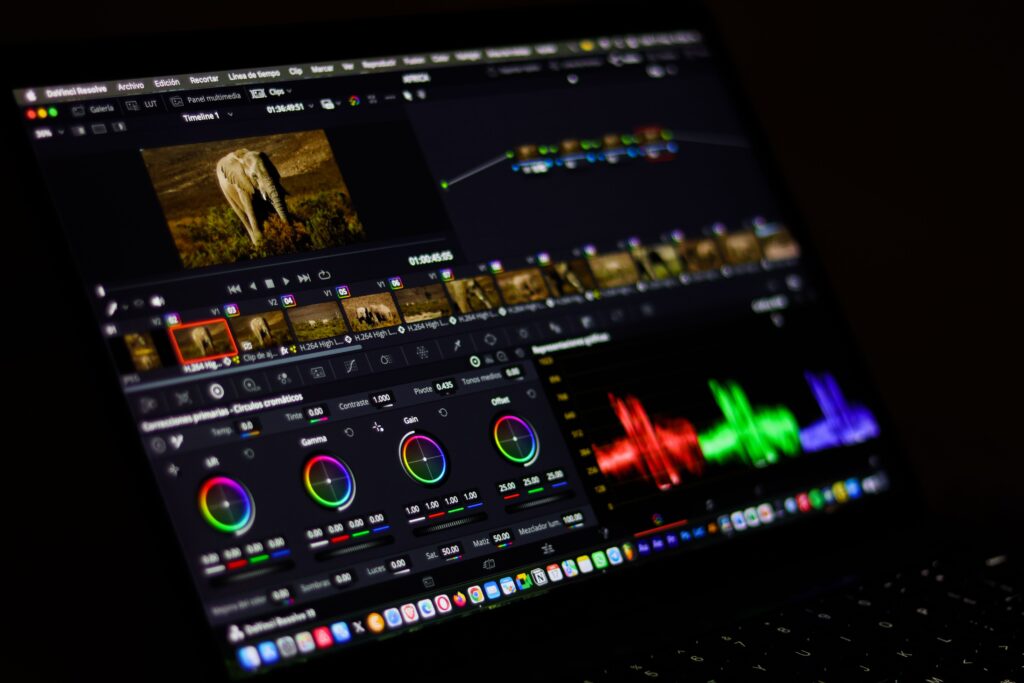

AI video software has moved beyond simple experimental generators. Today’s tools can help create short video clips from prompts, generate presenter-led videos with AI avatars, edit existing footage using text, create voiceovers and captions, and turn rough ideas into finished social content.
But there is no single tool that is ideal for every type of video. A filmmaker may need strong generative video and camera controls, while a business may care more about AI presenters and multilingual content. A YouTube creator might prioritize editing, captions, audio cleanup, and fast repurposing.
This guide looks at the best AI video software for different needs and explains what each platform does well, where it has limitations, and how to choose the right option.
Note: AI video products change rapidly. Models, features, pricing, usage limits, and regional availability can change, so check the provider’s official website before purchasing a plan.
What Is AI Video Software?
AI video software uses artificial intelligence to assist with one or more parts of video production.
Depending on the platform, this can include:
- Text-to-video generation
- Image-to-video generation
- AI avatars and digital presenters
- Automatic video editing
- Text-based video editing
- AI voiceovers
- Automatic captions
- Video translation and dubbing
- Background removal
- Generative video effects
- Script and storyboard assistance
- Social media video creation
Some products are primarily AI video generators, while others are traditional video editors that have added AI-powered features.
That distinction matters. If you want to create a cinematic scene from a written prompt, a generative video platform may be more appropriate. If you already have recorded footage and want to remove pauses, create captions, and improve the edit, an AI-powered editor may be the better choice.
Best AI Video Software: 8 Tools to Consider
1. Runway — Best for Generative Video and Creative Control


5
Runway is built around generative media and has become a broad creative platform rather than simply a text-to-video generator.
Its current platform includes generative video models, image generation, editing tools, workflows, characters, and access to multiple models. Runway says its latest Gen-4.5 model supports both text-to-video and image-to-video generation.
One of Runway’s useful characteristics is its emphasis on controlling visual consistency. Its Gen-4 technology can use visual references to maintain consistent characters, objects, locations, and styles across generated content.
Best for
- Creative video generation
- Short cinematic clips
- Concept development
- Visual effects
- Product and advertising concepts
- Creators who want more control over generated scenes
Advantages
- Strong generative-video capabilities
- Text-to-video and image-to-video workflows
- Reference-based generation
- Multiple creative tools in one platform
- Advanced options for professional workflows
Limitations
Generative video still requires experimentation. Even when a model produces an impressive first result, creators may need several generations and adjustments to obtain the exact movement, composition, or consistency they want.
Runway also uses credit-based generation for many models, so frequent experimentation can affect how quickly credits are consumed. Its current model documentation lists different credit rates for its video models.
Good choice if: You want AI-generated visual content and creative control rather than simply an automated editor.
2. HeyGen — Best for AI Avatar Videos


5
HeyGen focuses heavily on AI-powered video creation with digital presenters, voices, translation, and automated video production.
Its current AI Video Generator can work from a script, URL, image, or idea and combine avatars, voiceovers, B-roll, and editing. HeyGen also offers AI-generated video clips and avatar-based production within the same environment.
Another important feature is localization. HeyGen provides video translation and lip-sync capabilities across many languages and dialects.
Best for
- Training videos
- Explainer videos
- Marketing content
- Product presentations
- Social media videos
- Multilingual video content
- Presenter-led videos
Advantages
- AI avatars
- Script-to-video workflow
- AI voices
- Translation and lip-sync
- B-roll generation
- Browser-based workflow
Limitations
Avatar-based video is not suitable for every type of content. For cinematic storytelling, complex action scenes, or highly customized live-action production, a generative-video or traditional editing workflow may provide more control.
Good choice if: You want a presenter without recording yourself on camera.
3. Synthesia — Best for Business and Training Videos


7
Synthesia is particularly focused on professional and business video communication.
The platform supports AI avatars, voiceovers, video localization, brand controls, analytics, and other features aimed at organizations. Synthesia currently offers more than 240 ready-made avatars and supports voiceovers in more than 160 languages, according to its official product information.
It can also create videos from scripts, documents, presentations, links, and prompts.
Best for
- Employee training
- Onboarding
- Internal communications
- Business presentations
- Sales enablement
- Educational content
- Multilingual corporate videos
Advantages
- Professional AI presenters
- Large avatar selection
- Multilingual voiceovers
- AI dubbing
- Brand-management features
- Business-oriented workflows
Limitations
Synthesia is primarily designed around structured professional communication. If your main goal is artistic cinematic generation, you may want a more generative-focused platform.
Good choice if: Your organization needs repeatable, presenter-led videos without traditional filming.
4. Descript — Best for Editing Videos by Editing Text


6
Descript takes a different approach to AI video production. Instead of making the timeline the center of the workflow, it lets you edit video through its transcript.
After uploading or recording video, Descript transcribes the content. You can then edit the transcript to change the corresponding video. Its current feature set also includes filler-word removal, AI-assisted editing, screen recording, AI voices, avatars, and other production tools.
Best for
- YouTube videos
- Podcasts
- Interviews
- Tutorials
- Screen recordings
- Video podcasts
- Educational content
Advantages
- Text-based video editing
- Automatic transcription
- Filler-word removal
- Screen recording
- Audio editing
- AI-assisted editing
Limitations
Descript is not primarily designed to generate elaborate cinematic scenes entirely from prompts. Its greatest value is often in editing and improving footage you already have.
Good choice if: You record yourself, podcasts, interviews, or screen demonstrations and want a faster editing workflow.
5. Adobe Firefly — Best for Adobe-Centered Creative Workflows


4
Adobe Firefly is part of Adobe’s broader generative AI ecosystem.
Its video tools can generate clips from text prompts and images, while providing controls for elements such as camera angles and composition. Adobe also offers video-to-video workflows for transforming existing footage.
One reason Firefly can be attractive to professional creative teams is its integration with Adobe’s wider creative ecosystem. Adobe describes its Firefly Video Model as commercially safe for professional and client-facing projects. Users should still review the specific terms and licensing conditions applicable to the feature and plan they use.
Best for
- Marketing teams
- Creative professionals
- B-roll generation
- Product visuals
- Video effects
- Adobe Creative Cloud users
Advantages
- Text-to-video
- Image-to-video
- Video-to-video transformation
- Creative controls
- Adobe ecosystem integration
- Professional-oriented workflows
Limitations
AI-generated footage may still need conventional editing and refinement. Also, feature availability and generative-credit requirements can vary by model, plan, location, and user type.
Good choice if: You already use Adobe tools and want generative AI within a broader creative workflow.
6. Canva — Best for Simple AI Video Creation and Social Content


6
Canva is widely known for its simple design interface, and its AI video features extend that approach to video creation.
Canva’s AI Video Generator can create short video clips from text prompts and add synchronized audio, including dialogue and sound effects. Its AI video editor can also take uploaded clips and automatically assemble an initial video based on a description.
Best for
- Social media videos
- Short promotional videos
- Presentations
- Simple marketing content
- Beginners
- Small businesses
Advantages
- Easy-to-understand interface
- AI video generation
- Templates and design assets
- Video editing tools
- Social-media-oriented workflow
- Useful for non-designers
Limitations
Canva’s AI-generated clips are short, so longer projects may require multiple clips and conventional editing. Canva currently describes its Create a Video Clip feature as generating clips of up to eight seconds per prompt.
Good choice if: You want an accessible combination of AI generation, templates, graphics, and video editing.
7. CapCut — Best for Social Video Editing


5
CapCut combines traditional editing features with AI-powered tools.
Its AI video editor supports workflows involving trimming, scene organization, captions, text, audio, and export. CapCut also offers AI avatars and other generation features, although availability can vary by region.
Best for
- Short-form videos
- TikTok-style content
- Reels
- YouTube Shorts
- Social media editing
- Beginners
Advantages
- AI-assisted editing
- Captions
- Social-media-friendly workflow
- AI avatars
- Browser-based editing
- Straightforward editing process
Limitations
Some features are region-dependent, and the platform is more oriented toward fast content creation than highly specialized professional post-production.
Good choice if: Your priority is creating and editing short-form social videos quickly.
8. VEED — Best for Online AI Video Workflows


5
VEED is a browser-based video creation and editing platform that combines AI generation with conventional editing tools.
Its AI video generator can create videos from descriptions and combine features such as avatars, text-to-speech, stock media, subtitles, and editing.
Best for
- Marketing videos
- Explainer videos
- Social media content
- Training material
- Simple business videos
- Online video editing
Advantages
- Browser-based
- AI video generation
- AI avatars
- Text-to-speech
- Stock media
- Subtitle tools
Limitations
As with other online AI platforms, the available features and usage limits depend on the current plan and product configuration.
Good choice if: You want generation and editing tools in one web-based workspace.
Quick Comparison of the Best AI Video Software
| Software | Best suited for | AI generation | AI avatars | AI editing | Beginner-friendly |
|---|---|---|---|---|---|
| Runway | Creative generation | Yes | Yes/related tools | Yes | Moderate |
| HeyGen | Avatar videos | Yes | Yes | Yes | Yes |
| Synthesia | Business training | Yes | Yes | Yes | Yes |
| Descript | Editing recordings | Limited generation | Yes | Strong | Yes |
| Adobe Firefly | Creative professionals | Yes | Not its main focus | Yes | Moderate |
| Canva | Social/design content | Yes | Some AI options | Yes | Yes |
| CapCut | Short-form social video | Yes | Yes | Yes | Yes |
| VEED | Online video creation | Yes | Yes | Yes | Yes |
The table is a practical comparison rather than a ranking. The right choice depends on what you actually need to produce.
How to Choose the Best AI Video Software
Instead of choosing a platform simply because it produces impressive demonstrations, start with your workflow.
1. Decide What Type of Video You Need
Ask yourself whether you need:
- A cinematic AI-generated scene
- An AI presenter
- A YouTube video
- A social media clip
- A training video
- A product demonstration
- A video podcast
- A marketing video
- An edited version of existing footage
For example, a company creating employee training videos may have very different requirements from a filmmaker experimenting with AI-generated scenes.
2. Check Whether You Need AI Generation or AI Editing
This is one of the most important distinctions.
AI generation
You describe something and the software creates new visual material.
For example:
“A small coffee shop at sunrise, warm natural light, a customer entering through the front door.”
This type of workflow is useful for B-roll, concepts, advertisements, storyboarding, and creative experiments.
AI editing
You provide existing footage and AI helps you edit it.
For example, you might upload a 30-minute interview and use AI to transcribe it, remove unwanted sections, create captions, and produce shorter clips.
Descript is a strong example of the second approach because its workflow lets users edit video through a transcript.
3. Consider AI Avatars
If you don’t want to appear on camera, an AI avatar can present your script.
This can be useful for:
- Training
- Tutorials
- Internal communications
- Product explainers
- Educational videos
- Multilingual content
Platforms such as HeyGen and Synthesia are particularly focused on this type of production.
However, an AI presenter should not automatically replace human presentation. For some brands and subjects, authentic recorded footage may communicate more naturally.
4. Check Language and Translation Support
If your audience is international, language support can be important.
Look for:
- Text-to-speech languages
- Voice quality
- Automatic subtitles
- Translation
- Lip synchronization
- Regional accents
- Voice cloning policies
For example, Synthesia currently advertises support for more than 160 languages, while HeyGen provides a broad video-translation and lip-sync system.
Always test the actual language you need before committing to a subscription.
5. Look at Usage Limits and Credits
“AI video software” does not necessarily mean unlimited generation.
Many platforms use:
- Monthly credits
- Generation limits
- Resolution restrictions
- Watermarks on certain plans
- Limits on video length
- Separate charges for advanced models
Runway, for example, uses different credit rates for different video models.
Before subscribing, calculate how much video you realistically expect to produce each month.
6. Check Commercial and Content Rights
This is particularly important for businesses.
Before using AI-generated video in advertising, client projects, or commercial campaigns, check:
- The platform’s current terms
- Commercial-use permissions
- Licensing restrictions
- Music and stock-media rights
- Voice and avatar permissions
- Rules concerning uploaded material
- Whether specific AI models have different terms
Don’t assume that because you can generate a video, every element automatically has unrestricted commercial rights.
Adobe, for example, specifically documents commercial-safety considerations for its Firefly Video Model, while availability and conditions can differ between features and models.
How to Get Better Results From AI Video Software
AI video tools work best when you treat them as production assistants rather than automatic replacements for creative decisions.
Write Specific Prompts
Instead of:
“A person walking.”
Try something more descriptive:
“A young professional walks through a modern office toward a large window, natural morning light, slow tracking camera movement, realistic corporate style.”
Describe the important elements:
- Subject
- Action
- Location
- Camera movement
- Lighting
- Visual style
- Composition
Runway’s prompting guidance similarly recommends clear, direct prompts and focusing on specific physical motion rather than overly complicated instructions.
Generate Short Scenes Instead of One Huge Video
AI generation is often easier to manage when a long video is divided into scenes.
For example:
Scene 1: Introduction
Scene 2: Problem
Scene 3: Product demonstration
Scene 4: Benefits
Scene 5: Call to action
Generate or edit each section separately, then assemble the final video.
This also makes it easier to replace one weak scene without rebuilding the entire project.
Use AI for the Repetitive Work
AI can be particularly useful for repetitive tasks such as:
- Transcription
- Caption creation
- Removing filler words
- Creating short clips
- Generating B-roll
- Drafting scripts
- Translating content
- Creating multiple versions
This leaves the creator more time to focus on the parts that require human judgment: accuracy, storytelling, brand voice, pacing, and final quality.
Don’t Publish AI Video Without Reviewing It
AI-generated content can contain mistakes.
Before publishing, check:
Visual accuracy
Make sure objects, people, products, logos, and environments look correct.
Audio
Listen for pronunciation errors, unnatural speech, missing words, or strange background sounds.
Captions
Automatic captions should always be reviewed.
Facts
If the video contains educational, technical, financial, medical, or business information, verify the claims independently.
Brand consistency
Check colors, logos, fonts, terminology, and messaging.
Rights
Make sure you have permission to use uploaded images, music, footage, voices, and other assets.
AI can accelerate production, but human review remains important.
AI Video Software: Common Mistakes to Avoid
Choosing a Tool Based Only on a Demo
A polished demonstration may show the tool at its best.
Instead, test it with a real project that resembles what you actually need to produce.
Ignoring the Editing Stage
Generating a good clip is only one part of video production.
You may still need:
- Editing
- Audio mixing
- Captions
- Branding
- Transitions
- Color adjustments
- Fact-checking
Overusing AI Effects
More effects do not necessarily create a better video.
Use AI where it improves the message or production process rather than adding effects simply because they are available.
Forgetting About Costs
Free trials can be useful for testing software, but frequent generation can consume credits quickly.
Check the current pricing page and calculate the expected monthly cost before committing.
Which AI Video Software Is Right for You?
A simple way to narrow the options is to match the tool to your primary task:
For creative AI-generated video: Consider Runway or Adobe Firefly.
For AI presenters: Consider HeyGen or Synthesia.
For editing recorded videos: Consider Descript.
For easy social and design content: Consider Canva.
For short-form social editing: Consider CapCut.
For browser-based AI video production: Consider VEED.
These are different categories of tools, so comparing them as if they were identical products can be misleading.
Frequently Asked Questions
1. What is the best AI video software?
There isn’t one universally best option. The appropriate software depends on your workflow. Runway is focused heavily on generative video, HeyGen and Synthesia specialize in AI-presenter workflows, Descript is particularly useful for editing recorded content, while Canva and CapCut emphasize accessible creation and social content.
2. Can AI video software create videos from text?
Yes. Several current platforms support text-to-video generation. Runway supports text-to-video through its current generative video tools, Adobe Firefly supports text prompts for video generation, and Canva provides text-prompt-based video clip generation.
3. Can AI create a complete video without filming?
Yes, depending on the platform and type of video. AI avatar platforms can create presenter-led videos without traditional filming, while generative-video platforms can create visual scenes from prompts. However, the amount of editing and human review required varies considerably.
4. Is AI-generated video free?
Some platforms provide free access or free trials, but free usage usually comes with some limitations. Features, credits, resolution, video length, and commercial-use conditions vary, so check the provider’s current plan information before relying on a free tier.
5. Can businesses use AI-generated videos commercially?
Potentially, but businesses should check the specific software’s current terms and the rights associated with each model, asset, voice, music track, and uploaded material. Commercial permissions can differ between platforms and features.
Conclusion
The best AI video software depends less on a universal ranking and more on the job you need to complete.
If your priority is generative video and creative experimentation, Runway and Adobe Firefly offer strong generative workflows. If you need an AI presenter, HeyGen and Synthesia are built around that use case. For editing existing recordings, Descript takes a text-based approach, while Canva, CapCut, and VEED provide accessible workflows for social, marketing, and general online video creation.
Before paying for any platform, test it with a real project. Check its current features, output quality, language support, usage limits, pricing, and commercial-use terms. Most importantly, treat AI as part of the production process—not a substitute for reviewing the final video.
The right tool is the one that fits your content, audience, workflow, and budget.