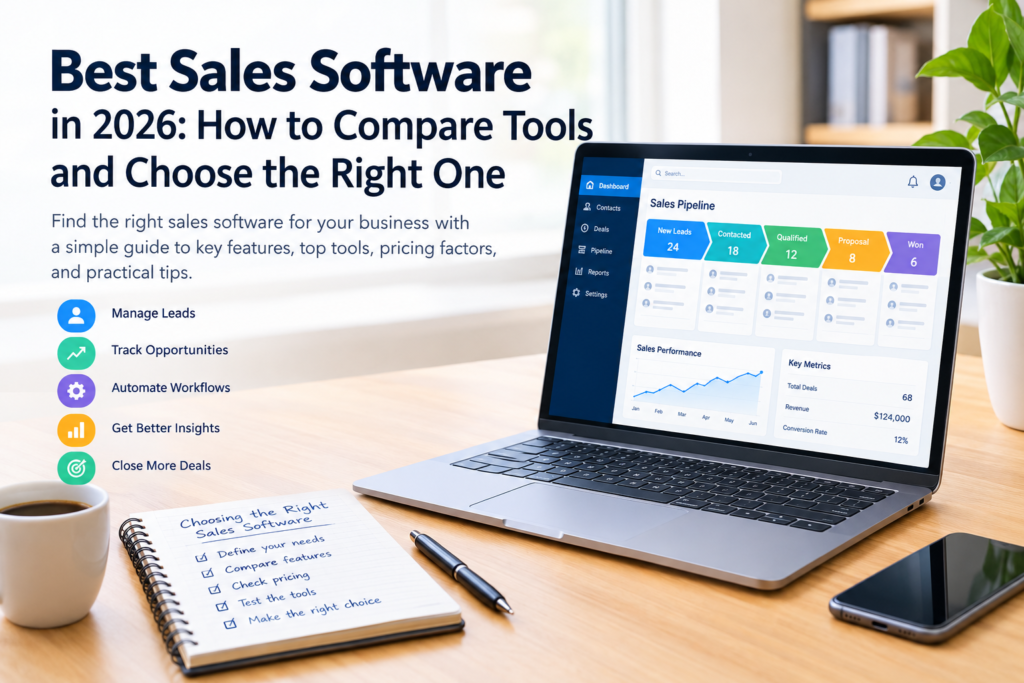

Choosing the best sales software can help a business organize customer information, track potential buyers, manage sales opportunities, and coordinate follow-ups. Instead of relying on scattered spreadsheets, emails, and handwritten notes, teams can use a central system to understand where each opportunity stands and what action is needed next.
However, not every business needs the same features. A freelancer managing a small number of clients may need a simple contact management tool, while a growing company may require sales forecasting, workflow automation, reporting, and integrations with other business applications.
The right choice depends on your sales process, team size, budget, technical requirements, and plans for growth. This guide explains the main types of sales software, the features worth evaluating, the advantages and disadvantages of popular options, and a practical method for selecting a tool that fits your business.
What Is Sales Software?
Sales software is a category of business applications designed to help organizations manage activities involved in finding prospects, communicating with customers, tracking opportunities, and closing sales.
Some tools focus on customer relationship management (CRM), while others specialize in sales engagement, automation, reporting, or lead generation. Many platforms combine several of these functions.
For example, a sales representative might use the software to record a customer conversation, schedule a follow-up meeting, update an opportunity’s status, and prepare a sales report. A manager could then review the pipeline to identify deals that need attention.
Common Types of Sales Software
Customer relationship management (CRM) software: Stores customer information, communication history, tasks, and sales opportunities in one place.
Sales pipeline management software: Helps teams monitor opportunities through stages such as lead qualification, proposal, negotiation, and closed sale.
Sales engagement software: Supports communication activities, including email sequences, call tracking, and follow-up scheduling.
Sales automation software: Automates repetitive tasks, such as assigning leads, creating reminders, updating records, and triggering notifications.
Sales analytics software: Provides reports and dashboards that help businesses evaluate sales activity, pipeline performance, and progress toward targets.
Sales proposal and quoting software: Helps teams prepare, share, and manage proposals, quotations, and related documents.
Some products offer all these capabilities, while others concentrate on one or two areas.
Best Sales Software Options to Consider in 2026
There is no single platform that is best for every organization. The following tools are worth evaluating because they serve different business needs. Features, plans, integrations, and prices can change, so consult each provider’s official website before making a purchasing decision.
1. HubSpot Sales Hub
HubSpot Sales Hub is a sales platform built around customer relationship management, sales pipelines, communication, and sales productivity.
It may suit small businesses that want to organize customer information and gradually introduce more advanced sales processes.
Key capabilities to evaluate:
- Contact and company management
- Deal tracking and pipeline visibility
- Sales activity logging and task management
- Meeting scheduling and sales reporting
- Automation and additional sales tools on eligible plans
Advantages: Its CRM-centered approach can help teams keep customer records and deal information organized. Businesses may also benefit from connecting sales activities with other HubSpot products.
Limitations: Advanced features may require paid plans, and total costs can increase as a business adds users, functionality, or additional products. Check which features are included in the plan you intend to use.
Best suited for: Small and growing businesses looking for a CRM-centered sales platform.
Official website: https://www.hubspot.com/products/sales
2. Salesforce Sales Cloud
Salesforce Sales Cloud is a sales management platform designed to support customer records, opportunity management, reporting, and more complex sales processes.
It may be useful for organizations that need extensive customization, structured workflows, and connections with a broader business technology environment.
Key capabilities to evaluate:
- Lead and opportunity management
- Sales forecasting and reporting
- Workflow automation
- Custom fields and business processes
- Integration with other business applications
Advantages: The platform can support sophisticated sales operations and customized reporting requirements.
Limitations: Implementation and administration may require more time, training, and technical resources than a simple CRM. Costs depend on the selected edition, additional features, and implementation needs.
Best suited for: Businesses with established sales teams, complex processes, or substantial customization requirements.
Official website: https://www.salesforce.com/sales/
3. Pipedrive
Pipedrive is a CRM platform known for its visual sales pipeline approach. It helps users organize deals, track progress, and identify the next action required for an opportunity.
Key capabilities to evaluate:
- Visual deal pipelines
- Contact and activity management
- Follow-up reminders
- Sales reports and dashboards
- Integrations and automation available under eligible plans
Advantages: A visual pipeline can make it easier for sales representatives to understand the status of opportunities and maintain consistent follow-ups.
Limitations: Businesses with extensive customer service, marketing, or enterprise reporting requirements may need additional applications or integrations.
Best suited for: Small businesses and sales teams that want a straightforward way to manage deals and follow-up activities.
Official website: https://www.pipedrive.com/
4. Zoho CRM
Zoho CRM helps businesses manage leads, contacts, sales activities, customer interactions, and reporting. It also offers automation and connections with other applications in the Zoho ecosystem.
Key capabilities to evaluate:
- Lead and contact management
- Deal tracking
- Workflow automation
- Sales analytics and dashboards
- Integration with other business applications
Advantages: It provides a range of CRM capabilities that businesses can evaluate as their sales processes become more advanced.
Limitations: The available features vary by plan, and configuration can take time. Teams should assess whether the interface, customization options, and integrations fit their daily workflow.
Best suited for: Small and medium-sized businesses looking for configurable CRM and sales management features.
Official website: https://www.zoho.com/crm/
5. Freshsales
Freshsales is a sales CRM designed to help teams manage customer records, sales pipelines, communication, and related activities. Depending on the selected plan, it may also provide automation and AI-assisted capabilities.
Key capabilities to evaluate:
- Contact and account management
- Deal and pipeline tracking
- Sales activity management
- Reporting and workflow automation
- Communication and integration options
Advantages: It combines several common sales management functions within a CRM environment.
Limitations: Advanced capabilities may be limited to specific plans. Businesses should also confirm whether the platform supports their preferred communication channels and existing applications.
Best suited for: Teams seeking a CRM with sales pipeline and customer communication features.
Official website: https://www.freshworks.com/crm/sales/
6. Monday Sales CRM
Monday Sales CRM provides a visual workspace for organizing sales pipelines, customer records, activities, and workflows. Its configurable approach may appeal to teams that want to adapt the workspace to their internal processes.
Key capabilities to evaluate:
- Customizable sales pipelines
- Contact and deal tracking
- Task assignment and collaboration
- Workflow automation
- Dashboards and integrations
Advantages: Its visual organization and configuration options can help teams align sales activities with their preferred working methods.
Limitations: Extensive customization can create unnecessary complexity if a team does not establish clear processes. Confirm which CRM features, automations, and user permissions are included in the relevant plan.
Best suited for: Teams that value visual workflows and flexible sales process management.
Official website: https://monday.com/
7. Close
Close is a CRM platform oriented toward sales communication and managing customer outreach. It may be relevant for teams that spend much of their working day calling or emailing prospects.
Key capabilities to evaluate:
- Contact and lead management
- Sales activity tracking
- Calling and email-related functions
- Pipeline management
- Reporting and workflow tools
Advantages: Its communication-oriented approach may help outreach-focused teams keep prospect information and sales activities connected.
Limitations: Businesses should confirm the availability, cost, and regional support of communication features before subscribing. It may not be the best fit for teams that primarily need highly customized enterprise workflows.
Best suited for: Inside sales teams and businesses with frequent prospect communication.
Official website: https://www.close.com/
Comparison of Sales Software Options
The following table provides a starting point for comparing these platforms. It describes their general positioning rather than ranking them by performance.
| Software | Main strength | Potential fit |
|---|---|---|
| HubSpot Sales Hub | CRM and connected sales tools | Small and growing businesses |
| Salesforce Sales Cloud | Customization and advanced sales processes | Larger or complex sales operations |
| Pipedrive | Visual pipeline and deal tracking | Small sales teams |
| Zoho CRM | Configurable CRM capabilities | Small and medium-sized businesses |
| Freshsales | CRM and sales communication | Teams managing leads and customer interactions |
| Monday Sales CRM | Visual workflows and collaboration | Teams needing flexible processes |
| Close | Communication-oriented sales management | Outreach-focused sales teams |
The most suitable option depends on your requirements, not simply the number of features available. A platform with fewer features may be a better choice if it is easier for your team to use and maintain.
Essential Features to Look for in the Best Sales Software
Before comparing subscription plans, identify the capabilities that directly support your sales process.
1. Contact and Lead Management
The software should allow you to store essential customer details, organize prospects, and record communication history.
Look for options to categorize leads, assign ownership, add notes, and identify duplicate records. These functions help prevent important information from becoming scattered across different systems.
2. Sales Pipeline Management
A sales pipeline represents the stages an opportunity passes through before a sale is completed.
For example, a business-to-business sales process might include:
- New lead
- Initial contact
- Qualified opportunity
- Proposal sent
- Negotiation
- Won or lost
Choose software that lets you configure stages to match your actual process. Avoid adding unnecessary stages that make updates difficult for sales representatives.
3. Task Management and Follow-Up Reminders
Sales opportunities often require several conversations before a decision is made. Follow-up reminders help representatives track outstanding actions and avoid overlooking potential customers.
Useful features include task assignments, due dates, meeting reminders, and notifications for overdue activities.
4. Reporting and Analytics
Sales reports help managers understand activity and results. Depending on the platform, useful reports may include:
- Number of new leads
- Opportunities by pipeline stage
- Sales conversion rates
- Average time to close a deal
- Sales revenue and progress toward targets
- Reasons opportunities are lost
Check how reports are calculated and whether the software allows you to export data. A report is only useful when its underlying records are accurate and consistently updated.
5. Workflow Automation
Automation can reduce repetitive administrative work.
For example, when a new lead enters the CRM, a workflow might assign it to a sales representative and create a follow-up task. Another workflow could notify a manager when a high-value opportunity remains inactive.
However, automation should reflect a clear process. Poorly designed rules can create duplicate tasks, send inappropriate messages, or assign leads incorrectly.
6. Integrations
Your sales software may need to connect with email, calendars, accounting tools, customer support platforms, or marketing applications.
Before choosing a platform, check whether the required integration is built in, available through an extension, supported by an API, or dependent on a third-party automation service. Some integrations may involve additional fees or technical work.
7. Mobile Access
If representatives work outside the office, mobile access can help them review customer records, update opportunities, and complete tasks while traveling.
Evaluate the mobile application directly. Check whether the functions your team needs are available on mobile and whether offline access is supported if internet connectivity is unreliable.
8. Security and User Permissions
Customer databases may contain confidential business information. Review the provider’s access controls, authentication options, data export capabilities, backup arrangements, and privacy documentation.
Where necessary, look for role-based permissions that restrict access to appropriate users. Your business should also define how customer data is handled when employees change roles or leave the organization.
How to Choose the Right Sales Software for Your Business
Selecting a platform becomes easier when you follow a consistent process rather than comparing feature lists alone.
Step 1: Define Your Sales Challenges
Start by identifying the problems you want to solve.
Are leads being forgotten? Do managers struggle to see the status of deals? Is reporting too time-consuming? Are customer records duplicated across spreadsheets?
Write down the three to five most important problems. Use these as the foundation for your evaluation.
Step 2: Understand Your Team’s Requirements
Consider how many people will use the software and what each person needs to do.
A small team may need shared contacts, a visual pipeline, and reminders. A larger sales department may require advanced permissions, forecasting, territory management, or more complex reporting.
Include the people who will use the system every day. Their feedback can reveal practical issues that may not be obvious during a demonstration.
Step 3: Establish a Realistic Budget
Do not compare products using subscription prices alone. Estimate the total cost of ownership.
Consider:
- Monthly or annual subscription fees
- The number of paid users
- Premium features and add-ons
- Data migration and implementation
- Training and ongoing administration
- Third-party integrations
- Potential costs of changing platforms later
Ask vendors for a complete quote based on your actual requirements. Confirm billing terms, renewal conditions, and cancellation policies before committing.
Step 4: Shortlist Two or Three Platforms
Choose a small group of tools that appear to meet your essential requirements.
Create a comparison sheet that records whether each product supports your required features, how easy it is to use, and what it costs under realistic conditions.
Separate essential requirements from optional features. This prevents attractive but unnecessary capabilities from distracting you from your main objectives.
Step 5: Test the Software With Realistic Tasks
Use a free trial or product demonstration when available. Test the same workflow in each shortlisted platform.
For example:
- Add a new lead.
- Assign it to a representative.
- Move the opportunity through the pipeline.
- Record a call or meeting.
- Schedule a follow-up.
- Generate a sales report.
- Export the relevant data.
Ask team members to complete these tasks without extensive assistance. Their experience can help you determine whether the software is practical for everyday use.
Step 6: Check Migration and Integration Requirements
If you already use spreadsheets or another CRM, identify how your existing data will be transferred.
Review supported file formats, duplicate handling, field mapping, and the ability to export your records later. Test a small sample before migrating the complete database.
Also verify that critical integrations work as expected. Do not assume that a feature listed on a product page will operate exactly as required in your particular setup.
Step 7: Make a Decision Based on Evidence
After testing, compare the results against your original requirements.
A simple scoring system can help:
| Evaluation criterion | Suggested weight |
|---|---|
| Essential features | 30% |
| Ease of use | 20% |
| Total cost | 20% |
| Reporting and integrations | 15% |
| Security and administration | 15% |
| Total | 100% |
These weights are an example, not an industry standard. Adjust them to reflect your business priorities. Score each shortlisted platform consistently, and document any essential requirement it fails to meet.
How Much Does Sales Software Cost?
The cost varies according to the vendor, subscription tier, number of users, billing arrangement, and features required.
Some providers offer free entry-level plans or trials. Others require a paid subscription for core capabilities or charge more for advanced reporting, automation, permissions, or integrations.
Factors That Affect Pricing
Number of users: Some subscriptions are priced per user, so costs can increase as your team grows.
Feature availability: Automation, forecasting, advanced analytics, and other capabilities may be limited to higher-priced plans.
Setup and migration: Importing data, configuring workflows, and connecting existing systems can require internal staff time or external assistance.
Training and support: Teams may need onboarding sessions, documentation, or paid support to use the platform effectively.
Contract terms: Annual billing, minimum user commitments, renewal conditions, and cancellation rules can affect the overall cost.
How to Avoid Paying for Unnecessary Features
Begin with the smallest plan that supports your essential workflow. Review actual usage before upgrading.
For example, a small consultancy may need only contact records, opportunity tracking, and reminders. Purchasing a complex enterprise platform could add cost and administration without solving additional problems.
Conversely, a company with multiple sales teams may find that a basic tool lacks important reporting or access controls. The cheapest subscription is not always the least expensive option over time.
Always check current pricing and plan restrictions on the provider’s official website.
Benefits and Limitations of Sales Software
Sales software can improve organization, but its value depends on implementation and consistent use.
Main Benefits
Centralized customer information: Representatives can access relevant contact details and communication history from one system.
Better follow-up management: Tasks and reminders make it easier to track outstanding actions.
Improved pipeline visibility: Managers can review opportunities and identify deals that require attention.
More consistent reporting: Standardized fields and stages can make it easier to compare sales activity across a team.
Reduced administrative work: Suitable automation can reduce repetitive tasks and help staff spend more time on meaningful customer interactions.
Potential Limitations
Subscription costs: Recurring fees and add-ons can become expensive as requirements grow.
Learning curve: Employees may need training before they can use the software confidently.
Poor data quality: Incorrect, incomplete, or outdated records can undermine reports and decision-making.
Overcomplicated workflows: Excessive fields, notifications, and automation can make the system harder to use.
Implementation challenges: Moving historical records and integrating existing applications may require time and technical support.
Privacy and security responsibilities: Businesses must configure access appropriately and follow relevant data protection obligations.
A CRM does not automatically improve sales performance. Teams still need a clear process, accurate information, appropriate training, and regular reviews.
Common Sales Software Mistakes to Avoid
Choosing Too Many Features Too Early
It is tempting to select a platform because it offers many advanced capabilities. However, unused features can increase costs and make the system more difficult to manage.
Choose based on current needs and a realistic growth plan.
Ignoring Employee Adoption
Even a capable platform can fail to deliver value if employees avoid using it. Involve representatives in testing, explain how the system will help their work, and provide practical training.
Migrating Poor-Quality Data
Importing inaccurate or duplicate customer records can transfer existing problems into the new system. Clean the data, agree on field definitions, and test the migration before completing it.
Failing to Define Sales Stages
If each representative interprets pipeline stages differently, reports may become inconsistent. Define what must happen before an opportunity moves from one stage to the next.
Overlooking Data Export
Before subscribing, verify how you can retrieve your customer records if you change providers. Understand the available export formats and any limitations.
Automating Without Reviewing the Process
Automation should support an established workflow rather than compensate for an unclear one. Test rules with sample records and review their behavior before using them across the entire team.
Best Sales Software by Business Type
Different organizations need different combinations of features. The following recommendations are starting points for evaluation, not universal rankings.
For Small Businesses
Look for straightforward contact management, pipeline tracking, reminders, and affordable pricing. HubSpot Sales Hub, Pipedrive, and Zoho CRM are reasonable candidates to compare.
Prioritize ease of use and the ability to maintain accurate customer records.
For Startups
Startups often need software that can support a small team without creating unnecessary administration. Evaluate setup time, flexible plans, integrations, and the cost of adding users as the company grows.
A simple CRM may be sufficient until the sales process becomes more complex.
For Growing Sales Teams
Businesses with multiple representatives may need activity reporting, clear lead ownership, automation, and more consistent pipeline management.
Compare HubSpot Sales Hub, Salesforce Sales Cloud, Freshsales, and other platforms against the team’s specific requirements.
For Established or Enterprise Organizations
Larger organizations may need complex permissions, customized workflows, advanced forecasting, integration with existing systems, and structured administration.
Salesforce Sales Cloud may be worth evaluating, but implementation effort, governance, training, and total cost should be part of the decision.
For Teams Focused on Calls and Outreach
Teams that communicate with many prospects may prioritize calling, email activity tracking, contact management, and follow-up workflows.
Close is one option to evaluate alongside other communication-oriented CRM platforms.
How to Measure Whether Your Sales Software Is Working
After implementation, assess whether the software is helping the team manage its work more effectively.
Choose a baseline before introducing the new system, where reliable data is available. Review a small set of relevant measures regularly.
Useful indicators may include:
- Lead response time: How long it takes the team to respond to new inquiries.
- Follow-up completion: Whether scheduled follow-up activities are completed on time.
- Pipeline accuracy: Whether recorded opportunities reflect their actual status.
- Sales conversion rate: The proportion of eligible leads or opportunities that reach the defined outcome.
- Sales cycle length: The time required to move an opportunity from a defined starting point to closure.
- Data completeness: Whether required customer and opportunity fields are populated.
- User adoption: Whether employees consistently update records and complete essential tasks.
Define each metric carefully. For example, conversion rates can differ depending on whether they are calculated from all leads, qualified leads, or opportunities. Use the same definitions when comparing periods.
Review the results with the sales team. If adoption is low, investigate whether the problem involves training, confusing workflows, excessive data entry, or a mismatch between the platform and the business process.
Frequently Asked Questions
1. What is the best sales software for small businesses?
The best choice depends on the business’s sales process, budget, and technical requirements. HubSpot Sales Hub, Pipedrive, and Zoho CRM are useful starting points for comparison. Test essential workflows and check current plan limitations before choosing.
2. Is sales software the same as CRM software?
Not exactly. CRM software focuses on managing customer relationships and related information. Sales software is a broader category that can include CRM, sales engagement, automation, proposal management, and analytics. Many modern CRM platforms include several sales functions.
3. Is there free sales software?
Some providers offer free plans or limited trials, but the available features, user limits, and usage restrictions vary. Check the provider’s current terms to determine whether the free option supports your required workflow. A free plan may be sufficient for a small team, while more complex needs may require a paid subscription.
4. How do I choose between sales software platforms?
List your essential requirements, establish a realistic budget, shortlist a few platforms, and test the same sales workflow in each one. Compare usability, reporting, integrations, security, data export, and total cost rather than relying on marketing claims alone.
5. Can sales software increase sales?
Sales software can help teams organize leads, manage follow-ups, and identify opportunities that need attention. These improvements may support sales performance, but results depend on factors such as product quality, market demand, pricing, customer relationships, and how consistently the team uses the system. No platform can guarantee increased revenue.
Conclusion
The best sales software is the platform that fits your business’s actual workflow, supports consistent customer management, and provides useful information without unnecessary complexity.
Start by identifying your main sales challenges, then compare a small number of tools based on essential features, usability, pricing, reporting, integrations, and security. Test realistic tasks before committing, and plan carefully for data migration and employee training.
For a small team, a straightforward CRM with a clear sales pipeline may be enough. A growing or established organization may need more advanced automation, reporting, and customization. Whatever you choose, maintain accurate records and review performance regularly so the software remains useful as your business evolves.