
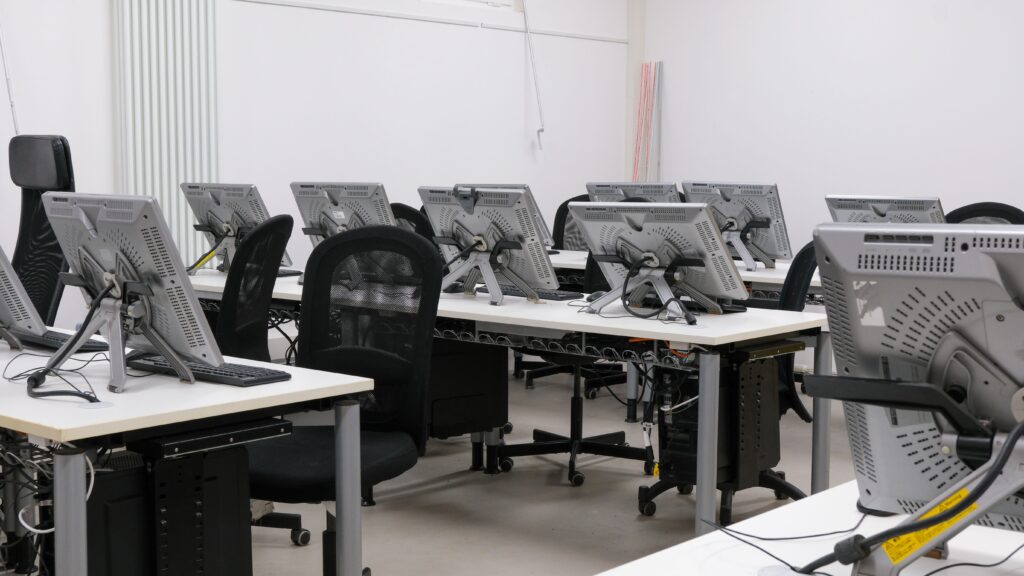

Setting up computers for a small office can be expensive, especially when you need several devices for employees, administration, customer service, and everyday business operations. Buying brand-new computers is one option, but it may not always be necessary.
Refurbished computers can offer a more affordable way to equip your workplace with reliable technology. Many refurbished devices come from business upgrades, equipment leasing programs, or previous corporate use. They may provide good performance at a lower price than comparable new models.
However, not every refurbished computer is a good investment. Some devices may have worn batteries, outdated processors, limited storage, or insufficient warranties. Choosing the wrong equipment can lead to unexpected repair costs and interruptions to your business.
This guide explains how to buy refurbished computers for a small office, what specifications to consider, how to evaluate sellers, and which checks to complete before making a purchase.
What Is a Refurbished Computer?
A refurbished computer is a previously owned or returned device that has been inspected, tested, repaired when necessary, and prepared for resale.
Refurbished computers may come from several sources:
- Businesses replacing older office equipment.
- Companies returning leased computers.
- Customer returns.
- Devices with minor cosmetic damage.
- Computers that required repairs before resale.
- Retailers selling inspected and restored inventory.
The refurbishment process varies between sellers. Some perform extensive hardware testing and replace defective components, while others complete only basic checks and cleaning.
This is why it is important to understand exactly what a seller means by refurbished before buying.
A professionally refurbished computer should have a clearly explained condition, tested hardware, a legitimate operating system license where applicable, and a written warranty.
Why Should Small Offices Consider Refurbished Computers?
For small businesses, technology spending needs to be balanced against other operating expenses.
Refurbished computers can help reduce the initial cost of setting up an office without automatically sacrificing useful performance.
1. Lower Purchase Costs
One of the biggest advantages is the potential to purchase capable business computers for less than the price of comparable new models.
This can be particularly helpful when equipping several employees at once.
Instead of spending most of your technology budget on computers, you may have more money available for networking equipment, software, cybersecurity, and other business needs.
2. Access to Business-Class Hardware
Many refurbished computers originally belonged to corporate environments.
Business-focused models are often designed for regular office use and may include features such as:
- Durable chassis designs.
- Comfortable keyboards.
- Multiple connectivity options.
- Upgradeable memory and storage.
- Business-oriented security features.
- Easier access to replacement parts on some models.
A refurbished business-class computer may therefore be a practical option for everyday office work.
3. More Flexible Technology Budgets
Buying refurbished devices can make it easier to distribute your budget across different office requirements.
For example, a small company may need computers for accounting, document preparation, customer support, and general administration.
Different employees may not require identical specifications. Choosing devices according to actual workloads can help avoid paying for unnecessary performance.
4. Potential Environmental Benefits
Extending the useful life of electronic equipment can help reduce electronic waste and demand for new hardware.
Buying refurbished computers can support more responsible equipment reuse, particularly when devices are properly tested and maintained.
However, environmental benefits depend on the refurbishment process, transportation, device lifespan, and eventual recycling.
Step 1: Identify What Your Office Needs
Before comparing computer models, determine what employees will use them for.
A computer suitable for basic administrative work may not provide enough performance for graphic design, video editing, or demanding business applications.
Start by listing the main tasks performed in your office.
Basic Office Work
Employees handling email, web browsing, spreadsheets, document preparation, and video meetings generally do not need high-performance workstations.
A modern entry-level or mid-range business computer may be sufficient.
Accounting and Business Administration
Accounting staff may work with spreadsheets, financial software, browser-based applications, and large documents.
These users benefit from adequate memory, reliable storage, and a responsive processor.
Marketing and Design
Employees working with image editing, graphic design, content production, or video applications may need stronger processors, additional memory, and suitable graphics capabilities.
A basic refurbished office PC may not be appropriate for these workloads.
Customer Service and Sales
Customer service teams often use web applications, communication tools, customer relationship management systems, and multiple browser tabs.
For these roles, memory capacity, reliable connectivity, and a comfortable display setup can be particularly important.
Step 2: Choose the Right Computer Type
Refurbished computers are available in several formats. The best option depends on office space, employee requirements, and portability.
<box gap={3}> <row align=start gap={3}> <AsyncImage query=”refurbished business desktop tower computer workstation office desk” aspectRatio=”5:4″ maxWidth=”116px”/> <box flex=”1″ gap={1}> **Desktop computers**
  Suitable for fixed office workstations. They may offer easier upgrades, more ports, and better repairability depending on the model.
</box>
</row> <divider color=”subtle”/> <row align=start gap={3}> <AsyncImage query=”refurbished business laptop on clean office desk” aspectRatio=”5:4″ maxWidth=”116px”/> <box flex=”1″ gap={1}> **Business laptops**
  Useful for employees who travel, attend meetings, or need to work from different locations. Check battery health carefully.
</box>
</row> <divider color=”subtle”/> <row align=start gap={3}> <AsyncImage query=”business mini PC small form factor desktop computer office setup” aspectRatio=”5:4″ maxWidth=”116px”/> <box flex=”1″ gap={1}> **Mini PCs**
  Compact devices that save desk space and can work well for basic office tasks, provided they have suitable specifications and cooling.
</box>
</row> <divider color=”subtle”/> <row align=start gap={3}> <AsyncImage query=”business all in one desktop computer office workspace” aspectRatio=”5:4″ maxWidth=”116px”/> <box flex=”1″ gap={1}> **All-in-one computers**
  Combine the computer and display in one unit. They offer a tidy setup, although some models can be harder or more expensive to repair.
</box>
</row> </box>
Compare the complete workstation cost, including monitors, keyboards, mice, cables, and any required docking stations.
Step 3: Check the Processor
The processor, or CPU, is one of the most important components to evaluate.
It affects how quickly a computer handles everyday tasks and demanding applications.
When comparing refurbished computers, consider:
- Processor manufacturer and model.
- Processor generation.
- Number of cores and threads.
- Supported operating systems.
- Compatibility with your business software.
Do not judge a processor only by its advertised speed or the number of cores. A newer processor with a lower clock speed may perform better than an older model with a higher advertised frequency.
For general office work, a reasonably modern business processor should be sufficient.
For demanding applications, check the software manufacturer’s recommended hardware specifications before purchasing.
Step 4: Make Sure the Computer Has Enough RAM
RAM allows your computer to handle multiple applications and tasks at the same time.
Insufficient memory can make an otherwise capable computer feel slow.
Consider these general guidelines:
| RAM | Typical use |
|---|---|
| 8 GB | Basic office applications and light multitasking |
| 16 GB | Recommended starting point for many modern office workloads |
| 32 GB | Heavier multitasking, design applications, and demanding workloads |
These are general planning guidelines, not guarantees of compatibility or performance.
If your employees regularly use many browser tabs, spreadsheets, video meetings, and business applications simultaneously, 16 GB or more may provide a more comfortable experience.
Also check whether the RAM is upgradeable. Some laptops have memory permanently soldered to the motherboard.
Step 5: Choose the Right Storage
Storage affects how much information your computer can hold and how quickly it starts and opens applications.
For most office computers, an SSD is preferable to a traditional mechanical hard drive.
SSD Storage
Solid-state drives generally provide faster startup times and application loading than traditional hard drives.
They are also more resistant to physical shock because they have no moving mechanical parts.
HDD Storage
Traditional hard drives can offer larger storage capacities at a lower cost.
However, they are generally slower and may be less suitable as the primary drive in a modern office computer.
Recommended Storage Capacity
| Storage capacity | Suitable use |
|---|---|
| 256 GB SSD | Basic office work with cloud storage |
| 512 GB SSD | A practical choice for many office employees |
| 1 TB SSD | Users storing larger files and business projects |
Check the storage drive’s health and condition before purchasing.
For refurbished computers, an SSD with excessive wear or a drive reporting errors may need replacement.
Step 6: Check Operating System Compatibility
Operating system support is especially important when buying older computers.
A device may have good hardware but still be unsuitable if it cannot run a supported operating system.
For example, Windows 10 reached the end of standard support on October 14, 2025. Businesses considering Windows computers should verify that the device officially supports Windows 11 or another operating system that meets their software and security requirements.
Before buying, check:
- Processor compatibility.
- TPM 2.0 availability for Windows 11.
- Secure Boot support.
- RAM and storage requirements.
- Driver availability.
- Operating system license status.
- Compatibility with required business software.
Do not rely only on a seller’s statement that a computer can run a particular operating system. Confirm its official hardware compatibility.
You can review the requirements on Microsoft’s official Windows 11 specifications page.
Step 7: Inspect the Physical Condition
Refurbished computers can have cosmetic imperfections. Minor scratches may not affect performance, but physical damage can sometimes indicate more serious problems.
Inspect the following components:
Screen: Look for dead pixels, discoloration, flickering, pressure marks, and cracks.
Keyboard: Test all keys, including function keys and special buttons.
Touchpad: Check that clicking, scrolling, and pointer movement work correctly.
Ports: Test USB, HDMI, audio, Ethernet, and other available connections.
Hinges: On laptops, make sure the screen opens and closes smoothly.
Cooling system: Check for excessive fan noise, overheating, or unexpected shutdowns.
Chassis: Look for damaged corners, loose components, and signs of liquid exposure.
If you are buying remotely, request recent photographs or a detailed condition report for the exact device.
Step 8: Check Battery Health on Refurbished Laptops
Laptop batteries lose capacity as they age.
A refurbished laptop may look excellent but still have a battery that cannot last through a normal working session.
Ask the seller:
- Has the battery been tested?
- What is its estimated remaining capacity?
- Has it been replaced?
- Is battery replacement covered by the warranty?
- Is a compatible replacement battery available?
If the seller provides battery health information, compare the full-charge capacity with the original design capacity.
For Windows laptops, a battery report can often be generated using the command:
powercfg /batteryreport
This creates a report containing battery usage and capacity information.
If possible, test the laptop unplugged before buying it.
Step 9: Confirm the Warranty and Return Policy
A warranty is one of the most important factors when buying refurbished equipment.
Different sellers offer different warranty periods and conditions.
Some may provide a short return window and limited hardware coverage, while others offer longer protection.
Before purchasing, confirm:
- How long the warranty lasts.
- Which components are covered.
- Whether battery and screen problems are included.
- Who pays for return shipping.
- How repairs or replacements are handled.
- Whether the device can be returned if it does not match its description.
Get the warranty terms in writing.
A computer with a slightly higher purchase price may be a better investment if it comes with stronger protection and reliable customer support.
Step 10: Evaluate the Seller’s Reputation
A reliable seller should be transparent about the condition and history of the equipment.
Look for businesses that provide:
- Clear refurbishment descriptions.
- Detailed hardware specifications.
- Testing procedures.
- Written warranty terms.
- Return policies.
- Secure payment methods.
- Verifiable contact information.
- Genuine customer feedback.
Ask whether the seller is an authorized refurbishment partner or an independent refurbisher.
Do not assume that a device described as refurbished has passed the same tests as every other refurbished product.
The refurbishment standard matters just as much as the computer model.
Step 11: Check Security and Data Protection
Security is essential when introducing previously owned computers into a business environment.
A refurbished device may contain data or software from its previous owner if it has not been properly prepared.
Before connecting a computer to your office network, confirm that:
- The previous owner’s data has been securely removed.
- The operating system is properly installed and licensed.
- Firmware and security updates are available.
- No unknown user accounts remain.
- BIOS or UEFI settings are accessible to your organization.
- Device management restrictions have been removed.
- Security software can be installed and updated.
For businesses handling customer records, financial information, or confidential documents, these checks should be part of the purchasing process.
You should also enable appropriate user permissions, device encryption, automatic updates, and regular backups.
Step 12: Calculate the Total Cost of Ownership
The cheapest computer is not always the most affordable option in the long run.
Consider the full cost of buying, preparing, maintaining, and eventually replacing each device.
Your budget should include:
- Purchase price.
- Replacement batteries, if necessary.
- Additional RAM or storage.
- Monitors and accessories.
- Operating system licensing, if required.
- Repairs and maintenance.
- Warranty and shipping costs.
- IT setup and support.
For example, a refurbished laptop that requires a new battery and additional memory may cost more overall than a slightly more expensive model that is already ready for use.
Compare the total cost of ownership rather than focusing only on the advertised price.
Refurbished vs. New Computers: Which Is Better?
Both refurbished and new computers can be suitable for a small office.
The right choice depends on your budget, workload, expected device lifespan, and need for warranty protection.
| Factor | Refurbished computers | New computers |
|---|---|---|
| Purchase price | Usually lower | Usually higher |
| Hardware condition | Previously used or returned | New |
| Warranty | Depends on seller | Typically manufacturer-backed |
| Hardware selection | Often older models | Usually newer models |
| Upgrade options | Depends on model | Depends on model |
| Environmental impact | Can extend device life | Requires new manufacturing |
| Best suited for | Budget-conscious office setups | Businesses needing current hardware |
A refurbished computer can be a good choice when it meets your software requirements, passes hardware testing, and comes from a reliable seller.
A new computer may be more appropriate when your business needs the latest technology, specialized hardware, or a longer manufacturer warranty.
Small Office Refurbished Computer Buyer’s Checklist
Use this checklist before purchasing any refurbished desktop or laptop.
Hardware
- Processor model and generation verified.
- RAM capacity meets employee requirements.
- SSD installed and health checked.
- Display inspected for damage.
- Keyboard and touchpad tested.
- USB and other ports tested.
- Cooling system checked.
- Laptop battery health verified, if applicable.
Software and Security
- Operating system is supported.
- Hardware meets official operating system requirements.
- Genuine software licensing confirmed.
- Previous user data securely erased.
- Firmware and drivers are available.
- No unknown management restrictions remain.
Seller and Purchase
- Seller reputation reviewed.
- Refurbishment process explained.
- Exact device condition confirmed.
- Warranty terms reviewed.
- Return policy understood.
- Total cost calculated.
- Invoice or proof of purchase provided.
Office Readiness
- Required business applications are compatible.
- Network connectivity tested.
- Monitor and accessories included or budgeted.
- Security software installed.
- Backup system configured.
- Employee accounts and permissions prepared.
Common Mistakes to Avoid When Buying Refurbished Computers
Even experienced business owners can make costly mistakes when buying used or refurbished technology.
Avoid these common problems:
1. Buying Based Only on Price
A low purchase price does not guarantee value. Check the specifications, physical condition, warranty, and expected maintenance costs.
2. Choosing an Outdated Processor
An older computer may not support modern software or security requirements. Always verify compatibility before purchasing.
3. Ignoring Battery Condition
A refurbished laptop with a weak battery may require an additional replacement expense.
4. Overlooking Warranty Details
Do not assume every refurbished computer includes the same level of protection. Read the actual warranty terms.
5. Buying More Performance Than You Need
A small office handling email and documents may not need expensive high-performance workstations. Match each computer to the employee’s responsibilities.
6. Ignoring Data Security
Never assume a previously owned device has been properly cleaned. Confirm secure data removal before using it for business activities.
7. Buying Multiple Devices Without Testing One First
If you plan to purchase several computers from the same supplier, consider testing one unit before placing a larger order.
This can help you evaluate the seller’s refurbishment quality and customer support.
Frequently Asked Questions
Are refurbished computers good for small businesses?
Yes. Refurbished computers can be suitable for small businesses when they meet software requirements, have reliable hardware, and come with a clear warranty. They can help reduce technology costs without requiring every employee to use brand-new equipment.
How old should a refurbished office computer be?
There is no universal age limit. Focus on processor generation, operating system compatibility, hardware condition, security support, and expected workload. A relatively recent business computer with good specifications may provide years of useful service.
Is 8 GB RAM enough for office work?
Eight gigabytes may be sufficient for basic tasks such as email, document editing, and light browsing. However, 16 GB is a more comfortable starting point for many modern office environments, particularly when employees multitask.
Should I buy a refurbished laptop or desktop for my office?
Choose a desktop if employees work at fixed desks and you want easier upgrade options. Choose a laptop if portability and flexible working arrangements are important. Consider mini PCs when desk space is limited.
Do refurbished computers come with warranties?
Many professional refurbishers offer warranties, but coverage varies. Check the warranty duration, covered components, exclusions, return procedure, and repair arrangements before purchasing.
Can refurbished computers run Windows 11?
Some can, but not all. The computer must meet Microsoft’s supported hardware requirements, including processor compatibility, TPM 2.0, and Secure Boot requirements. Verify the exact model before buying.
Is it safe to buy refurbished computers online?
It can be safe when you purchase from a reputable seller with transparent product descriptions, secure payment options, a clear return policy, and written warranty coverage. Check seller reviews and request additional device information when necessary.
How many refurbished computers should a small office buy?
The number depends on your employees’ responsibilities and daily operations. Start by identifying which employees need dedicated computers, what applications they use, and whether shared workstations are practical.
Conclusion
Buying refurbished computers can be a practical way for small businesses to reduce technology expenses while equipping employees with capable office equipment.
The key is to evaluate each computer carefully rather than choosing the lowest advertised price. Check the processor, RAM, storage, operating system compatibility, physical condition, battery health, warranty, and seller reputation before purchasing.
Most importantly, match computer specifications to the actual work your employees perform. A device that is suitable for administration may not be appropriate for graphic design or other demanding applications.
Use the buyer’s checklist in this guide to compare available options, avoid common purchasing mistakes, and calculate the full cost of ownership.
With careful research and a reliable supplier, refurbished computers can help your small office build an effective technology setup without overspending.