
Running a business involves more than generating revenue. Companies also need to control operating expenses, manage employees, serve customers, organize information, and maintain reliable systems. For many businesses, traditional software and manual processes can make these responsibilities more expensive and time-consuming than necessary.
This is where Software as a Service (SaaS) can provide a practical alternative.
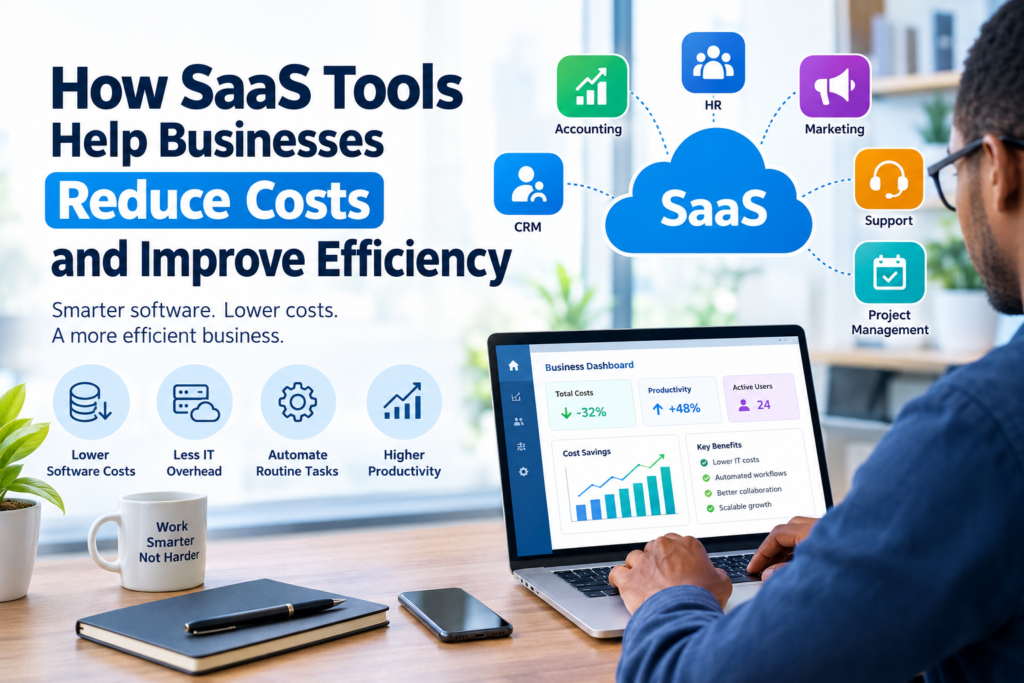
SaaS tools help businesses reduce costs by providing software through online subscriptions rather than requiring companies to purchase and maintain every application and piece of infrastructure themselves. Businesses can use SaaS platforms for accounting, customer relationship management, project management, communication, marketing, human resources, customer support, and many other functions.
However, SaaS is not automatically cheaper in every situation. Subscription fees can add up, and paying for tools that employees rarely use can create unnecessary expenses. The real value comes from selecting the right software, using it effectively, and regularly reviewing whether each subscription is delivering enough value.
What Is SaaS?
Software as a Service is a software delivery model in which users access applications over the internet, usually through a web browser or mobile application.
Instead of purchasing a software package and installing it on individual computers, a business typically pays a recurring subscription. The SaaS provider generally manages the underlying infrastructure, software updates, maintenance, and other technical responsibilities.
Common examples of SaaS categories include:
- Accounting and financial management
- Customer relationship management (CRM)
- Project and task management
- Email marketing
- Customer support
- Team communication
- Human resources
- Document management
- Cybersecurity
- Data analytics
- Website and content management
The exact pricing, features, storage limits, integrations, and support options vary between providers, so businesses should review the official pricing and service information before choosing a platform.
How SaaS Tools Help Businesses Reduce Costs
The biggest opportunity is not simply replacing one software license with another. SaaS can help businesses reduce several types of operating costs when implemented carefully.
1. Lower Upfront Software Costs
Traditional software can require significant upfront spending, particularly when a company needs multiple licenses or specialized systems.
With SaaS, businesses commonly pay a recurring fee instead of making a large initial software purchase. This can make technology expenses easier to plan, particularly for smaller companies that want to avoid substantial upfront investments.
However, businesses should compare the total cost over time, not just the initial subscription price.
2. Reduce Hardware and Infrastructure Expenses
Some business applications require servers, storage systems, and other infrastructure when operated internally.
Many SaaS applications are hosted by the provider, which means the business does not necessarily need to purchase and maintain equivalent infrastructure for that application.
This can reduce certain hardware, maintenance, and infrastructure requirements.
It does not mean that SaaS eliminates all technology costs. Businesses still need suitable devices, internet connectivity, security controls, and other technology resources.
3. Reduce IT Maintenance Work
Maintaining business software can consume valuable IT resources.
SaaS providers generally handle activities such as software updates, application maintenance, and infrastructure management as part of their service. This can reduce the amount of routine software maintenance that a business needs to perform internally.
For companies with limited IT resources, this can allow employees to spend more time on activities that directly support business operations.
4. Automate Repetitive Tasks
One of the most valuable ways SaaS can reduce costs is through automation.
For example, a business might use software to:
- Automatically send customer emails
- Generate invoices
- Assign project tasks
- Schedule appointments
- Track leads
- Send payment reminders
- Organize customer information
- Produce recurring reports
- Collect online forms
Automation can reduce the amount of manual work required for repetitive activities.
The goal should not be to automate everything. Instead, businesses should identify repetitive processes where automation can save meaningful time while maintaining appropriate human oversight.
5. Improve Employee Productivity
Employees can lose significant time searching for information, switching between disconnected systems, or manually transferring data.
A well-selected SaaS platform can bring related information and workflows into one place.
For example, a project management system may allow employees to view tasks, deadlines, files, comments, and responsibilities from a shared workspace.
When employees can complete routine work more efficiently, the business may be able to accomplish more without increasing administrative workload at the same rate.
SaaS Can Help Small Businesses Control Technology Spending
Small businesses often have limited budgets and may not have large internal IT departments.
SaaS can provide access to business software without requiring the company to build and maintain every system itself.
For example, a small company might use separate SaaS applications for accounting, customer management, project tracking, and email marketing.
This approach can provide flexibility as the company grows.
However, small businesses should be particularly careful about subscription costs. A collection of inexpensive monthly subscriptions can become a significant recurring expense when many tools are purchased independently.
Examples of SaaS Cost Savings in Different Business Functions
Different departments can use SaaS in different ways.
Accounting and Finance
Accounting software can help businesses organize invoices, expenses, payments, financial records, and reports.
Instead of relying heavily on spreadsheets and manual processes, a business can use specialized software to centralize financial information and automate selected tasks.
The exact capabilities depend on the platform and subscription plan.
Sales and Customer Management
CRM software can organize customer information, sales opportunities, communications, and follow-up activities.
A centralized CRM can reduce the need for employees to maintain separate customer lists or search through multiple systems for information.
This can also make it easier for teams to maintain consistent customer records.
Project Management
Project management platforms can centralize tasks, deadlines, documents, responsibilities, and project communication.
This can reduce administrative work and make it easier for teams to understand what needs to be completed and when.
Marketing
Marketing SaaS tools can help businesses manage email campaigns, social media activities, customer segments, analytics, and content workflows.
Automation can reduce repetitive marketing tasks while allowing employees to concentrate on planning, creative work, and customer engagement.
Customer Support
Customer support platforms can organize customer requests, conversations, knowledge resources, and support workflows.
A centralized system can help businesses avoid losing customer requests across different communication channels.
SaaS vs. Traditional Software
The right choice depends on the company’s requirements.
| Factor | SaaS | Traditional/On-Premises Software |
|---|---|---|
| Initial cost | Often lower upfront | Can require larger upfront investment |
| Payment model | Usually recurring subscription | May involve licenses and maintenance costs |
| Updates | Generally managed by provider | Often managed internally |
| Infrastructure | Usually hosted by provider | May require internal infrastructure |
| Accessibility | Often available through the internet | Can depend on local infrastructure |
| Scalability | Often offers different plans | May require additional infrastructure |
| IT maintenance | Often reduced | Can require more internal resources |
| Long-term cost | Recurring fees can accumulate | Depends on licenses, maintenance, and infrastructure |
Neither model is automatically better for every organization. Businesses should evaluate security, compliance, functionality, integration requirements, total cost, and operational needs before making a decision.
The Hidden Costs Businesses Should Watch For
SaaS can reduce costs, but poorly managed subscriptions can create new expenses.
Unused Subscriptions
Employees may sign up for tools to solve temporary problems and continue paying for them after the need disappears.
Regular subscription reviews can help identify unused or unnecessary services.
Duplicate Tools
Two departments may purchase different applications that perform similar functions.
For example, one team might use one project management platform while another uses a second platform for nearly the same purpose.
Consolidating tools where practical can reduce unnecessary spending.
Integration Costs
A SaaS application may not work seamlessly with existing systems.
Businesses may need integrations, additional software, technical assistance, or custom development to connect different platforms.
These costs should be considered before purchasing.
Employee Training
New software can require training and adjustment time.
A low-cost tool may not provide good value if employees struggle to use it or if the organization needs extensive training to implement it effectively.
Data and Migration Costs
Moving information between systems can require time and technical work.
Before switching providers, businesses should understand how data can be exported, transferred, backed up, and retained.
How to Choose SaaS Tools That Actually Save Money
Choosing the cheapest subscription is not necessarily the best cost-saving strategy.
Step 1: Identify the Business Problem
Start with the problem rather than the software.
Ask:
- What process is currently inefficient?
- How much employee time does it consume?
- What errors occur?
- Which tasks are repetitive?
- What information is difficult to manage?
- What outcome should the new tool improve?
Step 2: Calculate the Current Cost
Estimate the existing cost of the process.
Consider employee time, software licenses, hardware, maintenance, administrative work, and other relevant expenses.
This gives the business a baseline for comparison.
Step 3: Compare Total Cost of Ownership
Look beyond the advertised monthly subscription.
Consider:
- Subscription fees
- Number of users
- Premium features
- Implementation
- Training
- Integrations
- Data migration
- Support
- Storage
- Cancellation or contract terms
A slightly more expensive platform may provide better value if it eliminates other costs or significantly reduces manual work.
Step 4: Check Scalability
A tool that works for five employees may not be appropriate for 100.
Review how pricing and functionality change as the organization grows.
Step 5: Review Security and Data Practices
Businesses should understand how a SaaS provider handles data, user access, backups, security, privacy, and account management.
For organizations handling sensitive or regulated information, security and compliance requirements should be evaluated carefully before adopting any platform.
Step 6: Test Before Expanding
When possible, start with a limited implementation.
A small pilot can help determine whether the software solves the intended problem before the company commits to wider adoption.
How to Manage SaaS Subscriptions Effectively
After adopting SaaS tools, businesses should continue monitoring their software portfolio.
Create a SaaS Inventory
Maintain a list of the organization’s software subscriptions.
Record:
- Tool name
- Department
- Purpose
- Number of users
- Monthly or annual cost
- Renewal date
- Account owner
- Important integrations
This makes it easier to identify unnecessary subscriptions.
Review Usage Regularly
A subscription should have a clear business purpose.
If a platform is rarely used, management should determine whether it can be cancelled, downgraded, consolidated, or replaced.
Standardize Tools Where Practical
Using fewer platforms can simplify training and administration.
For example, if one platform can reasonably handle several related business processes, consolidating tools may reduce subscription costs and complexity.
However, consolidation should not come at the expense of important functionality, security, or reliability.
Important Limitations of SaaS
Although SaaS provides many advantages, businesses should also understand its limitations.
Recurring Costs
Unlike a one-time software purchase, SaaS usually involves ongoing payments. Over several years, subscription costs can become substantial.
Dependence on Internet Access
Many SaaS applications depend on reliable internet connectivity. Businesses operating in areas with unstable connections should consider offline capabilities and contingency plans.
Vendor Dependence
When a company relies heavily on a SaaS provider, changes to pricing, features, policies, or service availability can affect operations.
Businesses should understand their options for exporting data and moving to another provider if necessary.
Privacy and Security Considerations
Business data may be stored or processed through external infrastructure.
Organizations should review the provider’s security and privacy documentation and ensure the service meets their internal requirements.
A Simple SaaS Cost-Reduction Strategy
Businesses can use a straightforward process to manage SaaS spending:
Audit → Compare → Consolidate → Automate → Monitor
Audit: Identify every active subscription and its purpose.
Compare: Evaluate costs, features, usage, and alternatives.
Consolidate: Remove unnecessary duplication where practical.
Automate: Use software to reduce repetitive administrative work.
Monitor: Review costs and usage regularly rather than treating SaaS spending as a one-time decision.
This approach helps businesses focus on the value produced by software instead of simply collecting more applications.
Frequently Asked Questions
1. How do SaaS tools help businesses reduce costs?
SaaS tools can reduce certain costs by lowering upfront software and infrastructure requirements, reducing routine maintenance, automating repetitive tasks, and improving workflow efficiency. The actual savings depend on how the software is selected and used.
2. Are SaaS tools cheaper than traditional software?
Not always. SaaS can have lower upfront costs and reduce some maintenance responsibilities, but recurring subscription fees can become expensive over time. Businesses should compare total costs over the expected period of use.
3. What SaaS tools can help a small business save money?
Common categories include accounting, CRM, project management, customer support, communication, marketing automation, and document management tools. The best choice depends on the company’s specific processes and requirements.
4. What are the disadvantages of SaaS?
Potential disadvantages include recurring subscription costs, dependence on internet connectivity, vendor dependence, integration challenges, data migration issues, and security or privacy considerations. Businesses should evaluate these factors before adopting a platform.
5. How can businesses avoid wasting money on SaaS subscriptions?
Businesses can maintain a central software inventory, review usage regularly, eliminate duplicate applications, cancel unused subscriptions, monitor renewal dates, and compare the total cost and value of major tools before renewing them.
Conclusion
SaaS tools can help businesses reduce costs by simplifying software access, reducing certain infrastructure and maintenance requirements, automating repetitive work, and improving operational efficiency. They can be particularly useful for organizations that want flexible technology without managing every application and infrastructure component internally.
However, SaaS should not be viewed as an automatic cost-saving solution. Recurring subscriptions, unused accounts, duplicate tools, integration expenses, and vendor dependence can reduce the financial benefits.
The most effective approach is to start with a clear business problem, compare the total cost of available solutions, evaluate security and functionality, and regularly review whether each subscription continues to provide meaningful value.
When technology decisions are based on actual business needs rather than simply adding more software, SaaS can become a practical part of a company’s strategy for managing costs and improving efficiency.