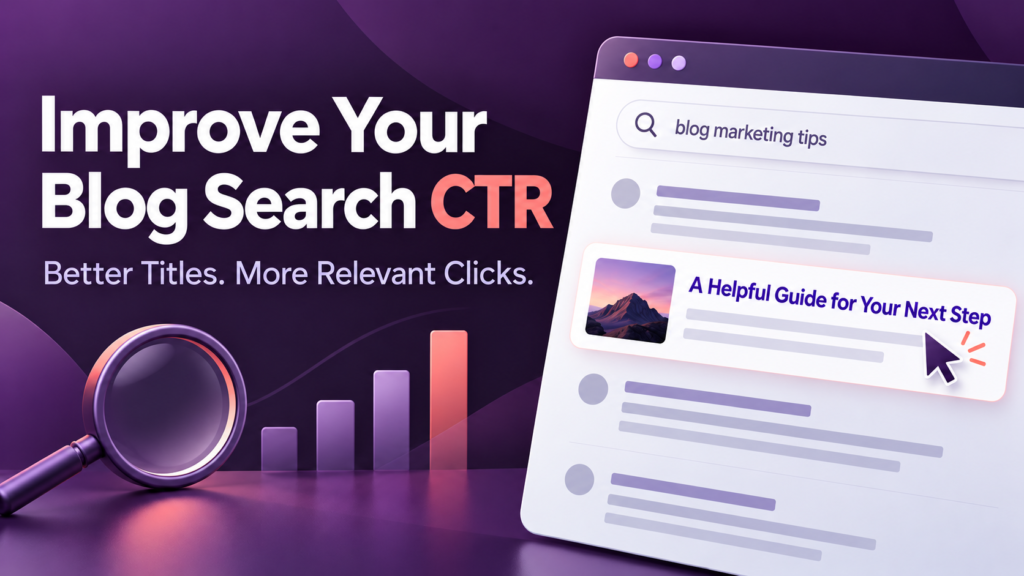

Your blog can appear in search results without attracting many visitors. Sometimes the page ranks too low to receive much attention. In other cases, the title is vague, the description misses the reader’s question, or competing results offer a clearer reason to click.
Understanding how to improve click-through rates on blog search results starts with identifying which of these problems you have.
The goal is to help the right readers recognize that your article answers their question. That requires accurate titles, useful descriptions, relevant content, and careful measurement.
This guide explains how to find opportunities, improve your search listings, and evaluate changes without relying on clickbait or unrealistic traffic promises.
What Is Organic Click-Through Rate?
Organic click-through rate, or organic CTR, measures the proportion of search impressions that produce clicks to your website.
The calculation is:
CTR = Clicks ÷ Impressions × 100
For example, if a blog post receives 2,000 impressions and 60 clicks:
60 ÷ 2,000 × 100 = 3% CTR
This is an illustrative calculation, not an industry benchmark.
Google Search Console reports clicks, impressions, average CTR, and average position. It also lets you examine performance by dimensions such as query, page, device, and country. Search Console Help
Organic search CTR is separate from advertising CTR. It measures clicks from search results to your content, rather than clicks on advertisements.
What Is a Good CTR for a Blog?
There is no single CTR target that suits every blog post.
Performance depends on factors such as:
- The search query.
- Your result’s position.
- Whether people already recognize your website.
- The device being used.
- Competing results and search features.
- Whether the search page already answers the question.
A branded search for your website and a broad search for “marketing tools” represent different situations. Comparing their CTRs directly can lead to poor decisions.
A more useful approach is to compare similar queries, devices, and positions over time.
Also, examine clicks alongside CTR. Your overall CTR can fall while total clicks rise if your articles begin appearing for a wider range of searches.
How to Improve Click-Through Rates on Blog Search Results
1. Find Pages With a Real Opportunity
Start with evidence from Google Search Console.
Open the search performance report, select the relevant search type, and review clicks, impressions, CTR, and average position. Choose a period long enough to show a useful pattern.
For an initial review, you could compare the latest 28 days with the previous 28 days. Low-traffic pages may require a longer period.
Then:
- Open the Pages tab.
- Identify articles receiving meaningful impressions.
- Select a page.
- Open the Queries tab.
- Review the searches associated with that page.
- Separate important devices or countries where relevant.
Look for pages that appear for relevant queries but attract fewer clicks than comparable pages on your own website.
Do not automatically label every low-CTR article a title problem. If it appears far below prominent results, improving content relevance and visibility may deserve more attention.
2. Understand What the Searcher Wants
Before editing a headline, identify the task behind the query.
Consider these examples:
| Search query | Likely reader need | Suitable article approach |
|---|---|---|
| What is CRM software? | Understand the concept | Clear explanation with examples |
| CRM vs spreadsheets | Decide whether to upgrade | Practical comparison and decision criteria |
| How to import contacts into a CRM | Complete a task | Step-by-step instructions |
| CRM migration checklist | Prepare and verify a transfer | Actionable checklist |
| CRM import failed | Resolve an error | Troubleshooting guidance |
A broad introduction to CRM software may not satisfy someone trying to fix an import error.
If the article does not answer the query, revise its content or focus on the searches it can serve well. Changing the title alone will not resolve that mismatch.
3. Make Blog Titles Specific and Accurate
Your title should help readers understand the article’s subject and value quickly.
Google recommends descriptive, concise title text and advises against keyword stuffing and repetitive boilerplate. developers.google.com
Compare these examples:
| Vague title | More useful alternative |
|---|---|
| Email Marketing Tips | Email Marketing for Small Businesses: A Beginner’s Guide |
| Improve Your Website | How to Find and Fix Slow WordPress Pages |
| CRM Information | CRM vs Spreadsheets: When Should Your Business Upgrade? |
| Amazing SEO Secrets | How to Update Old Blog Posts Using Search Console |
The revised titles identify a task, audience, or decision.
Useful title patterns include:
- How to + task: How to Clean Customer Data Before a CRM Import.
- Comparison + decision: CRM vs Spreadsheets: Which Fits Your Business?
- Problem + solution: Blog Gets Impressions but No Clicks? What to Check.
- Resource + purpose: A CRM Migration Checklist for Small Businesses.
Use numbers when they describe the content accurately. Add a year only when freshness matters and the article has been reviewed for that year.
4. Put Essential Information Early
Search results have limited display space.
Place the main topic and useful distinction near the beginning of the title. Avoid making readers work through a long introduction before discovering what the page covers.
For example:
Wordy:
An In-Depth and Comprehensive Look at How Small Businesses Can Choose CRM Software
More direct:
How to Choose CRM Software for a Small Business
There is no fixed character count that guarantees a title will display in full. Google explains that title links are shortened as needed, typically to fit the device width. developers.google.com
Use preview tools to spot obvious problems, while remembering that their displays are estimates.
5. Write Meta Descriptions With Useful Details
A meta description should briefly explain what readers can expect from the page.
Instead of:
Read our comprehensive article about CRM migration and learn everything you need to know.
Try:
Learn how to prepare customer records, map CRM fields, test an import, and check your data before switching systems.
The second description identifies specific help available in the article.
When writing descriptions:
- Reflect the actual page content.
- Mention the main task naturally.
- Include one or two useful details.
- Avoid unsupported claims.
- Give important pages distinct descriptions.
Google primarily generates snippets from page content and may use the meta description when it provides a suitable summary. Different queries can produce different snippets for the same page. developers.google.com
Your description is therefore a useful input, not a guaranteed display.
6. Improve the Content That Could Become a Snippet
Because search snippets can come from the article itself, review how clearly the page answers its main questions.
Use:
- A direct explanation near the beginning.
- Descriptive section headings.
- Short paragraphs answering specific questions.
- Practical examples.
- Relevant comparisons and instructions.
For example, a page about subscription costs could include:
To find unused software subscriptions, compare billing records with account activity, confirm who needs each tool, and review renewal dates before canceling.
That sentence is useful to readers on the page and clearly describes a practical process.
Do not hide essential answers behind a long introduction just to encourage clicks. Make the page helpful wherever a reader starts.
7. Keep the Title, Main Heading, and Article Consistent
Check that your SEO title and visible page heading describe the same article.
For example:
- SEO title: How to Choose CRM Software for a Small Business
- Main heading: Choosing the Right CRM for Your Small Business
These differ slightly but communicate the same purpose.
A title promising “CRM Pricing Compared” would be misleading if the article contains only a general definition.
Google can generate title links using several sources, including the title element, main visual title, and headings. Clear, consistent wording helps communicate the page’s subject. developers.google.com
8. Review Competing Results for Missing Clarity
Inspect a small selection of important queries manually.
Look at:
- The content formats shown.
- The audiences addressed.
- The questions titles emphasize.
- Whether results appear current.
- What your article explains that is not obvious elsewhere.
Use this review to identify how to describe your article more clearly.
For example, if your software guide includes a budget worksheet, mentioning that resource could help readers distinguish it—provided the worksheet is actually available.
Avoid copying competitors’ wording or adding benefits your page does not deliver. Also, treat a manual search as a sample: results can vary by location, device, and other conditions.
9. Match the Search Promise With a Useful Page
A compelling title creates an expectation. The article needs to meet it.
If you promise a checklist, provide a usable checklist. If you promise a comparison, explain meaningful differences and limitations.
Review whether the page has:
- A clear answer near the beginning.
- Accurate examples.
- Current product information where relevant.
- Readable formatting on mobile.
- Working links.
- Advertising placements that allow readers to use the content comfortably.
These checks support the visitor’s experience after the click. Assess them alongside search performance rather than assuming a higher CTR means the whole page is successful.
10. Test Changes and Keep a Record
Start with a small group of pages so you can review changes carefully.
For each page, record:
| Item | What to save |
|---|---|
| Baseline | Clicks, impressions, CTR, and average position |
| Search segment | Relevant queries, device, and country |
| Original wording | Previous title and meta description |
| Revision | Exactly what changed |
| Change date | When the update was published |
| Review notes | Results and possible alternative explanations |
For a simple first test, change one main element, such as the title. If you revise the title, content, links, and page structure together, it becomes harder to interpret what influenced the outcome.
A before-and-after comparison is still observational. Rankings, competitors, seasonality, and search demand can change during the same period.
Google must recrawl and reprocess a page before title-related updates can be reflected, so avoid judging a revision immediately. developers.google.com
How to Interpret Your Results
The following examples use invented numbers to explain measurement. They are not promised outcomes.
| Period | Impressions | Clicks | CTR |
|---|---|---|---|
| Before revision | 5,000 | 100 | 2% |
| After revision | 5,000 | 150 | 3% |
Here, CTR increased by one percentage point, and the page received 50 additional clicks.
Before attributing the increase to the revised title, check whether positions, queries, and device distribution remained reasonably comparable.
Now consider a different outcome:
| Period | Impressions | Clicks | CTR |
|---|---|---|---|
| Earlier period | 5,000 | 150 | 3% |
| Later period | 10,000 | 220 | 2.2% |
CTR fell, but clicks increased. The page may have gained visibility for additional searches where it received a smaller share of clicks.
This is why CTR should support a broader assessment of relevant traffic and reader outcomes.
Common Mistakes to Avoid
Chasing a Universal CTR Target
An overall percentage can hide differences between queries, positions, and devices. Compare similar situations before deciding a page underperforms.
Changing Titles Too Frequently
Repeated edits make it difficult to collect useful evidence. Allow time for processing and enough impressions to assess a pattern.
Treating Meta Descriptions as Guaranteed Snippets
Google may display other text from the page. Improve both the description and the article’s clarity.
Making Unsupported Promises
Avoid titles claiming guaranteed traffic, instant rankings, or results the article cannot substantiate.
Updating Dates Without Updating Content
A new date should reflect a meaningful review or revision. Check facts, screenshots, instructions, and links before presenting an article as current.
Changing Established URLs Just to Add Keywords
For an existing article, start with its title, description, and content. A URL change creates additional redirect and maintenance work and needs a separate reason.
A Practical Blog CTR Checklist
Before publishing a revision, confirm that:
- The page answers the searches you are targeting.
- The title clearly describes its main value.
- Important words appear early.
- The description includes useful, accurate details.
- The visible heading matches the title’s meaning.
- The article delivers what the search listing promises.
- You saved baseline performance and the change date.
- Your review will consider clicks, impressions, position, and query mix.
Frequently Asked Questions
1. Why does my blog get impressions but few clicks?
Possible reasons include low search positions, broad or irrelevant queries, unclear titles, strong competing results, or search features that satisfy the reader’s need. Review page-level queries and positions before deciding what to change.
2. Can changing a blog title increase organic CTR?
It can help when the new wording communicates relevance and value more clearly. Results depend on the query, position, competition, and the title Google displays. There is no guaranteed increase.
3. How long should titles and meta descriptions be?
Write concise titles and descriptions that explain the page accurately. Character ranges used by SEO tools are drafting guides, not guaranteed Google display limits. Essential information should come early because search displays can be shortened. developers.google.com
4. Should I add the current year to every blog title?
No. A year is useful when readers need current information, such as a recently reviewed software comparison. Evergreen instructions may not need one. Only use a year that accurately reflects the article.
5. How often should I review blog search CTR?
A monthly review is a practical starting point for many small publishers. Pages with substantial traffic may support more frequent analysis, while low-volume pages need longer periods. Avoid reacting to isolated daily changes.
Conclusion
Improving blog search CTR starts with understanding why readers see your article and what they need from it.
Choose a few relevant pages, inspect their queries, and make the search listing clearer through accurate titles and useful descriptions. Then check whether the article delivers on that promise.
Judge progress using relevant clicks and consistent comparisons. A stronger percentage is useful when it reflects more of the right readers finding content that helps them.