

You agreed to build one landing page. During the review, the client asks for a second version for a paid ad campaign. Both versions might use the same design, but the new page still needs its own setup, testing, and approval. If you say yes before checking the impact, the client may assume the extra page comes with the original price and launch date.
Here’s how to write a change order when a client expands the project scope. Start with the original agreement, explain what the request changes, and give the client a clear decision on the work, fee, and schedule.
What is a project change order?
A change order records a proposed adjustment to an existing project and gives both sides a way to confirm it. It can cover an extra deliverable, a new requirement, a different launch date, or a change in responsibilities. A change request describes what someone wants. A change order adds the details needed to decide whether and how to proceed.
Check the original statement of work (SOW) and any agreed process for approving changes. Use the same project reference, deliverable names, and approval channel so the team can trace the update later.
How to write a change order in five steps
1. Compare the request with the current scope
Read the deliverables, included revision rounds, exclusions, and completion criteria. These sections help you decide whether the request is a correction, an included revision, or new work.
| Client request | What to check | Likely next step |
|---|---|---|
| “The form doesn’t send inquiries to the agreed inbox.” | The original completion criteria require that behavior. | Correct the form as part of the agreed work. |
| “Please change the button wording during our included review round.” | The revision policy covers this type of feedback. | Include it in the current review round. |
| “We also need a second version for paid ads.” | The original scope specifies one page. | Prepare a change order for the additional page. |
| “Can we launch two days sooner?” | A faster launch may require different staffing or earlier client approvals. | Assess the schedule impact and document any agreed change. |
If the original wording is unclear, discuss how each side understood it before quoting. A brief conversation may resolve the difference or show where the scope needs clarification.
2. Describe the change as a deliverable
Write what the client will receive and how they can confirm it is complete. For the paid-ad example, specify one additional WordPress landing page, using the approved layout and client-supplied copy. State whether it includes a separate URL, a test form submission, and a review round.
Record exclusions that a client could reasonably assume are included. The second page might include form testing while ad setup and conversion tracking remain separate. Mention only the boundaries that matter for this request.
3. Calculate the impact on fees and timing
Estimate the work required for production, coordination, testing, and revisions. Include direct expenses or work already completed that must be redone. If the request replaces an agreed deliverable, account for any work you can remove as well as the new work.
Show the original fee, the adjustment, and the revised total. For an hourly change, list the rate and estimated hours, and state who needs to approve work beyond any agreed limit.
List the milestones affected by the change and the inputs you need from the client. Three hours of additional work can take several business days to finish if it depends on copy delivery, a review window, and a publishing slot. Show whether the original work can continue in parallel.
4. Ask for a decision before starting the added work
Send the change order to the person who can approve the scope and cost. Make it easy to see the choice. The client can approve the added work, ask for a smaller version, or continue with the original scope. If the request blocks an existing task, identify the task and agree on how to handle it while the decision is pending.
Use the approval method the project calls for. Record who approved which version and when. If the client requests another edit, circulate the updated version so the decision covers the current fee, deliverable, and schedule.
5. Update the project records after approval
Add the new deliverable to the project board, update the schedule, and notify the people responsible for the work. Record when the additional fee will be invoiced. Keep the approved change order alongside the original SOW and use the same reference in project notes and invoices.
Copy-ready change order template
| Field | What to write |
|---|---|
| Project and change ID | [Project name, SOW reference, change order number, version, date] |
| Requested by | [Name, role, and request date] |
| Original scope | [Relevant deliverable or milestone as originally agreed] |
| Proposed change | [What is being added, removed, or replaced] |
| Completion criteria | [What the approver will check and how many review rounds are included] |
| Client inputs | [Assets, access, feedback, and due dates] |
| Fee adjustment | [Original fee, change amount, revised total, currency, and invoice timing] |
| Schedule adjustment | [Affected milestone, new date or timing, and dependencies] |
| Exclusions | [Related items outside this change] |
| Approval | [Named approver, approval method, and requested decision date] |
Worked example: a second landing page for paid ads
A small agency has a $1,200 fixed-fee project to build one WordPress landing page. The client requests a separate paid-ad version during review. The original page can still launch on its agreed date. The figures below are illustrative.
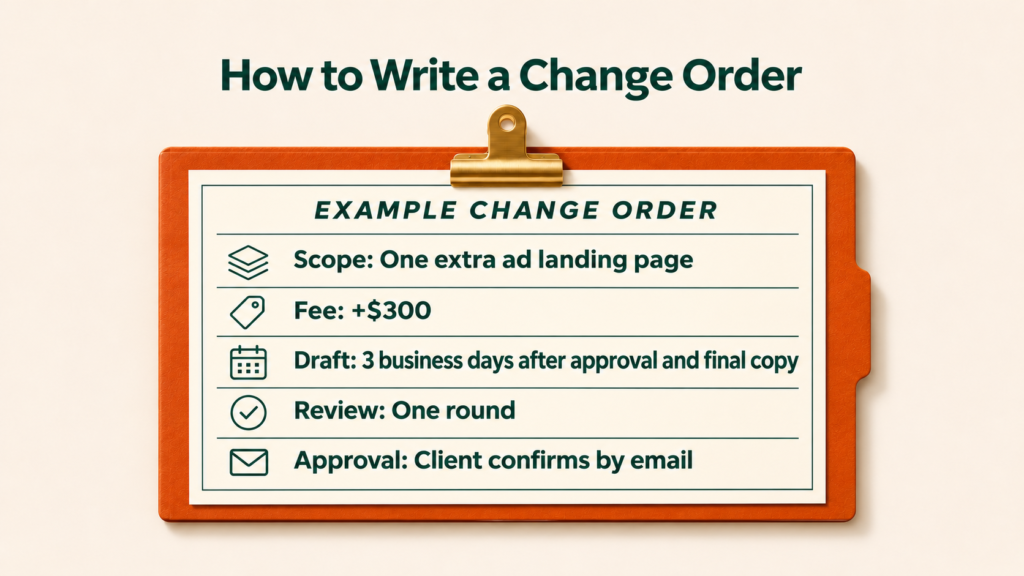
| Change order field | Completed example |
|---|---|
| Reference | CO-01, version 1, WordPress landing page project |
| Added deliverable | One ad landing page at a separate URL using the approved layout and client-supplied copy |
| Completion criteria | Page displays at the agreed mobile and desktop widths, and a test form submission reaches the designated inbox |
| Review | One consolidated review round from the client’s project lead |
| Fee | $300 added to the original $1,200 fee, bringing the revised project total to $1,500. Invoice the $300 at handoff of the ad page. |
| Timing | First draft within three business days after written approval and receipt of final copy. Client feedback due within two business days. Publish within one business day after final approval, provided publishing access is available. |
| Original launch | Keep the agreed launch date for the first page. |
| Exclusions | Ad account setup, tracking configuration, and ongoing optimization |
| Approval | Client project lead confirms CO-01, version 1, by email before the added work begins. |
Email to send with the change order
Hi [Name], I’ve attached CO-01 for the additional paid-ad landing page. It adds one page and one review round for $300. The original page can launch on the agreed date. We can send the first draft of the ad page within three business days after you approve CO-01 and share the final copy. If that works for you, please reply confirming CO-01, version 1.
Frequently asked questions
Do I need a change order for every client request?
Use your agreed process when a request changes a deliverable, fee, timeline, or responsibility. A wording edit covered by an included revision can usually go through the normal review process.
Can a change order have no additional charge?
Yes. A client may swap one deliverable for another of comparable effort or ask for a different date without affecting the fee. Record the agreed change and state the fee adjustment as zero.
Can I approve a change order by email?
Use the method agreed for the project. If it allows email approval, ask the designated approver to reference the change order ID and version. Keep the reply with the project records.
What if the client asks me to start before approval?
Explain the impact and identify the approval needed. Continue original work where possible. If the request blocks a milestone, document what is paused and what decision will let work resume.
How do I handle several small requests at once?
Group related requests into a single change order when the client can decide on them together. List each addition separately so the client can see what is included and choose a smaller package if needed.
Conclusion
A client can make a faster decision when the change order shows what they’ll receive, how much it costs, and which dates move. Start with the agreed scope, make the new deliverable testable, and record approval against a specific version. Then update the project plan so the team is working from the same decision.