
You check five competitor websites and end up with a pile of prices, screenshots, and review notes. Which of those details should change what you do? That depends on the decision you’re trying to make. A buyer comparing office cleaning quotes may care more about after-hours access and what’s included than about which company has the most reviews.
Here’s how to do a competitive analysis using a simple spreadsheet. Pick one offer, compare it with the alternatives buyers actually consider, and use the findings to choose a marketing change you can test. You can do it with public information, customer questions, and a few columns in Excel or Google Sheets.
1. Start with one question
Write the decision at the top of the spreadsheet. For example, “What should we explain on our office cleaning page so a small office manager can decide whether to request a quote?”
Pick one customer group, offer, and market. A provider that serves national contracts may offer useful ideas, but its pricing and sales process can be a poor comparison for a company that cleans small offices in one city. The U.S. Small Business Administration recommends looking at competition by service or product line and market segment, including indirect competitors. SBA guide to market research and competitive analysis
2. Choose the alternatives your buyer would consider
Start with three to five options if that gives you enough variety for the decision. Look for both kinds of alternatives.
- Direct competitors sell a similar service to a similar buyer. Two local office cleaning companies may compete for the same contract.
- Indirect alternatives solve the same problem another way. A small office might assign cleaning to staff or hire an independent cleaner as needed.
Ask customers about alternatives they considered, and use local searches or directories to find others. A business that appears high in search results may be worth reviewing, but it should still serve the buyer or situation you’re researching.
3. Set up a simple competitive analysis spreadsheet
Use one row per offer or alternative. If a competitor sells several packages, record the comparable package by name. Add your own offer as a row so you can review it using the same criteria.
Copy this tab-separated header row and paste it into cell A1. If it lands in one cell, use your spreadsheet’s split-text option with a tab separator.
Competitor or alternative Type Offer reviewed Buyer and area Price and billing unit Scope and exclusions How to inquire or buy Buyer concern addressed Source URL Date checked Evidence status Implication to test| Column group | What to enter |
|---|---|
| Competitor, type, and offer | The provider or alternative, direct or indirect, and the exact package you reviewed |
| Buyer and area | The typical buyer and location the offer actually serves |
| Price and billing unit | The listed price, currency, unit, frequency, and any visible conditions |
| Scope and buying steps | What is included or excluded and what someone must do to request a quote or buy |
| Buyer concern | The practical question the page answers, such as how access is arranged |
| Evidence | The page URL, date checked, and a status such as publicly listed, quote required, or unclear |
| Implication | An idea worth testing for your own offer, based on your research question |
Keep the observation separate from the implication. “The form requests a postal code” is an observation. “Asking for a postal code might reduce inquiries outside our area” is a hypothesis. If you collect several sources for a single row, add the relevant links next to the notes or in a second tab.
4. Collect and compare information consistently
Compare prices for the same scope
Keep the published price and unit as written. A per-visit price and a monthly starting price can only be compared after you know the visit count and what each package covers. If one quote includes supplies and the other doesn’t, note that difference. Mark missing details as quote required or not publicly listed. Avoid entering zero for an unknown price.
Check competitor service pages and published terms first. Reviews can help you spot customer questions or complaints worth investigating. A review reflects an individual experience, and it may describe a different package or an earlier version of the service.
Follow the buying process without submitting an inquiry
Read the service page and open the public booking or quote form. Record what a buyer needs to provide, whether the page explains what happens next, and where key details appear. Stay within public pages and your own customer records. For your own site, complete a test submission so you can confirm the form and reply process work.
Worked example for a local office cleaning service
A fictional company compares weekly after-hours office cleaning for small workplaces. All entries below are illustrative. It wants to improve its service page so fewer unsuitable inquiries reach the team.
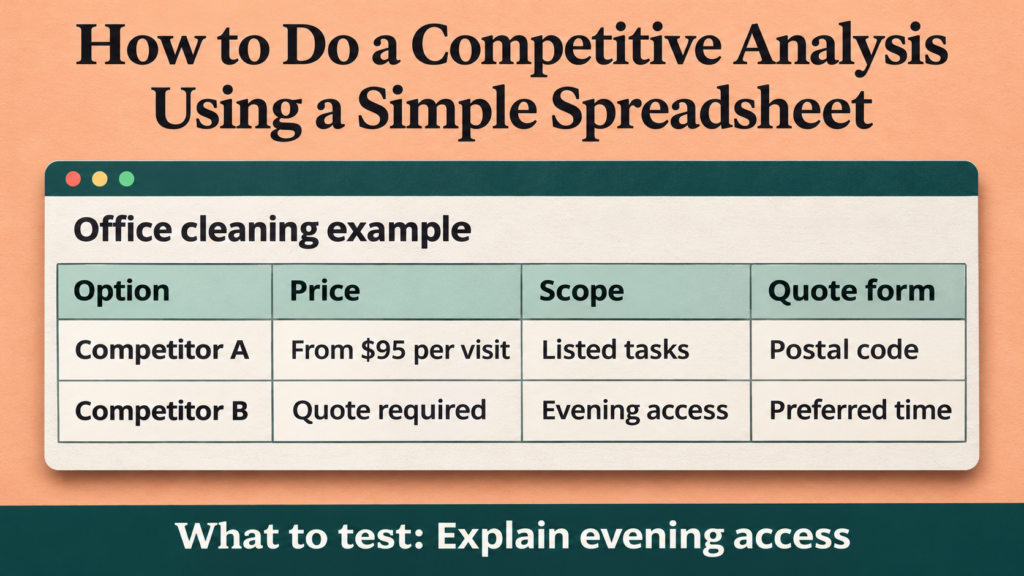
| Option | Price signal | Scope or terms shown | Inquiry process |
|---|---|---|---|
| Competitor A | From $95 per visit | Listed tasks and locations. After-hours access arrangements are unclear. | Short quote form asks for postal code and office size. |
| Competitor B | Quote required | Explains evening access, supplies, and an initial site visit. | Form asks for preferred visit time and frequency. |
| In-house cleaning | Varies with staff time and supplies | Uses existing staff and may compete with their normal duties. | Office manager coordinates the schedule. |
| Our offer | Quote required | Weekly after-hours visits. Supply arrangements are confirmed before quoting. | Form asks for name, email, and a general message. |
The comparison highlights a question the business can answer better. Its own recent inquiries repeatedly ask when cleaners can access the building. The company adds a short section explaining how it confirms evening access. It also adds service area and preferred visit time to the quote form so the team can assess fit.
For the next review, the company tracks qualified inquiries and how often it needs to ask about location or preferred time after submission. It records changes in traffic or availability during the period. If the results are mixed, it can test the two changes separately next time.
Turn your spreadsheet into a short action list
For each promising finding, write the observed detail, the customer evidence, and the change you can test. Then pick one change that matters to buyers and fits your operations.
| Observation | Customer evidence | Action and measure |
|---|---|---|
| A competitor explains the site visit before quoting. | Recent prospects ask what happens after they submit the form. | Explain your own quote process. Track follow-up questions about the next step. |
| Published starting prices cover different scopes. | Buyers ask why prices vary. | Explain which factors affect your quote. Track how many inquiries supply those details. |
| A competitor asks for a postal code up front. | The team often answers leads outside its service area. | State the coverage area or ask for the postal code. Track the proportion of inquiries you can serve. |
Review the sheet when prices, offers, or buyer behavior change. Refresh the entries that matter to your decision and preserve the original check date so you can see when the evidence was collected.
Frequently asked questions
1. How many competitors should I include?
Begin with a manageable group that covers the main choices your buyer has. Add another provider only if it represents a meaningful alternative or helps answer your research question.
2. Can I do a competitor analysis without paid tools?
Yes. Public service pages, booking forms, reviews, directories, and your own customer notes can support a useful comparison. Paid tools may help with separate questions, such as estimating search visibility, but you can start with the evidence buyers see.
3. What should I do if competitors don’t publish prices?
Mark the price as unknown or quote required. Compare the published scope, buying process, and pricing factors. Your own quotes and customer feedback can help you decide whether to show a starting price or explain how you quote.
4. Should I give each competitor a score?
A score can help when you have clear criteria and comparable evidence. For a first pass, use plain descriptions to show differences. If you score anything, define what each score means and leave unknowns unscored.
5. How often should I update the spreadsheet?
Update it before a pricing change, a new offer launch, or a page rewrite that depends on competitor information. If the market changes often, choose a regular review period and recheck your most important rows first.
Conclusion
Pick one decision and compare the offers your customer would seriously consider. Record what you can verify, keep unknowns visible, and check the findings against buyer questions. Choose one change, define how you’ll measure it, and update the spreadsheet after you see what happens.