


The Amazon eero 6+ mesh WiFi system is a good buy if your internet works well near the router but drops off in an upstairs bedroom, a back office, or across a long floor plan. The three-pack’s biggest strength is that it gives you three places to put a Wi-Fi access point, and every unit has Ethernet ports. Its biggest weakness is that a wirelessly connected node shares airtime with your devices, so a stronger signal in the far room doesn’t automatically mean gigabit speed. Consider it if coverage is the problem you’re paying to solve, especially if you can connect one or both extra units by Ethernet. eero Support

- GIGABIT SPEEDS FOR LESS – Supports wifi speeds up to a gigabit, without the premium price tag. eero 6+ is our most affor…
- WI-FI 6 GETS A BANDWIDTH BOOST – eero 6+ supports additional wifi bandwidth on the 160 MHz radio channel (that’s just wi…
- CONNECTIVITY YOU CAN COUNT ON – eero 6+ gives you all the connectivity with all the reliability. So you can work from ho…
What you’re buying
A faster router won’t necessarily fix a bad location. If your internet equipment sits at one end of the house and your office is at the other, the signal still has to cross the same walls. Mesh lets you place another access point closer to the office. The important part is giving that access point a good connection back to the rest of the network. Putting a wireless node in a room that already has almost no signal can leave it struggling for the same reason your laptop was. eero Support
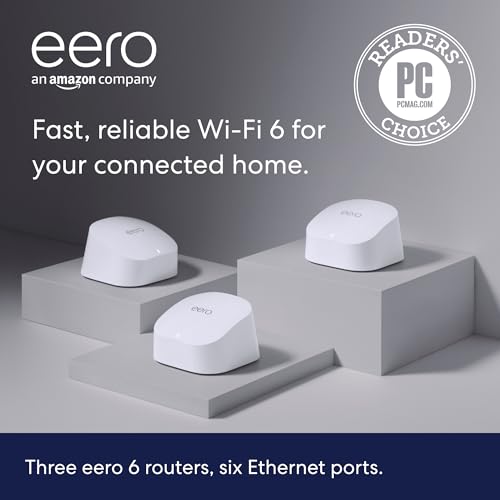
The three-pack reviewed here contains three eero 6+ router units, each with two Gigabit Ethernet ports. One connects to your modem or existing internet equipment and becomes the gateway. The other two can join the same network wirelessly or over Ethernet. That makes this pack more flexible than a kit that uses portless extenders. eero’s support documentation lists a separate eero 6+ extender, so check the box contents if you’re comparing offers or buying an extra unit later. www.bhphotovideo.com
Key features and what they mean for your home
Three nodes help you reach rooms one router can miss
The practical advantage of mesh is placement. You can keep the gateway near your modem, put a second unit near the stairs, and use the third to serve the other end of the house. That layout makes more sense than automatically putting a unit in each room with a weak signal. Start with the gateway and one satellite, check the rooms you use most, then add the third where it improves coverage. If two nodes solve the problem, compare the two-pack price before paying for another. eero
Dual-band Wi-Fi 6 works well for ordinary home use
The eero 6+ uses 2.4 GHz and 5 GHz, with support for 160 MHz channels. Wider channels can help compatible devices under favorable conditions, but they don’t guarantee a particular speed. The kit has no 6 GHz band or separate third radio. If a satellite connects wirelessly, its link back to the gateway competes for airtime with other traffic. That trade-off shows up more in a big file transfer or a busy household than it does when you’re checking email in a room that previously had unreliable Wi-Fi. eero Support
Ethernet makes the three-pack more useful
Wired backhaul means using an Ethernet cable for the link between mesh units. If you already have Ethernet jacks upstairs and downstairs, this is one of the best reasons to choose the eero 6+. The satellite can carry traffic back over the cable, leaving Wi-Fi to serve your laptop, phone, and other devices. Keep the port count in mind: the gateway uses one of its two ports for your internet connection. If you need two wired satellites or several wired devices, put a Gigabit Ethernet switch after the gateway. eero Support
eero Plus is optional
You don’t need an eero Plus subscription to set up the mesh or use it for everyday Wi-Fi. eero reserves features such as advanced parental controls and additional security tools for its subscription. All customers can see weekly and live data usage in the app; subscribers get more detailed history. Check the plan terms if content filtering or historical reports are part of why you’re buying. WiFi Subscription & Online Security


Verified specifications
| Specification | Amazon eero 6+ three-pack |
| Brand and model | Amazon eero 6+ |
| Exact U.S. pack reviewed | Three router units, white; ASIN B08ZK2BHP2 |
| Wi-Fi standard | Wi-Fi 6, dual-band: 2.4 GHz and 5 GHz |
| Channel widths | 20, 40, 80, and 160 MHz |
| Ethernet | Two auto-sensing 1 GbE ports per router |
| Manufacturer speed rating | Up to 940 Mbps wired or wireless for the router; actual speeds vary |
| Advertised coverage | Up to 1,500 sq. ft. per router; up to 4,500 sq. ft. for the pack |
| Advertised device support | 75+ connected devices; this is not a per-device speed rating |
| Dimensions per unit | 3.9 × 3.8 × 2.6 inches |
| Setup and management | eero app for Android or iOS |
| Warranty | One-year limited warranty |
| Published security update commitment | eero lists the 6+ through at least December 31, 2031, or later if its qualifying purchase policy applies |
Specifications come from eero’s documentation and the exact three-pack listings. Coverage and speeds are manufacturer figures, not measurements from a particular home. eero Support
Design, setup, and real-world performance
The units are compact enough for a shelf or desk and look the same whether they’re used as the gateway or a satellite. Put them in the open where you can, rather than inside cabinets or behind large appliances. Setup and management require the eero mobile app. RTINGS found the app straightforward but reported limited settings compared with more configurable routers and no web interface in its review. That’s an advantage for buyers who want fewer settings to manage, and a drawback for people who prefer configuring their network from a computer. eero Support
Independent testing gives useful context for the speed claims. RTINGS tested a two-node mesh setup and observed a speed penalty on the satellite, while the extra access point helped maintain more consistent speeds at distance. The publication judged the hardware suitable for an internet connection of up to around 700 Mbps under its test criteria. That’s a lab assessment, separate from eero’s up-to-940-Mbps specification, and it doesn’t predict what a three-node network will deliver in your house. RTINGS.com
| Your setup | What I’d do |
| Small apartment or single floor with no clear dead zones | Start with one centrally placed router. Buy the three-pack only if you can identify a coverage problem that extra nodes would solve. |
| Two floors, no Ethernet between them | Try a satellite near the stairs or landing, where it can still get a good signal. Measure performance in the problem room before adding a third node. |
| Home office with an Ethernet jack | Wire a satellite there. If the work computer needs a stable connection for calls or large uploads, use Ethernet for it too if you have a spare port or switch. |
| Internet plan above 1 Gbps or frequent large transfers to a local server | Choose hardware with multi-gig Ethernet. The eero 6+’s 1 GbE ports limit what you can get through a wired connection. |
These are placement and buying recommendations based on the hardware and independent testing, rather than results measured in those homes. eero Support
Pros and cons
| Pros | Cons |
| Three interchangeable router units give you placement options. | Three nodes can be unnecessary in a smaller home. |
| Every unit has Gigabit Ethernet and supports wired backhaul. | One gateway port is used for internet; several wired devices can mean buying a switch. |
| The mobile app keeps basic setup manageable. | App-based management and limited controls may frustrate advanced users. |
| Core mesh Wi-Fi works without eero Plus. | Some parental controls and security features cost extra. |
| A good fit for improving everyday coverage. | Dual-band wireless backhaul and 1 GbE ports make it a weaker choice for high-speed access across the whole house. |
Sources: eero support and RTINGS’ independent review. eero Support
Value for money and current Amazon price
Current Amazon checkout price and availability: Not verified. ParseShelf recorded $199.99 on November 13 for the exact Amazon three-pack. Separately, B&H showed the same three-pack in stock at $199.99 when checked on November 14. The B&H offer does not confirm Amazon inventory. Check Amazon for the latest price and available offers. $199.99, lowest in 14 days
Around the observed $200 price, the eero 6+ is good value if you’ll use all three access points and want simple management. At around $300, which also appeared in the tracker’s recent history, I’d compare the same pack size against newer options before ordering. The closer the prices get, the more important it is to compare the ports and radios you’ll actually use. Also budget for an Ethernet switch if your setup needs one. $199.99, lowest in 14 days
Best alternatives
| Product | Wi-Fi and ports per unit | Choose it if… | Stay with the eero 6+ if… |
| eero 6+ three-pack | Dual-band Wi-Fi 6; two 1 GbE ports | You need several access points and your wired network is gigabit or slower. | — |
| eero 7 | Dual-band Wi-Fi 7; two 2.5 GbE ports | You want to stay with eero and need faster wired connections. It still has no third band. | The three-pack costs meaningfully less and your internet and wired devices don’t need multi-gig speeds. |
| eero Pro 7 | Tri-band Wi-Fi 7; two 5 GbE ports | You can place a single router centrally, or you’re pricing a full kit for multi-gig networking. | You need three separate coverage points and are comparing against just one Pro 7. |
| TP-Link Deco XE75 three-pack | Tri-band Wi-Fi 6E; three 1 GbE ports | You want a third band or an extra Ethernet port per node and are happy to switch to Deco. | You already use eero or prefer its app and don’t need the Deco’s extra band or port. |
The key comparison is three access points versus one faster access point. A Pro 7 can make sense if the current router sits centrally and you’re replacing it for speed. If thick walls or distance are the problem, three well-placed units can be the more useful purchase. With the Deco, compare the exact XE75 non-Pro model: it adds a third band and an extra port per unit, but its ports are still rated at 1 GbE. eero Support
Who should buy it?
Buy the eero 6+ three-pack if you have weak Wi-Fi in several rooms, value simple setup, and can place the nodes where they still have a good connection. It’s especially attractive if you already have Ethernet between floors and want to improve coverage without paying for multi-gig hardware.
Skip the three-pack if a single central router already reaches every room you use. Choose another system if you need wired speeds above 1 Gbps or prefer advanced network controls. Before buying, confirm what your ISP equipment supports, whether you can connect any satellites by Ethernet, and whether the Amazon listing actually shows three router units, a seller, and a delivery date for your address. eero Support
Frequently asked questions
1. Does the eero 6+ replace my modem?
It replaces the router in a typical setup, not the modem or fiber terminal. If your ISP supplied a combined modem and router, check whether it supports bridge or passthrough mode before setting up eero. You can also put eero itself in bridge mode when an upstream router needs to stay in charge, but some eero features will then be unavailable. eero Support
2. Can I get gigabit Wi-Fi in every room?
Don’t buy it on that assumption. eero rates the router at up to 940 Mbps, but client hardware, walls, and the satellite connection affect real speeds. Wired backhaul removes one potential bottleneck; it doesn’t guarantee the same Wi-Fi speed in every room. eero Support
3. Does the eero 6+ require a subscription?
No. Core mesh Wi-Fi and basic app management work without eero Plus. The subscription adds features such as advanced parental controls, extra security tools, and more detailed usage history. WiFi Subscription & Online Security
4. Do all three units have Ethernet ports?
Yes, for the exact three-router kit reviewed here. Each unit has two 1 GbE ports. The separate eero 6+ extender described in eero’s support documentation has no Ethernet ports. www.bhphotovideo.com
5. Can I wire one node and leave the other wireless?
Yes. You can run Ethernet to a satellite where you have a jack and use a wireless connection for another. If you need a switch, place it downstream of the gateway eero. eero Support
6. Is the eero 6+ three-pack better than one eero Pro 7?
For multiple dead zones, I’d start by comparing where I can place each of the three nodes. For a compact space with excellent central router placement, faster clients, or multi-gig wired equipment, I’d look at the Pro 7. The better choice depends on which problem you have. eero Support
7. Is the eero 6+ too old to buy in 2026?
Its Wi-Fi standard is older than Wi-Fi 7, but eero lists security updates through at least December 31, 2031, subject to its published policy. If you need coverage on a gigabit-or-slower network and the price difference is meaningful, it’s still worth considering. If the newer eero 7 pack is close in price and you can use its 2.5 GbE ports, compare both before buying. eero Support
Final verdict: 8.4/10
The Amazon eero 6+ mesh WiFi system earns 8.4/10 as an editorial rating for households buying it to improve coverage. The three interchangeable nodes, Ethernet on every unit, and straightforward setup are its strongest reasons to buy. Two ports per unit, limited advanced controls, and the speed trade-off on wireless satellites are the main reasons to compare alternatives.
At the observed $199.99 price, I’d choose it for a home with multiple weak rooms and a gigabit-or-slower plan, particularly if at least one satellite can be wired. If the problem is one weak room, price the two-pack first. If the problem is that your network can’t use the multi-gig speed you’re paying for, put the money toward newer hardware. $199.99, lowest in 14 days
Check the latest price and availability for the eero 6+ three-pack on Amazon.