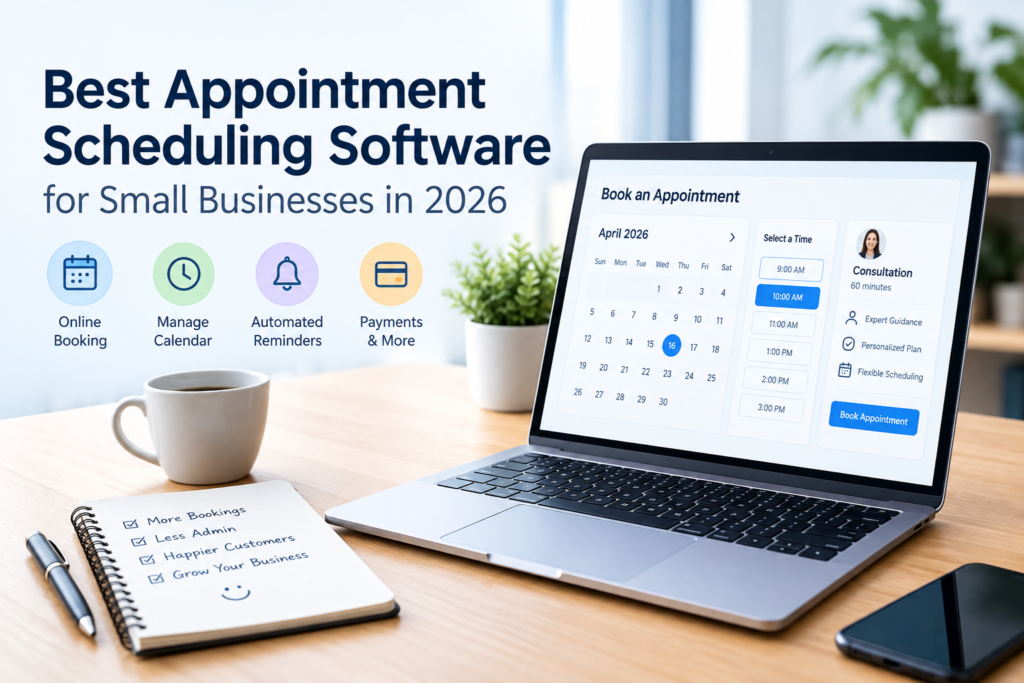

Managing appointments manually can become difficult as a business grows. Customers may need to call or message to find an available time, employees may have different schedules, and missed appointments can create unnecessary gaps in the workday.
The best appointment scheduling software can make this process much simpler. Instead of coordinating every booking manually, businesses can give customers an online booking page, define available hours, send reminders, manage staff calendars, and, with some platforms, collect payments.
However, there is no single scheduling tool that is ideal for every business. A freelancer arranging consultations has different requirements from a salon managing several employees, while a professional service firm may need calendar integrations and lead-routing features.
This guide compares several well-known appointment scheduling platforms and explains what to consider before choosing one.
What Is Appointment Scheduling Software?
Appointment scheduling software is a digital system that helps businesses organize and manage customer bookings.
Depending on the platform, customers may be able to:
- View available appointment times
- Book services online
- Reschedule or cancel appointments
- Receive confirmation messages
- Receive appointment reminders
- Submit information through booking forms
- Pay for services or deposits online
Businesses can use scheduling software to manage calendars, employee availability, services, booking rules, customer information, and payments.
The exact features vary significantly between providers, so businesses should choose software based on how they actually operate rather than simply choosing the platform with the longest feature list.
Why Businesses Use Appointment Scheduling Software
1. Online booking
A booking page allows customers to schedule appointments without waiting for someone to respond manually.
This can be particularly useful for businesses that receive bookings outside normal working hours.
2. Better calendar management
Scheduling software can help businesses organize appointments across one or more calendars. Some platforms also support multiple employees, locations, or resources.
For example, a business with three consultants may need a system that shows which consultant is available before allowing a customer to book.
3. Automated reminders
Reminders can help keep customers informed about upcoming appointments. Depending on the provider and plan, reminders may be delivered through email or text messages.
4. Online payments
Some scheduling platforms integrate payments directly into the booking process. This can be useful for businesses that require deposits or want customers to pay when booking.
Square Appointments, for example, combines scheduling with payment functionality and supports deposits and prepayments on applicable plans.
5. Less administrative work
Automating routine booking tasks can reduce the amount of time employees spend exchanging messages, checking calendars, and confirming appointments manually.
The software does not eliminate the need for customer service, but it can handle many routine scheduling tasks automatically.
Best Appointment Scheduling Software for Small Businesses
The following platforms have different strengths, so the most suitable option depends on the type of business, required integrations, number of employees, payment needs, and budget.
1. Calendly — Best for Meetings and Professional Scheduling
Calendly is widely used for scheduling meetings, consultations, interviews, demonstrations, and other time-based appointments.
Its current plans include a free option, while paid plans add features such as multiple calendar connections, unlimited event types, reminders, payments through Stripe and PayPal, and team scheduling.
Key features
- Online scheduling pages
- Calendar synchronization
- One-on-one meetings
- Group and multi-person scheduling on supported plans
- Automated reminders
- Team scheduling
- Payment integrations
- Lead qualification and routing on higher plans
- Integrations with business applications
Calendly’s Teams plan also supports round-robin scheduling and lead routing, which can be useful for organizations where incoming appointments need to be distributed among team members.
Potential limitation
Businesses that need a complete service-business system with point-of-sale functionality may find that a meeting-focused scheduling platform does not cover all of their requirements.
Best suited for: Consultants, sales teams, recruiters, agencies, coaches, and professionals who primarily schedule meetings.
2. Square Appointments — Best for Scheduling and Payments
Square Appointments combines appointment booking with Square’s broader payment and business ecosystem.
The platform offers a free plan for a single location in some markets, with paid plans adding more advanced scheduling and management features. Current pricing and payment fees vary by country.
Key features
- Online booking
- Staff calendars
- Booking website
- Booking integrations
- Payment processing
- Appointment deposits
- Cancellation and no-show policies
- Automated customer communications
- Multiple staff scheduling
- Reporting features on applicable plans
Square states that its Appointments system can support unlimited staff calendars, while its booking tools can be integrated with an existing website.
Potential limitation
Businesses should pay close attention to transaction fees in addition to any monthly subscription cost. Payment pricing varies according to location, payment method, and plan.
Best suited for: Salons, personal-care businesses, service businesses, and companies that want scheduling and payments within one ecosystem.
3. Acuity Scheduling — Best for Detailed Client Booking
Acuity Scheduling is designed around client appointments and provides tools for businesses that need more detailed booking workflows.
Its current plans include features such as client self-scheduling, appointment reminders, client forms, payment integrations, and automatic time-zone conversion. Higher plans support additional calendars and features such as text reminders, waitlists, memberships, and packages.
Key features
- Client self-scheduling
- Custom intake forms
- Email reminders
- Text reminders on supported plans
- Online payments
- Deposits
- Multiple calendars
- Waitlists
- Packages and memberships
- Video meeting integrations
- Automatic time-zone conversion
Potential limitation
Businesses with very simple scheduling needs may not need all of these features, making a simpler platform potentially easier to manage.
Best suited for: Consultants, wellness businesses, instructors, service providers, and businesses that need detailed client booking information.
Appointment Scheduling Software Comparison
| Platform | Strongest Use Case | Online Booking | Payments | Team Scheduling | Free Option |
|---|---|---|---|---|---|
| Calendly | Meetings and consultations | Yes | Yes, on applicable plans | Yes | Yes |
| Square Appointments | Services and payments | Yes | Yes | Yes | Yes, in some markets |
| Acuity Scheduling | Detailed client appointments | Yes | Yes | Yes, depending on plan | Trial rather than a permanent free plan |
Features and availability vary by plan and country, so businesses should verify the current provider documentation before making a purchasing decision.
How to Choose the Best Appointment Scheduling Software
The right software depends more on your business process than on the number of features advertised.
1. Identify what customers are booking
Start by defining the appointment types you need.
For example:
- Sales consultations
- Customer support calls
- Beauty services
- Training sessions
- Professional consultations
- Classes
- Demonstrations
- Interviews
A business with simple 30-minute consultations may need a very different system from a salon offering multiple services with different durations.
2. Check calendar integrations
Calendar synchronization is important because double bookings can create significant operational problems.
Check whether the software works with the calendar services your team already uses and whether the required integrations are available on your chosen plan.
Calendly, for example, includes calendar connections, with the number of supported connections depending on the plan.
3. Consider the number of employees
A solo business may only need one calendar.
A growing company may need:
- Individual staff calendars
- Shared availability
- Team scheduling
- Round-robin booking
- Multiple locations
- Different services assigned to different employees
Choose software that can accommodate your current operation without creating unnecessary complexity.
4. Look at payment requirements
If customers pay when they book, check:
- Supported payment providers
- Transaction fees
- Deposit functionality
- Refund policies
- Currency availability
- Payment availability in your country
For example, Square combines appointment scheduling with payment processing, while Calendly supports Stripe and PayPal on its Standard plan.
5. Check reminder options
If reminders are important to your business, verify whether email, SMS, or other reminder features are included in the plan you are considering.
Do not assume that every scheduling platform includes the same reminder features.
6. Review cancellation and no-show features
Some businesses need customers to provide deposits or follow a cancellation policy.
Look for features such as:
- Cancellation windows
- Deposits
- No-show fees
- Automatic notifications
- Rescheduling links
These features can make scheduling policies easier to apply consistently.
7. Consider the total cost
Do not compare software based only on its monthly subscription price.
The actual cost may include:
- Subscription fees
- Per-user or per-seat charges
- Payment processing fees
- SMS charges
- Add-ons
- Premium integrations
- Additional locations
For example, Calendly charges according to seats on applicable plans, while Square’s pricing includes different subscription and transaction structures depending on location and plan.
Benefits of Using Appointment Scheduling Software
Saves administrative time
Instead of manually checking availability and confirming every appointment, customers can often complete the booking process themselves.
Makes availability clearer
A properly configured booking page can show customers available times without exposing private calendar information.
Improves organization
A centralized scheduling system can make it easier for employees to see appointments and manage their working hours.
Supports remote and international customers
Some scheduling systems automatically handle time-zone differences. Acuity Scheduling, for example, lists automatic time-zone conversion as a feature on its plans.
Can connect scheduling with other business systems
Depending on the platform, scheduling may connect with payment processors, calendars, CRM systems, video-conferencing services, marketing tools, or other applications.
This can reduce the need to transfer information manually between different systems.
Limitations to Consider
Appointment scheduling software is useful, but it is not a complete solution for every business problem.
Subscription costs can increase
As a business adds employees, locations, or advanced features, the monthly cost may increase.
Payment fees can add to expenses
Businesses accepting online or card payments should consider transaction fees in addition to software costs.
Setup requires planning
Incorrect availability settings, appointment durations, buffers, or staff schedules can create booking problems.
Customers may still need human assistance
Some customers prefer calling or messaging rather than using an online booking system. Businesses should maintain an alternative contact method when appropriate.
Features vary by country
Payment methods, prices, taxes, currencies, and certain features can differ between markets. Always check the provider’s local pricing and feature documentation before signing up.
How to Set Up Appointment Scheduling Software
A basic implementation can follow these steps.
Step 1: List your services
Write down every service customers can book and determine how long each one takes.
Step 2: Define working hours
Set business hours, employee schedules, breaks, holidays, and other periods when appointments should not be available.
Step 3: Connect calendars
Connect the appropriate business calendars and verify that unavailable periods are correctly recognized.
Step 4: Create booking pages
Create clear booking pages with service descriptions, appointment durations, and available times.
Step 5: Configure reminders
Set up confirmation and reminder messages where available.
Step 6: Configure payments
If required, connect a supported payment provider and decide whether customers should pay in full, provide a deposit, or pay later.
Step 7: Test the booking process
Make a test booking from the customer’s perspective.
Check the entire process, including:
- Available times
- Confirmation messages
- Calendar entries
- Payment processing
- Cancellation
- Rescheduling
- Staff notifications
Testing before publishing the booking page can help identify configuration problems.
Tips for Getting More Value From Scheduling Software
Keep the booking process simple
Customers should not have to complete unnecessary steps to schedule a basic appointment.
Use clear service names
Instead of vague names such as “Meeting 1” or “Service B,” use descriptions that tell customers what they are booking.
Avoid overbooking your calendar
Leave reasonable gaps between appointments when setup, travel, preparation, or cleanup is required.
Review your booking data
Look at appointment volume, cancellations, popular services, and staff schedules when the software provides those reports.
Review the software periodically
A platform that works for a one-person business may not be suitable after the company adds several employees or locations.
Frequently Asked Questions
What is the best appointment scheduling software for a small business?
There is no single best option for every small business. Calendly is focused heavily on meetings and professional scheduling, Square Appointments combines bookings with payments and service-business tools, while Acuity Scheduling provides detailed client appointment features. The appropriate choice depends on the business model and required features.
Is appointment scheduling software free?
Some providers offer free plans, while others offer trials rather than permanent free plans. Calendly currently has a free plan, and Square Appointments offers a free plan in certain markets. Acuity Scheduling currently offers a seven-day trial rather than a permanent free plan.
Can appointment scheduling software accept payments?
Yes. Several scheduling platforms support payments. Calendly supports Stripe and PayPal on applicable plans, while Square Appointments integrates scheduling with Square payments. Acuity Scheduling supports payment providers including Stripe, Square, PayPal, and Venmo on its listed plans.
Can customers book appointments online?
Yes. Online self-booking is a core feature of many appointment scheduling platforms. Businesses can generally create a booking page or integrate booking functionality into another online presence, depending on the software.
Is appointment scheduling software worth it for a small business?
It can be useful when a business regularly manages appointments and spends significant time coordinating availability manually. However, a very small business with only occasional appointments may find a simple calendar and manual booking process sufficient. The value depends on the business’s volume, workflow, staffing, and need for automation.
Conclusion
The best appointment scheduling software is not necessarily the platform with the most features. It is the one that fits the way your business actually handles appointments.
For meeting-focused businesses, a tool such as Calendly can provide scheduling and calendar-management capabilities. Service businesses that also need payments may find Square Appointments more closely aligned with their workflow, while businesses requiring detailed client forms, appointment options, and scheduling features may want to consider Acuity Scheduling.
Before choosing a platform, compare its current pricing, calendar integrations, payment options, staff-management capabilities, reminders, cancellation tools, and availability in your country. A short trial or free plan can also be useful for testing the actual booking experience before committing to a paid subscription.