
Generating a steady flow of qualified prospects is an important part of growing a business. However, collecting leads manually from websites, social media, landing pages, email campaigns, and other channels can become difficult as a company grows.
Lead generation software can help businesses organize this process. Depending on the platform, these tools may provide website forms, landing pages, pop-ups, customer relationship management (CRM), email automation, lead scoring, analytics, or integrations with other marketing tools.
The right software depends on your business model, budget, marketing channels, team size, and the type of leads you want to attract. A small business selling professional services, for example, may need a simple form and CRM, while a B2B company may require more advanced automation and lead qualification.
This guide explains what lead generation software does, the features to consider, different types of tools, and how to choose an option that fits your business.
What Is Lead Generation Software?
Lead generation software is a category of marketing and sales technology designed to help businesses attract, capture, organize, and sometimes qualify potential customers.
A lead is generally a person or organization that has shown some level of interest in a product or service. For example, someone who completes a contact form, requests a quotation, downloads a resource, or signs up for a webinar may become a lead.
A typical lead generation process might look like this:
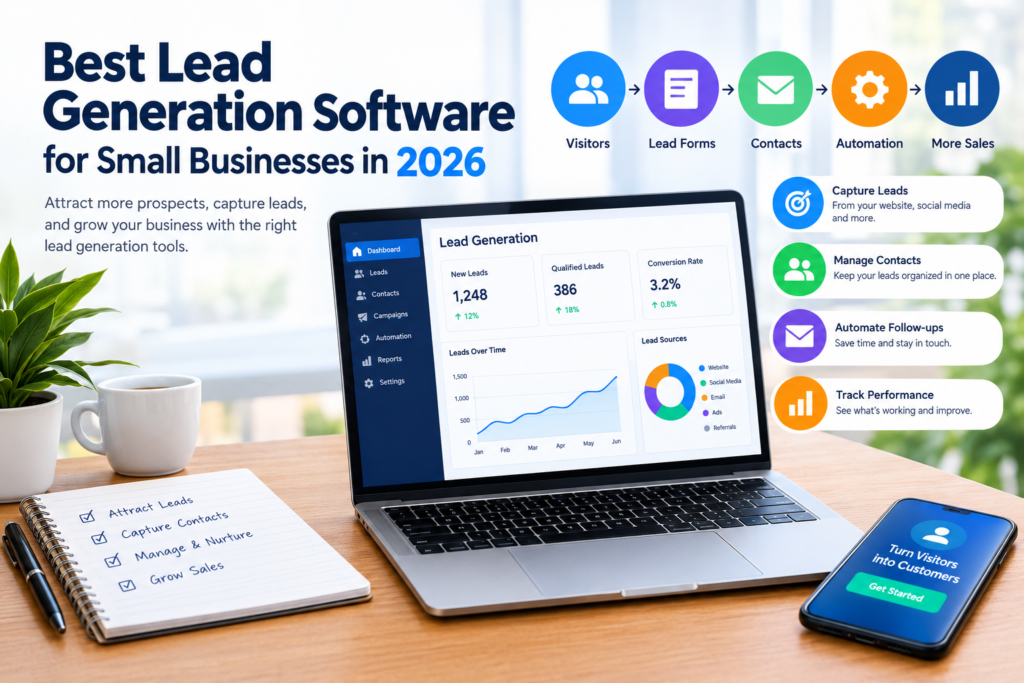
Website visitor → Lead capture form → Contact information → CRM → Qualification → Follow-up → Potential customer
Different platforms handle different parts of this process. Some focus primarily on capturing contact information, while others combine lead generation with CRM, email marketing, advertising, analytics, and sales automation.
Why Businesses Use Lead Generation Software
Manual lead collection can create unnecessary administrative work. Information may be stored in spreadsheets, emails, messaging applications, or separate systems, making it difficult to maintain a consistent process.
Lead generation software can centralize information and automate selected tasks.
1. Centralize Lead Information
Instead of keeping prospect information in multiple locations, businesses can use a central system to organize contact details, source information, interactions, and follow-up activities.
2. Automate Repetitive Tasks
Some platforms can automatically send confirmation emails, assign leads to team members, trigger follow-up workflows, or add contacts to marketing campaigns.
Automation can save time, but businesses should review automated workflows regularly to make sure messages remain relevant and accurate.
3. Improve Lead Organization
A structured system can help marketing and sales teams distinguish between new, active, qualified, and inactive leads.
This can make follow-up easier and reduce the risk of losing track of prospects.
4. Measure Marketing Activity
Many lead generation platforms provide reports showing where leads came from and how they moved through the marketing or sales process.
These insights can help businesses understand which channels deserve further attention.
Types of Lead Generation Software
There is no single type of platform that works for every business. Lead generation tools can be divided into several broad categories.
Lead Capture Tools
These tools focus on collecting information from website visitors.
Common features include:
- Contact forms
- Newsletter signup forms
- Pop-ups
- Landing pages
- Call-to-action elements
- Form analytics
They can be useful for businesses that already receive website traffic and want to convert some of that traffic into identifiable prospects.
CRM and Lead Management Platforms
CRM platforms combine lead storage and customer management features.
They may allow businesses to:
- Store contact records
- Track interactions
- Manage sales pipelines
- Assign leads to employees
- Schedule follow-ups
- Record sales activities
- Create reports
A CRM can be particularly useful when several employees are involved in managing prospects.
Email Marketing Platforms
Email marketing software can help businesses collect subscribers and communicate with them through newsletters, automated messages, and targeted campaigns.
For example, a software company might offer a useful guide in exchange for an email address and then send a series of educational emails to subscribers who opted in.
Marketing Automation Platforms
Marketing automation tools can connect several activities into workflows.
A workflow could include:
- A visitor completes a form.
- The visitor receives a confirmation email.
- The contact is added to a CRM.
- The lead is assigned to a salesperson.
- A follow-up task is created.
The exact capabilities vary significantly between platforms.
Website and Conversion Optimization Tools
Some tools focus on improving the way websites convert visitors into leads.
They may provide landing-page builders, A/B testing, visitor behavior insights, forms, surveys, or other conversion features.
Important Features to Look For
When comparing the best lead generation software, avoid focusing only on the number of features. Consider whether the features actually support your marketing process.
Lead Capture
Look for flexible forms and landing pages that can collect the information your business genuinely needs.
Avoid asking for unnecessary information. A long form can create additional friction for visitors.
CRM Integration
If your business already uses a CRM, check whether the lead generation platform integrates with it.
A strong integration can reduce manual data entry and help marketing and sales teams work from consistent information.
Automation
Automation can be useful for repetitive activities such as:
- Welcome emails
- Lead assignment
- Internal notifications
- Follow-up reminders
- Campaign enrollment
However, not every process should be automated. Personal communication may still be important for high-value or complex prospects.
Analytics and Reporting
Look for reporting that helps answer practical questions:
- How many leads are being generated?
- Which channels generate them?
- Which landing pages perform well?
- How many leads become qualified opportunities?
- Where are prospects dropping out?
Good reporting should support decision-making rather than simply provide large amounts of data.
Integrations
Your lead generation software may need to connect with other systems, such as:
- CRM software
- Email marketing platforms
- Website platforms
- Advertising platforms
- Analytics tools
- Customer support systems
- Scheduling applications
Check the available integrations before purchasing a platform.
Ease of Use
A feature-rich system can still be a poor choice if your team finds it difficult to operate.
Consider how long it will take employees to learn the software and whether the platform provides useful documentation or support.
Data and Privacy Controls
Lead information can include names, email addresses, phone numbers, company information, and other personal or business data.
Before collecting information, make sure your processes comply with applicable privacy and data-protection requirements. Review the software provider’s current privacy documentation, security information, and data-processing terms.
Comparing Lead Generation Software
The following framework can help you compare different platforms without assuming that one tool is appropriate for every business.
| Feature | Basic Lead Capture Tool | CRM Platform | Marketing Automation Platform |
|---|---|---|---|
| Forms | Usually | Often | Usually |
| Landing pages | Sometimes | Sometimes | Often |
| Contact management | Limited | Strong | Strong |
| Sales pipeline | Usually limited | Strong | Varies |
| Email automation | Limited or no | Varies | Strong |
| Lead scoring | Rare | Sometimes | Often |
| Reporting | Basic to moderate | Moderate to strong | Strong |
| Integrations | Varies | Usually | Usually |
| Best suited for | Simple campaigns | Sales teams | Multi-step marketing |
This is a general comparison rather than a ranking. Individual products differ considerably in their features, pricing, limits, and integrations.
How to Choose the Right Software
Choosing the right platform becomes easier when you start with your business requirements instead of the software’s feature list.
Step 1: Define Your Lead Generation Goal
First, decide what you want the system to accomplish.
For example, your primary goal might be:
- Collecting consultation requests
- Generating B2B inquiries
- Building an email subscriber list
- Booking product demonstrations
- Capturing quotation requests
- Managing leads from paid advertising
A clear goal makes it easier to eliminate unnecessary tools.
Step 2: Identify Your Main Lead Sources
Determine where potential customers currently come from.
Possible channels include:
- Organic search
- Paid advertising
- Social media
- Referrals
- Events
- Webinars
- Direct traffic
The software should support the channels that matter most to your business.
Step 3: Determine Your Team’s Needs
A solo business owner may only need a simple form and contact database.
A larger sales team may require lead assignment, pipeline management, permissions, reporting, and automation.
Choose software that matches your current workflow rather than paying for capabilities your team is unlikely to use.
Step 4: Calculate the Total Cost
Software pricing can involve more than the advertised starting subscription.
Check for:
- Monthly or annual subscription fees
- Contact limits
- User limits
- Feature restrictions
- Additional automation charges
- Integration limitations
- Setup or onboarding costs
- Premium support
A low entry price does not necessarily mean the software will remain inexpensive as your database grows.
Step 5: Test Before Committing
If a free trial or demonstration is available, use it.
Create a realistic workflow rather than simply clicking through the dashboard. For example, create a form, submit a test lead, send it to the CRM, trigger a follow-up, and review the reporting.
This can reveal problems that are not obvious from a feature list.
Common Mistakes When Using Lead Generation Software
Technology can improve a process, but it cannot replace a clear marketing strategy.
Using Too Many Tools
Connecting several overlapping platforms can create unnecessary complexity.
A smaller technology stack may be easier to maintain if it covers your essential requirements.
Collecting Too Much Information
Businesses sometimes create forms with too many fields.
Only request information that has a clear purpose. You can collect additional information later when appropriate.
Ignoring Lead Quality
Generating a large number of contacts does not automatically mean a campaign is successful.
A business should consider whether the people being captured match its target audience and have genuine potential interest.
Failing to Follow Up
Lead generation is only one part of the process. If new leads are not handled promptly and appropriately, valuable opportunities may be missed.
Create a clear process for deciding who follows up, when they follow up, and what happens afterward.
Automating Everything
Automation can improve efficiency, but excessive automation may produce irrelevant or repetitive communication.
Review automated messages periodically and give prospects appropriate ways to manage their communication preferences.
Lead Generation Software vs. CRM Software
The two categories overlap, but they are not identical.
Lead generation software generally focuses on attracting and capturing prospects.
CRM software primarily focuses on organizing customer and prospect relationships, interactions, and sales processes.
Some modern platforms combine both functions.
For a small company, an all-in-one platform may reduce the number of systems that need to be managed. For another business, specialized tools connected through integrations may provide greater flexibility.
The right approach depends on your workflow, budget, team, and technical requirements.
How to Improve Your Lead Generation Process
Software is most useful when combined with a well-designed process.
Create Useful Offers
Give visitors a clear reason to provide their contact information. Depending on your business, this could be a consultation, product demonstration, useful guide, newsletter, quote request, or other relevant resource.
Use Clear Calls to Action
Visitors should understand what happens when they click a button or submit a form.
Instead of vague wording, explain the next step clearly.
Keep Landing Pages Focused
A landing page should make it easy for visitors to understand:
- What is being offered
- Who it is for
- Why it may be useful
- What they need to do next
Remove unnecessary distractions where appropriate.
Track the Entire Journey
Don’t measure only the number of form submissions.
Where possible, examine what happens after a lead is captured. This can provide a more useful picture of marketing performance.
Review Your Data Regularly
Look for patterns in lead sources, campaign performance, conversion stages, and lead quality.
Use those observations to refine your marketing activities rather than making decisions based solely on the volume of new contacts.
Frequently Asked Questions
1. What is the best lead generation software?
There is no single best option for every business. The appropriate software depends on factors such as your lead sources, required features, team size, CRM needs, automation requirements, budget, and integrations.
2. Is lead generation software worth using for a small business?
It can be useful when a business regularly receives inquiries and needs a more organized way to capture and manage them. Businesses with very low lead volume may find that a simple CRM or form solution is sufficient.
3. What features should lead generation software have?
Common features include lead capture forms, landing pages, contact management, automation, analytics, integrations, and CRM functionality. The importance of each feature depends on your marketing process.
4. Does lead generation software guarantee more customers?
No. Software can help organize and automate parts of lead generation, but it cannot guarantee leads, sales, or revenue. Results depend on factors such as the offer, audience, marketing channels, website experience, competition, and follow-up process.
5. How much does lead generation software cost?
Pricing varies widely. Some tools have free plans or trials, while others charge based on users, contacts, features, or usage. Always check the provider’s current pricing page because plans and limits can change.
Conclusion
The best lead generation software for your business is the platform that fits your actual marketing and sales workflow—not necessarily the one with the longest feature list.
Start by identifying where your leads come from, how your team manages them, and which tasks you want to automate. Then compare important factors such as lead capture, CRM integration, reporting, automation, usability, privacy controls, integrations, and total cost.
For a small business, a straightforward system that the team consistently uses can be more practical than a complicated platform with features that are rarely needed. Test potential tools with realistic workflows before making a long-term commitment, and review your lead generation process regularly as your business grows.