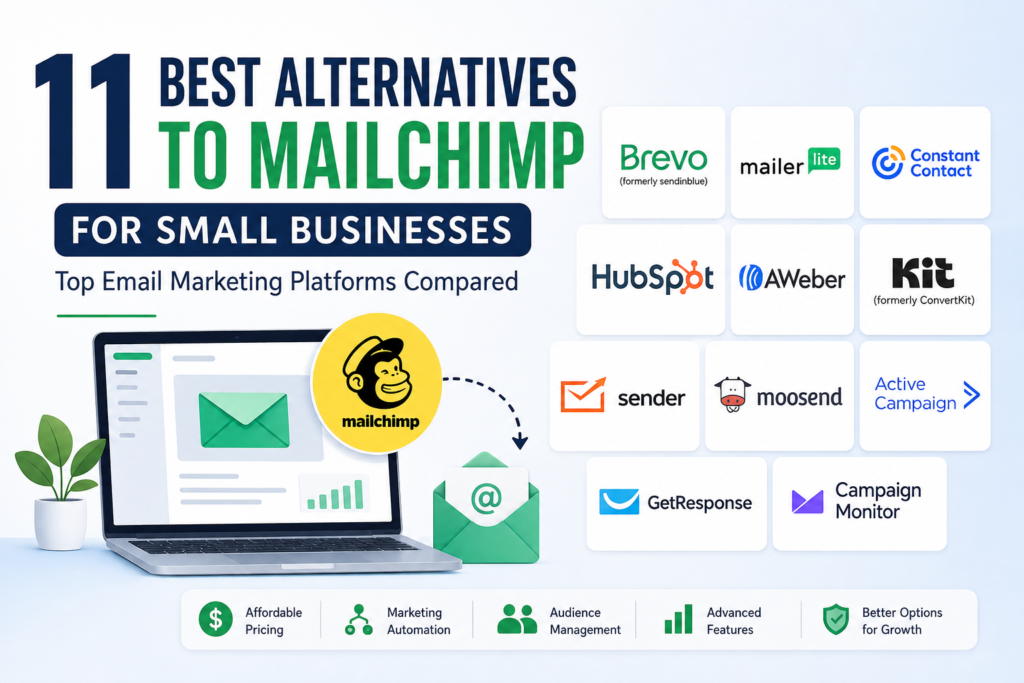

Choosing the right email marketing platform can make a major difference for a small business. Email remains useful for newsletters, customer communication, promotions, lead nurturing, and automated follow-ups. However, Mailchimp is not the only option available, and its pricing structure, contact limits, features, and sending allowances may not suit every business.
The best alternatives to Mailchimp for small businesses depend on what you actually need. Some platforms focus on affordable email campaigns, while others combine email with CRM, SMS, ecommerce, automation, landing pages, or creator tools.
In this guide, we compare 11 Mailchimp alternatives and explain where each one may fit best, along with important limitations to consider before switching.
Why Consider a Mailchimp Alternative?
Mailchimp remains a well-known email marketing platform, offering features such as email campaigns, automation, audience management, templates, and reporting. Its current pricing is based partly on contacts and sending limits, and its free plan has limits of 250 contacts and 500 monthly sends.
For some small businesses, that structure works well. For others, another platform may offer a better combination of price, features, sending volume, automation, or customer-management tools.
Common reasons businesses look for alternatives include:
- A pricing model that better matches their contact list
- More automation features
- SMS or multichannel communication
- A built-in CRM
- Ecommerce-focused marketing tools
- Simpler email creation
- Better tools for newsletters and creators
- More generous free plans
- Different limits on contacts or email sends
The goal should not simply be to find the cheapest platform. The better choice is the service that fits your audience size, marketing workflow, budget, and long-term plans.
11 Best Alternatives to Mailchimp for Small Businesses
1. Brevo
Best for: Small businesses that want email plus SMS and other communication channels.
Brevo is an attractive Mailchimp alternative because it goes beyond traditional email marketing. Its platform supports email, SMS, WhatsApp, chat, CRM-related functions, and marketing automation.
Brevo currently offers a free plan with up to 300 daily email sends and storage for up to 100,000 contacts. Its Starter plan starts at $9 per month, while Standard starts at $18 per month, although the exact cost depends on the selected sending and contact requirements.
Pros:
- Free plan available
- Email and SMS marketing
- Marketing automation
- CRM and sales features
- Useful for businesses using multiple communication channels
Limitations:
- Daily sending limits on the free plan may not suit frequent senders
- More advanced features require paid plans
- The platform can feel broader than necessary if you only need basic newsletters
Best choice for: Businesses that want email marketing without limiting themselves to email alone.
2. MailerLite
Best for: Small businesses, bloggers, and creators looking for a straightforward email marketing platform.
MailerLite emphasizes simplicity and provides email campaigns, automation, landing pages, signup forms, and website-related tools.
Its current free plan supports up to 250 subscribers and 2,500 monthly emails. Paid plans include additional capabilities, with the Comfort plan starting at $12 per month according to its current pricing page.
Pros:
- Simple interface
- Free plan for smaller lists
- Landing pages and signup forms
- Email automation
- Useful website and digital-product features
Limitations:
- The free plan has subscriber and sending limits
- Businesses needing advanced CRM functionality may need another platform
Best choice for: Small businesses that value simplicity and want to build campaigns without a complicated interface.
3. Constant Contact
Best for: Small businesses that want email marketing combined with social and event-related tools.
Constant Contact offers email marketing, social media tools, automation, segmentation, reporting, integrations, and event-related capabilities.
Its current plans include Lite, Standard, and Premium. Starting prices shown on its U.S. website are $12, $35, and $80 per month respectively, with pricing affected by contact count and email sending limits.
Constant Contact also advertises more than 300 integrations, including connections with services such as Canva, Shopify, Zapier, and social platforms.
Pros:
- Strong small-business focus
- Email and social marketing
- Large integration ecosystem
- Event and payment-related tools
- Live support options
Limitations:
- Can become expensive as the contact list grows
- Some advanced features require higher-tier plans
- Email sending allowances vary by plan
Best choice for: Local businesses and growing companies that want email, social marketing, and additional marketing tools in one platform.
4. HubSpot
Best for: Small businesses that need email marketing alongside CRM and broader customer-management tools.
HubSpot takes a different approach from a traditional email-only platform. Its Marketing Hub works alongside its CRM and other business tools.
HubSpot currently provides free tools, while Marketing Hub Starter includes 1,000 marketing contacts. The platform’s paid marketing plans use contact-based email sending limits, making it important to understand exactly how contacts and sends are counted before subscribing.
Pros:
- CRM integration
- Email marketing
- Lead management
- Marketing automation
- Sales and customer-service ecosystem
- Free tools available
Limitations:
- The broader platform can be more complex than necessary for basic newsletters
- Advanced marketing features can become expensive
- Businesses should carefully review contact and feature limits
Best choice for: Businesses that want to connect email marketing with sales, CRM, and customer management.
5. AWeber
Best for: Small businesses and creators that want established email marketing and automation tools.
AWeber provides email marketing, automation, landing pages, segmentation, analytics, and ecommerce-related functionality.
Its current pricing includes a free starting option and paid plans such as Lite and Plus. The exact cost varies according to subscribers and plan selection. For example, its current pricing page lists Lite at $12.49 per month and Plus at $19.99 per month for the displayed entry-level pricing.
Pros:
- Email automation
- Landing pages
- Segmentation
- Analytics
- Ecommerce functionality
- Long-established email marketing service
Limitations:
- Costs increase as subscriber numbers rise
- Some advanced features require higher plans
Best choice for: Businesses that want traditional email marketing with automation and audience-management tools.
6. Kit
Best for: Creators, publishers, consultants, and businesses built around newsletters and digital content.
Kit, formerly known as ConvertKit, focuses heavily on creators and audience growth. Its tools include email broadcasts, landing pages, forms, tagging, segmentation, automation, and digital-product capabilities.
Kit currently offers a free Newsletter plan for up to 1,000 subscribers, with a limited automation feature set. Its Creator plan is listed at $33 per month for 1,000 subscribers when billed annually.
Pros:
- Strong newsletter tools
- Audience tagging and segmentation
- Landing pages and forms
- Digital products and subscriptions
- Creator-focused workflow
Limitations:
- May not be the best fit for businesses needing a traditional CRM
- Some advanced automation features require a paid plan
Best choice for: Newsletter publishers, creators, coaches, and businesses that build relationships through content.
7. Sender
Best for: Small businesses looking for email marketing, automation, and ecommerce-related features at a lower entry cost.
Sender provides newsletters, automation, segmentation, landing pages, forms, and transactional email capabilities.
Its current free plan supports up to 2,500 subscribers and 15,000 emails per month. Paid plans add features such as SMS, A/B testing, additional landing pages, and more advanced reporting.
Pros:
- Generous free starting plan
- Email automation
- Segmentation
- Landing pages
- SMS options
- Ecommerce reporting
Limitations:
- Advanced capabilities are reserved for paid plans
- Businesses with sophisticated CRM requirements may need a broader platform
Best choice for: Small online businesses that want email automation and ecommerce functionality without starting with a large software budget.
8. Moosend
Best for: Businesses that prioritize email automation and campaign management.
Moosend focuses on email campaigns, marketing automation, landing pages, subscription forms, transactional email, and reporting.
Its current offering includes a 30-day free trial, followed by paid plans. The platform also provides options for businesses that need additional features such as transactional email, dedicated IPs, custom reports, and advanced audience capabilities.
Pros:
- Marketing automation
- Email campaigns
- Landing pages
- Subscription forms
- Reporting and analytics
- Transactional email options
Limitations:
- Advanced functionality may require additional spending
- Businesses should compare its contact-based pricing with alternatives before committing
Best choice for: Small businesses that want to put automation at the center of their email marketing strategy.
9. ActiveCampaign
Best for: Businesses that need sophisticated customer journeys and automation.
ActiveCampaign is known for combining email marketing with customer experience automation, segmentation, CRM functionality, and sales workflows.
It can be particularly useful when a business has more complicated customer journeys—for example, when different actions by a subscriber should trigger different emails or follow-ups.
Pros:
- Advanced automation
- Customer segmentation
- CRM and sales tools
- Complex customer journeys
- Strong fit for growing marketing operations
Limitations:
- More complicated than a basic newsletter platform
- Pricing and feature availability depend on the selected plan and audience size
- May be more software than a very small business needs
Best choice for: Businesses that have moved beyond simple newsletters and need detailed automation.
10. GetResponse
Best for: Small businesses that want email marketing combined with landing pages, automation, and additional marketing tools.
GetResponse provides email campaigns, automation, landing pages, forms, webinars, and other marketing functions depending on the plan.
Its broader feature set can make it useful for businesses that want to manage more of their marketing process from one platform.
Pros:
- Email marketing
- Marketing automation
- Landing pages
- Conversion-focused tools
- Multiple marketing features in one platform
Limitations:
- The number of features can make the platform feel complex
- Some tools are restricted to higher-tier plans
- Businesses should compare its pricing against simpler email-focused services
Best choice for: Small businesses that want more than newsletters but do not necessarily need a full CRM platform.
11. Campaign Monitor
Best for: Businesses that prioritize attractive email campaigns and straightforward customer communication.
Campaign Monitor focuses on email marketing, automation, segmentation, templates, analytics, and customer journeys.
Its approach can work well for businesses where email design and audience communication are central to marketing.
Pros:
- Email campaign creation
- Automation
- Segmentation
- Reporting
- Professional email templates
Limitations:
- Pricing should be evaluated against the number of contacts and sends you require
- Businesses looking for a complete CRM may need additional software
Best choice for: Businesses that want a dedicated email marketing platform with professional campaign-building capabilities.
Mailchimp Alternatives Compared
Here is a quick way to think about the 11 options:
| Platform | Best suited for | Main strength |
|---|---|---|
| Brevo | Small businesses | Email + SMS + CRM features |
| MailerLite | Beginners and creators | Simplicity |
| Constant Contact | Local and growing businesses | Email + social + events |
| HubSpot | Growing businesses | CRM + marketing |
| AWeber | Creators and small businesses | Email automation |
| Kit | Creators and publishers | Newsletter and audience tools |
| Sender | Budget-conscious businesses | Free plan and automation |
| Moosend | Automation-focused businesses | Marketing automation |
| ActiveCampaign | Advanced marketers | Customer journeys |
| GetResponse | Growing businesses | Broad marketing toolkit |
| Campaign Monitor | Email-focused businesses | Campaign design and automation |
The “best” platform is therefore not necessarily the one with the lowest starting price. Your contact count, monthly email volume, automation requirements, integrations, and future needs can all affect the total value.
How to Choose the Best Mailchimp Alternative
Before switching platforms, consider these factors.
1. Determine Your Contact List Size
Start by identifying how many active subscribers you actually have.
A platform that is inexpensive for 500 contacts may become considerably more expensive at 10,000 contacts. Also check whether inactive contacts count toward your billing tier.
2. Estimate Your Monthly Email Volume
Do not look only at the number of contacts.
For example, a business with 2,000 subscribers sending one newsletter per week needs approximately 8,000 sends per month. Another business with the same number of subscribers may send considerably more because of automated campaigns.
Compare both contact limits and sending allowances.
3. Check Automation Features
Basic automation might be enough for a simple newsletter.
However, you may eventually want workflows such as:
- Welcome emails
- Abandoned-cart messages
- Lead nurturing
- Customer follow-ups
- Birthday or anniversary campaigns
- Re-engagement campaigns
- Post-purchase emails
If automation is important to your strategy, compare the workflow capabilities of each platform rather than choosing based only on the email editor.
4. Consider CRM Requirements
If you need to track leads, sales opportunities, customer conversations, and marketing activity, a platform such as HubSpot may be more appropriate than a simple email newsletter service.
If you only need newsletters and automated emails, a dedicated email platform may be easier to manage.
5. Look at Integrations
Your email platform may need to connect with:
- Your website
- Ecommerce store
- CRM
- Payment platform
- Analytics tools
- Lead-generation forms
- Social media tools
Check the integrations you actually need before making the switch.
6. Review Deliverability and Compliance Features
A good email platform should provide tools that support responsible email marketing.
Look for features such as unsubscribe management, consent-related tools, bounce handling, authentication support, and reporting.
You should also make sure your marketing practices comply with applicable privacy and email-marketing laws.
7. Think About Future Growth
Choosing software only because it is inexpensive today can create problems later.
Consider what will happen when you have:
- 5,000 subscribers
- 10,000 subscribers
- More team members
- More automated campaigns
- Multiple products
- A larger ecommerce operation
A platform that can grow with your business may be more valuable than the cheapest option at the beginning.
How to Switch From Mailchimp to Another Platform
Switching email platforms does not have to be complicated, but it should be planned carefully.
Step 1: Audit Your Existing Audience
Review your contacts, tags, segments, campaigns, and automation workflows.
Remove unnecessary or invalid data before importing your audience into another platform.
Step 2: Choose the New Platform
Compare your actual requirements rather than choosing based on a generic “best” list.
Look at contacts, email volume, automation, integrations, support, and total cost.
Step 3: Export and Organize Your Data
Export the information you are permitted to transfer and organize it before importing it into the new service.
Pay particular attention to subscriber status, consent information, tags, and custom fields.
Step 4: Rebuild Important Automations
Do not assume that Mailchimp automations will transfer perfectly to another platform.
Recreate important workflows and test them before making the new system your primary marketing platform.
Step 5: Authenticate Your Sending Domain
Follow the new provider’s instructions for email authentication and domain configuration.
Proper authentication can help establish your sending identity and is an important part of responsible email operations.
Step 6: Test Before Sending
Send test emails to different devices and email providers.
Check:
- Links
- Images
- Personalization
- Mobile layout
- Unsubscribe links
- Automation triggers
- Forms
- Tracking
Step 7: Monitor Your First Campaigns
After switching, monitor delivery, bounces, unsubscribes, clicks, and other available campaign metrics.
This helps identify technical or audience issues before they become recurring problems.
Are Cheaper Mailchimp Alternatives Always Better?
No.
A lower monthly price does not automatically mean better value.
For example, a platform may have a lower starting price but lack an integration you need. Another may offer a generous free plan but have limits that become inconvenient as your business grows.
Instead of asking, “Which platform is cheapest?” ask:
“Which platform gives my business the features I need at a reasonable total cost?”
That approach makes the comparison more useful.
What Should a Small Business Look for in Email Marketing Software?
At a minimum, most small businesses should consider:
- Easy email creation
- Contact management
- Segmentation
- Basic automation
- Signup forms
- Analytics
- Unsubscribe management
- Mobile-friendly emails
- Useful integrations
- Reliable customer support
- Transparent pricing
Businesses with more advanced requirements may also need CRM integration, ecommerce automation, SMS, advanced reporting, or sophisticated customer journeys.
Frequently Asked Questions
1. What is the best alternative to Mailchimp for a small business?
There is no single best choice for every business. Brevo can be attractive for businesses wanting email and SMS, MailerLite for simplicity, HubSpot for CRM integration, and Sender for businesses looking for a generous free starting option. The right choice depends on your contacts, sending volume, automation needs, and budget.
2. Is Mailchimp still good for small businesses?
Yes. Mailchimp remains a capable email marketing platform and offers campaign management, automation, templates, audience tools, and reporting. However, its pricing and contact/send limits may not be ideal for every small business, so comparing alternatives is worthwhile.
3. What is the cheapest Mailchimp alternative?
“Cheapest” depends on how many contacts you have and how many emails you send. Several platforms offer free plans, including Brevo, MailerLite, HubSpot, Kit, and Sender, but their limits and included features differ. Always compare the plan details rather than just the advertised starting price.
4. Can I move my Mailchimp contacts to another email platform?
In many cases, businesses can export eligible contact data from Mailchimp and import it into another service. However, you should review the new provider’s import process and make sure you continue to respect subscriber consent and applicable privacy requirements.
5. Should a small business choose email software with a CRM?
It depends on how you manage customers. If your business needs sales pipelines, lead tracking, customer records, and marketing coordination, a CRM-integrated platform can be valuable. If your needs are limited to newsletters and simple automation, dedicated email marketing software may be easier and more economical.
Conclusion
The best alternatives to Mailchimp for small businesses are not necessarily the platforms with the longest feature lists or lowest advertised prices. The right choice depends on your audience size, email volume, marketing goals, automation requirements, integrations, and budget.
MailerLite and Sender can be appealing for businesses that prioritize simplicity or a lower-cost starting point. Brevo is worth considering when SMS and multichannel communication matter. HubSpot makes more sense when CRM and broader customer management are important, while Kit is particularly suited to creators and newsletter-focused businesses. Other options such as Constant Contact, AWeber, Moosend, ActiveCampaign, GetResponse, and Campaign Monitor serve different needs.
Before moving away from Mailchimp, compare the features and pricing that matter to your specific business. Most importantly, check the providers’ official pricing pages before purchasing because plans, limits, and features can change over time.