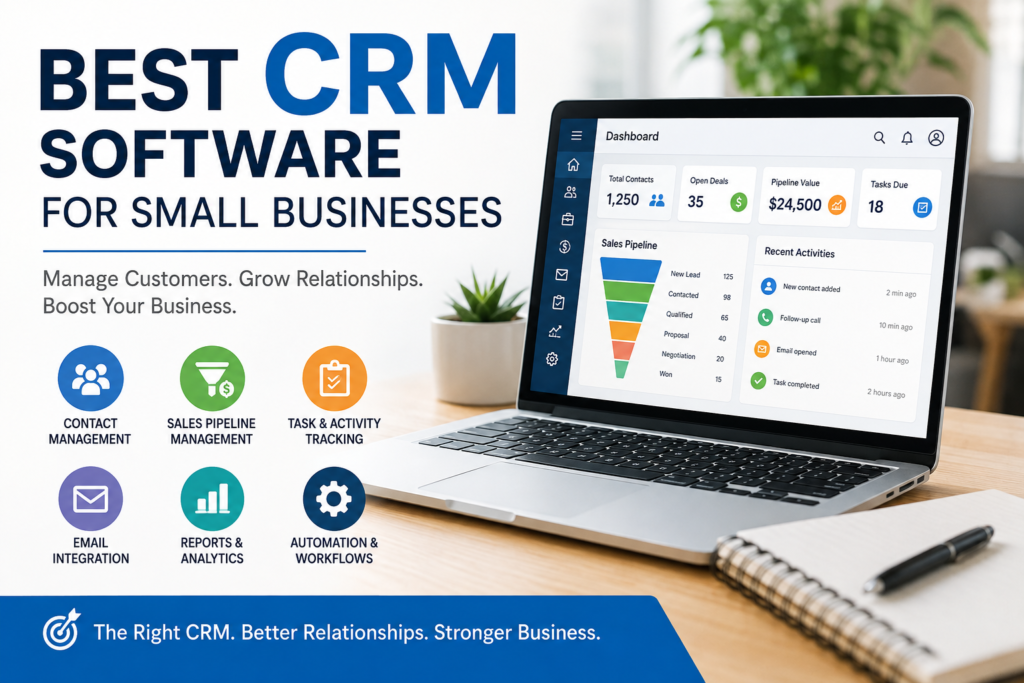

Choosing the best CRM software for small businesses can make customer management much easier. Instead of keeping customer details in spreadsheets, email inboxes, notebooks, or different applications, a CRM can bring important information into one organized system.
A customer relationship management (CRM) platform can help a small business track leads, manage sales opportunities, record customer interactions, schedule follow-ups, and understand where prospects are in the buying process.
However, not every CRM is suitable for every small business. Some platforms are designed around sales teams, while others place more emphasis on marketing, customer support, automation, project management, or customization.
The right choice therefore depends less on finding the CRM with the longest feature list and more on finding one that fits your business size, workflow, budget, technical ability, and future needs.
What Is CRM Software?
CRM software is a system businesses use to organize and manage relationships and interactions with current and potential customers.
A typical CRM can store information such as:
- Customer names and contact details
- Companies and job roles
- Sales opportunities
- Previous conversations
- Emails and activities
- Follow-up tasks
- Notes
- Customer service interactions
- Marketing information
For example, imagine a small web design company receives inquiries from 30 potential customers each month. Without a CRM, employees may track those inquiries through spreadsheets and email.
With a CRM, each prospect can have a customer record showing when they contacted the company, what service they are interested in, the current sales stage, and the next action required.
This makes it easier to maintain consistent follow-up and reduces the chance of important information being overlooked.
Why Small Businesses Need CRM Software
A CRM isn’t automatically necessary for every business. A very small operation with only a few customers may be able to manage relationships using simpler tools.
As the number of prospects and customers increases, however, organized customer information becomes increasingly useful.
1. Centralize Customer Information
A CRM gives employees a central location for customer records.
Instead of searching through different spreadsheets and email conversations, a team can generally find relevant information from the customer’s record.
2. Improve Sales Organization
CRM systems can help businesses organize leads according to different stages of the sales process.
For example:
New Lead → Contacted → Qualified → Proposal → Negotiation → Won/Lost
The exact stages can be customized depending on how the business sells its products or services.
3. Make Follow-Ups Easier
A CRM can provide tasks and reminders for sales representatives and business owners.
For example, if a potential customer asks to be contacted next Monday, the business can create a follow-up task rather than relying on memory.
4. Understand the Sales Pipeline
A sales pipeline provides a visual representation of potential deals and their current stages.
This can help a business answer questions such as:
- How many leads are currently active?
- Which prospects need follow-up?
- Which deals are close to completion?
- Which sales opportunities have stalled?
5. Support Better Customer Service
Customer-facing employees can use CRM records to understand previous interactions with customers.
This can be especially useful when several employees communicate with the same customer.
Best CRM Software for Small Businesses: What to Look For
There is no single CRM that is objectively the best for every small business. The right platform depends on your specific requirements.
Here are the most important factors to evaluate.
1. Ease of Use
A CRM with dozens of advanced features isn’t very useful if your team finds it difficult to operate.
Look for:
- Simple navigation
- Clear dashboards
- Easy contact management
- Straightforward reporting
- Minimal unnecessary complexity
- Useful onboarding resources
If possible, test a free plan or trial before committing to a paid subscription.
2. Contact Management
Contact management is one of the core functions of CRM software.
A good system should make it easy to create, update, search, and organize customer records.
Consider whether the platform allows you to store:
- Contact information
- Company information
- Communication history
- Notes
- Tasks
- Deals
- Custom fields
3. Sales Pipeline Management
If your business relies on selling products or services, pipeline management can be particularly important.
Look for a system that lets you create sales stages that match your actual sales process.
For example, a consulting business might use:
Inquiry → Discovery Call → Proposal Sent → Decision → Client
An online retailer may have very different requirements.
4. Automation
Automation can reduce repetitive administrative work.
Depending on the CRM, automation features may include:
- Lead assignment
- Follow-up reminders
- Email workflows
- Task creation
- Customer segmentation
- Notifications
- Sales-stage updates
Small businesses should avoid paying for complex automation they don’t actually need.
5. Reporting and Analytics
Reports can help business owners understand sales activity and customer management.
Useful reports may include:
- Number of new leads
- Sales pipeline value
- Closed deals
- Sales activities
- Lead sources
- Conversion stages
- Customer activity
Choose reporting capabilities based on the decisions you actually need to make.
6. Integrations
Your CRM may need to work with other software your business already uses.
Common integrations include:
- Email platforms
- Calendars
- Accounting software
- Marketing tools
- Customer support platforms
- Communication applications
- E-commerce systems
- Project management software
Before choosing a CRM, make a list of your essential business applications and check whether the CRM supports them.
7. Mobile Access
Business owners and sales teams may need customer information while working away from their desks.
A CRM with a useful mobile application or mobile-friendly interface can make it easier to update records and manage tasks while traveling or meeting customers.
8. Pricing
CRM pricing can vary considerably.
Some providers offer free plans, while others charge according to users, features, contacts, storage, or usage.
When comparing prices, don’t look only at the advertised starting price.
Consider:
- Number of users
- Required features
- Monthly versus annual billing
- Additional integrations
- Automation limits
- Storage limits
- Upgrade requirements
- Implementation or migration costs
A low-cost CRM isn’t necessarily cheaper if your business quickly outgrows its plan.
Popular CRM Software Options for Small Businesses
Several established CRM platforms serve small businesses and growing organizations. The best choice depends on your requirements rather than simply the popularity of a particular brand.
HubSpot CRM
HubSpot offers CRM capabilities alongside sales, marketing, service, and other business tools.
It can be attractive to small businesses that want to start with core CRM functionality and potentially expand into additional tools.
Potential advantages:
- Broad business ecosystem
- Contact and deal management
- Marketing and sales capabilities
- Reporting and automation options
Potential limitations:
- Advanced functionality may require paid plans
- The wider platform can become complex as more tools are added
Check the current plans and feature limits on HubSpot’s official website.
Zoho CRM
Zoho provides CRM software as part of a broader collection of business applications.
Zoho CRM may be suitable for businesses that want CRM capabilities alongside other business applications from the same ecosystem.
Potential advantages:
- Customization options
- Sales management
- Workflow automation
- Integration with other Zoho applications
Potential limitations:
- The range of options may require some learning
- Businesses should compare editions carefully because features differ between plans
Current product information is available through Zoho CRM’s official website.
Salesforce
Salesforce is a major CRM provider with extensive customization and business capabilities.
For a small business with straightforward requirements, however, Salesforce may offer more functionality than necessary.
Potential advantages:
- Extensive customization
- Large ecosystem
- Advanced sales and business capabilities
- Wide range of integrations
Potential limitations:
- Can require more setup and administration
- Pricing and configuration can become complicated depending on requirements
Businesses considering Salesforce should review current offerings at Salesforce’s official website.
Pipedrive
Pipedrive focuses strongly on sales pipeline and deal management.
This can make it particularly relevant to small teams whose primary CRM requirement is organizing sales opportunities and follow-ups.
Potential advantages:
- Sales-focused interface
- Visual pipeline management
- Lead and deal organization
- Automation capabilities
Potential limitations:
- Businesses needing a broader all-in-one business platform may require additional tools
See current features and pricing at Pipedrive’s official website.
CRM Comparison for Small Businesses
| CRM | Best suited for | Key strength | Potential consideration |
|---|---|---|---|
| HubSpot CRM | Businesses wanting a broad CRM ecosystem | Sales, marketing, and service tools | Advanced features can require paid plans |
| Zoho CRM | Businesses seeking customization and an integrated ecosystem | Flexibility and business integrations | May require a learning period |
| Salesforce | Businesses expecting more complex CRM requirements | Extensive customization | Can require more administration |
| Pipedrive | Sales-focused teams | Visual sales pipeline | May need additional tools for broader needs |
Important: Features, pricing, limits, and plan structures can change. Always verify current information directly with the provider before making a purchasing decision.
How to Choose the Best CRM Software for Your Small Business
Instead of selecting a CRM based solely on reviews or popularity, use a structured evaluation process.
Step 1: Identify Your Main Problem
Start by asking what you actually want the CRM to solve.
Is your main problem:
- Losing track of leads?
- Poor follow-up?
- Disorganized customer information?
- Limited sales visibility?
- Manual reporting?
- Difficult customer handoffs?
Your answer should influence your CRM selection.
Step 2: List Your Must-Have Features
Create two lists:
Must have
- Contact management
- Sales pipeline
- Email integration
- Mobile access
Nice to have
- Advanced automation
- Complex reporting
- Extensive customization
- Additional marketing functionality
This prevents you from choosing an unnecessarily complicated platform.
Step 3: Consider Your Team Size
A CRM for one person may have different requirements from a CRM for a 15-person sales team.
Think about:
- Number of users
- User permissions
- Collaboration requirements
- Administrative responsibilities
- Training needs
Step 4: Test the CRM
If a provider offers a free trial or free version, use it before purchasing.
Don’t simply click through the dashboard. Recreate a real business workflow.
For example:
- Add a new lead.
- Create a customer record.
- Schedule a follow-up.
- Move the lead through your sales stages.
- Create a report.
- Search for previous customer activity.
If the process feels unnecessarily complicated, consider another option.
Step 5: Calculate the Total Cost
Don’t evaluate the monthly subscription alone.
Consider the cost of:
- CRM subscriptions
- Additional users
- Premium features
- Integrations
- Data migration
- Training
- Administration
- Potential upgrades
A slightly more expensive CRM may provide better value if it saves significant administrative time and fits your workflow.
Common CRM Mistakes Small Businesses Should Avoid
Buying CRM software is only part of the process. How you implement it can have an equally important impact.
Choosing Too Many Features
More features don’t automatically mean more value.
A small company may only need contact management, sales pipelines, tasks, and basic reporting.
Starting with unnecessary complexity can make adoption harder.
Failing to Define the Sales Process
Before configuring a CRM, define how your business actually handles leads.
For example:
Lead → Qualified → Proposal → Negotiation → Customer
Your CRM should support this process rather than forcing employees to work around it.
Entering Poor-Quality Data
A CRM is only as useful as the information stored in it.
Duplicate contacts, incomplete records, outdated phone numbers, and inconsistent data can make customer management difficult.
Establish simple rules for entering and maintaining customer information.
Ignoring User Adoption
Employees may resist a CRM if they don’t understand why it is being introduced.
Provide clear training and explain how the system should make their daily work easier.
Not Reviewing the System
Business processes change.
A CRM configuration that works today may become less useful as the business grows.
Review your CRM periodically and remove unnecessary fields, stages, workflows, and reports.
CRM Software vs. Spreadsheets
For very small businesses, spreadsheets can sometimes be sufficient.
A spreadsheet may work when:
- There are relatively few customers
- Only one or two people manage sales
- The sales process is simple
- Automation isn’t required
- Customer interactions are limited
A CRM becomes more attractive when:
- Multiple employees manage customers
- Follow-ups are frequently missed
- Sales opportunities need to be tracked
- Customer histories are difficult to find
- Automated workflows are useful
- Management needs regular sales reports
The goal isn’t to replace a spreadsheet simply because CRM software is more sophisticated. The goal is to use the right tool for the complexity of the business.
How Much Should a Small Business Spend on CRM Software?
There is no universal amount that every small business should spend.
CRM costs depend on the provider, number of users, plan, features, and billing structure.
A sensible approach is to establish a budget based on the business problem you’re trying to solve.
For example, if your main requirement is basic contact and deal management, an expensive enterprise-oriented package may not be necessary.
On the other hand, a growing sales team may benefit from paying for automation, reporting, integrations, and additional administrative controls.
Tip: Compare the total annual cost of at least two or three suitable options before making a decision.
How to Successfully Implement a CRM
Once you’ve selected a CRM, avoid trying to configure everything at once.
Start with the basics
Begin with:
- Customer records
- Sales stages
- Tasks
- Basic reports
- User permissions
Import clean data
Before importing customer information, remove unnecessary duplicates and outdated records.
Train users
Show employees how to perform the tasks they will actually use every day.
Create simple rules
For example:
- Every new lead must be entered into the CRM.
- Every active opportunity must have a next step.
- Customer information should be updated after important interactions.
Review results
After several weeks, ask users what works and what doesn’t.
Then adjust the CRM configuration accordingly.
Frequently Asked Questions
1. What is the best CRM software for small businesses?
There isn’t one CRM that is best for every small business. HubSpot, Zoho CRM, Salesforce, and Pipedrive are examples of established platforms with different strengths. The best choice depends on your sales process, team size, budget, required integrations, and desired features.
2. Is CRM software worth it for a small business?
It can be worthwhile when customer information, leads, follow-ups, and sales opportunities are becoming difficult to manage manually. However, a very small business with simple customer-management needs may not require a sophisticated CRM.
3. Can a small business use a free CRM?
Yes. Some CRM providers offer free plans, although these usually have limitations involving users, features, storage, automation, or other capabilities. Review the current terms carefully to determine whether a free plan meets your needs.
4. What features should a small business look for in a CRM?
Important features can include contact management, sales pipeline management, task and follow-up tools, reporting, integrations, mobile access, automation, and appropriate user permissions. The priority should be features that directly support the company’s workflow.
5. Should a small business use a CRM or Excel?
It depends on the complexity of the business. Excel or another spreadsheet may be sufficient for a simple operation with a small number of customers. A CRM becomes more useful when several people need to manage customer relationships, sales activities, follow-ups, and reporting.
Conclusion
The best CRM software for small businesses is not necessarily the platform with the largest number of features or the most recognizable name. It is the system that solves your business’s actual customer-management problems without creating unnecessary complexity.
Start by identifying your biggest challenges, define the features you genuinely need, compare total costs, test suitable platforms, and consider how easily your team will adopt the system.
Whether you choose HubSpot, Zoho CRM, Salesforce, Pipedrive, or another platform, regularly review your requirements as the business develops. A CRM should support your workflow and make customer information easier to manage—not become another administrative burden.