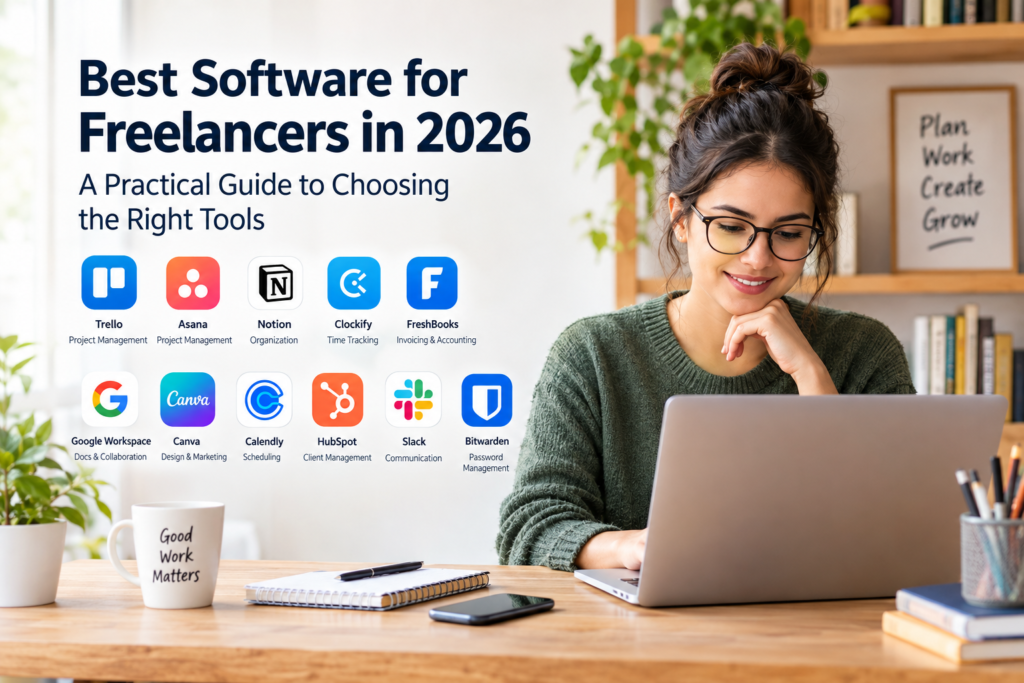

Freelancing offers flexibility, independence, and the opportunity to work with different clients. However, managing a freelance business involves more than delivering good work. Freelancers must also communicate with clients, organize projects, track working hours, send invoices, manage expenses, and meet deadlines.
The best software for freelancers can make these responsibilities easier to manage. Instead of relying on scattered emails, spreadsheets, and manual reminders, freelancers can use digital tools to organize their daily work and keep important business information in one place.
However, not every freelancer needs the same tools. A graphic designer may need design and file-sharing software, while a freelance consultant may prioritize scheduling, invoicing, and document management. Choosing software based on actual business needs is more useful than subscribing to every popular application.
This guide explores the main types of freelance software, compares useful tools, explains their advantages and limitations, and provides a practical method for choosing the right solutions for your business.
What Is Freelance Software?
Freelance software refers to digital applications that help independent professionals manage their work and business operations. These tools can support tasks such as project management, time tracking, accounting, communication, file sharing, and client relationship management.
Some applications focus on one specific task, while others combine several features in a single platform.
For example, a freelance writer might use project management software to organize assignments, a writing application to prepare articles, cloud storage to share documents, and invoicing software to bill clients.
The purpose is not to use as many applications as possible. It is to build a reliable workflow that saves time, reduces administrative mistakes, and helps maintain professional relationships.
Best Software for Freelancers: 12 Tools to Consider
The following tools serve different freelance business needs. Their suitability depends on your work, budget, preferred workflow, and required features. Pricing and free-plan limits can change, so check each provider’s official website before subscribing.
1. Trello — Best for Simple Project Management
Trello is a visual project management tool that organizes work using boards, lists, and cards. Freelancers can use it to track projects from the initial request to final delivery.
Useful features include:
- Visual boards for organizing projects.
- Cards for tasks, deadlines, and checklists.
- Labels to distinguish different clients or priorities.
- Collaboration features for working with clients or other professionals.
Example: A freelance content writer could create lists named “New Requests,” “In Progress,” “Awaiting Feedback,” and “Completed.” Each article would have its own card with a deadline and checklist.
Advantages: Its visual layout is easy to understand and can work well for freelancers with straightforward workflows.
Limitations: Complex projects may require additional features or a different project management system. Some functionality may be limited to paid plans.
Official website: https://trello.com/
2. Asana — Best for Managing Multiple Projects
Asana helps users organize tasks, deadlines, responsibilities, and project progress. It can be useful for freelancers handling several clients or coordinating work with subcontractors.
Useful features include:
- Task assignments and due dates.
- Project timelines and task dependencies.
- Project views for tracking progress.
- Team collaboration and status updates.
Example: A freelance marketing consultant managing three client campaigns can create separate projects, assign deadlines to deliverables, and identify tasks that depend on earlier work.
Advantages: It offers more structured project management than a basic to-do list.
Limitations: Freelancers working alone on simple assignments may find it more complex than necessary. Some advanced capabilities require a paid subscription.
Official website: https://asana.com/
3. Notion — Best for Notes and Business Organization
Notion combines notes, documents, databases, and project organization in a flexible workspace. Freelancers can use it to maintain client records, prepare project briefs, document procedures, and organize business information.
Useful features include:
- Customizable databases and task lists.
- Notes, documents, and knowledge pages.
- Templates for recurring workflows.
- Shared workspaces and collaboration features.
Example: A freelance web designer could maintain a client database containing contact information, project status, agreed deadlines, and links to project files.
Advantages: It can bring many types of business information into one workspace.
Limitations: Setting up a useful system takes time. Excessive customization can become a distraction, and Notion is not a replacement for specialist accounting software.
Official website: https://www.notion.com/
4. Clockify — Best for Time Tracking
Clockify helps freelancers record the time spent on tasks and projects. Time tracking is particularly useful when charging hourly rates or reviewing how much time fixed-price projects require.
Useful features include:
- Timers and manual time entries.
- Project and task time records.
- Timesheets and reports.
- Tools for reviewing billable hours.
Example: A freelance developer can record the hours spent fixing bugs, attending client meetings, and testing a website. These records can support accurate invoices and future project estimates.
Advantages: Time records help freelancers understand where working hours go and evaluate project profitability.
Limitations: Time tracking requires consistent use. Recorded hours do not automatically guarantee that a client will approve the resulting invoice.
Official website: https://clockify.me/
5. FreshBooks — Best for Freelance Invoicing and Accounting
FreshBooks provides invoicing, expense tracking, and accounting-related features for small businesses and independent professionals.
Useful features may include:
- Creating and sending invoices.
- Recording business expenses.
- Tracking payments and outstanding invoices.
- Financial reports and accounting workflows.
Example: A freelance consultant can prepare an invoice after completing a project, record business expenses, and monitor which invoices remain unpaid.
Advantages: It helps organize financial administration and reduces dependence on manually prepared invoices.
Limitations: Subscription costs, available features, payment processing options, and tax-related functionality vary. Freelancers should confirm that the service supports their country and preferred payment methods.
Official website: https://www.freshbooks.com/
6. Wave — Best for Budget-Conscious Freelancers Where Available
Wave offers financial management tools aimed at small businesses, including invoicing and accounting features. It may be worth considering for freelancers seeking a simpler alternative to more extensive accounting platforms.
Useful features may include:
- Invoice creation.
- Income and expense recording.
- Financial reporting.
- Additional paid services, depending on the market.
Advantages: Its available free features may suit freelancers with relatively straightforward financial needs.
Limitations: Availability, payment processing, banking integrations, and subscription options vary by country. Some services may not be accessible to freelancers outside supported markets.
Before choosing Wave, confirm that you can create invoices, receive payments, and maintain the financial records you need in your location.
Official website: https://www.waveapps.com/
7. HubSpot — Best for Client Relationship Management
A customer relationship management (CRM) system helps freelancers organize contacts, sales opportunities, conversations, and follow-up activities.
HubSpot provides CRM tools that can be useful for freelancers who regularly communicate with potential clients and manage ongoing business relationships.
Useful features include:
- Contact and company records.
- Sales pipeline management.
- Follow-up tasks and activity records.
- Email and marketing features, depending on the plan.
Example: A freelance SEO specialist can track potential clients from the first inquiry to a proposal, negotiation, and signed agreement.
Advantages: A structured client database makes it easier to follow up and avoid losing track of business opportunities.
Limitations: Some advanced tools require paid subscriptions. Freelancers with only a few clients may be able to manage their relationships with a spreadsheet.
Official website: https://www.hubspot.com/
8. Slack — Best for Professional Communication
Slack provides channels, direct messages, file sharing, and integrations for work-related communication.
It can help freelancers who work with agencies, remote teams, or clients that prefer organized messaging over long email conversations.
Useful features include:
- Separate channels for projects or topics.
- Direct messaging.
- File sharing and integrations.
- Searchable conversation history, subject to plan limits.
Advantages: Keeping discussions organized by project can make collaboration easier.
Limitations: Frequent notifications can interrupt focused work. Some clients may prefer email, and freelancers should avoid maintaining too many separate communication channels.
Official website: https://slack.com/
9. Google Workspace — Best for Documents and Collaboration
Google Workspace offers business-oriented tools for email, documents, spreadsheets, presentations, calendars, and cloud storage.
Freelancers can use its applications to prepare proposals, share deliverables, organize schedules, and collaborate with clients.
Useful applications include:
- Google Docs for writing and document editing.
- Google Sheets for budgets, trackers, and calculations.
- Google Drive for file storage and sharing.
- Google Calendar for scheduling and deadlines.
Example: A freelance researcher can prepare a report in Google Docs, maintain a project budget in Sheets, and share approved files through Drive.
Advantages: Its collaborative tools can simplify document review and information sharing.
Limitations: Storage, business email, administration, and other features depend on the plan. Freelancers should review file-sharing permissions to avoid exposing confidential client information.
Official website: https://workspace.google.com/
10. Canva — Best for Marketing and Visual Content
Canva is a design platform that helps users create visual materials using templates and editing tools.
It can be useful for freelancers who prepare social media graphics, presentations, simple marketing materials, or branded documents.
Useful features include:
- Templates for common design formats.
- Presentation and document design.
- Brand-related tools, depending on the plan.
- Exporting and sharing design files.
Advantages: It can make routine visual content production more accessible to people without extensive graphic design experience.
Limitations: Template-based design may not provide the precision required for complex branding or specialist illustration. Check licensing conditions before using assets in commercial client work.
Official website: https://www.canva.com/
11. Calendly — Best for Scheduling Client Meetings
Calendly helps users share scheduling links so clients can select available meeting times without extensive email exchanges.
Useful features may include:
- Appointment scheduling.
- Calendar integrations.
- Availability settings.
- Automated confirmations and reminders.
Example: A freelance consultant can share a booking link with prospective clients and allow them to select a suitable time from the available slots.
Advantages: Automated scheduling reduces the back-and-forth involved in arranging meetings.
Limitations: Free and paid plans have different limits and features. Calendar integrations and time-zone settings should be checked carefully to prevent scheduling errors.
Official website: https://calendly.com/
12. Bitwarden — Best for Managing Business Passwords
Freelancers often use many accounts for email, hosting, client platforms, financial services, and project tools. A password manager helps store and organize login credentials more securely than reusing passwords or keeping them in unprotected notes.
Bitwarden provides password management features for individuals and organizations.
Useful features include:
- Encrypted password storage.
- Password generation.
- Secure sharing options, depending on the plan.
- Synchronization across supported devices.
Advantages: It supports better password practices and can reduce the temptation to reuse credentials.
Limitations: A password manager still requires a strong master password and appropriate account recovery planning. Features and organization options vary by plan.
Official website: https://bitwarden.com/
Comparison of the Best Software for Freelancers
Use this table to narrow your choices based on the main task you need to manage.
| Software | Best use | Consider it if you need |
|---|---|---|
| Trello | Project management | A simple visual task board |
| Asana | Project management | Structured projects and deadlines |
| Notion | Notes and organization | A flexible business workspace |
| Clockify | Time tracking | Records of billable hours |
| FreshBooks | Invoicing and accounting | Organized financial administration |
| Wave | Invoicing and accounting | Budget-conscious financial tools where available |
| HubSpot | Client management | A structured contact and sales pipeline |
| Slack | Communication | Organized project conversations |
| Google Workspace | Documents and storage | Email, spreadsheets, and collaboration |
| Canva | Visual design | Marketing graphics and presentations |
| Calendly | Scheduling | Easier appointment booking |
| Bitwarden | Password management | Secure organization of login credentials |
These tools are not direct substitutes for one another. A password manager cannot replace accounting software, and a project board does not provide the same financial records as an invoicing platform.
The most effective setup combines only the tools needed to cover the important parts of your workflow.
How to Choose the Best Software for Freelancers
Choosing software becomes easier when you begin with the problems you want to solve rather than the number of features an application offers.
1. Identify Your Biggest Administrative Challenges
Write down the tasks that regularly consume your time or cause problems.
For example:
- Missing project deadlines may indicate a need for task management.
- Forgetting billable hours may indicate a need for time tracking.
- Delayed invoices may indicate a need for invoicing software.
- Losing track of potential clients may indicate a need for a CRM.
- Repeated scheduling emails may indicate a need for appointment software.
Start with the problem that has the greatest effect on your work.
2. Set a Realistic Software Budget
Freelancers must balance convenience against operating costs. A subscription that saves little time may not justify its monthly expense.
Compare the total cost rather than looking only at the advertised starting price. Consider user limits, storage, integrations, transaction fees, annual billing, and the features that require upgrades.
If a free plan meets your needs, there may be no reason to upgrade immediately.
3. Check Compatibility With Your Workflow
Software should fit the way you already work.
If your clients use spreadsheets and email, a simple project tracker and document-sharing service may be sufficient. If you manage complex projects with several collaborators, a more structured system may be useful.
Before subscribing, check whether the software works on your devices and integrates with the applications you already use.
4. Review Security and Privacy
Freelancers may handle client contracts, business information, personal data, and confidential project files.
Before choosing a service, review its security features, privacy policy, access controls, backup options, and data export capabilities.
Use strong, unique passwords and enable multifactor authentication when available. Share files only with authorized people, and remove access when a project or working relationship ends.
Do not assume that a service is suitable for sensitive information simply because it is popular.
5. Test the Software Before Committing
Where a free plan or trial is available, test the application using a real but low-risk task.
For example, create one project, enter a deadline, share a document, or prepare a sample invoice. Evaluate how easily you can complete the task and whether the software makes your workflow simpler.
Also test how easily you can export your information if you decide to switch providers later.
6. Review Your Tools Regularly
Your needs may change as your freelance business grows. You may eventually need more advanced reporting, team collaboration, automation, or financial management.
Review your subscriptions periodically and cancel services that no longer provide enough value. Avoid paying for overlapping applications unless the additional features are genuinely useful.
Free vs. Paid Freelance Software
Both free and paid tools can be suitable for freelancers. The right choice depends on how frequently you use the software and which features your business requires.
When Free Software Makes Sense
Free plans are often a sensible starting point when you:
- Work independently with a small number of clients.
- Manage straightforward projects.
- Need basic documents, task lists, or time records.
- Want to evaluate a tool before making a financial commitment.
However, free plans may have restrictions on storage, reporting, automation, integrations, or the number of projects and users.
When Paid Software Is Worth Considering
A paid subscription may be useful when you need features that directly support your work, such as advanced project reporting, automated workflows, accounting integrations, or expanded collaboration.
Before upgrading, ask yourself:
- Will this feature solve a real problem?
- How often will I use it?
- Is there a less expensive alternative?
- Can I justify the cost through time saved or improved administration?
- Can I cancel or downgrade if my needs change?
Paid software is not automatically better. The objective is to choose a tool that provides sufficient value for its cost.
A Practical Software Setup for Different Freelancers
The best combination depends on the type of work you do. The following examples illustrate how a small set of tools can support different workflows.
Freelance Writers and Editors
A writer may need:
- Google Docs for drafting and reviewing content.
- Trello or Notion for managing assignments.
- Clockify for tracking hourly projects.
- FreshBooks or another suitable invoicing service for billing clients.
This combination covers writing, task organization, time records, and financial administration without requiring a large software collection.
Freelance Graphic Designers
A designer may benefit from:
- Canva or specialist design software appropriate to the project.
- Trello or Asana for tracking design requests and revisions.
- Google Drive for sharing approved deliverables.
- An invoicing tool for recording payments and outstanding balances.
Designers should also maintain clear file versions and confirm the usage rights for fonts, templates, stock images, and other assets.
Freelance Developers
A developer may prioritize:
- A code editor and version-control platform.
- Asana, Trello, or another project management tool.
- Slack or email for client communication.
- A time tracker for hourly work.
- Invoicing software for billing.
Security is particularly important when managing source code, credentials, hosting accounts, or client systems. Access should be limited to what is necessary for the work.
Freelance Consultants and Virtual Assistants
Consultants and virtual assistants often manage meetings, documents, deadlines, and recurring client requests.
A practical setup might include:
- Calendly for appointments.
- Google Workspace for documents and scheduling.
- Notion or Asana for task organization.
- HubSpot for tracking potential clients, if needed.
- An accounting or invoicing application suitable for the user’s country.
The simplest useful setup is often better than a complex system that requires extensive maintenance.
Common Mistakes to Avoid When Choosing Freelance Software
Even useful applications can create problems when they are selected or managed poorly.
Paying for Too Many Subscriptions
Multiple overlapping tools can increase expenses and create confusion about where information belongs. Choose one main application for each important function whenever possible.
Ignoring the Learning Curve
A feature-rich platform may take considerable time to configure. If a simpler application solves the same problem, the simpler option may be more practical.
Failing to Back Up Important Information
Keep appropriate copies of important contracts, invoices, project files, and financial records. Understand each provider’s export and backup options instead of assuming that online storage alone meets all your needs.
Neglecting Client Confidentiality
Avoid sharing unrestricted folders or storing sensitive information in unsecured documents. Check permissions and follow any contractual or legal requirements that apply to client data.
Choosing Based Only on Price
The cheapest option may lack an essential feature, while the most expensive option may offer functions you will never use. Compare cost, usability, security, compatibility, and functionality together.
Frequently Asked Questions
1. What is the best software for freelancers?
There is no single best option for every freelancer. Trello is worth considering for simple project tracking, Clockify for time tracking, FreshBooks for invoicing and accounting workflows, and Google Workspace for documents and collaboration. The right choice depends on your profession, budget, and business requirements.
2. What software do freelancers need to get started?
Most beginners can start with a document editor, a task manager, a file-storage solution, and a reliable method for creating invoices and maintaining financial records. Add scheduling, time tracking, or CRM software when a specific need arises.
3. Is there free software for freelancers?
Yes. Several providers offer free plans or free features. However, availability, usage limits, and included functions vary. Check the official pricing pages before relying on a free plan for important business activities.
4. Do freelancers need accounting software?
Not every freelancer needs a comprehensive accounting platform immediately, but every freelancer should maintain accurate records of income, expenses, invoices, and payments. Dedicated accounting software can simplify these tasks as transaction volumes increase. Tax obligations and recordkeeping requirements depend on the freelancer’s location and circumstances.
5. How many software tools should a freelancer use?
There is no fixed number. Start with the smallest set that covers your essential business tasks. Add another application only when it solves a clear problem, and periodically review subscriptions to eliminate unnecessary costs and duplicated functions.
Conclusion
The best software for freelancers is the software that supports your actual workflow, fits your budget, and helps you manage your business reliably. Project management tools can organize deadlines, time trackers can record working hours, invoicing applications can simplify billing, and collaboration platforms can make client communication easier.
You do not need to subscribe to every tool in this guide. Begin by identifying your most pressing business needs, compare a few suitable options, and test the features before committing to a paid plan.
As your freelance business develops, review your software setup to ensure it remains secure, affordable, and practical. A small, well-organized collection of tools can provide a strong foundation for managing projects, serving clients, and keeping administrative work under control.