
When someone searches for a nearby business, they often need practical answers quickly. Do you offer the service they need? Are you open? Where are you located? How can they contact you?
Local search engine optimization helps make those answers easier to find. It involves accurate business information, useful website content, genuine customer feedback, and a reliable online presence.
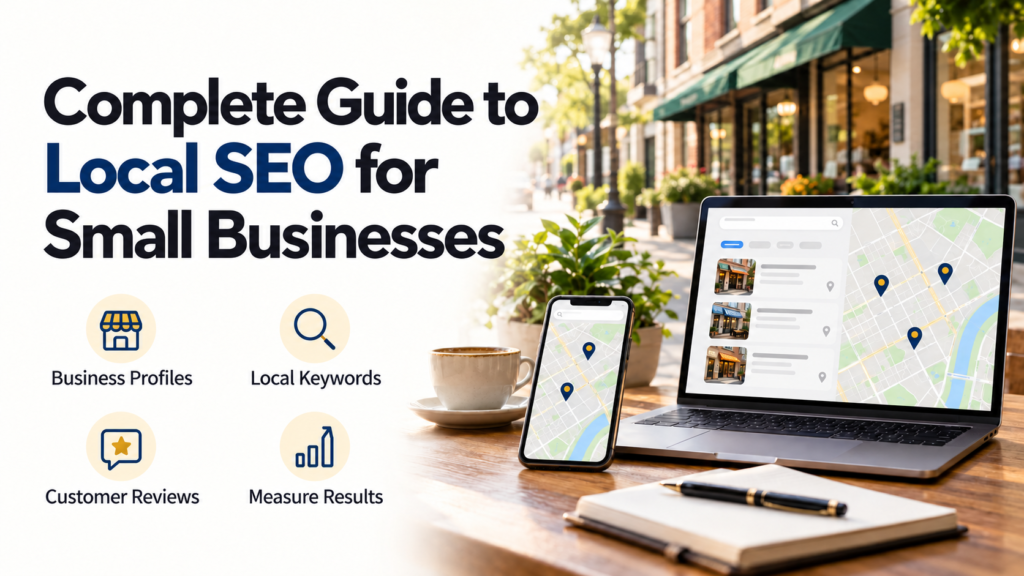
This complete guide to local SEO explains how to improve those foundations, avoid common mistakes, and measure meaningful results. Whether you operate a shop, manage a professional service, or travel to customers, the goal is to help relevant people discover and evaluate your business.
Local SEO can support visibility, but it does not guarantee a particular ranking or a steady flow of customers.
What Is Local SEO?
Local SEO is the process of improving a business’s presence in search results related to a location.
A search may name a place, such as “computer repair in Galkayo,” or imply a nearby need, such as “coffee shop near me.”
Local visibility can involve several surfaces:
- Map results and business profiles.
- Website pages in regular search results.
- Relevant directories and local publications.
These surfaces are connected, but they are not identical. A website page may appear in organic search while the business’s map visibility varies according to the searcher’s location.
Local SEO vs. General SEO
| Area | Local SEO | General SEO |
|---|---|---|
| Main audience | People seeking businesses serving a location | People seeking information, products, or services more broadly |
| Typical search | “Accountant in Nairobi” | “How to prepare business accounts” |
| Important information | Location, service area, hours, and contact details | Topic relevance, useful content, and website accessibility |
| Common business goal | Local inquiries, bookings, or visits | Traffic and relevant actions from a wider audience |
Both approaches benefit from clear content and a usable website.
How Google’s Local Rankings Work
Google explains that local results mainly depend on relevance, distance, and prominence:
- Relevance: How well the business matches the search.
- Distance: How far the business is from the searcher.
- Prominence: How well-known the business is, including information such as links and reviews.
Google also states that businesses cannot request or pay for a better local ranking. Google Business Profile Help
These factors explain why rankings can vary between customers. A position checked from one neighborhood does not establish how the business appears everywhere.
Focus on accurate information, useful services, and a trustworthy presence rather than promises of universal first-place rankings.
Complete Guide to Local SEO: A Step-by-Step Plan
1. Confirm Your Business Profile Eligibility
Before creating a Google Business Profile, check whether the business qualifies.
Google’s guidance generally covers businesses that receive customers at a physical location or travel to customers. Online-only businesses generally do not qualify. Additional requirements and exceptions apply. Google Business Profile Help
A website serving readers nationwide does not become eligible simply by adding a city name.
For service-area businesses, check the address-display rules carefully. If customers do not visit your address, follow Google’s guidance for hiding it and defining your service area. Do not use an address that misrepresents your operation.
2. Check for an Existing Profile
Search for the business before creating a listing.
If a profile already exists, follow the appropriate ownership or access process. Creating duplicates can make management more difficult and confuse customers.
Use a business-controlled account, protect it, and ensure that an authorized owner retains access when employees or agencies change.
3. Add Accurate Business Information
Complete the relevant fields:
- Real-world business name.
- Appropriate business category.
- Address or service area.
- Contact number.
- Website link.
- Regular and special opening hours.
- Relevant services and attributes.
Use the name customers recognize. Google prohibits adding unnecessary information to the business name, so do not append service keywords or locations merely to influence rankings. Google Business Profile Help
Keep information updated when operations change.
4. Make Your Website Useful to Local Customers
A visitor should quickly understand what you offer, where you operate, and how to take the next step.
Include clear service descriptions, contact details, and relevant location information. Test the website on mobile devices and make sure inquiry forms work.
For a physical location, explain how customers can find the entrance where that information is helpful. For a service business, describe the areas you genuinely cover and any practical restrictions.
How to Research Local Keywords
Local keyword research starts with customer needs, not a list of city names.
Write down the services people request and the terms they use. Sources include customer conversations, inquiries, and available search performance data.
For a hypothetical computer repair business, possible searches might include:
| Search theme | Example | Suitable content |
|---|---|---|
| Core service | Computer repair in Galkayo | Main service page |
| Specific need | Laptop screen repair in Galkayo | Relevant repair page |
| Practical question | What to check before taking a laptop for repair | Helpful guide |
| Business lookup | Business name and opening hours | Contact or location page |
These are examples, not verified search-volume estimates.
Evaluate whether a query matches the service you provide. Attracting visitors for work you do not offer creates poor inquiries and unclear expectations.
Use Keywords Naturally
Include the service and location where they help readers understand the page.
For example:
Page title: Laptop Repair in Galkayo | Business Name
Avoid repeatedly inserting the same phrase into every paragraph. Clear explanations are more useful than lists of location variations.
Create Useful Service and Location Pages
Service Pages Should Answer Decision Questions
A good service page can explain:
- What the service includes.
- Who it is suitable for.
- What information customers should provide.
- How the process works.
- Relevant limitations.
- How to request assistance.
Use accurate details. Do not publish unsupported claims about qualifications, speed, or results.
Location Pages Need Distinct Value
A business with several genuine locations may benefit from a page for each one.
Include location-specific information such as the address, hours, available services, and contact arrangements.
For service areas, create separate pages only when they provide meaningful information. Replacing one city name with another across dozens of nearly identical pages offers little value.
Never imply that you have a physical office where none exists.
Keep Business Listings Accurate
Business citations are mentions of identifying information, commonly the name, address, and phone number.
Review the listings customers are likely to use, including relevant local directories and industry organizations.
Prioritize correctness and usefulness rather than submitting the business to every directory available.
Check for:
- Old telephone numbers.
- Incorrect map locations.
- Outdated hours.
- Duplicate listings.
- Links to the wrong website.
Minor formatting differences are less urgent than details that send customers to the wrong place or prevent contact.
Build Genuine Customer Reviews
Reviews can help prospective customers evaluate a business.
Use a neutral request after a genuine customer interaction. For example:
Thank you for choosing our service. If you would like to share your experience, you can leave an honest review using this link.
Do not offer discounts, gifts, or payments for Google reviews. Google prohibits incentivized reviews and selectively requesting positive reviews. Maps User Generated Content Policy Help
Respond Professionally
Thank customers for useful feedback. For complaints, acknowledge the concern and provide an appropriate route to resolution.
Avoid revealing private customer information in a public response.
A negative review is not automatically a policy violation. Report content when there is a valid policy reason rather than simply because it is unfavorable.
Earn Relevant Local Links
Links from relevant websites can help people discover your business.
Practical opportunities include:
- A genuine business association listing.
- A supplier’s authorized partner directory.
- Coverage of a real local event.
- A useful resource shared by a community organization.
Create something worth referencing, such as an accurate service guide or a practical local resource.
Avoid buying links intended to manipulate rankings or arranging irrelevant exchanges solely for SEO.
Technical Checks That Support Local SEO
Make Important Pages Accessible
Confirm that service and location pages load correctly and can be indexed.
Check for broken links, accidental indexing restrictions, and pages that are difficult to navigate.
Google Search Console can help investigate how Google discovers and indexes website pages.
Improve Mobile Usability
Test whether visitors can read the content, tap contact buttons, and submit forms comfortably.
Reduce unnecessarily large images and intrusive elements. A page that attracts visitors but makes contact difficult wastes an opportunity.
Add Suitable Structured Data
Structured data is machine-readable information describing a page or business.
Google’s LocalBusiness documentation explains how eligible markup can describe details such as business hours and location. Use accurate information that matches the visible page, and validate the implementation. Structured data does not guarantee enhanced search displays. developers.google.com
Avoid assuming that adding rating markup to your own business page will produce review stars.
How to Measure Local SEO Results
Track business outcomes alongside visibility.
| Measure | What it helps assess |
|---|---|
| Relevant search impressions | Whether pages appear for suitable searches |
| Website clicks | Whether search visibility generates visits |
| Completed inquiries | Whether visitors take useful action |
| Qualified calls or bookings | Whether interest matches your services |
| Available profile interactions | How customers engage with the listing |
| Resulting customers | Whether inquiries convert into business |
Available metrics vary by platform and business setup. Check their definitions before drawing conclusions.
A click on a call button is not necessarily a completed conversation. A direction request does not confirm a store visit.
Where practical, ask customers how they found the business. Combine that feedback with digital reporting rather than relying on one attribution method.
Costs and Limitations to Consider
Creating a Google Business Profile does not require paying for the listing, but managing local SEO takes time.
Potential costs include website improvements, photography, content preparation, reporting tools, and professional support.
Before hiring an agency, ask what work it will perform, how results will be measured, and who retains ownership of business accounts.
Local SEO also has limits:
- Distance affects map visibility.
- Competitors and customer demand change.
- Improvements may take time to appear.
- Website problems can reduce inquiries.
- Seasonal changes can affect performance.
Advertising is a separate paid activity. Buying ads does not purchase a better organic local ranking.
A Practical 30-Day Starting Plan
| Period | Priority |
|---|---|
| Week 1 | Check eligibility, ownership, and business information |
| Week 2 | Improve important service and contact pages |
| Week 3 | Correct relevant listings and introduce neutral review requests |
| Week 4 | Check technical issues and establish a reporting baseline |
This is a starting schedule, not a promise of results within a month. Continue maintaining information and reviewing customer needs afterward.
Frequently Asked Questions
1. Can an online-only business use local SEO?
It can publish relevant location-focused content where that genuinely serves its audience. However, an online-only business generally does not qualify for a Google Business Profile.
2. Do I need a website for local SEO?
An eligible business can have a Business Profile without a website. A useful website provides more room to explain services and support customer decisions.
3. How long does local SEO take to work?
There is no fixed timeline. Some information updates may appear relatively quickly, while broader visibility changes depend on competition, website condition, and other factors.
4. Does listing more service areas guarantee wider rankings?
No. Service areas describe where you operate; they do not override distance or guarantee visibility throughout those areas.
5. What should a small business improve first?
Start with accurate business information and clear service details. Then address contact difficulties, outdated listings, and a consistent process for requesting genuine feedback.
Conclusion
Local SEO works best when customers can easily confirm what you offer, where you operate, and how to contact you.
Build that foundation with accurate profiles, useful pages, genuine reviews, and reliable website access. Measure relevant inquiries and customers alongside search visibility, and use the findings to decide what needs improvement next.