
Someone joins your mailing list because something caught their attention: a useful guide, an interesting product, or a service they might need. Your first emails should connect that initial interest with a helpful next step.
A welcome sequence gives those messages a clear structure. It can deliver a promised resource, explain what your business offers, answer common questions, and help subscribers decide whether to explore further.
This guide to email welcome sequences: examples for small businesses includes adaptable email drafts, suggested schedules, and practical setup instructions. The aim is to make your first messages useful and relevant, without overwhelming a new subscriber.
What Is an Email Welcome Sequence?
An email welcome sequence is a planned series of messages sent after someone takes a qualifying action, such as subscribing to your newsletter.
A simple sequence might include:
- A welcome message that delivers what you promised.
- A useful tip or resource related to the subscriber’s interest.
- An explanation of how your business can help.
Email automation platforms use triggers to start these workflows. Mailchimp, for example, describes a trigger as an event or action that adds a contact to an automation flow.
The trigger matters because different actions create different expectations. Someone downloading a checklist needs a different introduction from someone who has already purchased a product.
Welcome Sequence Versus Newsletter
A welcome sequence introduces your business at the beginning of a subscriber’s relationship with you.
A newsletter provides ongoing updates, articles, or offers to an existing audience.
Coordinate the two so a new subscriber does not receive several overlapping messages immediately after signing up.
Start With the Subscriber’s Reason for Joining
Before drafting an email, complete this sentence:
“This person subscribed because they wanted…”
Possible answers include:
- A downloadable planning template.
- Practical advice about a specific topic.
- Product announcements.
- Information about your services.
- An offer described on the signup form.
Your first email should address that expectation directly.
If someone requested a checklist, make the checklist easy to find. Do not force them through another sales page or ask them to subscribe again.
Also distinguish between newsletter subscribers, sales inquiries, and customers. A person providing an email address for an order or support request has not necessarily asked to receive a promotional welcome series.
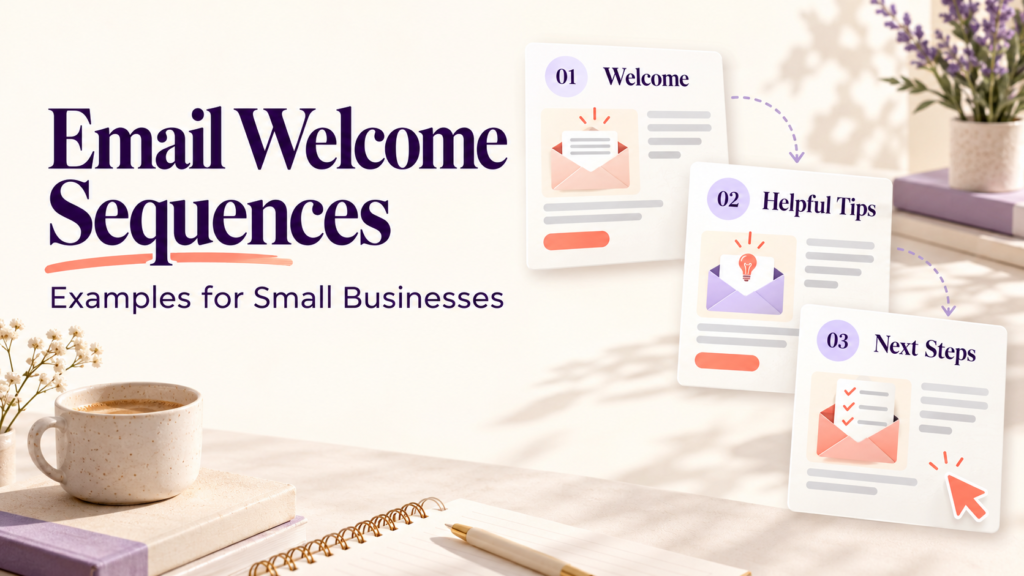
A Simple Three-Email Welcome Sequence
For a first version, three messages can provide enough room to welcome, help, and introduce a next step.
The schedule below is a starting point to test, not a universal best practice.
| Suggested timing | Main purpose | Primary action | |
|---|---|---|---|
| 1: Welcome and delivery | Shortly after confirmed signup | Fulfill the signup promise | Access the resource |
| 2: Practical help | About two days later | Help the subscriber make progress | Try a tip or read a guide |
| 3: Relevant next step | About four days after signup | Explain an appropriate offer or resource | Explore, inquire, or book |
If you use double opt-in, start the sequence after the subscriber confirms.
For a time-sensitive resource, deliver it promptly. For a more involved educational sequence, allow enough time between messages for readers to use the material.
Tell people what to expect. For example:
“Over the next few days, we’ll send two short emails to help you use the checklist. After that, you’ll receive our weekly tips.”
Only promise a schedule you can maintain.
Example 1: Welcome Sequence for a Service Business
Imagine a small bookkeeping business offering a monthly recordkeeping checklist.
The following drafts are fictional examples. Replace bracketed details with accurate information about your business.
Email 1: Deliver the Checklist
Subject: Your monthly recordkeeping checklist
Preview text: Here is your download and a simple place to start.
Hi [First name],
Thanks for requesting our monthly recordkeeping checklist.
[Download your checklist]
Start by gathering your sales records, expense receipts, and bank statements in one place. You can then work through the checklist in sections rather than trying to finish everything at once.
Over the next few days, we’ll send two short emails with practical suggestions for keeping your records organized.
If the download does not open, reply to this email and we’ll help.
Best,
[Name]
[Business name]
Why it works: The message delivers the requested resource immediately and sets a clear expectation for follow-up emails.
Email 2: Share One Useful Habit
Subject: One folder can make next month easier
Preview text: Give your receipts and invoices a consistent home.
Hi [First name],
If your business records are scattered across messages, downloads, and paper receipts, try setting up one folder for each month.
Inside it, create separate folders for:
- Sales records.
- Expense receipts.
- Bank statements.
- Items that need clarification.
Choose a regular time to add new documents. The important part is using a system you can maintain.
We’ve explained the process here:
[Read the recordkeeping guide]
Best,
[Name]
Why it works: It gives the reader a manageable action related to the original download.
Email 3: Introduce the Service
Subject: Need help organizing your business records?
Preview text: Here is what our bookkeeping support includes.
Hi [First name],
The checklist can help you establish a routine. If keeping up with your records is still taking more time than you can manage, our bookkeeping service may be worth exploring.
We help [accurately describe your services and who they suit].
You can review the service scope and how inquiries work here:
[View our bookkeeping services]
If you are unsure whether the service fits your needs, reply with a brief description of what you need help with. Please avoid sending confidential financial documents by email.
Best,
[Name]
Why it works: It connects the offer to the subscriber’s original interest and gives them enough context to decide whether to investigate.
Example 2: Welcome Sequence for an Online Store
An online store’s welcome series can help subscribers understand its products and buying process.
Keep this separate from essential order confirmations, payment receipts, and delivery updates.
| Subject example | Main content | Primary action | |
|---|---|---|---|
| 1 | Welcome to [Store name] | Explain the store’s focus and deliver any promised offer | Browse a relevant collection |
| 2 | How to choose the right [product] | Explain size, materials, compatibility, or use cases | Read the buying guide |
| 3 | A few things to know before ordering | Answer delivery, return, and support questions | View product details |
Sample Product Guidance Email
Subject: How to choose a desk lamp for your workspace
Hi [First name],
Choosing a desk lamp starts with how you use your workspace.
Before comparing designs, check:
- Whether you need an adjustable arm.
- How much desk space you have.
- Whether the brightness settings suit your tasks.
- The power connection and any bulb requirements.
Our product pages list the specifications so you can compare options.
[Compare desk lamps]
If you have a compatibility question, reply with the product name and we’ll help you check.
Best,
[Store team]
This approach supports a purchase decision without relying on pressure.
If your welcome offer includes a discount, clearly explain eligibility, exclusions, minimum spend, and any genuine expiry date. Avoid a countdown that resets or claims of scarcity you cannot support.
Example 3: Welcome Sequence for a Content Website
For a small publisher covering business, marketing, or technology, a welcome sequence can help subscribers discover relevant articles.
Start with a few carefully selected resources rather than a long list of links.
Email 1: Introduce the Publication
Subject: Welcome—here’s where to start
Hi [First name],
Thanks for subscribing to [Website name].
We publish practical guides about [your main topics] to help readers understand their options and make informed decisions.
A useful starting point is our guide to [specific topic].
[Read the starter guide]
You’ll receive [accurate publishing frequency and content description].
Best,
[Name or editorial team]
Email 2: Help Readers Choose Their Interests
Subject: Which topic would you like more help with?
Hi [First name],
Which area is most useful to you right now?
- Business operations.
- Marketing.
- Technology and software.
[Choose your email preferences]
We’ll use your selection to help tailor future messages.
Best,
[Name or editorial team]
Only promise tailored messages if your system actually records and uses those preferences. Otherwise, invite a reply and review responses manually.
Email 3: Send a Relevant Reading Recommendation
Subject: A practical next step for your business
Recommend one article that follows naturally from the first guide or the reader’s selected interest.
Briefly explain what question it answers and who it is useful for. If the linked article includes affiliate relationships, make the relevant disclosures clear.
How to Write Better Welcome Emails
Give Each Email One Main Job
A message becomes harder to use when it asks readers to download a guide, follow five accounts, book a call, and buy a product.
Choose one primary action. Supporting links, such as support and unsubscribe options, can remain available.
Write Specific Subject Lines
The subject should describe the message honestly.
Useful examples include:
- “Your project planning template.”
- “How to prepare for your first consultation.”
- “Three checks before choosing a payroll tool.”
Avoid misleading “Re:” or “Fwd:” prefixes that imply an existing conversation.
Make the Message Easy to Read on Mobile
Use short paragraphs, descriptive links, and a layout that works on a narrow screen.
Do not place essential instructions only inside an image. Readers should understand the message even when images are blocked.
Personalize With Reliable Information
Using a first name is optional. Relevance to the person’s signup reason is often more useful than inserting their name repeatedly.
Set a fallback greeting such as “Hi there” so missing information does not produce broken text.
How to Set Up the Automation
1. Define the Entry Trigger
Use a specific signup form, list, or tag associated with the welcome series.
Avoid automatically enrolling every imported contact. Check where the contacts came from and whether the messages match their subscription expectations.
2. Add Delays and Eligibility Checks
Set the time between messages and check that contacts remain eligible before each send.
For example, a subscriber who becomes a customer may need to leave a prospect-focused series.
3. Prevent Duplicate Enrollment
Decide whether the sequence should run once per subscriber. Test what happens when someone submits the form twice or subscribes through another page.
4. Test the Complete Journey
Use a test contact and check:
- Signup and confirmation.
- Resource delivery.
- Personalization fallbacks.
- Buttons and links.
- Mobile display.
- Unsubscribe behavior.
- Exit rules after a purchase or inquiry.
- Overlap with regular newsletters.
5. Review Sending Requirements
Follow your email provider’s domain authentication instructions and review current mailbox-provider requirements. Google’s official sender guidance covers authentication and unsubscribe requirements for messages sent to personal Gmail accounts, with additional requirements for bulk senders.
Provide an easy way to unsubscribe from marketing emails and make sure the automation respects that choice.
What Does a Welcome Sequence Cost?
Budget for more than the subscription price of an email tool.
Potential costs include:
- Contact and sending limits.
- Access to multistep automations.
- Integrations with your website or store.
- Copywriting and design.
- Setup, testing, and maintenance.
Check current plan details before choosing a platform. A basic email plan may not include the branching, tagging, or reporting features you need.
Start with the simplest workflow that meets your requirements.
How to Measure Welcome Sequence Performance
Choose measures that match each email’s purpose.
| Measure | What it helps you assess | Limitation |
|---|---|---|
| Delivery rate | Whether messages were accepted | Acceptance does not prove inbox placement |
| Unique click rate | Whether recipients clicked | Automated security checks may affect clicks |
| Resource access or download | Whether readers reached the promised material | A download does not prove the resource was used |
| Qualified inquiries or bookings | Whether relevant prospects took action | Some conversions happen outside tracked links |
| Purchases | Whether recipients ordered | Attribution depends on tracking rules |
| Unsubscribes and complaints | Whether expectations or relevance need review | Small samples can fluctuate sharply |
Treat open rates as a supporting indicator. Image blocking and privacy features can affect whether an “open” is recorded.
Define your calculations consistently. For example:
Unique click rate = Unique recipients who clicked ÷ Delivered emails × 100
If 12 recipients click from 200 delivered emails, the rate is 6%. This is a hypothetical calculation, not a performance benchmark.
For a small list, review results across several comparable groups of new subscribers. A difference of one or two actions may not justify rewriting the entire sequence.
Common Welcome Sequence Mistakes
Starting with a sales pitch: First deliver the resource or information promised at signup.
Sending too many messages together: Coordinate welcome emails with newsletters and promotions.
Keeping irrelevant emails running: Update the journey when someone purchases, books, or changes preferences.
Using invented proof: Include only genuine, authorized testimonials and accurately described results.
Making every message a discount: Product guidance, useful resources, and clear answers can also help readers.
Leaving the series unattended: Check links, offers, service descriptions, and timing regularly.
Frequently Asked Questions
1. How many emails should a small business welcome sequence contain?
Three emails are a manageable starting point: welcome, practical help, and a relevant next step. Use fewer or more when the subscriber’s needs justify it. Each message should have a distinct purpose.
2. When should the first welcome email arrive?
Send it shortly after the qualifying signup or confirmation, particularly when someone expects a resource. Test the workflow to ensure the promised material arrives reliably.
3. Should every welcome series include a discount?
No. A discount is appropriate only when it fits your offer and margins. A useful guide, product explanation, or clear introduction may be more suitable.
4. Can I send the same sequence to customers and subscribers?
Some introductory content may overlap, but their needs differ. Subscribers may need help evaluating your business; customers may need setup guidance, product care, or support information.
5. What should I change if the sequence performs poorly?
First check delivery, broken links, resource access, and automation rules. Then review whether the content matches the signup promise and whether the next step is clear. Change one meaningful element at a time.
Conclusion
Effective email welcome sequences begin with a simple commitment: deliver what the subscriber expected and make the next step easy.
Build a short series around that purpose. Welcome the reader, provide practical help, and introduce an appropriate offer or resource. Test the journey carefully, respect subscription choices, and improve it using meaningful actions rather than attention alone.