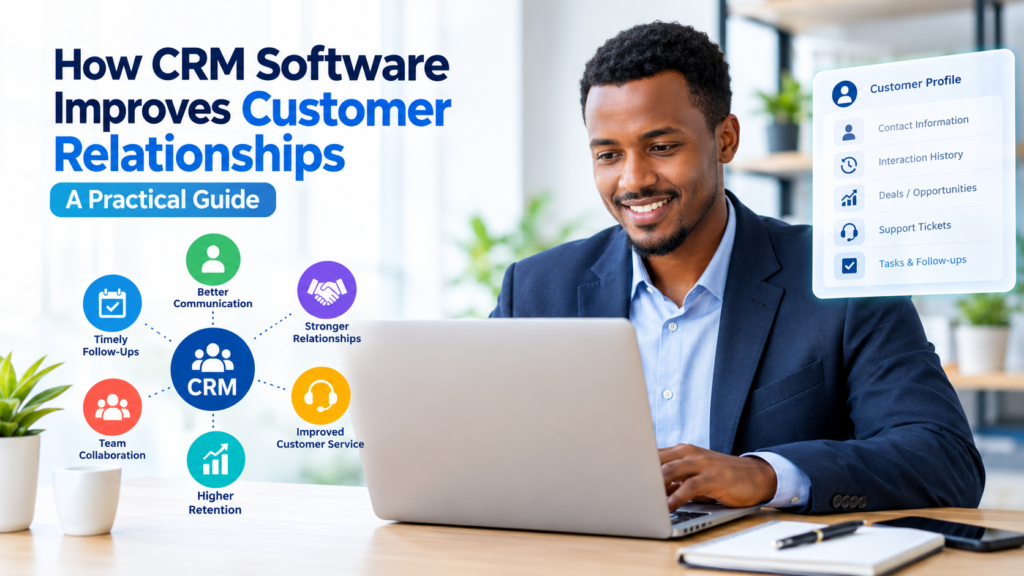

Building strong customer relationships requires more than simply making a sale. Customers expect businesses to communicate clearly, respond to questions, remember important details, and provide consistent service across different interactions.
As a business grows, managing these activities with spreadsheets, emails, notes, and separate applications can become difficult. Customer relationship management (CRM) software brings customer information and relationship-related activities into a more organized system.
How CRM software improves customer relationships depends on how effectively a business uses the system. A CRM can help teams keep customer information organized, track interactions, follow up on opportunities, personalize communication, and identify tasks that need attention.
This guide explains how CRM software supports customer relationships, its main benefits, practical examples, potential limitations, and how businesses can use it effectively.
What Is CRM Software?
CRM stands for Customer Relationship Management. CRM software is a system businesses use to organize and manage information about customers and prospects.
Depending on the platform, a CRM may store information such as:
- Customer names and contact details
- Previous conversations and interactions
- Sales opportunities
- Customer service requests
- Notes and follow-up activities
- Appointments and tasks
- Purchase or account information
- Marketing communication history
Instead of keeping customer information across disconnected spreadsheets, email inboxes, and personal notes, a CRM can provide a central location for authorized team members to access relevant information.
The exact features vary between CRM platforms, so businesses should choose a system based on their actual needs rather than simply selecting the platform with the largest feature list.
How CRM Software Improves Customer Relationships
CRM software does not automatically create strong customer relationships. Its value comes from helping employees organize information and manage customer interactions more consistently.
Here are several ways a CRM can support better relationships.
1. Keeps Customer Information Organized
One of the most important advantages of CRM software is having customer information in a structured location.
Without a CRM, important details may be scattered across emails, spreadsheets, messaging applications, documents, and individual employees’ notes. This can make it difficult for a team member to understand a customer’s history.
A CRM can provide a customer profile containing relevant information in one place.
For example, when a customer contacts a sales or support team, an authorized employee may be able to review previous interactions before responding.
This can reduce unnecessary repetition and make conversations more informed.
Why This Matters
Customers generally do not want to explain the same situation repeatedly. Organized records can help employees understand previous conversations and provide more consistent service.
However, businesses should only collect and retain information that is appropriate for their operations and should follow applicable privacy and data-protection requirements.
2. Helps Businesses Respond More Consistently
Customer relationships can suffer when inquiries are forgotten or follow-ups are inconsistent.
CRM systems can help teams record tasks, reminders, appointments, and follow-up activities.
For example, a salesperson might record:
“Follow up with the customer next Tuesday regarding the proposal.”
Instead of relying entirely on memory, the CRM can keep the task associated with the relevant customer or opportunity.
This is particularly useful when several employees work with the same customers.
3. Gives Employees Better Customer Context
A customer interaction rarely exists in isolation.
A customer may have contacted the company several times, requested information, purchased a product, opened a support case, or spoken with different employees.
A CRM can connect relevant information so employees have more context when handling a new interaction.
For example, before responding to a customer inquiry, an employee might review:
- Previous support requests
- Recent sales conversations
- Account information
- Open tasks
- Previous communication
- Current order or opportunity information
This context can help employees avoid asking unnecessary questions and make their communication more relevant.
4. Supports Personalized Communication
Personalization does not necessarily mean creating a completely different message for every customer.
It can simply mean using relevant customer information when communicating.
For example, a business may segment customers according to:
- Products or services they use
- Industry
- Location
- Customer status
- Previous interactions
- Communication preferences
A CRM can help teams organize these categories and use them when appropriate.
The important point is to use customer information responsibly. Personalization should improve relevance rather than become excessive or intrusive.
5. Makes Follow-Up Easier
Following up at the right time is an important part of sales and customer service.
A potential customer might request a quotation today but not be ready to make a decision immediately. A CRM can help the salesperson record the opportunity and schedule a future follow-up.
The same principle can apply after a purchase.
A business might use CRM tasks to remind an employee to:
- Confirm that the customer received the product or service.
- Check whether the customer has questions.
- Address outstanding issues.
- Follow up when another interaction is appropriate.
This creates a more structured approach to relationship management.
6. Improves Collaboration Between Teams
Customer relationships often involve multiple departments.
A customer might interact with sales before becoming a customer and then communicate with customer service after making a purchase.
If these teams operate with completely separate information, customers may experience inconsistent communication.
A shared CRM can give authorized employees access to relevant customer information.
For example, a support representative may see that a customer’s sales representative recently made an important update to the account. This context can help the support representative handle the conversation more effectively.
However, access should be controlled carefully. Not every employee needs access to every customer record.
7. Helps Track Customer Service Issues
CRM software can help businesses record customer questions, complaints, requests, and support activities.
Depending on the CRM, these may be managed as tickets, cases, activities, or tasks.
A simple workflow might look like this:
Customer request → Record the issue → Assign responsibility → Respond → Resolve → Record the outcome
Having a documented process can make it easier for teams to see which issues are still outstanding.
It can also help managers identify recurring operational problems that may require attention.
8. Provides a History of Customer Interactions
A customer’s relationship with a business can involve many interactions over time.
A CRM can create a timeline or history of relevant activities, depending on the platform.
This may include:
- Calls
- Emails
- Meetings
- Sales activities
- Support cases
- Notes
- Tasks
- Purchases or opportunities
A clear history can be particularly valuable when a customer works with multiple employees.
Instead of starting with limited information, the employee can review the available history before continuing the relationship.
9. Helps Businesses Identify Customers Who Need Attention
CRM systems can help teams monitor customer activities and account status.
For example, a business may create reminders for accounts that have not received a follow-up or opportunities that have remained inactive for a certain period.
This does not mean the CRM can determine exactly what every customer needs. Employees still need to use judgment and communicate with customers appropriately.
The CRM’s role is to make relevant information easier to find and act upon.
10. Supports Better Customer Retention Efforts
Customer retention depends on many factors, including product quality, service, pricing, communication, and the overall customer experience.
CRM software can support retention activities by helping businesses maintain organized records and follow up with customers.
For example, a company could use its CRM to identify accounts requiring a service review or customers with unresolved support issues.
The system itself does not guarantee customer retention. Instead, it provides information and workflows that can help employees manage relationships more systematically.
Key CRM Features That Support Customer Relationships
Different CRM platforms offer different features. The following capabilities are particularly relevant to customer relationship management.
Contact Management
Contact management allows businesses to organize customer and prospect information.
A useful contact record may include basic information, company details, interaction history, notes, and other relevant fields.
Interaction Tracking
Interaction tracking helps employees understand previous customer communication.
Depending on the CRM, this may include emails, calls, meetings, notes, or support interactions.
Task and Reminder Management
Tasks and reminders help employees manage follow-ups and important activities.
This can reduce dependence on memory and separate personal reminder systems.
Sales Pipeline Management
Pipeline features allow businesses to track sales opportunities through different stages.
For example:
New inquiry → Qualified opportunity → Proposal → Negotiation → Closed
The stages will differ depending on the business.
Customer Support Management
Some CRM platforms include customer service tools such as ticketing, case management, knowledge bases, and service workflows.
These features can help businesses organize customer requests after a sale.
Reporting and Dashboards
CRM reporting can provide information about sales activities, customer service workloads, opportunities, and other business processes.
Reports should be interpreted carefully because the quality of the information depends on how accurately employees maintain the CRM.
CRM Software Example: A Small Business
Consider a small consulting company that previously managed customers using spreadsheets and email.
A potential customer sends an inquiry through the company’s website.
Without a CRM, an employee might respond by email and write a reminder in a personal calendar.
With a CRM, the company could:
- Create a customer record.
- Record the initial inquiry.
- Assign the opportunity to a salesperson.
- Schedule a follow-up.
- Record meetings and notes.
- Track the proposal.
- Update the opportunity when the customer makes a decision.
- Continue recording relevant information after the sale.
The CRM does not replace the employee’s communication skills. It provides an organized framework for managing the relationship.
Benefits of CRM Software for Different Business Teams
CRM software can serve different purposes depending on the department using it.
| Team | How CRM Can Help |
|---|---|
| Sales | Manage leads, opportunities, activities, and follow-ups |
| Customer Service | Track customer requests and previous interactions |
| Marketing | Organize audiences and manage relevant campaigns |
| Management | Review activity and business reports |
| Operations | Coordinate customer-related tasks and information |
The exact capabilities depend on the CRM platform and its integrations.
Potential Limitations of CRM Software
CRM software can be useful, but it is not a solution to every customer relationship problem.
Poor Data Quality
If employees enter incorrect, incomplete, or outdated information, the CRM may become unreliable.
Businesses should establish clear rules for entering and updating customer information.
Employee Adoption
A CRM only provides value when employees actually use it.
If employees continue keeping important information in separate spreadsheets or private notes, the CRM may not provide a complete picture.
Training, simple processes, and clear responsibilities can improve adoption.
Cost
CRM software can involve subscription fees, implementation costs, training expenses, integrations, and administrative work.
A business should consider the total cost rather than looking only at the monthly subscription price.
Overcomplicated Systems
Some businesses purchase systems with many features that they do not actually need.
A complicated CRM can make adoption more difficult.
For a small business, a simpler platform with reliable contact management, task management, communication tracking, and reporting may be more practical than a highly complex system.
Privacy and Security Considerations
Customer information should be handled responsibly.
Businesses should consider access controls, authentication, data retention, backups, integrations, and applicable privacy requirements.
Before selecting a CRM, review the provider’s current security and privacy documentation and determine whether the service meets the organization’s requirements.
How to Choose CRM Software for Better Customer Relationships
Choosing a CRM should begin with business requirements rather than software features alone.
1. Identify the Main Problem
Ask what the business is trying to improve.
Is the problem:
- Lost customer information?
- Missed follow-ups?
- Poor collaboration?
- Difficult customer support tracking?
- Limited reporting?
- Disorganized sales activities?
Knowing the problem makes it easier to evaluate potential solutions.
2. List Essential Features
Create a short list of required features.
For example:
- Contact management
- Interaction history
- Task reminders
- Sales pipeline
- Customer support
- Reporting
- Mobile access
- Integrations
Separate essential features from optional features.
3. Consider Ease of Use
A powerful system can still be ineffective if employees find it difficult to use.
During a trial or demonstration, consider how easily employees can:
- Create a customer record
- Find information
- Record an interaction
- Create a task
- Update an opportunity
- Generate a report
4. Review Integration Options
A CRM may need to work with existing business tools such as email, calendars, accounting systems, websites, customer support platforms, or marketing tools.
Check the CRM provider’s current integration options before purchasing.
5. Review Pricing Carefully
Compare pricing based on the actual number of users, required features, storage, integrations, and potential additional charges.
CRM pricing models can change, so businesses should check the provider’s current official pricing information before making a decision.
Best Practices for Using CRM Software
Simply installing CRM software is not enough. Businesses should establish practical processes for using it.
Keep Customer Records Accurate
Set clear standards for required fields and regularly review outdated information.
Record Important Interactions
Employees should document relevant customer interactions consistently so that other authorized team members can understand the account history.
Avoid Unnecessary Data Collection
Only collect information that has a legitimate business purpose and can be managed appropriately.
Train Employees
Training should cover both the technical operation of the CRM and the organization’s expectations for data quality and customer communication.
Review CRM Processes Regularly
As the business changes, CRM workflows may also need to change.
Review whether the system is helping employees or creating unnecessary administrative work.
CRM Software vs. Spreadsheets
Spreadsheets can be useful for simple customer lists, especially for very small businesses.
However, CRM systems are generally designed specifically for relationship management and can provide features that are difficult to maintain manually.
| Feature | Spreadsheet | CRM |
|---|---|---|
| Basic contact list | Yes | Yes |
| Structured customer records | Limited | Yes |
| Interaction history | Manual | Usually built in |
| Follow-up tasks | Manual | Usually available |
| Sales pipeline | Manual | Usually available |
| Customer service workflows | Limited | Available in many platforms |
| Reporting | Available with setup | Usually built in |
| Multi-user workflows | Possible | Designed for it |
A spreadsheet is not automatically the wrong choice. The appropriate option depends on the size of the business, complexity of customer relationships, budget, and operational requirements.
Common Mistakes Businesses Make With CRM Software
Several mistakes can reduce the usefulness of a CRM.
Treating the CRM as Only a Sales Tool
Customer relationship management extends beyond sales. Customer service, account management, and other teams may also need relevant customer information.
Entering Too Much Unnecessary Information
More data does not automatically mean better customer management.
Collect information that has a clear purpose and can be maintained accurately.
Failing to Define Responsibilities
Employees should know who is responsible for updating records, managing tasks, and maintaining data quality.
Ignoring Data Quality
Duplicate, incomplete, or outdated records can reduce the usefulness of reports and customer profiles.
Buying Based Only on Features
A long feature list does not necessarily mean a CRM is suitable for a particular business.
Consider usability, cost, integrations, support, security, and actual business requirements.
Frequently Asked Questions
Does CRM software really improve customer relationships?
CRM software can support better customer relationships by helping businesses organize customer information, track interactions, manage follow-ups, and coordinate teams. However, software alone does not create good relationships. Product quality, communication, service, and employee behavior remain important.
How does CRM improve customer service?
A CRM can give customer service employees access to relevant customer information and previous interactions. It can also help teams track requests, assign tasks, and monitor unresolved issues.
Is CRM software suitable for small businesses?
Yes. Small businesses can use CRM software when they need a more structured way to manage customer information and follow-ups. The best choice depends on the company’s size, budget, processes, and requirements.
What information should a CRM contain?
A CRM should contain relevant business information needed to manage customer relationships, such as contact details, interaction history, tasks, opportunities, and support information. Businesses should avoid collecting unnecessary information and should handle customer data according to applicable privacy requirements.
What is the biggest challenge when implementing a CRM?
One common challenge is employee adoption. If employees do not consistently use the system or enter accurate information, the CRM may not provide a reliable view of customer relationships. Clear processes, training, and simple workflows can help address this problem.
Conclusion
How CRM software improves customer relationships comes down to better organization, visibility, communication, and follow-up. By keeping relevant customer information in one place, tracking interactions, supporting collaboration, and helping employees manage tasks, a CRM can provide a stronger foundation for relationship management.
However, CRM software should be treated as a business tool rather than a replacement for good customer service. Businesses still need accurate information, responsible data practices, well-trained employees, and customer-focused processes.
Before choosing a platform, identify the problems you want to solve, determine the features you actually need, compare total costs, review integration and security requirements, and consider how easily your team will use the system. A CRM that fits the organization’s workflow is more useful than one selected simply because it has the most features.