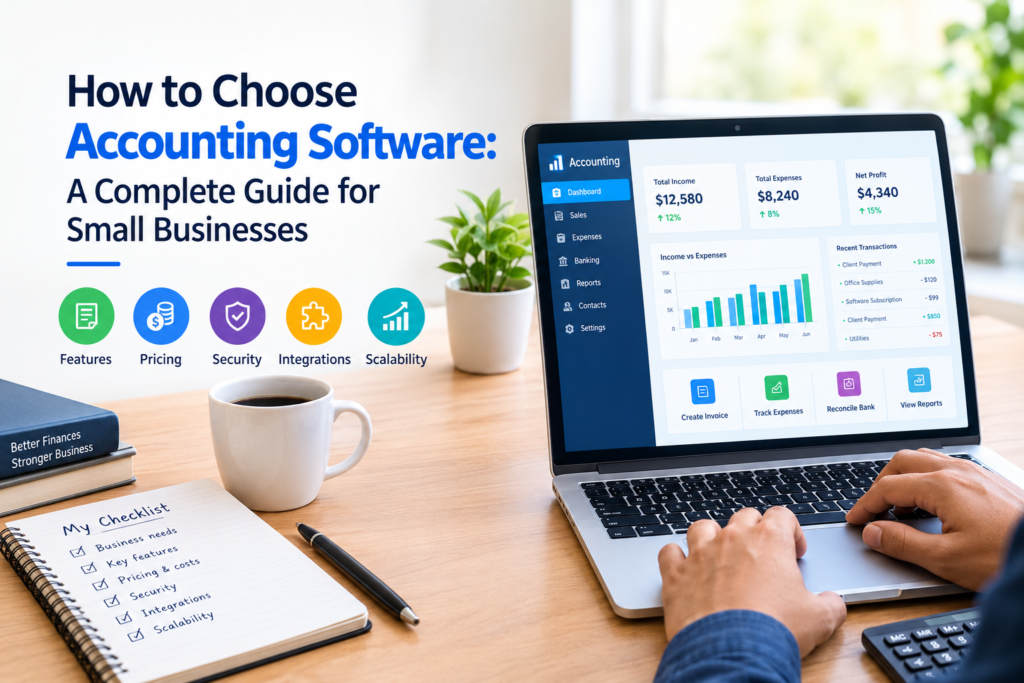

Choosing accounting software is an important decision for any business. The right system can make everyday financial tasks easier, organize records, simplify reporting, and give business owners a clearer view of their finances.
However, accounting software is not one-size-fits-all. A freelancer with a few monthly transactions may need very different features from a growing company with employees, inventory, multiple users, or complex reporting requirements.
If you are wondering how to choose accounting software, start by looking at your actual business needs rather than simply choosing the software with the longest feature list. This guide explains what to consider, which features matter, how to compare costs, and how to avoid common mistakes.
Why Choosing the Right Accounting Software Matters
Accounting software can help businesses organize financial information in one place. Depending on the product, it may support tasks such as invoicing, expense tracking, bank reconciliation, financial reporting, tax preparation, payroll, and payment management.
The right software can reduce manual work and make financial information easier to review.
The wrong software, however, can create unnecessary costs and complexity. You may pay for features you never use, discover that the system does not support an important workflow, or spend significant time moving your data to another platform later.
For this reason, the best accounting software is not necessarily the most expensive or feature-rich option. It is the one that fits your business requirements, budget, technical ability, and expected growth.
How to Choose Accounting Software Step by Step
1. Identify Your Accounting Needs
Before comparing software, make a list of the accounting tasks your business currently performs.
Consider questions such as:
- Do you need to create and send invoices?
- Do you track business expenses?
- Do you need to reconcile bank transactions?
- Do you manage accounts payable and receivable?
- Do you need regular financial reports?
- Do you have employees and require payroll?
- Do you manage inventory?
- Do multiple people need access?
- Do you work with an accountant or bookkeeper?
- Do you need to track projects, locations, or departments?
For example, a freelance designer who sends a few invoices each month may only need invoicing, expense tracking, bank reconciliation, and basic reports.
A growing retail business may need inventory management, purchase orders, sales tracking, multiple users, and more detailed reporting.
Write down your requirements before looking at products. This helps you compare software based on actual needs instead of marketing features.
2. Consider the Size and Type of Your Business
Your industry and business model can significantly affect which accounting system is appropriate.
A freelancer, consulting company, online store, restaurant, nonprofit organization, and manufacturing business may all have different accounting requirements.
Ask yourself:
- How many transactions do we process?
- How many customers do we invoice?
- How many employees do we have?
- Do we sell products or services?
- Do we hold physical inventory?
- Do we operate in more than one location?
- Do we need industry-specific functionality?
For a small service business, simplicity may be more valuable than a large collection of advanced features.
For a larger organization, scalability and detailed financial controls may become more important.
3. Decide Which Features You Actually Need
Accounting platforms often offer different combinations of features. Focus on the functions that are important to your operations.
Invoicing
If your business bills customers regularly, look for software that allows you to create professional invoices, track their status, and record payments.
Useful features may include recurring invoices, payment reminders, invoice customization, and customer records.
Expense Tracking
Good expense management can help you organize business spending and keep financial records consistent.
Check whether the software allows you to categorize expenses, attach receipts, import transactions, and review spending.
Bank Reconciliation
Bank reconciliation helps compare accounting records with bank transactions.
If your accounting software can connect with supported financial institutions, it may reduce manual data entry. However, availability and connection functionality can vary by country and financial institution.
Always check whether your bank is supported before selecting a platform based on this feature.
Financial Reporting
Reports can help you understand the financial position and performance of your business.
Depending on your needs, you may want reports such as:
- Profit and loss statements
- Balance sheets
- Cash flow reports
- Accounts receivable reports
- Accounts payable reports
- Expense reports
- Sales reports
If you regularly work with an accountant, check whether the reports can be exported or shared in a format they can use.
Payroll
Businesses with employees may need payroll functionality.
Check whether payroll is available in your country and whether the system supports the required tax calculations, deductions, filings, and reporting.
Do not assume that payroll features available in one country will work the same way in another.
Inventory Management
If your business sells physical products, inventory features may be important.
Look for functionality related to stock levels, purchases, sales, product records, and inventory reporting.
If inventory is a major part of your operation, basic accounting software may not be enough. You may need a system designed to integrate accounting with inventory or business operations.
4. Check Ease of Use
Accounting software can have many useful features, but those features are less valuable if your team finds the system difficult to use.
Look for a clear interface and straightforward workflows.
If possible, use a free trial or demonstration before purchasing. Ask yourself:
- Can I find important information quickly?
- Is creating an invoice straightforward?
- Can I easily categorize transactions?
- Are reports easy to understand?
- Can employees learn the system without extensive training?
- Does the software provide useful help documentation?
A simple system that your team consistently uses may be more practical than a powerful system that creates unnecessary complexity.
5. Compare Pricing Carefully
Price is an important part of choosing accounting software, but the advertised subscription price may not represent the total cost.
Check what is included in each plan and whether additional charges apply.
Potential costs can include:
- Monthly or annual subscription fees
- Additional users
- Payroll
- Payment processing
- Premium integrations
- Advanced reporting
- Inventory features
- Data storage
- Setup or migration services
- Professional accounting support
Create a simple comparison table before making a decision.
| Cost or Feature | Software A | Software B | Software C |
|---|---|---|---|
| Monthly price | — | — | — |
| Number of users | — | — | — |
| Invoicing | — | — | — |
| Expense tracking | — | — | — |
| Bank connection | — | — | — |
| Reporting | — | — | — |
| Payroll | — | — | — |
| Inventory | — | — | — |
| Customer support | — | — | — |
This makes it easier to identify the option that provides the features you actually need within your budget.
6. Think About Scalability
Your accounting needs may change as your business grows.
A system that works well for a small business today may become restrictive when you have more customers, employees, transactions, or locations.
Before choosing a platform, consider where your business could be in the next few years.
Ask:
- Can I add more users?
- Can the software handle more transactions?
- Can I upgrade the plan when necessary?
- Does it support additional business locations?
- Can it integrate with other business applications?
- Can my accountant continue working with the system as the company grows?
You do not need to buy the most advanced package today. Instead, choose software that gives you a reasonable path to expand.
7. Check Integrations
Your accounting software may need to work with other tools.
Depending on your business, useful integrations may include:
- Payment processors
- Banks
- E-commerce platforms
- Customer relationship management systems
- Payroll platforms
- Inventory systems
- Expense management tools
- Project management software
- Spreadsheet applications
Integrations can reduce duplicate data entry, but they also introduce dependencies between systems.
Before purchasing, verify that the specific integrations you need are supported by the current version or plan.
8. Review Security and Data Protection
Financial records are sensitive business information, so security should be an important consideration.
Review the provider’s information about:
- Account security
- User permissions
- Authentication options
- Data encryption
- Backup procedures
- Data retention
- Data export
- Privacy practices
Use strong, unique passwords and enable multi-factor authentication when available.
It is also useful to understand how you can retrieve your data if you decide to leave the platform.
9. Consider Multi-User Access and Permissions
If several people work with your financial records, user permissions can help control access.
For example, an administrator may need broader access than an employee who only creates invoices.
Look for controls that allow you to determine what different users can view or change.
This can make financial workflows more organized and reduce the risk of unnecessary access to sensitive information.
10. Check Customer Support
When dealing with financial software, getting help when something goes wrong can be important.
Check what support channels are available, such as:
- Email support
- Live chat
- Phone support
- Help centers
- Knowledge bases
- Community forums
- Training resources
Also check the support hours and whether assistance is available in your country or time zone.
Do not evaluate support only by whether it exists. Consider whether the available support method matches your needs.
11. Check Compatibility With Your Accountant
If you work with an accountant or bookkeeper, involve them before making the final decision.
Your accountant may have preferences based on the types of reports, exports, integrations, or workflows they use.
Ask them:
- Can you work with this software?
- Can I easily share access with you?
- Are the reports suitable for your work?
- Can financial data be exported when needed?
- Are there any accounting limitations I should know about?
This simple step can prevent problems after implementation.
12. Test the Software Before Buying
A free trial or demonstration can reveal problems that are not obvious from a product page.
Instead of simply clicking through the interface, test realistic tasks.
For example:
- Create a customer.
- Create an invoice.
- Record an expense.
- Import or connect a transaction source if supported.
- Reconcile transactions.
- Generate a financial report.
- Export information.
- Add another user.
- Test the permissions.
- Contact customer support with a basic question.
The goal is to see whether the software fits your actual workflow.
Common Mistakes to Avoid
Choosing Based Only on Price
The cheapest option may not be the most economical if you later need to migrate to another system.
Compare total costs and functionality instead of looking only at the monthly subscription.
Paying for Features You Do Not Need
More features do not automatically mean better software.
If you run a small service business, you may not need advanced inventory, complex project accounting, or enterprise-level functionality.
Choose according to your current requirements and reasonable future needs.
Ignoring Data Export
Before committing to a platform, understand how you can export your accounting information.
Data portability can become important if you change software, work with a new accountant, or need to retain records independently.
Forgetting Local Requirements
Accounting and tax requirements differ between countries and jurisdictions.
A software package may be excellent internationally but may not support a specific local tax process or reporting requirement.
Check official government guidance and consult a qualified accounting professional when necessary.
Not Considering Your Team
The person selecting the software may not be the only person using it.
Consider the skills, responsibilities, and workflows of everyone who will work with the system.
Accounting Software Comparison Checklist
Before making your final decision, ask these questions:
- Does it support my business type?
- Does it provide the accounting features I actually need?
- Is the pricing suitable for my budget?
- Are there additional charges?
- Is it easy for my team to use?
- Can it grow with my business?
- Does it integrate with my existing tools?
- Does it provide appropriate security controls?
- Can I control user permissions?
- Can I export my data?
- Is customer support adequate?
- Can my accountant use it?
- Does it meet relevant local accounting or tax requirements?
If a product performs well against most of these requirements, it may be worth testing further.
When Basic Accounting Software May Not Be Enough
Small businesses often start with straightforward accounting needs. As operations become more complicated, however, basic software may no longer be sufficient.
You may need more specialized systems if your business has:
- Complex inventory operations
- Multiple locations
- Large numbers of employees
- Advanced project accounting requirements
- Multiple entities
- Complex approval workflows
- Extensive reporting requirements
- Specialized industry accounting needs
In these situations, speak with an accountant or financial professional before selecting a more advanced system.
How Much Accounting Software Should You Buy?
There is no universal answer.
A useful approach is to purchase the level of functionality that solves your current problems while leaving room for reasonable growth.
For example, if you only need invoicing, expenses, reconciliation, and basic reporting, an entry-level plan may be enough.
If you need payroll, inventory, multiple users, and advanced reporting, a higher-tier plan may make more sense.
Avoid paying for features simply because they sound impressive. The goal is to support your business operations efficiently.
Frequently Asked Questions
1. How do I choose accounting software for a small business?
Start by listing your essential accounting tasks, such as invoicing, expense tracking, bank reconciliation, reporting, payroll, or inventory management. Compare software based on those requirements, pricing, ease of use, integrations, security, and scalability.
2. What features should accounting software have?
Commonly useful features include invoicing, expense tracking, bank reconciliation, financial reporting, transaction management, data export, and user permissions. Businesses may also need payroll, inventory, project accounting, or integrations depending on their operations.
3. Is expensive accounting software always better?
No. More expensive software may include more advanced functionality, but those features may not be necessary for every business. The better choice is software that provides the capabilities you need at a reasonable total cost.
4. Should I use cloud-based accounting software?
Cloud-based software can provide convenient access from supported devices and may simplify updates and collaboration. However, you should still review security, data access, backup, privacy, internet requirements, and data-export options before choosing a cloud platform.
5. Should I ask an accountant before choosing accounting software?
Yes, especially if your business has complex accounting, payroll, inventory, tax, or reporting requirements. An accountant can help you identify requirements and determine whether a particular system will work with your financial processes.
Conclusion
Learning how to choose accounting software starts with understanding your business rather than comparing software based only on popularity or price.
Identify your accounting requirements, prioritize essential features, compare the total cost, test the software, review security and data-export options, and consider how your needs may change as your business grows.
Most importantly, choose a system that your business and team can realistically use. The right accounting software should make financial management more organized and practical without adding unnecessary complexity.
Before making a final decision, check the provider’s current pricing, features, integrations, security information, and local availability because these details can change over time.