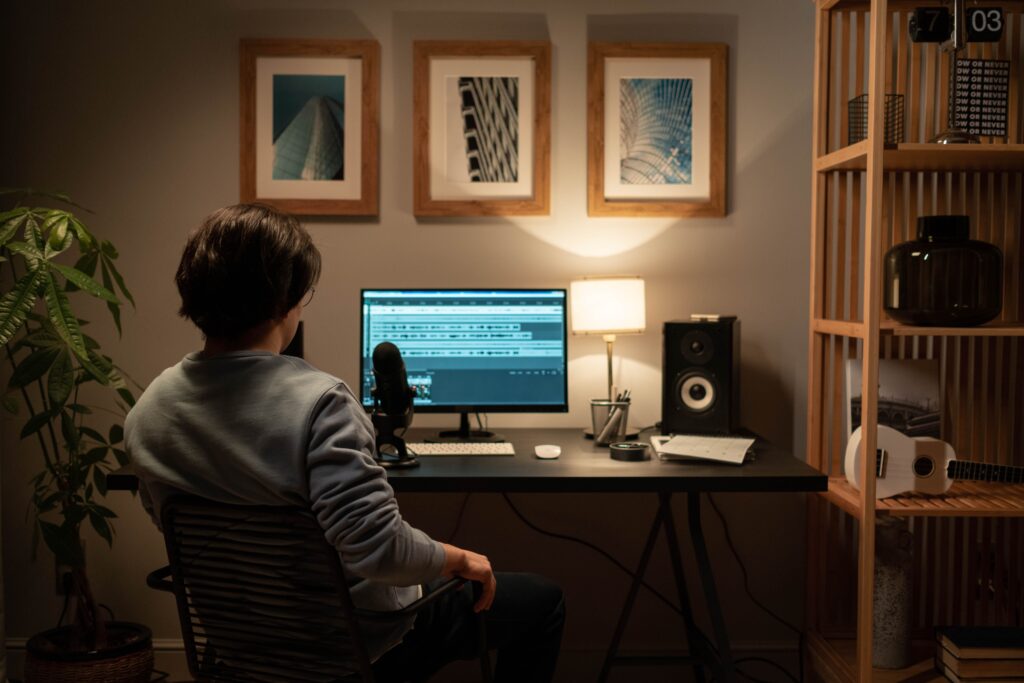

Artificial intelligence has made video creation more accessible. Instead of starting with a camera, complicated editing software, and hours of manual work, creators can now use AI tools to help generate scripts, images, voiceovers, animations, captions, and even complete video scenes.
However, creating a useful AI video still requires human planning and review. AI-generated content can contain incorrect information, unnatural narration, visual mistakes, or scenes that do not match the original idea.
In this guide, you’ll learn how to create AI-generated videos from beginning to end, what tools and workflows you can use, where AI can help, and what limitations you should consider.
What Are AI-Generated Videos?
AI-generated videos are videos created or assisted by artificial intelligence.
Depending on the tool, you may be able to provide a text prompt, script, image, or other instructions and have AI generate some part of the video.
AI can assist with tasks such as:
- Writing or improving a video script
- Generating images or video scenes
- Creating voice narration
- Producing subtitles and captions
- Translating or dubbing content
- Creating animations
- Removing or replacing backgrounds
- Generating short video clips
- Combining different elements into a finished video
The amount of automation varies considerably between tools. Some applications generate short clips from text, while others provide AI-assisted editing features inside a conventional video editor.
Why Create Videos With AI?
AI video tools can be useful when you need to produce content efficiently or experiment with ideas before investing significant time in production.
Faster Content Planning
AI can help turn a rough idea into an outline, script, shot list, or storyboard.
For example, instead of beginning with a blank document, you could provide an idea such as:
“Create a three-minute educational video explaining how cloud storage works for beginners.”
An AI assistant could help organize the topic into an introduction, key points, examples, and conclusion.
You should still review the result and make corrections before using it.
Easier Visual Production
Text-to-video and image-generation tools can help creators visualize concepts that would otherwise require filming or custom graphics.
This can be particularly useful for:
- Educational videos
- Explainer videos
- Product demonstrations
- Social media content
- Presentations
- Concept videos
- Storytelling
Helpful for Beginners
You do not necessarily need advanced video-editing skills to experiment with AI-assisted video creation.
Many modern tools provide templates, drag-and-drop editors, automated captions, and other features designed to simplify production.
How to Create AI-Generated Videos Step by Step
The process can vary depending on the software you use, but the following workflow works well for many projects.
Step 1: Define the Purpose of Your Video
Start with the purpose rather than the tool.
Ask yourself:
- Who is the video for?
- What should viewers learn or understand?
- Where will the video be published?
- How long should it be?
- What action, if any, should viewers take afterward?
For example, a tutorial for YouTube may require more explanation than a short social media video.
A clear purpose will also make it easier to decide what AI features you actually need.
Step 2: Write a Simple Script
A good script gives the AI and the editing process a clear direction.
A basic educational video might follow this structure:
- Introduction
- Problem or question
- Main explanation
- Examples
- Practical tips
- Conclusion
Keep the language natural and appropriate for your audience.
AI can help draft a script, but do not automatically assume that everything it produces is accurate. Check names, dates, technical details, statistics, and other factual claims.
Step 3: Create a Storyboard
Before generating every scene, decide what viewers should see while the narration is playing.
For example:
| Scene | Narration | Visual |
|---|---|---|
| 1 | Introduction to the topic | Title animation |
| 2 | Explain the problem | Simple illustration |
| 3 | Introduce the solution | Screen or product visual |
| 4 | Explain the process | Animated diagram |
| 5 | Summarize the main points | Key takeaways |
A storyboard prevents the final video from becoming a collection of unrelated AI-generated scenes.
Step 4: Generate or Collect Visuals
Depending on your project, you can use AI to generate images or short video clips.
When writing prompts, describe the subject, environment, visual style, composition, lighting, and important details.
For example:
Basic prompt:
“A modern office with employees working on laptops.”
More specific prompt:
“A clean modern technology office with a small team collaborating around a laptop, natural window lighting, realistic professional photography style, wide shot.”
Specific instructions generally give you more control over the intended visual.
However, AI-generated visuals can still contain inconsistencies. Review hands, text, objects, logos, faces, and other important details before publishing.
Step 5: Generate the Voiceover
AI voice tools can convert written scripts into spoken narration.
When selecting a voice, consider:
- Pronunciation
- Speed
- Tone
- Accent
- Language
- Naturalness
- Audience expectations
Listen to the complete narration before adding it to your video.
Pay particular attention to technical terms, names, abbreviations, and words that may be pronounced incorrectly.
If you use a synthetic voice or another person’s voice, make sure your use complies with the tool’s terms and applicable rights.
Step 6: Add Music and Sound Effects
Background music can influence the tone of a video, but it should not overpower the narration.
Use music and sound effects that you have permission to use.
Avoid simply downloading copyrighted music from random websites and adding it to your video. Instead, use properly licensed audio or music provided through reputable libraries and platforms.
Step 7: Assemble and Edit the Video
Now combine your:
- Video clips
- Images
- Voiceover
- Music
- Captions
- Transitions
- Graphics
- Branding elements
AI can automate some editing tasks, but human review remains important.
Watch the video from beginning to end and look for:
- Incorrect visuals
- Awkward transitions
- Narration mistakes
- Spelling errors
- Timing problems
- Unnecessary scenes
- Audio that is too loud or quiet
- Captions that do not match the narration
Step 8: Add Captions
Captions can make videos easier to follow, especially when people watch without sound.
Check automatically generated captions manually because speech-to-text systems can misunderstand names, technical terminology, accents, or unclear audio.
Make sure captions are readable and remain on screen long enough to understand.
Step 9: Review the Facts
This is one of the most important steps.
AI systems can produce convincing but incorrect information.
Before publishing an educational, business, technology, financial, or other factual video, verify important claims using reliable sources.
For changing information such as software features, prices, product specifications, laws, or platform policies, check the relevant official source before publication.
Step 10: Export and Publish
Once your video is complete, export it using settings appropriate for the platform where you intend to publish it.
Check:
- Resolution
- Aspect ratio
- File format
- Audio quality
- Captions
- Thumbnail
- Title
- Description
Then watch the exported version rather than assuming that the project file and final export are identical.
Different Ways to Create AI Videos
There is no single AI video workflow that works for every creator.
Text-to-Video
Text-to-video systems generate video content based on written prompts.
They can be useful for creating short visual scenes, concepts, backgrounds, or creative sequences.
Best suited for: visual experiments, short clips, storytelling, and creative projects.
Script-to-Video
These tools start with a script and help assemble narration, visuals, captions, and other elements into a video.
Best suited for: educational content, presentations, tutorials, and business communication.
Image-to-Video
An existing image can be animated or transformed into a video sequence.
Best suited for: product visuals, illustrations, photographs, and creative storytelling.
AI-Assisted Video Editing
Traditional video editors increasingly include AI features such as automatic captions, background removal, audio enhancement, scene detection, and other editing assistance.
Best suited for: creators who want more control while using AI to reduce repetitive editing work.
How to Choose an AI Video Tool
Instead of choosing a tool simply because it has many AI features, consider what your project actually requires.
Check the Generation Method
Does the tool create:
- Text-to-video clips?
- Script-based videos?
- Talking-avatar videos?
- Image animations?
- AI-assisted edits?
Choose a workflow that matches your content.
Check Output Quality
Look at sample videos created with the tool.
Pay attention to:
- Visual consistency
- Motion quality
- Voice quality
- Text rendering
- Resolution
- Editing flexibility
Understand Pricing
AI video platforms may use subscriptions, credits, usage limits, or different pricing tiers.
Before paying, check what is included in the plan you are considering.
A low-cost plan may have restrictions on export quality, generation time, available features, or commercial use.
Review Usage Rights
This is particularly important for businesses and professional creators.
Read the provider’s current terms regarding:
- Commercial use
- Generated content
- Copyright
- Voice cloning
- Stock assets
- Music licensing
- Brand assets
Terms can change, so check the provider’s current documentation before using AI-generated material commercially.
Tips for Better AI-Generated Videos
Keep Your Prompts Specific
Instead of giving AI a vague instruction, describe the result you want.
Include details such as:
- Subject
- Location
- Camera angle
- Movement
- Mood
- Visual style
- Composition
- Duration
Specific prompts can make the creative process easier to control.
Keep Visuals Consistent
One common challenge with AI-generated video is maintaining consistency between scenes.
Characters may change appearance, clothing, age, or other characteristics.
If consistency matters, establish a clear visual reference and use tools or workflows that support consistent characters and styles.
Don’t Overuse AI
AI does not need to control every part of your production.
Sometimes a real screen recording, photograph, diagram, or simple animation communicates information better than a generated scene.
Use AI where it adds value rather than simply because it is available.
Edit the AI Output
The first generated version should not automatically be considered the finished product.
Edit the content for:
- Accuracy
- Clarity
- Timing
- Brand consistency
- Natural language
- Visual quality
Human review is especially important for professional or educational content.
Common Problems With AI-Generated Videos
AI video creation has advantages, but it also has limitations.
Inconsistent Visuals
Generated characters, objects, or environments may change between scenes.
Incorrect Information
AI can produce statements that sound credible but are not correct.
Always verify important factual information.
Unnatural Voices
Some synthetic voices sound realistic, while others may still sound artificial depending on the language, voice, or context.
Poor Text in Generated Images
AI-generated graphics may contain misspelled or distorted text.
For important titles, labels, and diagrams, it is often better to add text separately during editing.
Copyright and Ownership Questions
The legal treatment of AI-generated content can vary depending on the jurisdiction, how the content was created, and what source material was used.
Do not assume that every AI-generated asset automatically gives you unrestricted commercial rights.
Review the applicable tool terms and relevant laws when the issue matters to your project.
AI Video Creation vs. Traditional Video Production
AI and traditional production are not necessarily competing approaches.
| Area | AI-Assisted Production | Traditional Production |
|---|---|---|
| Script development | AI can help draft | Usually written manually |
| Visual creation | Can generate some visuals | Filming or manual design |
| Voiceover | Synthetic voices available | Human voice recording |
| Editing | AI can automate some tasks | Manual editing |
| Flexibility | Useful for rapid experimentation | Strong creative control |
| Human involvement | Still important | Central to the process |
For many projects, a combination of AI and traditional production provides the most practical workflow.
Who Can Use AI-Generated Videos?
AI video tools can be useful for many types of creators and organizations.
Content Creators
Creators can use AI to develop concepts, create visual sequences, generate captions, and speed up editing.
Small Businesses
Businesses can create product explainers, training materials, presentations, and social media content.
Educators
Teachers and educational creators can use AI-assisted visuals and narration to explain concepts.
Marketing Teams
Marketing teams can experiment with promotional concepts, demonstrations, tutorials, and internal content.
The appropriate workflow depends on the audience, subject, budget, and publishing requirements.
Frequently Asked Questions
1. Can beginners create AI-generated videos?
Yes. Many AI video platforms are designed to simplify tasks such as scripting, visual generation, voiceover, captions, and editing. Beginners should still learn basic video principles and review the generated content carefully.
2. Do I need expensive equipment to create an AI video?
Not necessarily. Some AI-assisted workflows can be completed with a computer and suitable software. Your requirements will depend on whether you are generating content entirely with AI or combining AI with recorded footage.
3. Can AI create a complete video from a text prompt?
Some tools can generate substantial parts of a video from text, but the exact capabilities vary. A complete production may still require editing, fact-checking, voice adjustments, captions, music, and human review.
4. Are AI-generated videos automatically copyright-free?
No. You should not assume that AI-generated content is automatically free of copyright or other legal restrictions. The answer can depend on the source material, tool terms, jurisdiction, and how much human creative input is involved.
5. Is human editing still necessary?
For most professional videos, human review is highly valuable. AI can make mistakes in facts, visuals, pronunciation, timing, and context. Reviewing and editing the final product helps improve its accuracy and quality.
Conclusion
Learning how to create AI-generated videos is less about finding a button that produces a finished video and more about building an effective production process.
Start with a clear purpose, create a useful script, plan your visuals, generate the necessary assets, add narration and captions, and then carefully review the result. AI can reduce repetitive work and make experimentation easier, but human judgment remains important.
The strongest AI-assisted videos are not necessarily the ones with the most AI-generated elements. They are the ones that communicate a clear idea, provide useful information, and give viewers a polished and trustworthy experience.