
Running a small business involves more than selling products or providing services. Business owners must manage payments, track sales, monitor inventory, organize transactions, and understand their financial performance. Handling these activities manually can become time-consuming, especially as a business grows.
A Point of Sale (POS) system can make these daily responsibilities easier by bringing payment processing, sales records, and business management tools together in one platform.
However, choosing the right system requires careful consideration. Different POS providers offer different pricing structures, hardware options, inventory features, and payment processing services. A system that works well for a retail store may not be suitable for a restaurant, salon, or service-based business.
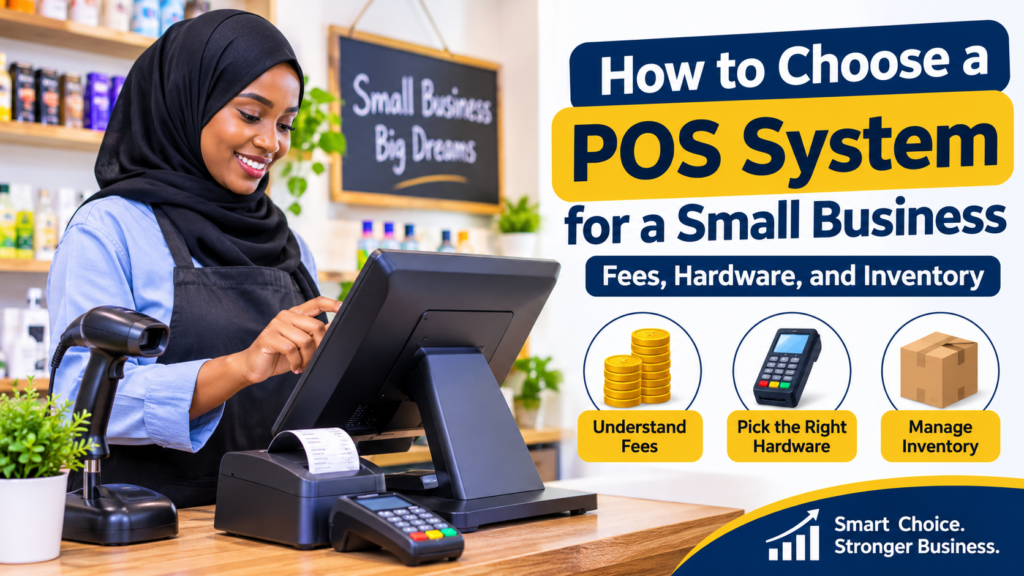
Understanding how to choose a POS system for a small business can help you avoid unnecessary expenses and select technology that supports your daily operations.
This guide explains the most important factors to consider, including transaction fees, hardware costs, inventory management, software features, security, and customer support.
What Is a POS System?
A Point of Sale system is a combination of software and hardware that businesses use to process customer transactions and manage sales activities.
When a customer purchases a product or service, the POS system records the transaction and processes the payment through a supported payment provider.
Modern POS systems can also offer additional tools for managing business operations.
Depending on the provider and subscription plan, these features may include:
- Payment processing for cash, cards, and supported digital wallets.
- Sales reporting and transaction records.
- Inventory tracking and stock management.
- Employee accounts and permissions.
- Customer information and purchase histories.
- Discounts, promotions, and loyalty programs.
- Online and in-store sales management.
Some systems operate through cloud-based software, allowing business owners to access information from compatible devices with an internet connection. Others provide offline functionality for certain activities.
The available features depend on the provider, equipment, subscription, and payment processing arrangement.
How to Choose a POS System for a Small Business
Before purchasing a POS system, identify what your business actually needs.
A small retailer may prioritize barcode scanning and inventory tracking, while a restaurant may need table management, menu customization, and kitchen order communication.
Rather than choosing a system based only on popularity or price, compare the following important factors.
1. Understand POS System Fees and Pricing
Cost is one of the most important considerations when selecting a POS solution.
Some providers advertise free software plans, while others charge monthly subscription fees. However, the software price is only one part of the total cost.
Understanding the complete pricing structure helps you estimate what the system will cost over time.
Monthly Software Subscription Fees
Many POS providers charge a monthly or annual subscription for access to their software.
Basic plans may include essential sales processing and reporting features. More advanced subscriptions may provide:
- Detailed inventory management.
- Multiple employee accounts.
- Advanced sales reports.
- Customer management tools.
- Multiple store locations.
- Integration with accounting platforms.
Before selecting a subscription, determine which features are included and which require additional payment.
Avoid paying for advanced tools that your business does not currently need.
Payment Processing Fees
Payment processing fees are charges associated with accepting electronic payments.
Depending on the provider and agreement, these fees may be calculated as:
- A percentage of the transaction amount.
- A fixed amount per transaction.
- A combination of percentage-based and fixed fees.
For example, imagine a payment provider charges 2.5% plus $0.10 per transaction.
For a $100 card payment:
- Percentage fee: $2.50.
- Fixed fee: $0.10.
- Total processing fee: $2.60.
Illustrative example only. Actual processing rates vary by provider, country, payment method, and merchant agreement.
When comparing providers, check whether different rates apply to in-person, online, international, or manually entered transactions.
Also ask whether chargebacks, refunds, currency conversion, or additional payment services involve separate charges.
Additional POS Costs
Some expenses are less obvious during the initial purchasing process.
| Cost category | What to check |
|---|---|
| Setup fees | Initial installation or account configuration |
| Hardware | Terminals, scanners, printers, and cash drawers |
| Software upgrades | Premium features or additional subscriptions |
| Payment processing | Card and digital payment transaction fees |
| Integrations | Third-party applications or services |
| Support | Paid technical assistance or premium support |
| Contract fees | Cancellation or early termination charges |
Practical tip: Calculate your estimated monthly cost using software subscriptions, hardware expenses, payment fees, and additional services. This provides a more realistic comparison than looking at advertised subscription prices alone.
2. Choose the Right POS Hardware
POS hardware includes the physical equipment used to complete transactions and support business operations.
The equipment you need depends on your business model, transaction volume, and preferred checkout process.
Smart POS for Small Retailers: Is It Worth It
Loyverse Free POS Software review | Canada POS
Kit Punto De Venta Cajón de dinero, Impresora térmica y scanner eQual Kit No.9 | Walmart en línea
12
Essential POS Hardware Options
POS Terminal or Tablet
A terminal or tablet provides the interface for entering products, calculating totals, and managing sales.
Some businesses use dedicated touchscreen terminals, while others operate POS software on compatible tablets or computers.
Card Reader
A card reader allows businesses to accept supported debit and credit card payments.
Depending on the provider, readers may support contactless payments, chip cards, and mobile wallets.
Check device compatibility and payment acceptance options before purchasing.
Receipt Printer
A receipt printer produces printed transaction records for customers.
Some businesses prefer digital receipts, which can reduce the need for printing equipment.
Barcode Scanner
Barcode scanners help retail businesses identify products quickly and reduce manual data entry.
They are especially useful for businesses with large product catalogs.
Cash Drawer
A cash drawer provides secure storage for cash payments and change.
Some drawers connect directly to compatible receipt printers or POS terminals.
Should You Buy or Lease POS Hardware?
Both purchasing and leasing equipment have advantages and disadvantages.
| Option | Advantages | Disadvantages |
|---|---|---|
| Buying | Long-term ownership and greater equipment control | Higher initial expense |
| Leasing | Lower upfront equipment cost | Ongoing payments and contract conditions |
| Using existing devices | Potentially lower startup costs | Compatibility and performance limitations |
For a small business with a limited budget, using an existing compatible tablet may be a practical starting point.
However, confirm that the device meets the POS provider’s technical requirements and security recommendations.
3. Evaluate Inventory Management Features
Inventory management is one of the most valuable features of a POS system for product-based businesses.
Without accurate stock records, business owners may struggle to identify which products are selling, which items need restocking, and where inventory problems are occurring.
A Guide to Barcode Inventory Management Systems
A suitable POS system should make it easier to monitor products and maintain accurate inventory records.
Real-Time Inventory Tracking
Inventory tracking allows businesses to monitor stock levels as sales and other inventory transactions are recorded.
For example, when a customer purchases two units of a product, the system can automatically reduce the recorded stock quantity if inventory tracking is configured correctly.
This helps business owners understand which products are available without manually checking every item.
Low-Stock Alerts
Low-stock notifications help businesses identify products that may need restocking.
Some systems allow users to establish minimum stock quantities.
When inventory reaches the selected threshold, the system generates an alert.
This can help reduce the risk of running out of popular products.
Product Variations and Categories
Retail businesses often sell products in different sizes, colors, models, or styles.
A useful inventory system should allow businesses to organize these variations separately.
For example, a clothing store may need to track:
- Small, medium, and large sizes.
- Different product colors.
- Individual product codes.
- Purchase prices and selling prices.
- Available quantities for each variation.
Proper organization makes it easier to identify which products are performing well.
Purchase Orders and Supplier Management
Some advanced POS systems provide tools for recording suppliers, creating purchase orders, and monitoring incoming stock.
These features can help businesses organize purchasing activities and maintain more accurate inventory records.
However, not every small business needs advanced purchasing tools.
Choose a system based on the complexity of your inventory rather than the number of features advertised.
4. Check Payment Methods and Compatibility
A POS system should support the payment methods your customers commonly use.
Depending on your location and provider, these may include:
- Cash payments.
- Debit and credit cards.
- Contactless payments.
- Supported mobile wallets.
- Online payment methods.
- Bank transfer or other locally supported payment options.
Before choosing a system, confirm that the payment processor operates in your country and supports your business type.
This is particularly important for businesses operating in markets where international payment services may have limited availability.
Consider Local Payment Requirements
Payment processing availability is not the same everywhere.
Some providers support businesses only in selected countries. Others have restrictions involving supported currencies, settlement methods, or business registration requirements.
If your business operates in Somalia or another market with limited international payment coverage, investigate local payment providers and available integrations before investing in hardware.
Ask potential providers:
- Can I register a business account in my country?
- Which local and international payment methods are supported?
- Which currencies can I accept?
- How and when are payments settled?
- Are there additional currency conversion charges?
- Does the POS hardware work with the supported payment service?
A POS system with impressive features is not useful if its payment processing service cannot operate in your location.
5. Look for Simple and Reliable POS Software
The software should be easy for employees and business owners to understand.
Complicated systems can slow down checkout operations and increase the time required to train staff.
Look for a straightforward interface with clearly organized functions.
Important Software Features
A good POS platform may provide:
- Easy product search.
- Quick checkout.
- Automatic tax calculations where supported.
- Refund and discount management.
- Employee access controls.
- Sales summaries.
- Inventory updates.
- Customer records.
- Data export options.
Not every feature is necessary for every business.
For example, a small service business may not need barcode scanning, while a retail store may depend on it every day.
Cloud-Based vs. Offline POS Systems
POS systems generally differ in how they store and access business information.
| Feature | Cloud-based POS | Locally installed POS |
|---|---|---|
| Data access | Often available through supported internet-connected devices | Usually accessed through configured local devices |
| Updates | Frequently managed by the provider | May require local or manual updates |
| Internet dependency | Some features require internet | May support local operation |
| Data management | Often hosted by the provider | May be stored locally or on a local server |
Some cloud-based POS systems offer offline modes, but functionality may be limited.
For example, certain systems may allow sales to be recorded offline but delay payment processing or synchronization until connectivity returns.
Check exactly which features continue working without an internet connection.
6. Compare Reporting and Business Analytics
Sales reports help business owners understand how their operations are performing.
A POS system can turn transaction records into useful business information.
Point of Sale (POS) Analytics – Loyverse Back Office
Useful reporting features may include:
Daily Sales Reports: Show total recorded sales over a selected period.
Product Performance Reports: Help identify popular and slow-moving products.
Inventory Reports: Provide information about stock quantities and inventory changes.
Employee Reports: Help authorized managers review sales activity by employee.
Payment Reports: Show how transactions are distributed across supported payment methods.
These reports can support purchasing decisions, budgeting, and operational planning.
However, remember that sales revenue is not the same as profit. Business owners must also consider product costs, operating expenses, taxes, refunds, and other financial obligations.
7. Review Integrations With Other Business Tools
As a business grows, it may need to connect its POS system with additional software.
Integrations reduce repetitive data entry and help different business tools work together.
Common integrations include:
- Accounting software.
- E-commerce platforms.
- Customer relationship management tools.
- Email marketing platforms.
- Employee scheduling applications.
- Inventory management software.
- Online ordering systems.
For example, connecting a POS platform to accounting software may make it easier to transfer sales records for bookkeeping.
Before choosing a provider, check whether the integrations you need are included in your subscription or require additional charges.
Also confirm whether integrations synchronize information automatically or require manual actions.
8. Consider Security and Data Protection
POS systems handle important business information, including transaction records, employee accounts, and potentially sensitive customer data.
Security should therefore be part of your purchasing decision.
Look for providers that explain their security practices clearly.
Important considerations include:
User Permissions
A POS system should allow business owners to control what employees can access.
For example, a cashier may need permission to process sales but not access business-wide financial reports or change system settings.
Secure Payment Processing
Ask how the provider protects payment information and whether its payment processing environment follows applicable security standards.
For businesses accepting card payments, check the provider’s PCI DSS compliance information and understand which security responsibilities remain with your business.
Software Updates
Regular software updates help maintain compatibility and address security issues.
Check whether updates are automatic and whether the provider communicates important changes.
Data Backup and Recovery
Find out how your business information is backed up and what happens if a device is damaged or a system becomes unavailable.
Ask whether transaction records can be exported and whether the provider offers a clear recovery process.
Do not assume that all POS systems provide the same backup or recovery protections.
9. Evaluate Customer Support and Training
Technical support is particularly important when a POS system is responsible for daily sales.
If the system stops working during business hours, you need a practical way to resolve the problem.
Before signing up, investigate:
- Available customer support hours.
- Phone, email, and live chat options.
- Local support availability.
- Training materials and tutorials.
- Hardware replacement procedures.
- Software troubleshooting resources.
- Response times for technical problems.
Also check whether support is included in your subscription or charged separately.
A provider with clear documentation and accessible support can make implementation and daily operations easier.
10. Test the POS System Before Committing
Avoid selecting a system based entirely on advertisements or feature lists.
If possible, request a demonstration or use a free trial before purchasing.
Testing helps determine whether the system actually fits your business workflow.
During the evaluation, try the following activities:
- Add products and organize product categories.
- Process a sample transaction.
- Apply a discount.
- Record a refund.
- Check inventory adjustments.
- Generate a sales report.
- Add an employee account.
- Test the available payment methods.
- Review offline functionality if applicable.
- Contact customer support with a basic technical question.
This process can reveal limitations that may not be obvious during a sales presentation.
POS System Comparison: What Should Small Businesses Look For?
Different business types require different POS features.
The following comparison can help you identify which capabilities deserve priority.
| Business type | Important features | Useful hardware |
|---|---|---|
| Retail store | Inventory, barcode scanning, sales reports | Scanner, receipt printer |
| Restaurant | Menu management, order handling, table management | Kitchen printer, tablet |
| Grocery shop | Product tracking, barcode support, checkout speed | Scanner, cash drawer |
| Salon | Appointment scheduling, customer records, payments | Tablet, card reader |
| Service business | Invoicing, customer management, payment records | Computer, card reader |
| Small online store | E-commerce integration, order management | Computer, compatible payment tools |
A business should not pay for restaurant-specific features if it operates a simple retail store.
Similarly, a restaurant should not choose a basic retail POS system without checking whether it can support its ordering and operational requirements.
Popular POS Systems Small Businesses Can Research
Several established POS providers offer products aimed at different business categories.
These are examples worth researching, not universal recommendations. Availability, pricing, payment support, and features depend on location and subscription.
Square Punto de Venta: precios, funciones y opiniones
Square POS
Offers point-of-sale and payment tools for eligible businesses. Research its hardware, processing fees, and country availability.
Official website: Square
Shopify Help Center | Apps made by Shopify
Shopify POS
Connects supported in-person retail operations with Shopify’s e-commerce platform. Consider it when managing online and physical sales together.
Official website: Shopify POS
Lightspeed POS
Provides retail and hospitality POS solutions with business management features. Review the relevant product package and regional availability.
Official website: Lightspeed
Grocery and Retail | Enhance Your Store Today — Retail Tech Solutions
Clover POS
Offers POS hardware and business software for supported merchants. Check payment processor compatibility and available equipment.
Official website: Clover
Free High-Quality Toast POS Logo for Creative Design
Toast POS
Focuses on restaurant operations, including ordering and payment-related tools. Check its eligibility and service availability for your location.
Official website: Toast
Before purchasing any of these solutions, consult the provider’s official website for current plans, supported countries, hardware compatibility, and contract conditions.
Common Mistakes to Avoid When Choosing a POS System
Even a feature-rich POS system can become an unnecessary expense if it does not match your business requirements.
Here are some common mistakes to avoid.
Choosing Based Only on the Lowest Price
A low monthly subscription does not necessarily mean the lowest overall cost.
Payment processing fees, additional equipment, software upgrades, and support charges can increase expenses.
Compare the complete pricing structure before making a decision.
Ignoring Hardware Compatibility
Not every POS application works with every tablet, printer, or card reader.
Check supported devices before purchasing equipment.
Overlooking Payment Availability
A provider may offer attractive features but not support businesses in your country.
Confirm eligibility and payment settlement options before investing.
Paying for Unnecessary Features
Advanced inventory analytics, multiple-location management, and complex integrations may not be necessary for a newly established business.
Start with the features required for daily operations.
Failing to Review Contract Conditions
Some providers have subscription commitments, cancellation charges, or equipment return requirements.
Read the agreement carefully and understand what happens if you decide to change providers.
A Practical Checklist Before Buying a POS System
Use this checklist to compare providers and avoid overlooking important details.
POS buying checklist
0/11 completedThe provider supports my country and business type.Payment methods and settlement options meet my requirements.All transaction and processing fees are clearly explained.Hardware is compatible with the software.Inventory features match my product catalog.Sales reports provide the information I need.The system supports my required integrations.Security, backups, and data export options are documented.Customer support is accessible when needed.I understand the subscription and cancellation terms.I have tested the system before committing.
Reset checklist
Frequently Asked Questions About Small Business POS Systems
1. How much does a POS system cost for a small business?
The cost depends on the software subscription, payment processing fees, hardware, and additional services.
Some providers offer free software plans, while others charge monthly subscriptions. Hardware may require a separate purchase or lease.
The best approach is to calculate the total expected cost rather than comparing subscription prices alone.
2. Can a small business use a POS system without purchasing expensive hardware?
Yes. Some POS providers allow businesses to use compatible smartphones, tablets, or computers.
However, additional equipment such as card readers, barcode scanners, and receipt printers may be necessary depending on the business.
Always confirm device compatibility before purchasing or installing the software.
3. What is the most important POS feature for a small retail business?
Inventory management is one of the most important features for many retail businesses.
A suitable system should track product quantities, record sales, support product variations, and provide stock reports.
Barcode scanning and low-stock notifications can also make daily inventory management easier.
4. Can a POS system work without an internet connection?
Some POS systems offer offline functionality, but the available features vary.
Certain systems may allow businesses to record sales while offline, while others require internet access for most operations.
Payment processing and data synchronization may be delayed or restricted.
Check the provider’s offline policy before relying on this feature.
5. Is a POS system necessary for every small business?
No. A business with a small number of transactions may be able to manage sales using simpler payment and recordkeeping tools.
However, a POS system becomes more useful when a business needs organized sales records, inventory tracking, employee management, or multiple payment options.
The decision should depend on operational needs, budget, and expected business growth.
Conclusion
Choosing the right POS system is an important decision for any small business because it affects daily transactions, inventory management, operating expenses, and customer service.
The best approach is to evaluate your actual business requirements before comparing providers.
Pay close attention to payment processing fees, subscription costs, hardware compatibility, inventory features, security, and customer support. Also, confirm that the provider supports your location and preferred payment methods.
A simple system with reliable essential features may be more suitable than an expensive platform with tools your business rarely uses.
Take time to compare available options, request demonstrations, and test important functions before signing a contract.
Ultimately, the right POS system should make business operations easier, provide accurate records, and offer enough flexibility to support your business as its needs change.