

Your online store receives an order. Your accounting software needs the details, your warehouse needs a shipping request, and your team wants a notification.
How do those systems exchange information without someone copying it manually?
Two common building blocks are APIs and webhooks. You will encounter both when comparing software, setting up automation, or asking a developer to connect your business apps.
In an API vs webhook comparison, the practical distinction is usually this:
- An API request: One application asks another application for information or tells it to perform an action.
- A webhook: An application sends a notification to a configured destination when a particular event happens.
They often work together. Understanding their roles helps you choose useful integrations and ask better questions about costs, security, and reliability.
What Is an API?
An API, or application programming interface, defines how software can interact with other software.
For this article, we are discussing web APIs used to connect business applications. Other kinds of APIs exist.
A web API commonly lets an authorized application:
- Retrieve a customer record.
- Create an invoice.
- Update an inventory quantity.
- Search for orders.
- Request the status of a payment.
The requesting application sends a structured request. The receiving service returns a response, which might contain data, confirmation, or an error.
For example, Stripe documents an API that uses resource URLs, authentication, HTTP response codes, and structured responses. Those are characteristics of Stripe’s implementation; other APIs can follow different designs. docs.stripe.com
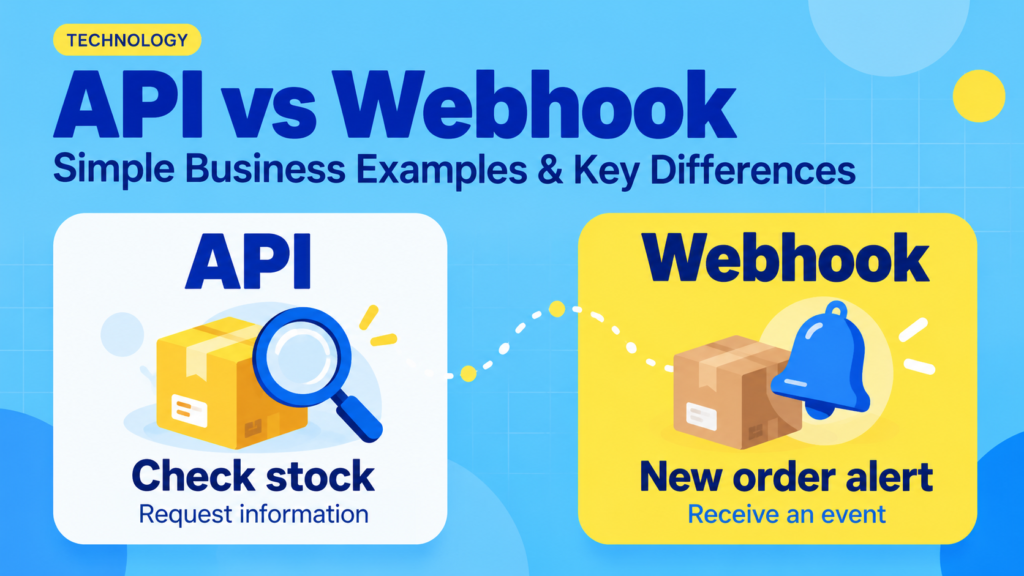
Simple Business Example: Checking Stock
Imagine a hypothetical retailer connecting its website to an inventory system.
When a customer opens a product page, the website could request the product’s current stock quantity through the inventory API.
The inventory system responds with the available quantity, and the website uses that information to update the page.
This depends on the integration’s design. Some websites use cached stock information rather than requesting it for every visit.
What Is a Webhook?
A webhook is a way for a service to send event information to a destination you have configured.
For common HTTPS webhooks, that destination is a URL called an endpoint. Software at that address receives and processes the message.
An event might be:
- An order being created.
- A payment succeeding.
- A subscription being canceled.
- A form being submitted.
- A delivery status changing.
Shopify, for example, lets applications subscribe to webhook topics and receive near-real-time information about relevant store events. Its documentation presents webhooks as an alternative to repeatedly checking for changes. shopify.dev
Simple Business Example: A New Order Alert
A hypothetical online store subscribes to an order-created event.
When an order is created, the store platform sends a webhook to the connected automation service. That service can then notify the fulfillment team.
The receiving service must still interpret the event and perform the next action. A webhook notification alone does not complete an entire business workflow.
Also, order created does not necessarily mean payment received. Choose the event that matches the business action you intend to trigger.
API vs Webhook: Key Differences
This table compares a typical request-and-response web API with an event-based webhook.
| Question | API request | Webhook |
|---|---|---|
| Who starts the exchange? | The application requesting data or an action | The service reporting an event |
| What triggers it? | A user action, schedule, or application decision | A subscribed event |
| What does it commonly do? | Reads information or requests a change | Notifies another system about something that happened |
| Must you check repeatedly for changes? | Yes, if using scheduled polling | Usually unnecessary for each individual event |
| What information is available? | Whatever the requested API operation supports | Whatever the event message includes |
| What can go wrong? | Rejected requests, limits, timeouts, or unavailable services | Failed delivery, duplicate notifications, or delayed processing |
| Can they work together? | Yes | Yes |
An important clarification: A webhook is not the opposite of an API. Webhooks are often part of a platform’s broader API offering. The comparison usually concerns how information is requested or delivered.
API Polling vs Webhooks: Why the Difference Matters
Polling means checking an API repeatedly for updates.
Suppose an automation checks for new orders every five minutes. It makes scheduled requests whether or not an order has arrived.
A webhook-based setup instead receives a notification when the relevant order event occurs.
A Hypothetical Polling Example
An automation running once every five minutes makes:
12 checks per hour × 24 hours = 288 scheduled checks per day
That assumes it runs continuously and makes one request per check. Pagination, retries, or additional lookups could increase the number of requests.
Polling can be suitable when:
- Updates are not urgent.
- The application does not provide the required webhook.
- A scheduled import is easier to maintain.
- You need a periodic check for missed or inconsistent records.
Webhooks can reduce unnecessary checking, but they do not guarantee immediate delivery or successful downstream processing.
Three Business Examples of APIs and Webhooks Working Together
The following workflows are illustrative. Available features depend on the applications, permissions, and subscription plans involved.
1. Payment Confirmation and Customer Access
A business sells an online course.
A possible workflow is:
- The payment platform reports a successful payment through a webhook.
- The integration verifies the notification and identifies the purchase.
- It uses the course platform’s API to grant access.
- It records the result for support and troubleshooting.
The webhook reports what happened. The API request asks another system to do something.
The workflow should avoid granting access twice if the same notification arrives again.
2. A Sales Deal Becomes a Project
A consultancy marks an approved deal as won in its CRM.
A webhook can notify an integration service. That service can retrieve any additional details it needs and call the project management API to create a project.
Before enabling the automation, decide:
- Which deal stage triggers it.
- Which project template to use.
- Who becomes the project owner.
- How to prevent duplicate projects.
- What happens when required information is missing.
The connection needs clear business rules as well as technical access.
3. Shipping Updates Reach Customer Support
A shipping provider reports a tracking-status change through a webhook.
The integration updates the corresponding order or support record through an API.
If the notification contains only a shipment identifier and status, another API request may be necessary to retrieve additional details.
This illustrates a common pattern: receive an event, retrieve what is needed, and update the destination system.
What Happens When a Connection Fails?
Reliable automation requires a plan for failure.
Webhooks May Arrive More Than Once
Some services retry webhook delivery when they do not receive a successful acknowledgment. Your integration may therefore encounter duplicate notifications.
Stripe documents both duplicate-event handling and the possibility of events arriving out of order. Its guidance also covers verifying webhook signatures. docs.stripe.com
For a business, the consequences are practical: duplicate events should not create duplicate shipments, invoices, or customer accounts.
Ask how the integration recognizes work it has already completed.
A Timeout Does Not Always Mean Nothing Happened
An API request might create a record successfully even if the response fails to reach the requesting application.
Blindly repeating the action could create a duplicate.
Ask whether the API supports idempotency—a mechanism that can make repeated attempts at the same operation safe—or whether the integration checks for an existing result before retrying.
Missed Events Need a Recovery Process
Retries are not necessarily unlimited. Plaid’s documentation, for example, warns that downtime extending beyond its retry period can result in lost webhook notifications. Plaid Docs
For important workflows, ask about:
- Failed-event logs.
- Alerts to a responsible person.
- Manual replay or recovery.
- Periodic comparisons between systems.
- A procedure for resolving missing records.
A webhook reporting successful delivery does not necessarily prove that every later step completed.
Security Checks Before Connecting Business Apps
Both APIs and webhooks can carry sensitive business information.
Limit Access
Give integrations only the permissions they need. A reporting connection may need read access without permission to delete records.
Keep credentials and signing secrets out of public pages, shared screenshots, and unsecured documents.
Verify Incoming Notifications
An incoming request should not be trusted simply because it reaches your webhook URL.
Use the sender’s documented verification method, such as a cryptographic signature. Where supported, check timestamps or other replay protections as well. OWASP’s webhook security guidance addresses verification and duplicate handling. OWASP Cheat Sheet Series
Review Where Data Goes
If an automation platform sits between your applications, it may receive customer details and retain execution logs.
Check what information is transferred, who can view it, and how long it remains available. Use sample data when testing wherever practical.
Costs and Limits to Compare
Neither “API access” nor “webhook support” automatically means the complete integration is free.
| Area | What to check |
|---|---|
| Subscription access | Are the required API operations or webhook events available on your plan? |
| Usage limits | How are requests, events, tasks, and retries counted? |
| Polling frequency | How often can the connection check for changes? |
| Event coverage | Does the platform provide the exact event you need? |
| Data coverage | Are all required fields available? |
| Hosting | Who operates the receiving endpoint? |
| Monitoring | Are logs, alerts, and recovery tools included? |
| Maintenance | Who updates the integration when a platform changes? |
Check current official documentation before buying. A connector that advertises support for two applications may still lack your required trigger or action.
How to Choose the Right Approach
Use API Requests When You Need to Ask or Act
An API is useful when your workflow must search, retrieve, create, or update information on demand.
Examples include generating a report, looking up a customer, or creating a project.
Use Webhooks When a Specific Event Should Start the Workflow
A webhook is useful when you need to react to an available event, such as a payment confirmation or cancellation.
Verify the event’s meaning before relying on it.
Use Both for a Complete Workflow
Many integrations need both: a webhook signals a change, and API requests retrieve details or perform follow-up actions.
For business-critical records, consider a periodic reconciliation process as well.
Frequently Asked Questions
1. Is a webhook an API?
A webhook can be part of an API offering. It usually describes event delivery to a configured destination, while “API request” commonly describes an application asking for information or requesting an action.
2. Are webhooks always faster than API polling?
They can provide updates sooner than scheduled polling, but delivery and processing can be delayed. Compare the provider’s documented behavior with your actual timing requirements.
3. Can a webhook replace an API?
Usually only for a limited purpose. A webhook may report a change, while an API is still needed to search historical records, retrieve additional fields, or update another application.
4. Do small businesses need a developer to use them?
Not always. Native integrations and automation platforms can manage many connections. Custom logic, sensitive data, and complex recovery requirements may require technical help.
5. Can APIs and webhooks cause duplicate records?
Yes, if repeated requests or notifications are processed without safeguards. Test duplicate handling and partial failures before enabling actions such as invoicing, shipping, or granting access.
Conclusion
API requests help applications retrieve information and perform actions. Webhooks help them respond to events. A useful business integration often combines the two.
Before connecting your tools, define the trigger, required information, intended action, and recovery process. Then test successful runs, duplicate messages, and failures so the workflow can be trusted in everyday use.