
Many businesses spend a significant amount of time on repetitive tasks such as entering information, sending routine emails, updating spreadsheets, creating reports, assigning tasks, and following up with customers. While these activities may be necessary, they do not always require someone to perform every step manually.
Business process automation provides a practical way to reduce repetitive work by using software and predefined workflows to handle routine tasks. When implemented carefully, automation can help teams save time, reduce avoidable errors, and focus more attention on work that requires human judgment.
This guide explains how to automate business processes and save time, which tasks are good candidates for automation, how to get started, and what limitations businesses should consider before automating their workflows.
What Is Business Process Automation?
Business process automation is the use of technology to perform repetitive business tasks according to predefined rules or workflows.
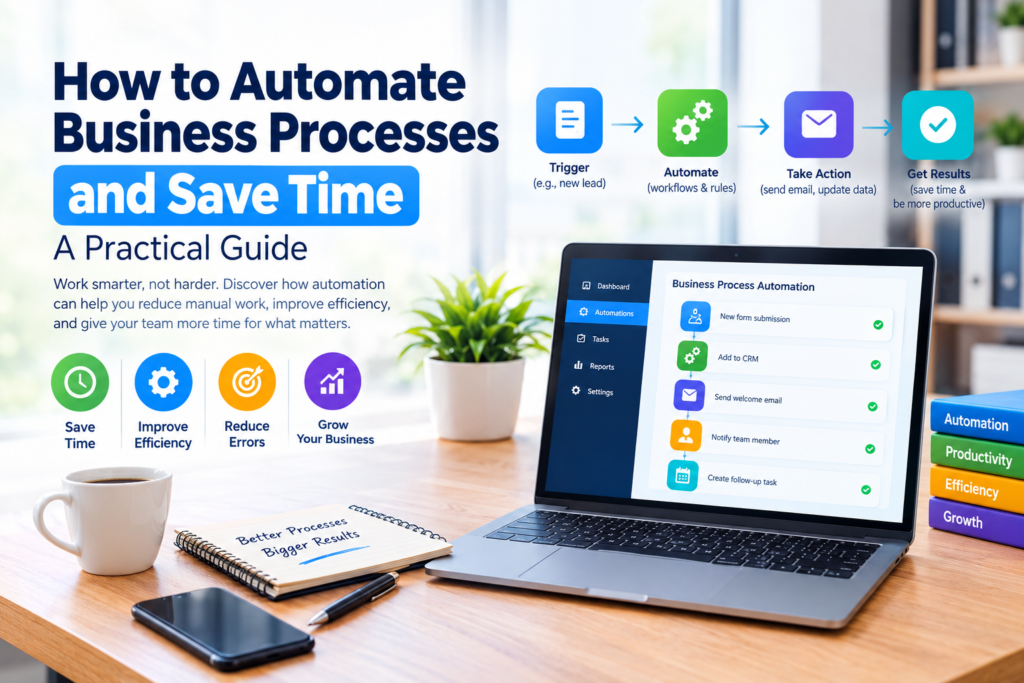
For example, instead of asking an employee to manually send a welcome email every time a new customer signs up, an automated workflow can trigger the email when the customer’s information is added to the appropriate system.
Automation can be simple or advanced. A small business might use automation to:
- Send appointment reminders
- Organize customer inquiries
- Create recurring invoices
- Move information between software applications
- Assign tasks to employees
- Generate routine reports
- Send internal notifications
- Back up business information
- Track leads through a sales process
The objective is not to automate everything. The objective is to identify repetitive processes where automation can provide a genuine benefit.
How to Automate Business Processes and Save Time
Successful automation usually starts with understanding how work is currently being done. Automating a poorly designed process can simply make an inefficient workflow happen faster.
1. Identify Repetitive Tasks
Start by creating a list of tasks that employees perform regularly.
Look for activities that:
- Follow the same steps each time
- Require copying information between systems
- Involve repetitive data entry
- Generate routine notifications
- Require frequent status updates
- Depend on predictable rules
- Consume time without requiring much decision-making
For example, a company may discover that employees repeatedly download information from one system and manually enter it into another. That process could be a strong candidate for automation.
2. Map the Existing Process
Before selecting automation software, document how the process works today.
Write down:
- What starts the process?
- Who performs each step?
- Which systems are involved?
- What information is required?
- What decisions need to be made?
- What happens when something goes wrong?
- What is the final outcome?
This makes it easier to identify unnecessary steps and determine where automation can actually help.
3. Separate Simple Tasks From Complex Decisions
Not every business activity should be automated.
Simple, predictable tasks are generally easier to automate. Examples include sending notifications, moving records, creating routine tasks, and updating predefined fields.
Tasks involving negotiation, sensitive customer situations, strategic decisions, or unusual circumstances may still require human involvement.
A useful approach is to automate the predictable parts while keeping important decisions under human supervision.
4. Choose the Right Automation Tools
Different processes require different types of software.
A business might use:
- Workflow automation platforms for connecting applications and triggering actions
- Customer relationship management systems for managing leads and customer information
- Accounting software for recurring financial workflows
- Project management platforms for assigning and tracking work
- Communication tools for notifications and reminders
- Document management systems for organizing files and approvals
When comparing tools, consider more than the number of features. Look at ease of use, integrations, security controls, pricing, support, scalability, and whether the software actually fits your workflow.
5. Start With One Process
A common mistake is trying to automate many processes at the same time.
Instead, select one workflow that is:
- Repetitive
- Clearly defined
- Relatively low risk
- Easy to measure
- Likely to provide a noticeable benefit
For example, a business could start by automating lead notifications instead of attempting to automate its entire sales operation.
A small first project makes it easier to identify problems and improve the approach before expanding automation.
Business Processes That Are Good Candidates for Automation
Automation can be useful across many departments.
Sales and Lead Management
Sales teams often handle repetitive administrative tasks.
Automation can help with:
- Recording new leads
- Assigning leads to team members
- Sending follow-up reminders
- Updating lead statuses
- Creating sales tasks
- Sending routine notifications
For example, when a new inquiry arrives through a website form, an automated workflow could record the information and notify the appropriate employee.
Customer Service
Customer support teams can automate routine administrative activities while keeping human support available for more complicated issues.
Examples include:
- Ticket creation
- Customer notifications
- Appointment reminders
- Support request categorization
- Internal task assignment
- Follow-up reminders
Automation should complement customer service rather than make it unnecessarily difficult for customers to reach a person.
Finance and Accounting
Financial administration often includes recurring processes that can be structured around predefined rules.
Possible examples include:
- Invoice reminders
- Recurring invoices
- Payment notifications
- Expense categorization
- Approval workflows
- Routine financial reports
Businesses should maintain appropriate review and approval controls for financial activities rather than allowing automation to make important decisions without oversight.
Human Resources
HR teams can automate several administrative workflows, including:
- New employee onboarding tasks
- Document reminders
- Training notifications
- Leave-request routing
- Internal announcements
- Employee information updates
Sensitive employee information should be handled using appropriate access controls and security practices.
Marketing
Marketing teams can automate repetitive campaign activities such as:
- Email scheduling
- Lead notifications
- Content publishing workflows
- Campaign task assignments
- Customer segmentation
- Performance-report preparation
Automation can reduce administrative work, but marketers should still review content and campaign performance rather than relying entirely on predefined workflows.
Benefits of Business Process Automation
When implemented appropriately, automation can provide several practical benefits.
Saves Employee Time
The most obvious advantage is reducing the amount of manual work required for repetitive activities.
If software can complete a routine step automatically, employees can spend more time on tasks requiring communication, analysis, creativity, or decision-making.
Reduces Manual Data Entry
Repeatedly entering the same information into different systems creates opportunities for mistakes.
Connecting systems through automation can reduce unnecessary duplicate data entry.
However, automated data transfers still need to be monitored because incorrect source information can produce incorrect results elsewhere.
Improves Workflow Consistency
A documented automated workflow follows predefined rules consistently.
This can be useful for routine processes where businesses want employees to follow the same basic procedure.
Makes Processes Easier to Track
Many automation platforms provide logs, task histories, or workflow records. These can help businesses understand whether a process completed successfully and identify where problems occurred.
Helps Businesses Scale Processes
As a company grows, repetitive administrative work can increase.
A well-designed automated workflow can handle routine tasks without requiring every step to be performed manually. This does not eliminate the need for employees, but it can help teams manage increasing workloads more efficiently.
Examples of Simple Business Automation
Consider a small company that receives customer inquiries through an online form.
Manual Process
The employee:
- Checks the website for new inquiries.
- Copies customer information.
- Enters it into a spreadsheet.
- Sends a confirmation email.
- Notifies the sales employee.
- Creates a follow-up reminder.
Automated Process
A workflow could:
- Detect the new inquiry.
- Save the information in the customer management system.
- Send a confirmation message.
- Notify the responsible employee.
- Create a follow-up task.
The employee can then focus on reviewing the inquiry and communicating with the customer.
This illustrates an important principle: automation works best when it removes repetitive administration while leaving meaningful decisions to people.
How to Calculate Whether Automation Is Worth It
Automation has a cost, so businesses should evaluate its potential value before implementing it.
Consider:
Time spent on the task × frequency of the task = approximate workload
For example, if a task takes 10 minutes and is performed 20 times per week, the process consumes approximately 200 minutes of staff time each week.
That does not automatically mean automation is worthwhile. The business should also consider:
- Software costs
- Setup time
- Maintenance requirements
- Training
- Integration costs
- Potential errors
- Security requirements
- The value of the employee’s time
A process that takes only a few minutes per month may not justify a complex automation system.
Common Mistakes to Avoid
Automating a Bad Process
Automation does not automatically improve a workflow.
If a process contains unnecessary steps, review and simplify it first.
Automating Too Much Too Quickly
Large automation projects can become difficult to manage.
Start with smaller workflows, evaluate the results, and expand gradually.
Ignoring Exceptions
Real business processes often have unusual situations.
A workflow should have a clear way to handle exceptions rather than assuming that every case will follow exactly the same path.
Forgetting Human Oversight
Automation should not remove human review from processes where judgment, accountability, or sensitivity is important.
Businesses should determine which decisions require human approval before implementing automation.
Choosing Software Based Only on Features
A platform with many features is not necessarily the best choice.
A simpler tool that integrates well with existing systems and is easy for employees to use may be more practical.
How to Implement Automation Safely
Before launching an automated workflow, test it with realistic examples.
A basic implementation process can include:
Step 1: Document the current workflow
Understand exactly how the process operates.
Step 2: Define the desired outcome
Decide what the automated workflow should accomplish.
Step 3: Select appropriate software
Compare tools based on functionality, integrations, security, cost, and usability.
Step 4: Build the workflow
Create the triggers, conditions, actions, and notifications.
Step 5: Test different scenarios
Test normal cases as well as incomplete information, duplicate records, failed actions, and unexpected situations.
Step 6: Train employees
Explain what has changed and what employees should do when an automated process fails.
Step 7: Monitor performance
Review the workflow regularly to ensure it continues to work as intended.
Automation vs. Manual Work
| Area | Manual Process | Automated Process |
|---|---|---|
| Repetitive tasks | Employees perform each step | Software performs predefined steps |
| Speed | Depends on staff availability | Can run automatically when triggered |
| Consistency | May vary between employees | Follows configured rules |
| Flexibility | Usually easy to change manually | Requires workflow changes |
| Human judgment | Naturally included | Needs to be deliberately preserved |
| Maintenance | Mostly human effort | Requires monitoring and maintenance |
Neither approach is automatically better in every situation. The right choice depends on the complexity, frequency, risk, and value of the process.
How Small Businesses Can Get Started
Small businesses do not need a large automation project to benefit from better workflows.
A practical starting point is to choose one repetitive process, document it, and determine whether an existing business application already provides the required automation.
For example, a small company could begin with:
- Appointment reminders
- Lead notifications
- Invoice reminders
- Employee onboarding checklists
- Recurring reports
- Customer follow-up tasks
- File organization
Once the first workflow works reliably, the business can consider additional opportunities.
Frequently Asked Questions
1. What is business process automation?
Business process automation uses software and predefined workflows to perform repetitive business activities with limited manual intervention.
2. How does automation save businesses time?
Automation can reduce repetitive data entry, notifications, task creation, information transfers, and other routine activities. This allows employees to spend more time on work that requires human judgment.
3. What business processes should be automated first?
Start with repetitive, predictable, clearly documented, and relatively low-risk processes. Tasks involving routine notifications, data transfers, reminders, and administrative updates are often good starting points.
4. Is business automation expensive?
The cost varies considerably. Some businesses can use automation features already included in their existing software, while more advanced workflows may require additional subscriptions, integrations, or implementation work. Businesses should compare the cost of automation with the time and resources the process currently consumes.
5. Can automation replace employees?
Automation can reduce the amount of manual work involved in certain processes, but it does not eliminate the need for human judgment, communication, oversight, creativity, and decision-making. In many cases, the more practical goal is to help employees spend less time on repetitive administration.
Conclusion
Learning how to automate business processes and save time starts with identifying repetitive work and understanding how it is currently performed. The most effective approach is not to automate everything, but to improve specific workflows where technology can provide a clear benefit.
Start with one well-defined process, choose appropriate software, test the workflow carefully, and maintain human oversight where it matters. As the business becomes more comfortable with automation, additional processes can be reviewed and improved.
The goal of business automation should be simple: reduce unnecessary manual work while helping people spend more time on valuable work that technology cannot easily replace.