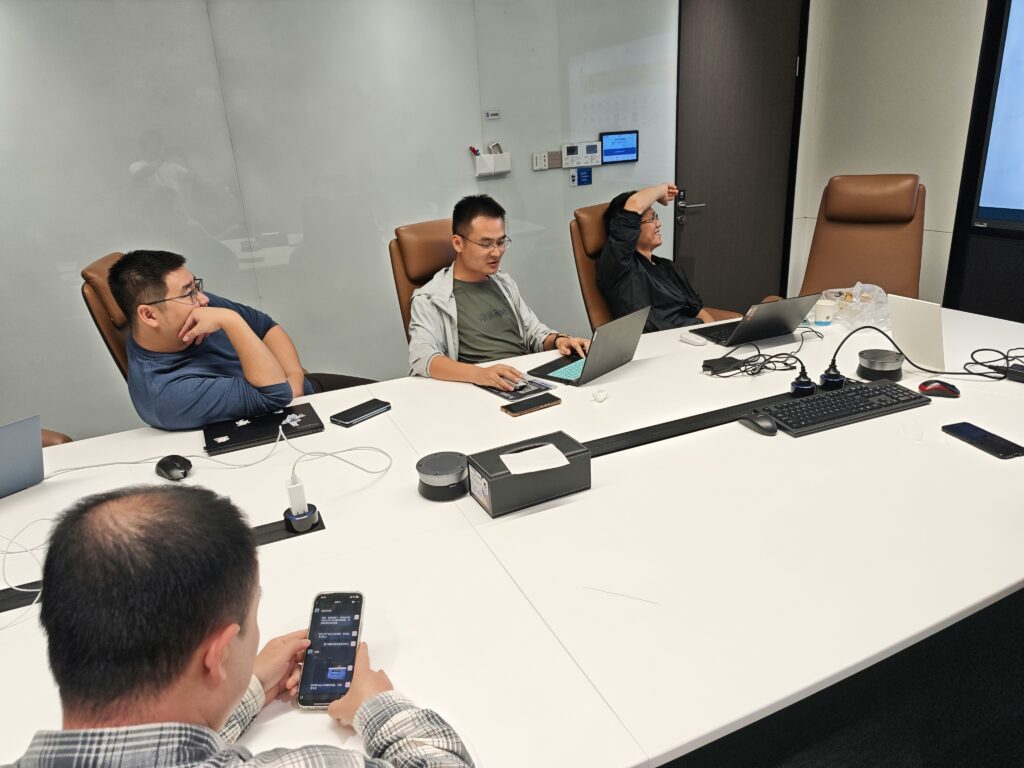

Meetings generate valuable information, but remembering everything that was discussed can be difficult. Important decisions, questions, responsibilities, and follow-up tasks can easily disappear into a long conversation.
AI meeting assistants are designed to reduce that problem. Depending on the platform, they can record or capture meetings, create transcripts, summarize discussions, identify action items, and make previous conversations easier to search.
The market now includes tools with very different approaches. Some focus mainly on transcription and meeting notes, while others provide CRM integrations, conversation analysis, meeting search, coaching features, or bot-free recording. Current products such as Otter, Fireflies, Fathom, and Avoma illustrate how broad the category has become.
This guide explains what to look for when comparing the best AI meeting assistants, what each type is designed to do, and how businesses can choose a tool based on their actual workflow.
What Is an AI Meeting Assistant?
An AI meeting assistant is software that uses artificial intelligence to help capture and process information from meetings.
Typical capabilities include:
- Audio or video recording
- Automatic transcription
- Speaker identification
- AI-generated summaries
- Key-point extraction
- Action-item detection
- Search across meeting transcripts
- Follow-up content generation
- Integrations with business applications
- Meeting analytics and conversation insights
Some assistants can automatically join online meetings through supported platforms. For example, Otter can connect with calendars and automatically join supported Zoom, Google Meet, and Microsoft Teams meetings.
Other tools provide bot-free capture options. Fathom, for example, currently offers transcript-only and audio capture options in addition to full audio and video recording.
Why Businesses Use AI Meeting Assistants
The main benefit is not simply producing a transcript. A useful meeting assistant turns a conversation into information that people can review and act on.
1. Automatic Meeting Notes
Instead of asking one employee to write detailed notes while participating in a discussion, an AI assistant can create notes from the conversation.
This can be especially useful for:
- Team meetings
- Client calls
- Project meetings
- Interviews
- Sales conversations
- Training sessions
- Remote meetings
The resulting notes should still be reviewed because AI-generated summaries and transcripts can contain mistakes.
2. Faster Meeting Summaries
A complete transcript can be useful but time-consuming to read.
AI summaries condense conversations into key points, decisions, questions, and follow-up tasks. Fathom, for example, provides AI summaries and action items after meetings.
3. Easier Follow-Up
Meeting assistants can help identify tasks discussed during a meeting.
Some platforms can also generate follow-up messages or structured information that can be transferred into other business tools. Otter, for example, supports generating follow-up emails and action-item lists from meeting discussions.
4. Searchable Meeting Knowledge
For organizations that hold many meetings, finding an old decision can become difficult.
Modern meeting assistants increasingly provide search or AI question-answering features that allow users to locate information from previous conversations. Fathom, for example, provides account-wide meeting search and answers linked to specific moments in transcripts.
Best AI Meeting Assistants to Consider in 2026
There is no single tool that is ideal for every organization. The right choice depends on meeting platforms, team size, budget, privacy requirements, integrations, and the type of information you need after each meeting.
Otter
Otter is focused heavily on transcription, AI meeting notes, summaries, action items, and searchable meeting information.
Its current meeting-agent offering supports Zoom, Google Meet, and Microsoft Teams, and it can automatically capture notes and shared slides in supported meetings.
Useful for:
- Teams that need detailed transcripts
- Organizations using multiple meeting platforms
- Live meeting notes
- Searchable meeting records
- Follow-up tasks
Potential limitation: Teams should verify the current plan limits, integrations, and recording options before choosing it for a larger deployment.
Fireflies.ai
Fireflies.ai combines transcription with AI summaries, action items, meeting search, and collaboration features.
Its meeting workspace includes summaries, transcripts, recordings, analytics, and action items. The platform also offers mobile recording and transcription for in-person conversations.
Useful for:
- Teams managing many meetings
- Meeting knowledge management
- Sales and customer-facing teams
- Organizations that need integrations
- Reviewing conversations after meetings
Potential limitation: Its broad feature set may require more configuration than a simple transcription application.
Fathom
Fathom focuses on meeting capture, AI summaries, action items, searchable meeting information, and integrations.
One notable feature is its choice of capture methods. Users can select bot-free transcript or audio capture, or use full audio and video recording depending on their needs.
Useful for:
- Individuals and small teams
- Meeting summaries
- Action-item tracking
- Searchable meeting history
- Teams that prefer flexible recording options
Potential limitation: Businesses should review its current plans, integrations, storage policies, and administrative controls before deploying it across a large organization.
Avoma
Avoma takes a broader meeting-management approach. Its features include meeting preparation, recording, transcription, AI-generated notes, follow-up tasks, searchable meeting information, and integrations with business applications.
Useful for:
- Sales teams
- Customer-facing teams
- Organizations that need CRM-related workflows
- Teams looking for more than basic transcription
Potential limitation: Some of its advanced capabilities may be unnecessary for an individual who only wants simple meeting notes.
AI Meeting Assistants Compared
| Feature | Otter | Fireflies.ai | Fathom | Avoma |
|---|---|---|---|---|
| Transcription | Yes | Yes | Yes | Yes |
| AI summaries | Yes | Yes | Yes | Yes |
| Action items | Yes | Yes | Yes | Yes |
| Meeting search | Yes | Yes | Yes | Yes |
| Follow-up assistance | Yes | Yes | Yes | Yes |
| In-person capture | Available | Available | Available | Check current offering |
| CRM-focused workflows | Available | Available | Available | Strong focus |
| Bot-free options | Check current setup | Check current setup | Yes | Check current setup |
| Best suited to | General meeting notes | Team meeting intelligence | Simple meeting workflows | Sales and customer workflows |
Feature availability can depend on the current plan, platform, region, and product configuration. Always check the provider’s official documentation before purchasing or deploying a tool.
How to Choose the Best AI Meeting Assistant
Rather than selecting a tool because it has the longest feature list, start with the problem you want to solve.
1. Identify Your Meeting Platforms
First determine whether your organization mainly uses:
- Zoom
- Google Meet
- Microsoft Teams
- In-person meetings
- Phone calls
- A combination of these
Then check whether the assistant supports your specific setup.
2. Check Transcription Quality
Transcription is the foundation of most AI meeting assistants.
Pay particular attention to:
- Different accents
- Multiple speakers
- Background noise
- Technical terminology
- Industry-specific language
- Multiple languages
- Poor audio quality
If possible, test the tool with your own meetings rather than relying entirely on marketing claims.
3. Decide Whether You Need a Meeting Bot
Some assistants join online meetings as a visible participant.
Others can capture audio through an application or provide bot-free options.
This distinction may matter if your clients, employees, or partners have rules about recording or automated meeting participants.
4. Review Privacy and Data Policies
Meeting recordings and transcripts can contain confidential business information.
Before adopting an AI meeting assistant, review:
- Data retention policies
- Encryption information
- Access controls
- Data processing terms
- Account administration
- Recording controls
- Data deletion procedures
- Compliance information relevant to your organization
Do not assume that every AI meeting tool handles sensitive information in the same way.
5. Check Integrations
An AI assistant becomes more useful when meeting information can move into the systems your team already uses.
Depending on your workflow, useful integrations may include:
- CRM software
- Project-management tools
- Slack or other collaboration platforms
- Calendars
- Cloud storage
- Customer-support systems
For example, Fathom currently advertises integrations with common business tools and CRM systems, while Avoma emphasizes connections with conferencing, collaboration, and CRM platforms.
6. Compare the Total Cost
Do not compare subscription prices alone.
Consider:
- Number of users
- Transcription limits
- Recording storage
- AI usage limits
- Premium integrations
- Administrative features
- Additional seats
- Enterprise requirements
Software pricing changes regularly, so check the provider’s current pricing page before making a purchasing decision.
How to Use an AI Meeting Assistant Effectively
Installing the software is only the first step.
Before the Meeting
Prepare the assistant and your workflow.
For example:
- Connect the appropriate calendar.
- Confirm that the meeting platform is supported.
- Check recording permissions.
- Decide what information you want extracted.
- Prepare an agenda.
- Tell participants when recording or transcription is being used.
During the Meeting
Continue participating normally.
Do not treat the AI assistant as a replacement for active communication. Important decisions should still be discussed clearly, and participants should confirm responsibilities rather than assuming the AI has interpreted everything correctly.
After the Meeting
Review the generated summary.
Then:
- Confirm important decisions.
- Check names and responsibilities.
- Correct inaccurate transcript sections.
- Review action items.
- Share relevant notes with authorized team members.
- Store sensitive information appropriately.
This human review step is important because AI-generated content can contain transcription or interpretation errors.
Common Limitations of AI Meeting Assistants
AI meeting tools can be useful, but they are not perfect.
Transcription Errors
Names, technical terms, accents, overlapping speech, and poor audio can create errors.
A transcript should not automatically be treated as a perfect record.
Incorrect Summaries
An AI summary can leave out context or misunderstand the importance of something discussed.
Important decisions should therefore be verified against the original conversation or transcript.
Privacy Concerns
Recording conversations creates additional data that must be managed responsibly.
Organizations should establish clear rules about when meetings may be recorded, who can access recordings, and how long information should be retained.
Cost Can Increase With Team Size
A tool that works well for one person may become considerably more expensive when deployed across a large organization.
Calculate the expected cost for your actual number of users before adopting it.
Too Many Features Can Create Complexity
A platform with CRM synchronization, analytics, AI search, coaching, integrations, and automation may be useful for a large sales organization but unnecessary for someone who only wants meeting notes.
Choose features based on your workflow rather than the size of the feature list.
AI Meeting Assistant vs. Traditional Note-Taking
Traditional note-taking still has advantages.
A person can recognize context, understand organizational priorities, ask clarification questions, and decide which information actually matters.
AI assistants are particularly useful for capturing information consistently and reducing the amount of manual transcription.
For many teams, the practical approach is not AI versus human notes. Instead, AI can create the initial record while a person reviews and confirms important information.
How AI Meeting Assistants Can Help Small Businesses
Small businesses often have limited administrative time.
An AI meeting assistant can help with tasks such as:
- Creating meeting summaries
- Recording customer discussions
- Tracking action items
- Preparing follow-up messages
- Finding previous decisions
- Organizing project discussions
- Maintaining a searchable meeting history
However, a small business should avoid paying for advanced functionality it does not actually need.
If the primary requirement is simple transcription and summaries, a straightforward tool may be enough.
How AI Meeting Assistants Can Help Remote Teams
Remote teams can face additional challenges when employees work across locations and time zones.
A searchable meeting record can help team members who could not attend a meeting catch up on:
- Decisions
- Assigned tasks
- Questions
- Project updates
- Customer feedback
- Next steps
This can make meeting information more accessible, but organizations should still define who is responsible for confirming final decisions.
Tips for Getting Better Results
Use Clear Audio
Good microphones and quieter environments generally make speech recognition easier.
Use Specific Meeting Agendas
A clear agenda gives both participants and AI systems more context.
Name Action Items Clearly
Instead of saying, “Someone should check that,” identify the responsible person and deadline when appropriate.
Review Important Information
Always check important names, numbers, commitments, dates, and decisions.
Avoid Recording Automatically Without Checking Policies
Before recording a conversation, understand the applicable organizational requirements and the laws or regulations relevant to the people involved.
Test Before Rolling Out to Everyone
Run a small pilot first. Compare transcripts, summaries, integrations, storage, and administrative controls with your actual workflow.
Frequently Asked Questions
1. What is the best AI meeting assistant?
There is no single AI meeting assistant that is best for every user. Tools differ in transcription, meeting capture, integrations, search, CRM features, pricing, and privacy controls. The appropriate choice depends on your meeting workflow and requirements.
2. Can AI meeting assistants automatically take meeting notes?
Yes. Many AI meeting assistants can capture meetings, generate transcripts, summarize discussions, and identify action items. Otter, Fireflies, Fathom, and Avoma all advertise combinations of these capabilities.
3. Do AI meeting assistants work with Zoom and Microsoft Teams?
Many do, but support varies by product and plan. Otter, for example, currently supports automatic meeting capture for Zoom, Microsoft Teams, and Google Meet through its meeting-agent workflow.
Always verify current platform compatibility before subscribing.
4. Are AI-generated meeting notes accurate?
AI-generated notes can be useful but should not be assumed to be completely accurate. Transcription errors, unclear audio, overlapping speakers, technical terminology, and contextual misunderstandings can affect the results.
Important decisions and commitments should be reviewed by a person.
5. Should businesses use AI meeting assistants for confidential meetings?
It depends on the organization’s policies, the information being discussed, the provider’s security and privacy controls, and applicable legal requirements.
Before recording confidential meetings, review the provider’s current data policies and your organization’s rules. Participants may also need to be informed or provide consent depending on the circumstances.
Conclusion
AI meeting assistants have developed beyond basic transcription. Many now combine meeting recording, transcripts, summaries, action items, searchable conversation history, integrations, and other workflow features.
The best AI meeting assistants for your organization will depend on what you actually need. A small team may only require reliable notes and summaries, while a sales organization may need CRM integrations and conversation intelligence.
Before choosing a platform, test transcription quality, review privacy and security information, confirm integrations, compare current plans, and consider how the tool fits into your existing workflow.
Most importantly, treat AI-generated meeting information as an assistant to human decision-making rather than an unquestionable record. With appropriate review and clear organizational practices, these tools can make meeting information easier to capture, find, and act on.