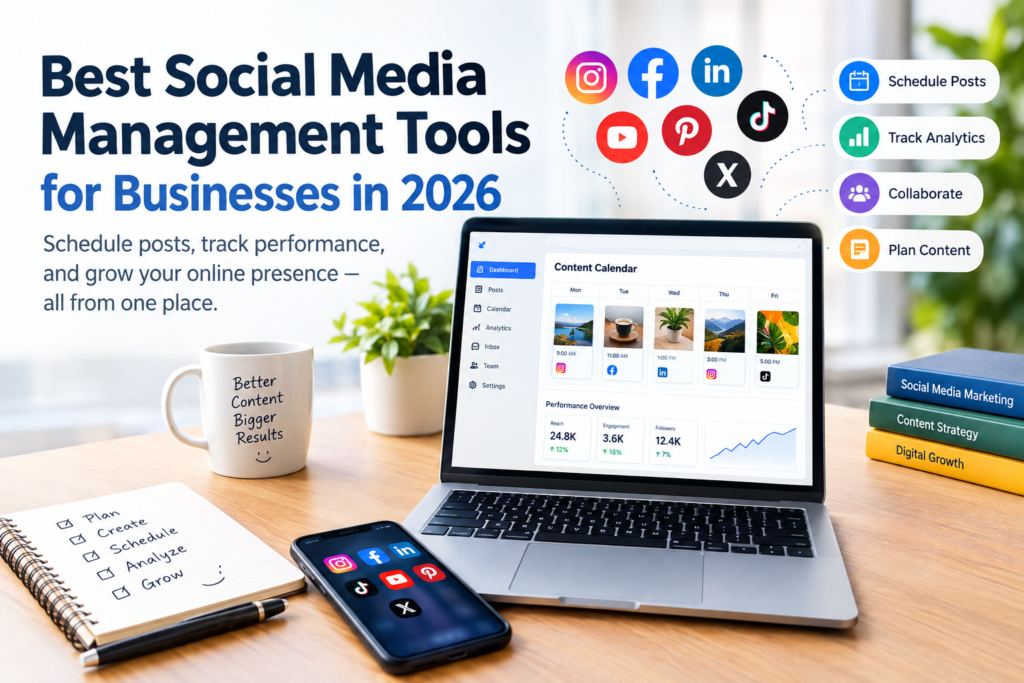

Managing social media effectively can become difficult when a business is active on several platforms. Creating posts, scheduling content, replying to comments, monitoring messages, and reviewing performance can quickly consume valuable time.
The right social media management tools can bring many of these activities into one organized workflow. Depending on the platform, businesses can use them to schedule posts, manage content calendars, monitor engagement, collaborate with team members, and analyze social media performance.
However, there is no single tool that is ideal for every business. A solo creator may prioritize simplicity and affordability, while an agency may need client approvals, reporting, and multiple account management.
This guide looks at some of the leading social media management tools in 2026 and explains what each option may be best suited for.
What Are Social Media Management Tools?
Social media management tools are software platforms that help individuals and organizations manage social media activities from a centralized dashboard.
Instead of repeatedly logging into different platforms to publish and monitor content, a management tool can provide features such as:
- Content scheduling
- Social media calendars
- Post publishing
- Analytics and reporting
- Comment and message management
- Team collaboration
- Content organization
- Social listening or monitoring
- Campaign management
- Performance tracking
The exact features vary considerably between providers. Some focus primarily on publishing and scheduling, while others provide more advanced analytics, engagement, collaboration, or social listening capabilities.
Why Businesses Use Social Media Management Tools
A social media management platform does not replace a marketing strategy. Instead, it can make the operational side of that strategy easier to manage.
1. Plan Content in Advance
A content calendar allows marketers to organize upcoming posts rather than creating every post at the last minute.
This can make it easier to coordinate product announcements, educational content, seasonal campaigns, and regular updates.
2. Manage Multiple Platforms
Businesses that maintain Facebook, Instagram, LinkedIn, TikTok, Pinterest, YouTube, or other accounts may benefit from having a centralized workflow.
The supported networks vary by tool, so businesses should check compatibility before choosing a platform.
3. Review Performance
Analytics can help marketers understand which posts and platforms are generating meaningful engagement.
Useful metrics may include impressions, reach, clicks, engagement, video views, follower changes, and other platform-specific measurements.
4. Improve Team Collaboration
Larger teams may need approval processes before content is published. Some management platforms provide workflows for assigning tasks, reviewing posts, and approving content.
10 Best Social Media Management Tools to Consider
The following tools serve different needs. Rather than ranking them as universally superior, it is more useful to understand their strengths and potential limitations.
1. Buffer — Simple Social Media Management
Buffer
Buffer is a popular option for creators, small businesses, and teams looking for a relatively straightforward way to plan and publish social content.
Its current platform includes publishing, content planning, analytics, community engagement, collaboration, and an AI Assistant. Buffer also supports a range of channels including Instagram, Facebook, TikTok, LinkedIn, Threads, Pinterest, YouTube, and others.
Best suited for:
- Small businesses
- Creators
- Beginners
- Small marketing teams
Potential limitation: Businesses needing highly advanced enterprise-level social listening or complex reporting may need a more specialized platform.
2. Hootsuite — Larger Teams and Social Monitoring
Hootsuite
Hootsuite is designed for businesses that need a broader social media management environment. Its platform includes publishing, scheduling, analytics, engagement, and social listening features.
Hootsuite also provides tools for monitoring conversations and mentions across a broad range of online sources, making it relevant to organizations that place a strong emphasis on monitoring their brand and industry.
Best suited for:
- Larger marketing teams
- Organizations managing multiple accounts
- Businesses interested in social listening
- Teams requiring approval workflows
Potential limitation: Its broader feature set can be more than a small business needs, and higher-tier functionality can come with greater costs.
3. Sprout Social — Advanced Reporting and Collaboration
Sprout Social
Sprout Social combines publishing, engagement, analytics, collaboration, and social listening in one platform.
It is particularly relevant to organizations that require detailed reporting and more structured social media workflows. Its features include centralized engagement management, analytics, and tools designed for larger teams.
Best suited for:
- Larger organizations
- Agencies
- Data-focused marketing teams
- Businesses requiring advanced reporting
Potential limitation: Its pricing can make it less attractive for very small businesses with limited social media budgets.
4. Later — Visual Content Planning
Later
Later is particularly relevant to businesses and creators whose social strategy depends heavily on visual content.
Its platform includes a visual content calendar, media management, publishing, analytics, and features for platforms such as Instagram and TikTok. Later also provides tools for creator and user-generated-content workflows.
Best suited for:
- Visual brands
- Instagram-focused marketers
- Creators
- Businesses using image and video content heavily
Potential limitation: Businesses primarily interested in deep enterprise analytics may prefer a platform with a stronger emphasis on advanced reporting.
5. Metricool — Analytics and Cross-Platform Management
Metricool
Metricool combines publishing, analytics, and other marketing management features in one dashboard.
One notable area is performance analysis, including competitor benchmarking and reporting. This can be useful for marketers who want to compare their own results and use data when planning future content.
Best suited for:
- Data-focused marketers
- Small and growing businesses
- Agencies
- Users who want publishing and analytics together
Potential limitation: Businesses should compare its supported networks and specific analytics features with their requirements before subscribing.
6. SocialBee — Content Organization and Recycling
SocialBee
SocialBee focuses on content planning, scheduling, and organizing social media publishing workflows.
It can be useful for businesses that regularly publish different categories of content and want a structured approach to maintaining their social channels.
Best suited for:
- Small businesses
- Entrepreneurs
- Content marketers
- Users who publish recurring content
Potential limitation: A business looking primarily for sophisticated enterprise social listening may need a different solution.
7. Agorapulse — Engagement and Social Inbox
Agorapulse
Agorapulse is designed around social media management, publishing, engagement, and reporting.
A centralized inbox can be particularly useful for teams that receive comments and messages across multiple social accounts and want to manage those interactions in a more organized way.
Best suited for:
- Marketing teams
- Agencies
- Businesses prioritizing audience engagement
- Teams managing several social profiles
Potential limitation: The most useful features may depend on the plan and number of accounts a business needs to manage.
8. SocialPilot — Agencies and Multiple Clients
SocialPilot
SocialPilot is an option worth considering for agencies and marketers responsible for multiple clients.
Features commonly associated with the platform include social scheduling, analytics, collaboration, and client-oriented workflows. Current comparisons also highlight its use by agencies managing multiple clients.
Best suited for:
- Marketing agencies
- Freelancers
- Social media managers
- Businesses managing several brands
Potential limitation: Individual users with only one or two social profiles may not need its broader account-management capabilities.
9. Planable — Content Review and Approval
Planable
Planable focuses strongly on social media collaboration and content approval.
This can be valuable when several people participate in the publishing process. For example, a marketing specialist can prepare content, a manager can review it, and the final post can be approved before publication.
Best suited for:
- Marketing teams
- Agencies
- Businesses with approval requirements
- Teams collaborating on content
Potential limitation: A solo creator who publishes independently may find some collaboration features unnecessary.
10. Meta Business Suite — Facebook and Instagram Management
Meta Business Suite
Businesses primarily focused on Facebook and Instagram should also consider Meta’s own business management tools.
Meta Business Suite was developed to help businesses manage Facebook and Instagram activities from one place, including publishing, messages, notifications, and insights.
Best suited for:
- Facebook-focused businesses
- Instagram-focused businesses
- Small businesses
- Businesses already operating within Meta’s ecosystem
Potential limitation: It is less suitable when a business needs comprehensive management across many unrelated social networks.
Social Media Management Tools Compared
| Tool | Particularly useful for | Main strength |
|---|---|---|
| Buffer | Creators and small businesses | Simple publishing and management |
| Hootsuite | Larger teams | Social management and monitoring |
| Sprout Social | Enterprise teams | Reporting and advanced management |
| Later | Visual brands | Visual planning and content management |
| Metricool | Data-focused marketers | Analytics and benchmarking |
| SocialBee | Small businesses | Structured content scheduling |
| Agorapulse | Engagement-focused teams | Social inbox and management |
| SocialPilot | Agencies | Multi-client management |
| Planable | Collaborative teams | Content approval workflows |
| Meta Business Suite | Facebook and Instagram users | Native Meta management |
Features, plans, supported networks, and prices change over time. Before purchasing, check the provider’s current pricing and feature pages rather than relying only on an older comparison.
How to Choose the Best Social Media Management Tool
The best choice depends on your workflow rather than the number of features advertised.
1. Identify the Social Networks You Actually Use
Start with the platforms that matter to your business.
If your marketing strategy depends mainly on Instagram and Facebook, you may not need a platform designed around dozens of networks.
If your business actively uses LinkedIn, TikTok, Pinterest, YouTube, Facebook, and Instagram, broader platform support may be more important.
2. Decide What You Need to Automate
Make a list of repetitive activities.
For example:
- Scheduling posts
- Repeating evergreen content
- Collecting analytics
- Managing comments
- Organizing content
- Creating reports
- Getting team approval
Choose a tool that solves your most time-consuming problems rather than paying for features you will rarely use.
3. Compare Analytics
Analytics should help you make decisions, not simply provide large numbers.
Look for reports that help answer questions such as:
- Which content receives the most engagement?
- Which platforms are performing best?
- Which posts generate clicks?
- How is performance changing over time?
- Which content should be improved or repeated?
4. Consider Team Size
A solo marketer and a 20-person marketing department have very different requirements.
If you work alone, simplicity may be more valuable than complex approval systems.
For a team, permissions, task management, approvals, shared calendars, and reporting may become much more important.
5. Calculate the Real Cost
Do not compare only the advertised starting price.
Check:
- Number of social accounts
- Number of users
- Client or brand limits
- Analytics availability
- Reporting limits
- Additional features
- Billing frequency
- Free-plan restrictions
- Trial-period conditions
Current industry comparisons show a wide range of pricing models, from free plans to substantially more expensive enterprise platforms.
Common Mistakes When Choosing a Social Media Tool
Choosing Too Many Features
More features do not automatically mean a better solution.
A small business may be better served by a simple platform that the team actually uses consistently.
Ignoring Platform Support
Always confirm that the tool supports the social networks and account types you need.
Social platforms regularly change their APIs, publishing capabilities, and policies, so compatibility can change.
Focusing Only on Scheduling
Scheduling is useful, but social media management also involves audience interaction, content quality, measurement, and strategy.
A tool cannot compensate for irrelevant content or a weak marketing plan.
Buying Before Testing
When a free plan or trial is available, test the workflow before making a long-term commitment.
Create several posts, connect the accounts you use, review the analytics, and see whether the interface fits your daily work.
How to Get More Value From Social Media Management Tools
Create a Content Calendar
Plan content around your business goals rather than posting randomly.
You might organize content into categories such as:
- Educational posts
- Product information
- Customer questions
- Industry insights
- Company updates
- Behind-the-scenes content
- Promotional campaigns
Batch Your Work
Instead of creating one post every time you need to publish, consider preparing several pieces of content during dedicated planning sessions.
This can make your workflow more organized and reduce the need to switch repeatedly between tasks.
Review Analytics Regularly
Do not collect analytics simply because the software provides them.
Set a regular review schedule and use the findings to decide what content to create next.
Keep Human Oversight
Automation can save time, but scheduled content should still be reviewed.
Check captions, links, images, dates, brand information, and platform-specific formatting before publication.
Are Social Media Management Tools Worth It?
They can be, particularly when managing several social accounts creates repetitive work.
For a business with only one social profile and occasional posts, a native platform’s own tools may be enough.
For a business managing multiple platforms, publishing regularly, collaborating with a team, or producing performance reports, a dedicated management platform can provide a more organized workflow.
The important question is not whether a tool has the largest feature list. It is whether the tool solves a real problem for your business at a reasonable cost.
Frequently Asked Questions
1. What are the best social media management tools?
There is no single best option for every business. Buffer may appeal to users seeking simplicity, Later can suit visual-first workflows, Metricool is useful for analytics-focused users, while Hootsuite and Sprout Social provide broader capabilities for larger teams. The right choice depends on your platforms, team size, budget, and workflow.
2. Can I manage multiple social media accounts with one tool?
Yes. Many social media management platforms allow users to connect multiple social profiles and manage publishing, analytics, or engagement from a centralized dashboard. However, the number of accounts and supported networks depends on the platform and subscription plan.
3. Are there free social media management tools?
Yes. Some providers offer free plans, although these plans usually have limitations involving the number of channels, posts, users, or available features. Meta also provides native business management tools for Facebook and Instagram.
4. Do social media management tools create content automatically?
Some platforms provide AI-assisted content creation, caption suggestions, content ideas, or repurposing features. These tools can support the content process, but marketers should review AI-generated material for accuracy, relevance, tone, and brand consistency before publishing.
5. How much do social media management tools cost?
Costs vary significantly. Some tools provide free plans, while paid plans can range from relatively inexpensive options for individuals and small businesses to substantially higher-priced plans for enterprise teams. Pricing can also depend on users, channels, features, and reporting requirements. Always check the provider’s current pricing page before purchasing.
Conclusion
The best social media management tools are not necessarily the platforms with the longest feature lists. The right choice is the one that fits your business’s actual workflow, social networks, team structure, reporting needs, and budget.
For a small business or creator, a simple scheduling and analytics platform may be enough. Growing teams may need collaboration and approval workflows, while larger organizations may benefit from advanced reporting, engagement management, and social listening.
Before subscribing, identify the tasks you want to simplify, check which platforms the software supports, compare the total cost, and test the workflow when a trial or free plan is available.
Used thoughtfully, social media management software can make the operational side of social marketing more organized—while the quality of your content, understanding of your audience, and overall strategy remain the foundation of your results.