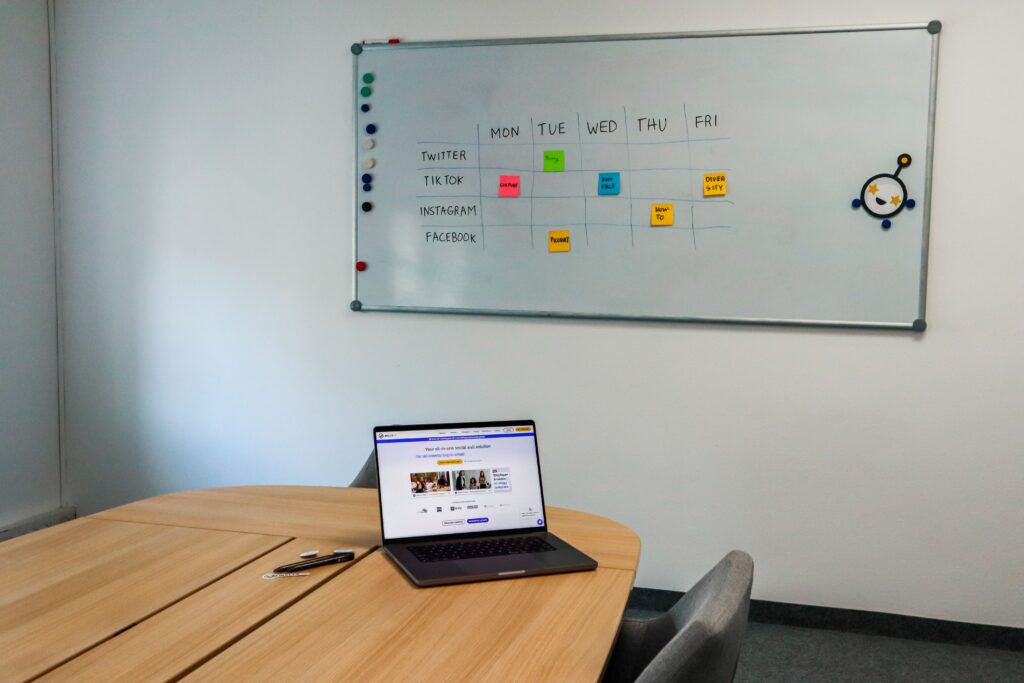

Managing social media can become time-consuming when you have to create, format, publish, and monitor content separately on every platform. Social media scheduling tools simplify this process by allowing marketers, businesses, creators, and teams to plan content in advance and manage multiple accounts from a central workspace.
The best social media scheduling tools are not necessarily the ones with the longest feature lists. The right choice depends on your platforms, number of accounts, team size, content workflow, analytics needs, and budget.
In this guide, we’ll look at popular scheduling platforms, the features that matter, their potential limitations, and how to choose a tool that fits your marketing workflow.
What Are Social Media Scheduling Tools?
Social media scheduling tools are software platforms that allow users to prepare social media content in advance and schedule it for publication.
Instead of opening each social network whenever you want to publish something, you can often connect your accounts to one dashboard, create your content, select a date and time, and schedule it.
Depending on the platform, a scheduler may also provide:
- Content calendars
- Multi-platform publishing
- Post previews
- Bulk scheduling
- Analytics and reporting
- Team collaboration
- Approval workflows
- Media libraries
- AI-assisted content creation
- Comment or message management
Scheduling is particularly useful for organizations that publish regularly across several social networks. However, it does not remove the need for active community management. Timely replies, conversations, trends, and unexpected events may still require manual attention.
Why Use a Social Media Scheduling Tool?
A scheduling platform can make the publishing process more organized, but its value depends on how you use it.
Save Time on Repetitive Publishing
Creating and publishing individual posts across several platforms can involve repeated tasks. A scheduler can consolidate much of that work into one workflow.
You can prepare several posts during a dedicated planning session instead of repeatedly stopping other work to publish content.
Maintain a Consistent Content Calendar
A visual calendar gives you a clearer view of what is planned for each social channel.
This makes it easier to identify gaps, avoid publishing too much similar content, and coordinate campaigns around important dates.
Manage Multiple Platforms
Many businesses maintain accounts on Instagram, Facebook, LinkedIn, TikTok, YouTube, Pinterest, Threads, or other networks.
A scheduling platform can make cross-platform planning easier, although supported networks and publishing capabilities vary between services.
Improve Team Collaboration
For marketing teams and agencies, scheduling software can provide approval processes and user permissions.
Instead of sending content through multiple emails or chat messages, team members can review scheduled posts inside the platform.
Review Performance
Many social media management platforms combine publishing with analytics.
This allows marketers to examine metrics such as reach, engagement, clicks, or other available performance indicators and use that information when planning future content.
Best Social Media Scheduling Tools in 2026
There is no single scheduling platform that is ideal for every business. Different tools emphasize different workflows, from simple publishing to visual planning, analytics, collaboration, and enterprise management.
Below are several widely used options worth considering.
1. Buffer
Best suited to: Creators, freelancers, and small businesses looking for a relatively simple publishing workflow.
Buffer focuses heavily on straightforward social media publishing and content planning. Its features include scheduling, a content calendar, analytics, and tools designed to help users create and manage posts.
Buffer also provides a free option with limitations, while paid features vary according to the plan and number of channels.
Potential advantages
- Simple publishing workflow
- Content calendar
- Multi-channel scheduling
- Analytics
- Free entry-level option
- Useful for individuals and smaller teams
Potential limitations
Users with larger teams or complex approval and reporting requirements may need a more advanced platform.
Pricing and included features can change, so check the current plan details before subscribing.
2. Later
Best suited to: Visual-first brands, creators, and marketers who place significant emphasis on visual content planning.
Later provides a visual content calendar and scheduling features for several major social networks. Its platform also includes features such as analytics, media management, collaboration, and AI-assisted content capabilities.
Potential advantages
- Visual content planning
- Multi-platform publishing
- Media library
- Analytics
- Collaboration features
- Tools for visual-focused marketing
Potential limitations
Some advanced functionality is available only on higher plans. Businesses should compare the included features and account limits before choosing a subscription.
3. Hootsuite
Best suited to: Larger marketing teams and organizations that need broader social media management capabilities.
Hootsuite combines publishing and scheduling with planning, analytics, collaboration, and other social management functions. Its current publishing platform emphasizes content calendars, approvals, and AI-assisted workflows.
Potential advantages
- Broad social media management functionality
- Content calendar
- Approval workflows
- Analytics and reporting
- Multi-account management
- Team-oriented features
Potential limitations
Hootsuite is generally positioned toward businesses with more extensive social media management requirements, so its pricing may be difficult to justify for someone who only needs basic scheduling.
4. Metricool
Best suited to: Creators, marketers, and businesses that want scheduling alongside analytics.
Metricool combines content planning with social media analytics and other marketing tools. Its planner supports multiple content formats and networks, while the platform also offers analytics and reporting functionality.
Potential advantages
- Content scheduling
- Analytics
- Content planner
- Reporting
- Multi-platform management
- Free entry-level option
Potential limitations
Account, brand, and feature limitations vary by plan. Users managing several brands should carefully check the current subscription structure.
5. Sprout Social
Best suited to: Organizations that need advanced social media management, reporting, collaboration, and engagement capabilities.
Sprout Social combines scheduling with analytics, publishing workflows, engagement, team collaboration, and other social media management features. Its platform includes collaborative calendars and approval workflows.
Potential advantages
- Advanced analytics
- Team collaboration
- Approval workflows
- Publishing and scheduling
- Social engagement capabilities
- Enterprise-oriented functionality
Potential limitations
The broader feature set comes with a higher price point than many tools designed primarily for individual creators or small businesses. Organizations should make sure they will use the additional capabilities before committing to a higher-tier platform.
Social Media Scheduling Tools Compared
The following comparison focuses on the type of workflow each platform emphasizes rather than declaring one tool universally better than another.
| Tool | Common Use Case | Key Strength | Consider Before Choosing |
|---|---|---|---|
| Buffer | Creators and small businesses | Simple scheduling | Advanced team requirements |
| Later | Visual-first marketing | Visual planning | Plan and feature limits |
| Hootsuite | Larger teams | Broad management features | Higher cost for basic needs |
| Metricool | Analytics-focused users | Scheduling + analytics | Brand/account limits |
| Sprout Social | Larger organizations | Advanced management and reporting | Higher pricing |
Features and pricing can change, so prospective customers should confirm current details directly with each provider before purchasing. Current industry comparisons also show substantial differences in pricing and feature availability between these platforms.
Key Features to Look For
Choosing a scheduler based only on its name or price can create problems later. Consider the following features first.
Multi-Platform Publishing
Check whether the tool supports the exact social networks your business uses.
Do not assume that every platform supports every type of content. Some networks may have different limitations for videos, Stories, Reels, carousels, links, or other formats.
Visual Content Calendar
A calendar makes it easier to see your upcoming content.
Look for features such as:
- Weekly and monthly views
- Drag-and-drop scheduling
- Draft management
- Campaign planning
- Post previews
- Platform-specific views
Bulk Scheduling
If your marketing strategy involves publishing many posts, bulk scheduling can reduce repetitive work.
However, review every scheduled post before publication. Bulk tools make publishing faster, but they can also make mistakes easier to repeat.
Analytics and Reporting
A good scheduling system should help you understand what happens after content is published.
Depending on the platform, reports may include information about:
- Reach
- Engagement
- Impressions
- Clicks
- Audience activity
- Post performance
The exact metrics available depend on the social network and scheduling platform.
Team Approval Workflows
Approval functionality becomes particularly useful when several people are involved in content production.
For example:
Writer → Social Media Manager → Marketing Manager → Published Post
A structured approval workflow can reduce accidental publication of unfinished content.
AI-Assisted Features
Many modern social media platforms now include AI features for tasks such as caption drafting, content ideas, or optimization suggestions.
These features can save time, but generated content should still be reviewed for accuracy, brand voice, originality, and relevance.
Analytics Integration
If social media is connected to broader marketing goals, consider whether the tool can provide the reporting you actually need.
For example, a small business may only need basic engagement reports, while an agency may require client-ready reporting and campaign comparisons.
Free vs. Paid Social Media Scheduling Tools
A free plan can be enough when your requirements are simple.
For example, someone managing a few social accounts may only need basic scheduling and a content calendar.
Paid plans become more relevant when you need features such as:
- More social profiles
- Additional users
- Advanced analytics
- Approval workflows
- Bulk publishing
- Client management
- More extensive reporting
- Additional automation
Several platforms currently offer free or limited entry-level options, while other services focus primarily on paid subscriptions or free trials.
Before upgrading, calculate the actual value of the features you will use rather than paying for a long list of capabilities you do not need.
How to Choose the Right Social Media Scheduler
Choosing a platform becomes easier if you start with your workflow rather than the software itself.
Step 1: List Your Social Networks
Write down every platform you currently manage.
For example:
- TikTok
- YouTube
- Threads
Then check whether each scheduler supports those networks and the content formats you use.
Step 2: Count Your Accounts
One brand with three social accounts has very different requirements from an agency managing 30 client accounts.
Account limits can significantly affect the real cost of a platform.
Step 3: Decide Who Will Use It
Consider whether the tool is for:
- One person
- A small marketing team
- A large organization
- An agency
- Multiple clients
If several people need access, prioritize permissions and approval workflows.
Step 4: Identify Your Reporting Needs
Ask what information you actually need.
If you only need basic post performance, a simple scheduler may be sufficient.
If you need detailed campaign reports, benchmarking, or client reporting, look for a platform designed around analytics.
Step 5: Compare the Total Cost
Do not compare subscription prices without considering account limits.
A platform that appears inexpensive may become more expensive when you add several brands, users, or channels.
Step 6: Test Before Committing
Where a free plan or trial is available, use it to test your actual workflow.
Create several posts, connect your accounts, test the calendar, review analytics, and see how easy it is to edit scheduled content.
Common Mistakes When Using Social Media Scheduling Tools
Scheduling software can improve organization, but it does not automatically create an effective social media strategy.
Publishing Identical Content Everywhere
A post that works on LinkedIn may not work equally well on Instagram or TikTok.
Use the scheduler to simplify publishing while adapting the message, format, and caption to each platform.
Scheduling Too Far Ahead Without Reviewing Content
A content calendar should not become completely disconnected from current events.
Review scheduled posts regularly, especially when circumstances change.
Ignoring Comments and Messages
Scheduling handles publishing, not every aspect of community management.
Someone should still monitor comments, messages, mentions, and important conversations.
Relying Completely on AI
AI can help with brainstorming and drafting, but human review remains important.
Check facts, tone, brand consistency, and platform suitability before publishing.
Choosing a Tool Only Because It Is Popular
A widely known platform may still be a poor fit for a particular business.
Your account count, budget, platforms, reporting requirements, and team structure should drive the decision.
A Simple Social Media Scheduling Workflow
A practical workflow can look like this:
1. Define Your Content Goals
Decide what your social content is intended to achieve.
Possible goals include:
- Brand awareness
- Website traffic
- Lead generation
- Community engagement
- Product education
- Customer support
2. Create Content in Batches
Prepare several related pieces of content during one planning session.
For example, a marketing team could prepare one week’s educational posts, product updates, and industry content together.
3. Adapt Content for Each Platform
Do not simply duplicate the same post everywhere.
Adjust the format, length, visuals, hashtags, and call to action according to the platform.
4. Schedule and Review
Place the content into your calendar and review the entire week before scheduling it.
5. Monitor Performance
After publication, review available analytics and identify which topics and formats deserve more attention.
6. Improve the Next Calendar
Use what you learned to refine your next batch of content.
This turns scheduling from a simple publishing task into part of a broader marketing workflow.
Are Social Media Scheduling Tools Worth It?
For people managing multiple social accounts or publishing regularly, scheduling software can reduce repetitive work and make content planning more organized.
However, the value depends on your requirements.
If you publish only occasionally on one platform, a dedicated paid scheduler may not be necessary. If you manage several accounts, collaborate with a team, or need structured analytics, a dedicated platform may provide considerably more value.
The important question is not simply “Which tool is the best?” but “Which tool fits the way I work?”
Frequently Asked Questions
1. What are the best social media scheduling tools?
Popular options include Buffer, Later, Hootsuite, Metricool, and Sprout Social. They serve different types of users and have different approaches to scheduling, analytics, collaboration, and pricing.
2. Is there a free social media scheduling tool?
Yes. Some platforms provide free plans or limited free functionality. Buffer and Metricool, for example, currently offer free options, while other services may offer trials or limited plans.
Free plans typically have restrictions on accounts, posts, analytics, users, or other features.
3. Can I schedule posts for multiple social media platforms?
Yes. Many social media schedulers support publishing to multiple networks from one dashboard. However, available platforms and publishing features vary, so check the current support list before selecting a service.
4. Do social media scheduling tools automatically increase engagement?
No tool can guarantee higher engagement.
Scheduling can help you organize content and maintain a consistent publishing workflow, but audience response depends on factors such as content quality, relevance, platform behavior, timing, audience interests, and interaction.
5. Should small businesses pay for a social media scheduling tool?
It depends on the business’s needs.
A small business with only a few accounts may find a free plan sufficient. A business managing multiple channels or requiring analytics, collaboration, and approval workflows may benefit from paid features.
Conclusion
The best social media scheduling tools can make social media management more organized by bringing content planning, publishing, calendars, analytics, and collaboration into a more centralized workflow.
Buffer may appeal to users who want straightforward scheduling, Later is particularly useful for visual content planning, Metricool combines scheduling with analytics, Hootsuite provides broader management capabilities, and Sprout Social is designed for organizations with more advanced social media requirements.
Before choosing a platform, consider your social networks, number of accounts, team size, reporting requirements, content formats, and budget. Most importantly, test the workflow with your real content when a free plan or trial is available.
A scheduling tool should make your marketing process easier—not add unnecessary complexity. Choose the platform that matches your actual needs today while leaving enough room for your workflow to grow.