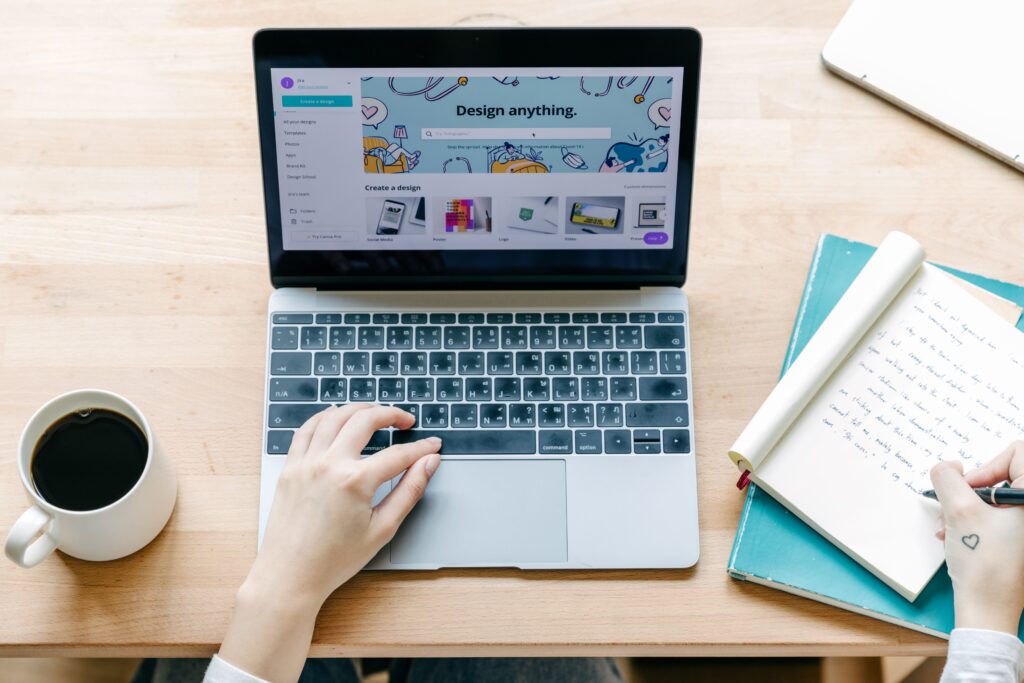

Creating professional-looking graphics no longer requires years of graphic design experience. Tools such as Canva and Adobe Express have made it easier to create social media posts, presentations, marketing materials, videos, flyers, documents, and other visual content.
But choosing between them can still be difficult.
Canva vs Adobe Express is not simply a question of which platform has more features. The better choice depends on what you create, how much control you want, your preferred workflow, and whether you already use other Adobe products.
Canva emphasizes an accessible, template-driven design experience, while Adobe Express combines simplified design tools with Adobe’s broader creative ecosystem. Both platforms offer free options as well as paid plans, although the features and limits differ.
This guide compares Canva and Adobe Express across ease of use, templates, AI features, branding, social media, collaboration, pricing considerations, and use cases so you can make a more informed decision.
Canva vs Adobe Express at a Glance
Before looking at individual features, here’s a quick overview:
| Feature | Canva | Adobe Express |
|---|---|---|
| Ease of use | Excellent for beginners | Excellent for beginners |
| Templates | Extensive template library | Extensive template library |
| Social media content | Strong | Strong |
| Brand management | Strong | Strong |
| Photo editing | Strong for everyday design | Strong for everyday design |
| Video creation | Strong | Strong |
| AI tools | Canva AI and Magic Studio features | Adobe Firefly-powered and AI Assistant features |
| Adobe ecosystem | Limited integration compared with Adobe’s ecosystem | Major advantage |
| Free plan | Available | Available |
| Mobile apps | Available | Available |
| Best suited for | General-purpose visual content | Users wanting simple design plus Adobe integration |
The exact features, AI allowances, storage limits, and pricing can change, so check the official plan pages before subscribing. Canva and Adobe both update their offerings regularly.
What Is Canva?
Canva is an online visual design platform designed to make graphic creation accessible to people with different levels of design experience.
Instead of starting every project from a blank canvas, users can choose from templates and customize elements such as text, images, colors, graphics, layouts, and animations.
Canva can be used for many different projects, including:
- Social media graphics
- Presentations
- Posters and flyers
- Business documents
- Logos and brand materials
- YouTube thumbnails
- Videos
- Invitations
- Marketing materials
- Educational resources
Canva’s current plans include a free option as well as paid plans with additional premium content, brand tools, storage, and AI capabilities.
Canva’s Main Strengths
One of Canva’s biggest advantages is its straightforward workflow.
A beginner can select a template, replace the existing text and images, adjust colors, and export the finished design without needing advanced knowledge of graphic design software.
Canva also offers AI-powered features through Canva AI and Magic Studio. Depending on the plan and tool, these can assist with tasks such as generating designs, editing images, creating content, and adapting designs for different uses.
Canva’s Limitations
Canva is not designed to replace every professional creative application.
If your work requires highly specialized image manipulation, advanced illustration, detailed photo compositing, or sophisticated video production, you may eventually need more specialized software.
There is also an important distinction between free and premium content. Canva identifies premium content, and free users may encounter watermarks or need to purchase a license or upgrade when using certain Pro assets.
What Is Adobe Express?
Adobe Express is Adobe’s simplified content creation platform. It is designed for creating graphics, videos, social media content, presentations, documents, and other visual materials without requiring the full complexity of Adobe’s professional creative applications.
Adobe Express is available on the web and mobile devices, including iOS, Android, and iPad.
The free plan includes templates, Adobe Fonts, standard photo, video and document editing tools, social media scheduling, Adobe Stock assets, and cloud storage.
Adobe Express’s Main Strengths
Adobe Express becomes particularly interesting for people already familiar with the Adobe ecosystem.
Adobe’s broader creative platform includes applications such as Photoshop, Illustrator, Premiere, and other professional tools. Express provides a simpler environment for everyday content creation while fitting into that wider ecosystem.
Its Premium plan also includes additional templates and content, brand-related tools, AI-powered features, Adobe Stock content, and generative credits.
Adobe Express’s Limitations
Adobe Express is easier to use than many professional Adobe applications, but users who want a very simple, template-first experience may still find Canva more intuitive.
Some premium content and features require a paid plan. Adobe also notes that certain AI features have usage limits or depend on the user’s plan and available generative credits.
Canva vs Adobe Express: Ease of Use
For many users, ease of use is more important than having the largest feature list.
Canva
Canva is particularly approachable for beginners because the interface is centered around templates, drag-and-drop editing, and visual customization.
For example, someone creating an Instagram post can start with a template rather than designing the layout from scratch.
Adobe Express
Adobe Express also focuses on simplified design. Users can start with templates and customize them using text, images, graphics, animations, and other editing tools.
The choice here largely comes down to personal preference.
Choose Canva if: you want a highly template-oriented and beginner-friendly workflow.
Choose Adobe Express if: you want beginner-friendly design combined with Adobe’s ecosystem.
Canva vs Adobe Express: Templates
Templates can dramatically reduce the time needed to create visual content.
Both platforms offer large template libraries covering areas such as social media, presentations, marketing materials, posters, videos, and business content.
Canva’s current plans advertise millions of templates, with access depending on the plan.
Adobe Express’s free plan currently includes more than 100,000 static and video templates, while Premium provides access to additional premium templates.
The important point is not simply the number of templates. Template relevance matters more than template quantity.
If you frequently create a particular type of content, search both platforms for your typical projects and compare the available designs.
Canva vs Adobe Express: AI Features
AI has become an important part of modern design software.
Both Canva and Adobe Express provide AI-powered capabilities, but their approaches differ.
Canva AI
Canva integrates AI throughout its design workflow. Depending on the plan and feature, users can access tools for generating or modifying content, creating designs, editing images, translating content, and other creative tasks.
Canva also uses a usage-based AI allowance that varies by plan and tool.
Adobe Express AI
Adobe Express incorporates Adobe Firefly technology and AI Assistant capabilities.
Adobe says its AI Assistant can help users create and edit content through prompts, while certain generative functions use available credits or allowances depending on the plan.
Which Has Better AI?
There is no universal winner.
If you already prefer Canva’s design workflow, its AI features may feel more convenient.
If you value Adobe’s Firefly ecosystem and already use Adobe products, Adobe Express may be more appealing.
Because AI features and usage allowances change relatively quickly, compare the current plans before making a decision.
Canva vs Adobe Express for Social Media
Both platforms are useful for social media content.
You can use them to create:
- Instagram posts
- Stories
- Reels and short videos
- Facebook graphics
- LinkedIn posts
- YouTube thumbnails
- Promotional graphics
- Branded social content
Canva offers social content tools and scheduling features on eligible plans. Its current Pro offering includes social content scheduling.
Adobe Express also provides social media planning and scheduling, with the free plan supporting scheduling to one account per social network and Premium supporting more.
Best Choice for Social Media
For a solo creator, blogger, marketer, or small business owner, both can work well.
Your decision should depend on which platform has the templates, brand tools, editing workflow, and scheduling features you prefer.
Canva vs Adobe Express for Business
Businesses often need more than attractive graphics.
They may need consistent branding, reusable templates, collaboration, content organization, and efficient production.
Canva provides brand-oriented tools, templates, collaboration features, and different plans designed for individuals and organizations.
Adobe Express Premium also provides brand kits and other tools aimed at maintaining consistent visual content.
For Small Businesses
Canva can be a strong option if your team primarily needs to create:
- Social media graphics
- Presentations
- Flyers
- Marketing materials
- Simple videos
- Branded documents
Adobe Express may be particularly attractive if your business already relies heavily on Adobe products.
Canva vs Adobe Express for Beginners
If you have never used professional design software, both platforms are reasonable places to start.
However, the best option depends on how you learn.
Choose Canva if you want:
- A template-first workflow
- Simple drag-and-drop editing
- Quick social media designs
- Easy-to-customize marketing materials
- A broad general-purpose design platform
Choose Adobe Express if you want:
- Simple Adobe-based design tools
- Access to Adobe Fonts and Stock content
- Integration with the broader Adobe ecosystem
- AI features connected to Adobe’s creative technology
- A bridge toward other Adobe applications
Canva vs Adobe Express: Free Plans
You do not necessarily need to pay immediately.
Canva offers a free plan with access to templates and free content, while Adobe Express has a free plan with templates, fonts, editing tools, Stock assets, social scheduling, and 5 GB of storage.
The free plans are useful for testing the platforms before committing to a subscription.
However, premium templates, stock assets, AI features, storage, brand features, and other capabilities can differ between plans.
Tip: Before subscribing, create two or three of your normal projects using each free version. This gives you a better indication of which interface and workflow actually suit you.
Canva vs Adobe Express: Pricing Considerations
Pricing should not be judged only by the monthly subscription cost.
Consider:
- How many people need access?
- Which premium assets do you need?
- How much cloud storage is required?
- Do you need brand management?
- Do you need social scheduling?
- How frequently will you use AI features?
- Do you already pay for Adobe Creative Cloud?
- Will you use the platform for commercial work?
Canva’s plans and prices vary by region and plan type, while Adobe’s offerings can also vary depending on the subscription you already have. Check the official pricing pages before purchasing because plans and features can change.
Which Tool Is Better for Different Users?
There is no single answer to the Canva vs Adobe Express debate.
Here’s a practical way to decide.
| User | Recommended starting point |
|---|---|
| Complete beginner | Canva |
| Social media creator | Canva or Adobe Express |
| Small business | Canva or Adobe Express |
| Blogger | Canva |
| Marketing professional | Either, depending on workflow |
| Adobe Creative Cloud user | Adobe Express |
| User focused on templates | Canva |
| User already invested in Adobe | Adobe Express |
| Occasional designer | Either free plan |
| Advanced creative professional | Consider specialized Adobe applications alongside Express |
These are recommendations based on typical workflows rather than absolute rankings. Your preferred interface and existing software ecosystem can change the decision.
How to Choose Between Canva and Adobe Express
If you’re still unsure, use this five-step approach.
Step 1: List What You Actually Create
Write down your most common projects.
For example:
- Five social media posts per week
- One presentation per month
- Occasional flyers
- YouTube thumbnails
- Short promotional videos
This is more useful than comparing every feature on both platforms.
Step 2: Test the Free Versions
Create the same project in both platforms.
Pay attention to how quickly you can:
- Find a suitable template
- Edit text
- Replace images
- Apply brand colors
- Resize content
- Export the final design
Step 3: Check Premium Features You Actually Need
Don’t pay for a long list of features you will never use.
Identify the specific premium tools that matter to your workflow.
Step 4: Consider Your Existing Software
If you already use Adobe applications, Adobe Express may fit naturally into your workflow.
If you don’t use Adobe products and mainly want an easy design platform, Canva may be the simpler starting point.
Step 5: Review Current Pricing
Before subscribing, check the current official plan information. Both companies change features, pricing, AI allowances, and plan structures over time.
Common Mistakes to Avoid
Choosing a design platform based only on popularity can lead to the wrong decision.
Avoid these mistakes:
Choosing Based Only on Price
A cheaper plan is not necessarily better if it lacks the tools you regularly need.
Comparing Feature Counts
More features don’t automatically mean a better experience.
A platform is valuable when its features help you complete your actual work efficiently.
Ignoring Licensing
If you’re using stock images, graphics, music, fonts, or templates for business purposes, understand the applicable licensing rules.
For example, Canva explains that Free and Pro content have different licensing arrangements and that some Pro content requires a license.
Adobe similarly identifies premium content and provides specific licensing terms.
Always review the current license terms when a project has important commercial, client, or distribution requirements.
Paying Before Testing
Both platforms provide ways to get started without immediately committing to a paid plan.
Use that opportunity to test your normal workflow first.
Frequently Asked Questions
Is Canva better than Adobe Express?
Neither is universally better. Canva may be preferable for users who prioritize templates and straightforward visual content creation, while Adobe Express can be especially attractive to people already using Adobe products.
Is Adobe Express easier than Canva?
Both are designed to make visual content creation easier than traditional professional design applications. Which feels easier depends on your experience, preferred interface, and the type of project you’re creating.
Can I use Canva and Adobe Express for free?
Yes. Both offer free plans. However, free plans have limitations, and some premium templates, assets, features, storage, and AI capabilities require paid access.
Which is better for social media design?
Both are capable social media design platforms. Canva can be particularly convenient for users who want a template-driven workflow, while Adobe Express is a strong option for users who prefer Adobe’s ecosystem. Test both with your actual social media formats before deciding.
Can professionals use Canva and Adobe Express?
Yes. Both can be useful for professional content creation, particularly for marketing, social media, presentations, and everyday business graphics. However, specialized professional design work may require more advanced applications depending on the project’s requirements.
Conclusion
The Canva vs Adobe Express decision ultimately comes down to your workflow rather than a simple winner.
Canva is an excellent starting point if you want an accessible, template-focused platform for social media, presentations, marketing materials, and everyday visual content.
Adobe Express is worth considering if you want a similarly accessible design experience while benefiting from Adobe’s broader creative ecosystem, Adobe Stock, Adobe Fonts, and Firefly-powered capabilities.
The smartest approach is simple: define what you need to create, test both platforms, compare the features you actually use, and then choose the one that makes your work easier.
There is no reason to choose a tool because it is more popular. Choose the one that fits your projects, budget, experience, and long-term workflow.