

A potential customer requests a quote through your website. Someone replies by email, another employee takes a follow-up call, and the appointment goes into a separate calendar.
A week later, nobody is sure who should contact the customer next.
Customer relationship management software, or CRM, can help organize those interactions. However, buying a system does not automatically create a reliable process.
The right CRM should make it easy to see who the customer is, what they need, what has happened, and what happens next.
Learning how to choose a CRM for a small service business starts with mapping that process. This guide explains what to prioritize, how to compare costs, and which tasks to test before subscribing.
1. Identify the Problems You Need to Solve
Begin with specific problems rather than a long feature list.
For example:
- Website inquiries sometimes go unanswered.
- Quotes are sent without follow-up reminders.
- Customer notes are scattered across personal accounts.
- Employees cannot see who owns an opportunity.
- Repeat-service dates are easy to forget.
- Reporting requires rebuilding a spreadsheet every week.
Choose your three most important problems. Turn each into a requirement you can test.
| Current problem | Testable CRM requirement |
|---|---|
| Forgotten inquiries | Every new inquiry has an owner and next action |
| Untracked quotes | Quotes awaiting a decision are easy to find |
| Scattered conversations | Authorized staff can view relevant communication history |
| Missed renewals | Renewal dates trigger reminders |
| Unclear performance | Reports show inquiries, quotes, and won work |
A CRM should improve these tasks without creating more administration than your team can maintain.
2. Decide Whether You Need a CRM, Service Software, or Both
“Service business” covers several different operating models.
A consultant managing proposals needs different tools from a repair company dispatching technicians.
| Your main requirement | Software category to examine |
|---|---|
| Track inquiries, contacts, and sales opportunities | CRM |
| Schedule appointments and manage availability | Booking or scheduling software |
| Dispatch technicians and manage work orders | Field service management |
| Deliver projects, assign tasks, and track deadlines | Project management |
| Manage customer support requests | Help desk |
| Produce invoices and maintain financial records | Accounting software |
Some products combine these functions. Others connect separate systems.
For example, Zoho offers an integration between its CRM and field service management products, illustrating how sales records and service operations can work together without being the same function. zoho.com
Match the System to Your Service Model
Consultants and agencies may prioritize proposals, client communication, project handover, and renewal reminders.
Appointment-based businesses may need booking links, calendar availability, reminders, and cancellation handling.
On-site service businesses may need service addresses, technician schedules, work orders, and mobile access.
Do not assume that a CRM’s meeting scheduler can manage staff dispatch or recurring service jobs.
3. Map the Journey From Inquiry to Handover
Write down the stages a typical customer passes through.
A simple sales pipeline might be:
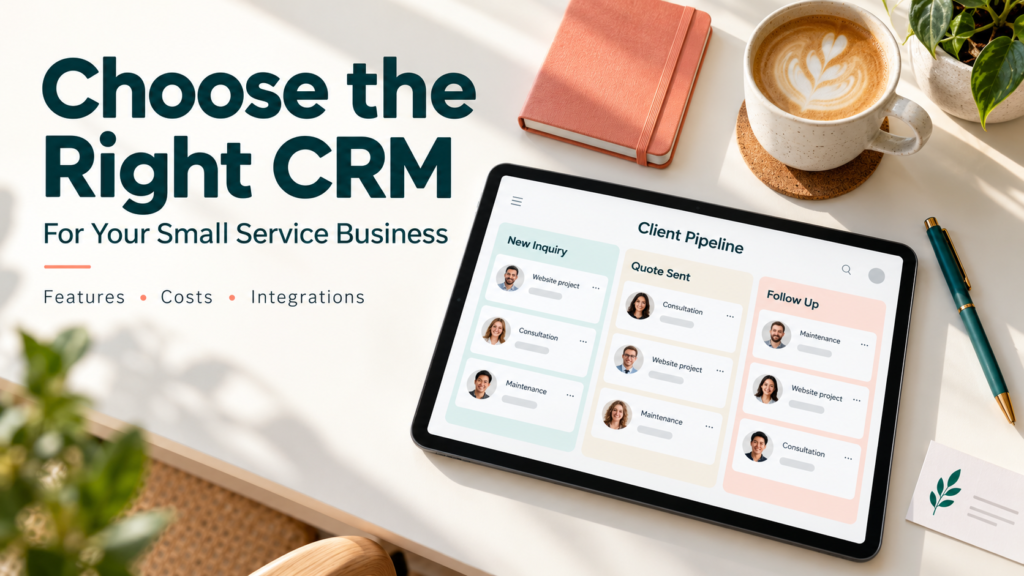
New inquiry → Qualified → Consultation booked → Quote sent → Decision pending → Won or lost
Define what each stage means.
For example, “Qualified” could mean that the requested service, location, timing, and budget are suitable. “Won” might mean that the agreement is signed and the required deposit is received.
Use definitions that match your business.
Keep Sales and Delivery Status Clear
Winning work is not the same as completing it.
After a sale, you may need to create a project, appointment, or work order. Test how that handover occurs and what information moves with it.
For recurring services, also distinguish:
- A customer relationship.
- An individual sales opportunity.
- A scheduled service visit.
- An ongoing contract.
Combining these into one unclear record can make reporting and follow-up difficult.
4. Prioritize the Features Your Team Will Use
A small service business can often begin with a focused set of capabilities.
Contact and Customer Records
Check whether the system can store:
- Contact details and company information.
- Relevant service interests.
- Customer location or service address.
- Communication history.
- Assigned employee.
- Related opportunities and documents.
If one customer can have several sites, projects, or contacts, test those relationships.
Tasks and Follow-Up Reminders
Every active opportunity should have a clear owner and next action.
Test whether employees can easily find:
- Tasks due today.
- Overdue follow-ups.
- Quotes awaiting a response.
- Opportunities with no recent activity.
A useful task list can matter more than a complicated dashboard.
Pipeline Management
Check whether you can adapt stages without extensive configuration.
You should be able to move an opportunity, record an expected value, set a next action, and explain why work was lost.
Keep required fields limited to information that supports decisions or service delivery.
Email and Calendar Connections
Check your actual email provider, account type, and selected plan.
Pipedrive’s documentation, for example, describes email synchronization that links communication with contacts, leads, and deals. Its documentation also shows that available email-account allowances depend on the plan. Pipedrive
Test whether private messages remain private and whether shared communication is visible to the intended people.
Mobile Usability
If employees work away from the office, ask them to complete real tasks on a phone.
Can they find a customer, add a note, update an opportunity, and schedule follow-up without difficulty?
If offline access matters, verify exactly which functions work without a connection and how synchronization behaves afterward.
5. Test Integrations Beyond the Logo
An integration listing does not explain the complete workflow.
For each important connection, check:
- Which records and fields move between systems?
- Is synchronization one-way or two-way?
- Which system controls conflicting updates?
- How are duplicates handled?
- How quickly do changes appear?
- What happens when the connection fails?
- Does it require another subscription?
Example: Connecting Your Website Form
Submit a test inquiry and check that it:
- Creates or updates the correct record.
- Preserves the customer’s request.
- Identifies the inquiry source.
- Assigns responsibility.
- Creates a follow-up task.
- Avoids sending an inappropriate automated reply.
Test a repeat submission from an existing customer as well as a new contact.
Example: Connecting Accounting Software
Decide which information belongs in each system.
The CRM might manage the sales opportunity, while accounting software maintains invoices and payment records.
If payment status appears in the CRM, confirm how it is updated. A manually changed “paid” label should not be mistaken for verified payment information.
6. Compare the Full Cost
The advertised monthly price may exclude capabilities your team needs.
Compare:
| Cost area | Questions to ask |
|---|---|
| User licenses | Which employees need paid access? |
| Billing | Is the displayed rate conditional on annual payment? |
| Feature tiers | Which plan includes essential automation and reporting? |
| Add-ons | Are proposals, projects, calling, or marketing charged separately? |
| Usage | Are there limits on contacts, messages, workflows, or storage? |
| Implementation | Who cleans data and configures the system? |
| Integrations | Are connectors or third-party tools required? |
| Ongoing administration | Who maintains fields, permissions, and automation? |
Pipedrive’s pricing guidance explicitly describes optional add-ons, demonstrating why a base subscription may not represent the complete cost. Pipedrive
A Hypothetical First-Year Comparison
Suppose two vendors provide these quotes for a three-person team:
| Expense | Option A | Option B |
|---|---|---|
| Monthly price per user | $18 | $30 |
| Required monthly add-on | $35 | $0 |
| One-time setup | $250 | $150 |
| First-year total | $1,318 | $1,230 |
These figures are illustrative, not current product prices. They exclude taxes and other possible charges.
Option A has the lower seat price but the higher total in this example.
Check current pricing, regional availability, and contract terms directly before buying.
7. Check Permissions, Privacy, and Export Options
A CRM can hold sensitive customer conversations and commercially important information.
Check whether it supports:
- Individual accounts.
- Multifactor authentication.
- Appropriate access restrictions.
- Controls over exporting and deleting records.
- A useful history of changes.
- Clear procedures for removing former employees.
Avoid collecting sensitive information simply because a notes field is available.
Review the provider’s data-handling terms and your own requirements before connecting customer communications or enabling recording and AI features.
Test What You Can Export
Try exporting a small sample during the trial.
Check contacts, opportunities, notes, activities, custom fields, and relevant relationships. Ask separately about attachments and communication history.
Pipedrive’s export documentation notes that exported data depends on visibility and permissions. This makes testing from the appropriate account important. Pipedrive
An export file does not necessarily reproduce the complete working system elsewhere.
8. Plan a Clean Migration
Do not import every old spreadsheet immediately.
First:
- Remove obvious duplicates.
- Standardize names, phone numbers, and dates.
- Separate current opportunities from historical records.
- Identify record owners.
- Map existing fields to the CRM.
- Import a small sample.
- Check results before importing the remainder.
Use the vendor’s documented matching rules.
HubSpot’s import guidance explains that unique identifiers help update existing records, avoid duplicates, and associate related records. The correct identifier depends on the record type and import method. knowledge.hubspot.com
Preserve an original copy of your source data before making changes.
9. Run a Trial Using One Complete Customer Scenario
Use fictional or appropriately authorized sample records.
Ask the people who will use the CRM to complete this scenario:
- Receive a website inquiry.
- Assign it to an employee.
- Record the customer’s requirements.
- Book a consultation.
- Send or record a quote.
- Schedule follow-up.
- Mark the opportunity won or lost.
- Hand won work to the delivery system.
- Create a future service reminder.
- Export the relevant records.
Record where users hesitate, require workarounds, or repeat information.
Use a Simple Scorecard
Score each candidate from 1 to 5 after testing.
| Evaluation area | Suggested weight |
|---|---|
| Fit with your customer workflow | 30% |
| Everyday usability | 25% |
| Required integrations | 15% |
| Total cost | 15% |
| Permissions and data portability | 10% |
| Support and onboarding | 5% |
These weights are a suggested decision aid. Adjust them to your business.
Eliminate products that fail an essential requirement before comparing overall scores.
Common CRM Buying Mistakes
Buying for a future organization. Evaluate realistic growth needs without paying for capabilities nobody currently maintains or uses.
Confusing automation with process design. Automating an unclear handover can repeat the same confusion faster.
Letting only the owner test it. Include staff responsible for inquiries, follow-up, and service delivery.
Ignoring administrative effort. Someone must maintain users, fields, integrations, and reporting definitions.
Expecting the CRM to create demand. A CRM can organize opportunities; it cannot guarantee more inquiries or sales.
Frequently Asked Questions
1. Does a Small Service Business Need a CRM?
A CRM becomes useful when shared customer records, follow-ups, and sales tracking become difficult to manage consistently.
A very simple operation may manage adequately with existing tools. Focus on the problems and workload rather than company size alone.
2. Is a Free CRM Enough?
It can be enough for basic contact and opportunity management.
Check current user, contact, automation, integration, and reporting limits. For example, HubSpot’s official free-tools catalog specifies a limited number of free users, so “free CRM” should not be interpreted as unlimited team access. Free Tools
3. Can a CRM Replace Scheduling and Accounting Software?
Sometimes a product includes those capabilities, but verify their depth.
Booking a meeting, scheduling a technician, and maintaining accounting records are different tasks. A connected system may fit better than forcing everything into one application.
4. Should AI Features Influence the Decision?
Treat them as optional capabilities to test against a specific need.
Evaluate accuracy, data handling, review effort, and additional charges. Core recordkeeping and follow-up should work well before AI becomes a deciding factor.
5. How Long Should We Test a CRM?
Use enough time to complete representative workflows and involve the intended users.
If the normal sales cycle is longer than the trial, simulate later stages with sample records. Do not commit solely because a short demonstration looked straightforward.
Conclusion
Choose a CRM around the way your business handles inquiries, wins work, and hands customers over to service delivery.
Prioritize clear ownership, reliable follow-up, usable records, and the integrations you actually need. Test the complete workflow with your team, compare the full cost, and select a system someone can realistically maintain.


