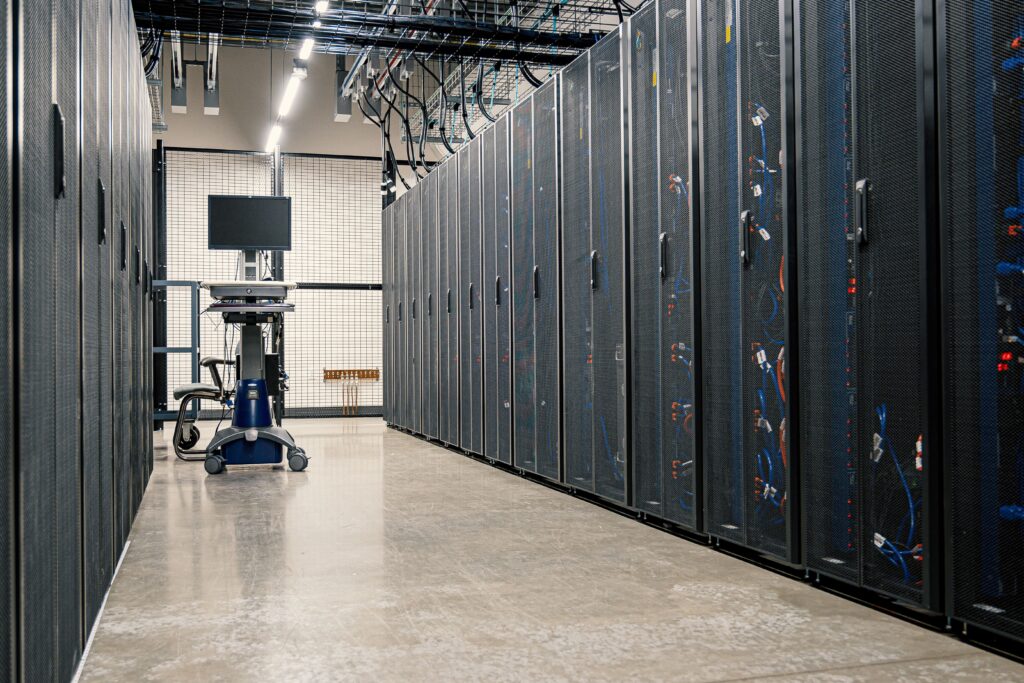

Businesses increasingly depend on digital infrastructure to run applications, store data, serve customers, and introduce new technologies. At the same time, artificial intelligence is creating new demands for computing power, data processing, storage, networking, and specialized hardware.
This has led many business leaders to ask an important question: What is the difference between cloud computing and AI infrastructure, and which one does a business actually need?
The answer is not simply that one replaces the other. Cloud computing provides a broad foundation for running many types of digital workloads, while AI infrastructure is designed and optimized for the demanding requirements of artificial intelligence and machine learning workloads.
In many cases, businesses use both.
Understanding cloud computing vs AI infrastructure can help organizations make better technology decisions, control costs, plan for growth, and avoid investing in infrastructure that does not match their actual workloads.
What Is Cloud Computing?
Cloud computing is a way of accessing computing resources over a network instead of relying entirely on physical infrastructure owned and maintained by an organization.
These resources can include:
- Computing power
- Data storage
- Databases
- Networking
- Virtual machines
- Application platforms
- Security services
- Backup and disaster recovery services
Instead of purchasing and maintaining every server in a private data center, a business can use resources provided by a cloud service provider.
For example, an online retailer might use cloud infrastructure to host its website, store customer information, process orders, run databases, and automatically add computing resources when demand increases.
Cloud computing is therefore a broad technology model that can support many different business workloads.
What Is AI Infrastructure?
AI infrastructure refers to the hardware, software, networking, storage, and supporting systems used to develop, train, deploy, and operate artificial intelligence and machine learning applications.
AI workloads can require substantial computational resources, particularly when organizations train or serve large models.
AI infrastructure can include:
- CPUs
- GPUs
- AI accelerators
- High-performance storage
- High-speed networking
- Model-serving systems
- Container and orchestration platforms
- Data-processing systems
- Monitoring and management tools
Modern AI infrastructure may be built in a company’s own data center, provided through a cloud platform, or deployed through a hybrid environment.
Cloud providers increasingly offer specialized AI infrastructure, including GPU-accelerated computing and other accelerator technologies. Google Cloud, for example, provides GPU resources for machine learning and generative AI workloads, while Microsoft Azure offers GPU-optimized virtual machines and supporting networking and storage services.
Cloud Computing vs AI Infrastructure: The Main Difference
The simplest way to understand the difference is this:
Cloud computing is a broad approach to delivering computing resources, while AI infrastructure is a specialized technology foundation designed to support AI workloads.
Cloud computing can support ordinary business applications, websites, databases, file storage, analytics, development environments, and many other workloads.
AI infrastructure focuses more heavily on the computational, networking, storage, and software requirements associated with AI.
The two are not necessarily competing technologies.
In fact, AI infrastructure can operate inside the cloud.
For example, a company could rent GPU-enabled cloud servers to train a machine learning model rather than purchasing and maintaining its own GPU cluster.
Cloud Computing vs AI Infrastructure: Key Differences
| Area | Cloud Computing | AI Infrastructure |
|---|---|---|
| Primary purpose | General-purpose computing | AI and machine learning workloads |
| Typical compute | CPUs and optional accelerators | GPUs, CPUs, TPUs, and other accelerators |
| Workloads | Websites, databases, applications, storage, analytics | Model training, inference, fine-tuning, AI applications |
| Scaling | Designed for flexible resource scaling | Often requires specialized scaling for AI workloads |
| Networking | General business networking | May require high-bandwidth, low-latency networking |
| Storage | General-purpose storage options | Storage optimized for large datasets and AI pipelines |
| Cost considerations | Resource usage and service model | Compute intensity, accelerator use, storage, networking, and utilization |
| Best suited for | Broad business technology needs | Organizations with significant AI workloads |
The exact architecture varies by workload and provider, so businesses should evaluate their requirements rather than assuming that one infrastructure model is universally better.
Why AI Workloads Need Specialized Infrastructure
Traditional business applications can often operate effectively on conventional CPU-based computing resources.
AI workloads can have different requirements.
Training and serving sophisticated machine learning models may involve large datasets and computationally intensive mathematical operations. GPUs are widely used because their architecture is well suited to parallel processing, although CPUs and other accelerators can also play important roles.
AI infrastructure therefore often pays particular attention to:
Accelerated Computing
GPUs and other accelerators can provide substantial parallel processing capabilities for suitable AI workloads.
However, not every AI-related task requires a GPU. Some workloads may perform adequately on CPUs, particularly when the computational requirements are relatively modest.
High-Speed Networking
Large AI workloads can involve communication between multiple processors or machines.
For distributed AI systems, network performance can therefore become an important part of the overall architecture.
High-Performance Storage
AI applications can process large datasets and may repeatedly access training data, model files, logs, and other information.
Storage performance can affect how efficiently data moves through an AI pipeline.
Resource Management
Organizations running multiple AI workloads need ways to allocate computing resources, monitor usage, manage workloads, and avoid unnecessary capacity.
Modern AI infrastructure can therefore include orchestration, scheduling, monitoring, and optimization technologies alongside the underlying hardware.
When Cloud Computing Is the Better Choice
Cloud computing can be a strong option when a business needs flexible, general-purpose infrastructure.
It may make sense when you need to:
- Host websites and applications
- Run business databases
- Store documents and business data
- Create development environments
- Support remote teams
- Build backup and disaster recovery systems
- Scale applications based on demand
- Experiment with new technology without purchasing physical servers
For many small and medium-sized businesses, a cloud-first approach can reduce the need to operate physical infrastructure directly.
However, cloud services are not automatically cheaper in every situation. Long-running workloads, large data transfers, storage requirements, and inefficient resource usage can all affect the total cost.
Businesses should evaluate actual usage rather than assuming that moving to the cloud will always reduce expenses.
When AI Infrastructure Becomes More Important
AI infrastructure becomes increasingly relevant when artificial intelligence is a significant part of a company’s technology strategy.
Examples include businesses that need to:
- Train machine learning models
- Fine-tune models
- Run AI inference at scale
- Process large datasets for AI applications
- Build generative AI applications
- Operate computer vision systems
- Develop recommendation systems
- Run AI agents or other computationally intensive applications
The infrastructure requirements can vary significantly between these use cases.
A company using a third-party AI API may need relatively little specialized infrastructure of its own.
A company training large models internally may have dramatically different requirements.
This distinction is important because using AI does not automatically mean a business needs to build its own AI infrastructure.
Cloud AI Infrastructure: Where the Two Technologies Meet
One of the most important points in the cloud computing vs AI infrastructure discussion is that businesses do not always have to choose between them.
Cloud providers can offer specialized AI infrastructure as part of their broader cloud platforms.
A company can, for example, use:
Cloud storage → data processing → GPU computing → model training → model deployment → monitoring
The entire workflow can be hosted through cloud services.
This approach allows businesses to access specialized computing resources without necessarily building and operating an entire physical AI data center.
Cloud platforms can provide different types of accelerators, networking options, storage systems, and management tools for AI workloads.
On-Premises AI Infrastructure vs Cloud AI Infrastructure
Businesses with substantial AI requirements may also consider building infrastructure themselves.
On-Premises AI Infrastructure
With an on-premises approach, the organization purchases and operates its own servers, GPUs, networking equipment, storage, cooling systems, and supporting infrastructure.
Potential advantages include:
- Greater direct control
- More predictable access to dedicated hardware
- Ability to customize the environment
- Potential advantages for consistently high utilization
Potential disadvantages include:
- Significant upfront investment
- Hardware maintenance requirements
- Power and cooling costs
- Infrastructure management responsibilities
- Hardware refresh and replacement requirements
- More complex capacity planning
Cloud-Based AI Infrastructure
With cloud-based infrastructure, the organization rents computing resources from a provider.
Potential advantages include:
- Lower initial hardware investment
- Flexible access to computing resources
- Faster experimentation
- Provider-managed physical infrastructure
- Access to specialized hardware without purchasing it
Potential disadvantages include:
- Ongoing usage costs
- Potentially expensive accelerator usage
- Data transfer and storage costs
- Availability constraints for specific hardware
- Dependence on provider services and regional availability
The best choice depends on workload characteristics, budget, technical expertise, security requirements, and expected growth.
How Businesses Can Decide What They Need
Instead of starting with the question, “Should we use cloud computing or AI infrastructure?” businesses should start with their actual technology requirements.
1. Identify Your Workloads
List the applications and workloads your organization currently operates.
For example:
- Website
- CRM
- Accounting system
- Database
- File storage
- Business analytics
- Machine learning
- Generative AI
- Customer support automation
Not every workload needs specialized AI infrastructure.
2. Determine Your AI Requirements
If AI is part of your strategy, identify what you actually plan to do.
Are you simply consuming AI services through an API?
Are you deploying an existing model?
Do you need to fine-tune models?
Are you training models from scratch?
These scenarios can require very different infrastructure.
3. Estimate Workload Size
Consider:
- Number of users
- Data volume
- Processing requirements
- Expected traffic
- Model size
- Training frequency
- Inference requirements
- Required response times
A small internal AI application may require far fewer resources than a high-volume AI service used by thousands or millions of users.
4. Compare Total Costs
Do not evaluate infrastructure based only on the advertised compute price.
Consider the complete cost, including:
- Compute
- Accelerators
- Storage
- Networking
- Data transfer
- Software
- Monitoring
- Security
- Administration
- Maintenance
- Engineering time
A cheaper compute option may not necessarily produce a lower total cost if it requires significantly more management or performs poorly for the workload.
5. Consider Security and Compliance
Businesses should identify where data will be stored and processed and what security and compliance requirements apply.
Important questions include:
- Who can access the data?
- Where is the data stored?
- How is it encrypted?
- How are credentials managed?
- What logging and monitoring are available?
- What regulatory requirements apply to the business?
These considerations matter for both cloud and on-premises infrastructure.
6. Plan for Scalability
Avoid building an architecture only for today’s workload.
Consider how infrastructure requirements might change as:
- Customer numbers increase
- Data volumes grow
- AI features become more important
- Applications receive more traffic
- New markets are introduced
Scalability can be particularly important for AI applications because compute requirements may change substantially between development, training, and production.
Common Mistakes Businesses Should Avoid
Buying Specialized Hardware Too Early
A business experimenting with AI does not necessarily need to purchase an expensive GPU cluster.
For early-stage experimentation, managed AI services or cloud-based resources may provide a more flexible starting point.
Assuming Cloud Always Means Cheaper
Cloud computing can provide flexibility, but poorly managed resources can create unnecessary expenses.
Unused virtual machines, oversized resources, unnecessary storage, and inefficient data transfers can increase costs.
Assuming Every AI Workload Needs GPUs
GPUs are important for many AI workloads, but they are not universally required.
Some workloads can run effectively on CPUs or other computing architectures.
The infrastructure should match the workload rather than the technology trend.
Ignoring Data Architecture
AI infrastructure is only one part of an AI system.
Businesses also need to consider data quality, data pipelines, storage, governance, security, application integration, and monitoring.
A powerful processor cannot compensate for poorly managed data.
Focusing Only on Performance
Maximum performance is not always the same as the best business decision.
A smaller, efficient system may be more appropriate than an extremely powerful architecture if the workload does not justify the additional cost.
A Practical Example
Consider a small online retailer that wants to introduce AI-powered customer support.
The company already has:
- An e-commerce website
- A cloud-hosted database
- Customer records
- An inventory system
- A cloud storage environment
The business could integrate an existing AI model through a managed service or API rather than building and training its own model.
In this case, the company’s existing cloud infrastructure remains important, but it may not need to build dedicated AI infrastructure.
Now consider a technology company developing its own large machine learning models.
Its requirements could include:
- Large-scale data processing
- GPU or accelerator resources
- High-speed networking
- Specialized storage
- Model training infrastructure
- Model-serving systems
- Monitoring and orchestration
That organization has a stronger case for dedicated AI infrastructure, whether it is deployed on-premises, in the cloud, or through a hybrid architecture.
The important lesson is that infrastructure should follow the workload.
Can Cloud Computing and AI Infrastructure Work Together?
Yes.
In fact, this is increasingly common.
A business can use cloud computing as its general infrastructure while accessing specialized AI resources when necessary.
For example:
Cloud platform
→ Application hosting
→ Database
→ Object storage
→ Data processing
→ AI accelerator
→ Model deployment
→ Monitoring
This approach can allow an organization to maintain a general-purpose technology foundation while adding specialized resources for AI workloads.
Frequently Asked Questions
Is AI infrastructure the same as cloud computing?
No. Cloud computing is a broad model for accessing computing resources and services, while AI infrastructure refers to the technology stack used to support AI workloads. AI infrastructure can be deployed in the cloud, on-premises, or in hybrid environments.
Does every business using AI need AI infrastructure?
No. Businesses using third-party AI applications or APIs may not need to manage specialized AI infrastructure themselves. The provider may handle much of the underlying computing environment.
Is cloud computing better than on-premises AI infrastructure?
Neither is universally better. Cloud infrastructure can provide flexibility and reduce the need for upfront hardware purchases, while on-premises infrastructure can provide greater direct control and may make sense for certain predictable, high-utilization workloads.
Are GPUs required for artificial intelligence?
Not always. GPUs are particularly useful for many computationally intensive AI and machine learning workloads, but CPUs and other accelerators can also be appropriate depending on the application.
What should a small business choose?
A small business should generally start with its actual workload and business requirements rather than purchasing specialized infrastructure simply because AI is popular. Cloud services and managed AI tools can provide a practical starting point for many smaller organizations, while more specialized infrastructure can be introduced when the workload justifies it.
Conclusion
The debate over cloud computing vs AI infrastructure is not really about choosing one technology over the other.
Cloud computing provides a broad foundation for applications, data, storage, networking, and business systems. AI infrastructure adds specialized capabilities for workloads that require substantial computation, accelerated hardware, high-performance networking, and optimized data processing.
For many organizations, the most practical strategy is to combine the two.
Start by understanding your workloads, determine what AI capabilities you actually need, calculate the total cost, evaluate security and compliance requirements, and choose infrastructure that can scale with your business.
Most importantly, avoid buying infrastructure based solely on technology trends. The right solution is the one that provides the performance, flexibility, security, and cost structure appropriate for the organization’s real needs.