
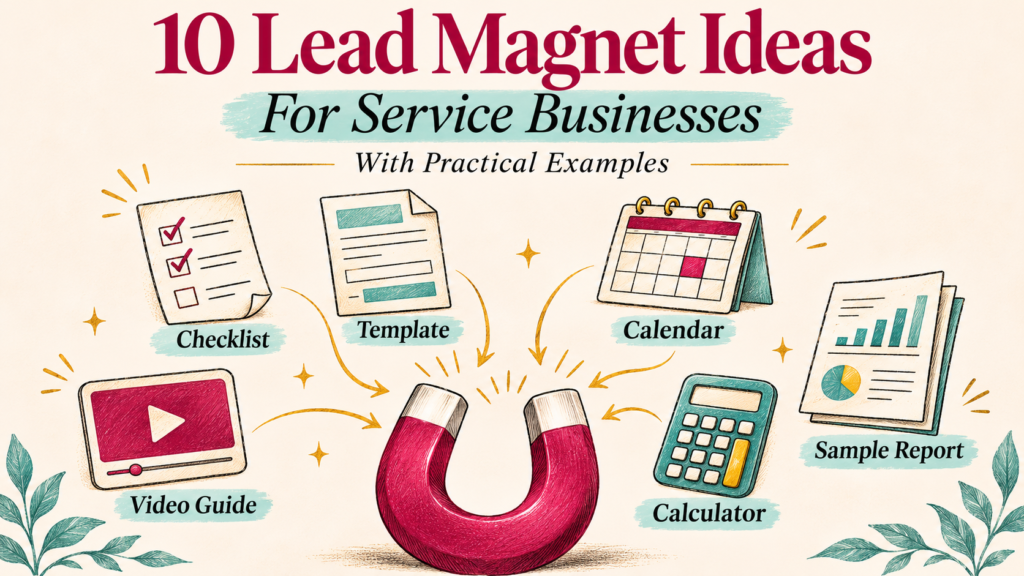

Someone may need your service without being ready to book it. They might be comparing options, gathering documents, or working out what their project involves.
A useful lead magnet helps with that immediate task. It also gives a potential client a practical introduction to how your business works.
These 10 lead magnet ideas for service businesses include suggested content and a relevant next step. All business examples are illustrative.
What Is a Lead Magnet?
A lead magnet is a resource offered in exchange for contact details, commonly an email address. Typical formats include checklists, templates, and guides. mailchimp.com
For a service business, choose a topic connected to a problem your customers actually bring to you. A relevant resource can start a conversation, but a download does not establish buying intent.
1. A Preparation Checklist
Example — “Office Cleaning Quote Preparation Checklist”
A commercial cleaning business could help office managers prepare the information needed for a useful quotation.
Include floor area, rooms, working hours, cleaning frequency, access arrangements, and specialist requirements. Add space to record questions.
Natural next step — Invite the reader to request a quote using the completed checklist.
Keep the resource useful even if they compare several providers.
2. A Ready-to-Use Template
Example — “Website Redesign Brief for Small Businesses”
A web design agency could provide an editable brief covering project goals, audience, required pages, existing content, integrations, budget range, and decision-makers.
Include one short completed example so readers understand how much detail to provide.
Natural next step — Offer to review the brief before a discovery call.
A template should reduce work. Avoid making the reader complete a lengthy questionnaire before they receive it.
3. A Self-Assessment Scorecard
Example — “Is Your Client Onboarding Process Ready to Grow?”
An operations consultant could create a short assessment covering enquiries, proposals, handovers, payments, and follow-up.
Use practical questions such as whether every new client receives the same welcome instructions. Explain what each section helps the reader examine.
Natural next step — Suggest a process-review consultation for readers who identify specific gaps.
Present the result as a planning aid. Any scoring thresholds should be labelled as your framework rather than a validated industry benchmark.
4. A Planning Calculator
Example — “Event Photography Coverage Planner”
A photographer could offer a spreadsheet that adds estimated time for preparations, the ceremony, group photos, travel, and reception coverage.
Let readers change the assumptions and show the calculation clearly.
Natural next step — Invite them to discuss a package based on the completed schedule.
Explain that the result estimates coverage time. It is not a binding quote or a guarantee that every event will follow the schedule.
5. A Buyer’s Comparison Guide
Example — “How to Compare Three Website Maintenance Proposals”
A maintenance provider could give buyers a comparison table for backups, updates, response times, exclusions, reporting, and access arrangements.
Explain which questions to ask when proposals use different terminology.
Natural next step — Invite the reader to ask for clarification about your maintenance scope.
Make the guide fair enough to support an informed comparison. Describe where your service fits without presenting competitors as unsuitable by default.
6. A Short Email Course
Example — “Five Days to Organize Your Project Enquiry Process”
A business systems consultant could deliver one small task per email.
| Lesson | Task |
|---|---|
| 1 | List where enquiries currently arrive |
| 2 | Define the information needed to respond |
| 3 | Draft an acknowledgement message |
| 4 | Assign a follow-up owner and deadline |
| 5 | Review the process with a sample enquiry |
Natural next step — Offer implementation help after readers have tried the process.
Explain the course schedule on the signup page. Keep each lesson complete enough to be useful on its own.
7. A Focused Video Walkthrough
Example — “How to Prepare Products for a Photography Session”
A product photographer could demonstrate cleaning items, organizing variants, preparing labels, and noting required angles.
Provide captions and a short supporting checklist so readers can use the advice without repeatedly replaying the video.
Natural next step — Link to a shoot enquiry form that asks about the prepared product list.
Choose a task you can demonstrate clearly in a short recording. A broad lecture about photography is less directly connected to booking a product shoot.
8. A Planning Calendar
Example — “A 30-Day Content Planning Calendar for Local Businesses”
A social media service could provide an editable calendar with prompts for service explanations, customer questions, team introductions, and seasonal updates.
Leave room for the business’s own dates and offers. Explain how to adapt the prompts rather than promising that publishing daily is necessary.
Natural next step — Offer help turning the plan into finished content.
Use sample entries that fit your intended clients. A calendar for restaurants should differ from one for a repair business.
9. An Annotated Sample Deliverable
Example — “What a Website Maintenance Report Should Explain”
A provider could share a fictional sample report showing completed updates, backup checks, issues found, and next actions.
Annotate each section so the reader understands what the information means.
Natural next step — Explain what reporting is included in your paid service.
Label invented data as sample data. Remove client identifiers and confidential information from any real material you are authorized to share.
10. A Limited-Scope Review
Example — “A Three-Point Landing Page Review”
A marketing agency could assess message clarity, mobile usability, and the main enquiry action.
State which page you will review, what the recipient receives, and the expected turnaround. Set a workload limit your team can sustain.
Natural next step — Offer a proposal to implement agreed improvements.
Deliver the promised observations before asking for a sales call. A personal review takes staff time, so track the effort as well as the resulting enquiries.
How to Choose Your First Lead Magnet
Use these questions to narrow the options.
| Question | What to look for |
|---|---|
| Who should use it? | A specific type of potential client |
| What task does it help complete? | One recognizable problem |
| How does it relate to the service? | A clear connection to paid work |
| Can you keep it accurate? | Manageable maintenance needs |
| Can you deliver it reliably? | A tested download or email process |
Start with one recurring customer question. A concise checklist or template may be enough for a first test. More complex tools need additional build and maintenance time.
Set Up Delivery and Follow-Up
Create a signup page that explains what the resource contains, who it is for, and how it will be delivered.
Ask for the information needed for that exchange. Explain any marketing follow-up and provide an appropriate choice under the rules applying to your audience.
Test the form, confirmation, download permissions, and delivery email on mobile and desktop.
Follow up with help related to the resource. For example, a website brief could be followed by an explanation of how to prioritize required pages, then an optional invitation to discuss the project.
Measure Client Relevance as Well as Downloads
Track visits, completed requests, successful deliveries, relevant enquiries, and customers won.
Signup rate = Completed resource requests ÷ Signup-page visits × 100
For example, 20 requests from 200 visits equal 10%. These figures are hypothetical.
Review whether those requests came from suitable potential clients. Also track creation, advertising, and staff costs. A resource producing many downloads can still create little commercial value.
Frequently Asked Questions
1. What is the best lead magnet for a service business?
Choose a resource that helps your intended client complete a task connected to your service. The right format depends on that task and your delivery capacity.
2. Does it need to be a PDF?
No. An editable document, spreadsheet, video, email course, or scoped review may fit better. Use a format people can access and apply easily.
3. How long should it be?
Make it long enough to complete the promised task. A one-page checklist can be sufficient, while a template may need instructions and an example.
4. Can a new business offer one?
Yes. Use your actual knowledge and clearly labelled examples. Keep claims about experience and results accurate.
5. Should I require a phone number?
Request one when it serves a clear purpose the visitor understands. An email-delivered resource does not automatically require a phone call.
Conclusion
Choose one customer problem and create a resource that helps solve it. Connect the next step to your service without making the free material dependent on a sales conversation.
Test delivery, review the relevance of resulting enquiries, and improve the resource using the questions readers ask.


