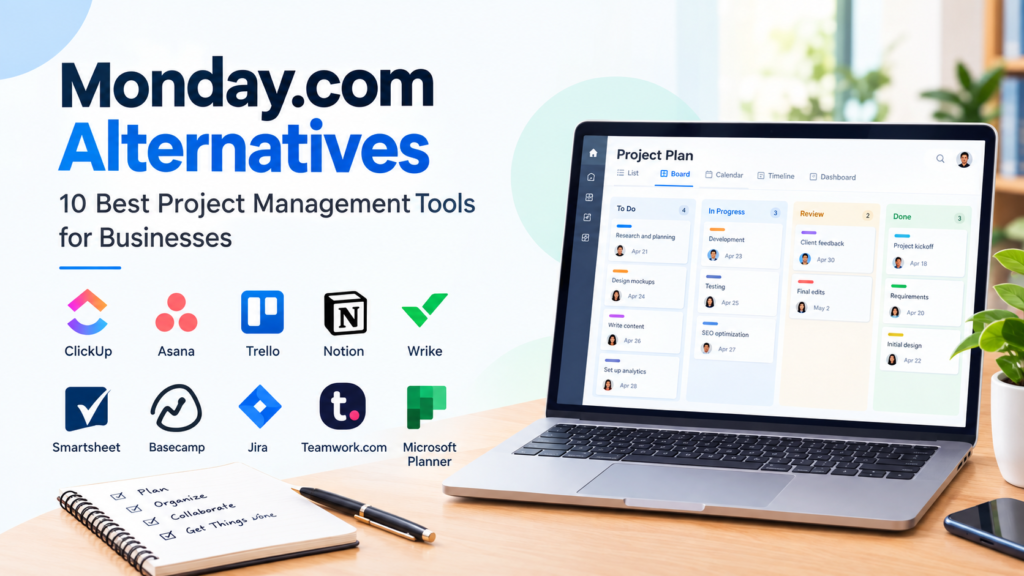

Choosing project management software is an important decision for businesses that want to organize tasks, coordinate teams, and manage deadlines more effectively. The right platform can help employees understand their responsibilities, improve visibility into ongoing work, and create a consistent process for completing projects.
However, not every team needs the same features. A small business might prioritize simplicity and affordability, while a marketing agency may need client collaboration and time tracking. A software development team may require issue management, sprint planning, and integrations with developer tools.
Monday.com alternatives offer different approaches to managing work. Some focus on task management, others combine documentation with project planning, and some are designed for technical teams or organizations with complex workflows.
In this article, we’ll explore 10 alternatives and explain what each platform offers, its potential limitations, and the types of businesses that may find it useful.
Important: Software features, plan limits, and pricing can change. The comparisons below are intended to support your research, not replace checking official product documentation before purchasing.
What Should You Look for in a Monday.com Alternative?
Before choosing a new project management tool, consider how your team currently organizes work and which challenges you want the software to solve.
1. Task and Project Management
A useful platform should support the basic activities your business needs, such as:
- Creating and assigning tasks.
- Setting deadlines and priorities.
- Tracking project progress.
- Organizing work by project or department.
- Managing recurring activities where supported.
More advanced requirements may include dependencies, milestones, portfolio management, or workload planning.
2. Team Collaboration
Consider how employees, managers, clients, and external partners will communicate. Depending on your workflow, you may need comments, file sharing, notifications, shared documents, or guest access.
3. Views and Workflow Flexibility
Different teams prefer different ways to visualize work. Common options include:
- List views.
- Kanban boards.
- Calendar views.
- Timeline or Gantt-style planning.
- Dashboards and reports.
Not every platform includes every view on every plan, so confirm which features are available to your team.
4. Pricing and User Limits
A free plan may be sufficient for basic task management, but growing teams should examine paid plan limits, minimum seat requirements, storage allowances, automation restrictions, and billing frequency.
Do not compare only the advertised starting price. Estimate the total cost based on the number of users and the features your business actually needs.
5. Integrations and Data Migration
If your business already uses email, cloud storage, communication tools, or accounting software, check whether the alternative integrates with your existing systems.
You should also investigate how easily you can import current projects, tasks, and files. Migration effort can affect the total cost of switching platforms.
10 Best Monday.com Alternatives for Businesses
The following tools represent different approaches to project management. They are presented as options for different use cases, not as a universal ranking.
1. ClickUp — Flexible Work Management for Different Teams

ClickUp is a project management and productivity platform that combines task management with additional workspace features. It is worth exploring if your team wants to organize multiple types of work within one environment.
Key Features
- Task and project management.
- Multiple ways to view work, depending on the plan.
- Collaborative documents.
- Goals and productivity features.
- Workflow customization and integrations.
Potential Benefits
ClickUp may suit businesses that want flexibility when structuring their projects. For example, a marketing team could organize content tasks, campaign deadlines, and internal documentation in one workspace.
Its broad feature set can also be useful for teams that want to consolidate some of their work tools.
Limitations to Consider
A platform with many features can require more configuration and onboarding. Teams should avoid creating unnecessary complexity and focus on the tools employees will actually use.
Some features and usage limits vary by subscription level, so review the official plan details before making a decision.
Best suited for: Businesses that want a customizable workspace with a broad range of project management features.
2. Asana — Structured Task and Team Project Management

Asana is a work management platform designed to help teams coordinate tasks, projects, and responsibilities. It is a relevant option for organizations that prefer structured workflows and clear task ownership.
Key Features
- Task assignments and deadlines.
- Project organization.
- Workflow automation on supported plans.
- Multiple project views.
- Team collaboration features.
Potential Benefits
Asana can be useful for marketing, operations, and cross-functional teams that need to track responsibilities across projects. A marketing team, for example, could organize a campaign into research, content production, review, and publication tasks.
Its structured approach may help teams establish consistent processes without needing to build every workflow from scratch.
Limitations to Consider
Some advanced capabilities are restricted to specific plans. Teams should check whether they need features such as advanced reporting, automation, or portfolio management before selecting a subscription.
Businesses that require extensive customization should compare Asana’s workflow options with those of other platforms.
Best suited for: Teams that need organized task management and coordination across departments.
3. Trello — Simple Kanban Boards for Everyday Work

Trello uses boards, lists, and cards to organize tasks visually. It is an option for teams that want a straightforward way to track work without adopting a complex project management system.
Key Features
- Visual Kanban boards.
- Task cards and checklists.
- Due dates and assignments.
- Labels and workflow organization.
- Additional features through Power-Ups and supported plans.
Potential Benefits
Trello’s card-based approach can be easy to understand. A small business could create columns such as:
| To Do | In Progress | Review | Completed |
|---|---|---|---|
| New tasks | Active work | Pending approval | Finished work |
This structure can help teams see the status of their tasks at a glance.
Trello may also work well for content calendars, simple sales pipelines, personal planning, and small team projects.
Limitations to Consider
Teams managing complex dependencies, extensive reporting requirements, or sophisticated resource planning may need more specialized functionality.
Advanced views and administrative features depend on the subscription plan.
Best suited for: Freelancers, startups, and small teams that prefer visual and straightforward task management.
4. Notion — Combining Documentation and Project Planning

Notion combines documents, databases, notes, and workspace organization. It may be particularly useful for teams that want to connect project information with internal documentation.
Key Features
- Collaborative documents and pages.
- Databases for organizing information.
- Task and project tracking.
- Internal knowledge bases.
- Templates and workspace customization.
Potential Benefits
Notion can help businesses bring project notes, standard operating procedures, meeting records, and task information into a connected workspace.
For example, a digital marketing team could create a content database with fields for article title, author, status, target keyword, and publication date. The team could also maintain documentation about its content workflow.
Limitations to Consider
Notion’s flexibility means that teams may need to design their own structures. A workspace can become difficult to maintain if databases, pages, and task systems are not organized consistently.
Businesses that require specialized project management features should compare Notion with dedicated project management tools.
Best suited for: Documentation-heavy teams, startups, and businesses that want notes and work organization in one platform.
5. Wrike — Project Coordination and Workflow Management

Wrike is designed for project and work management, including workflows, reporting, and collaboration capabilities. It is worth considering for teams with more structured project coordination requirements.
Key Features
- Project and task management.
- Interactive timeline or Gantt-style planning on supported plans.
- Dashboards and reporting.
- Workflow management.
- Collaboration and integrations.
Potential Benefits
Wrike may be relevant to agencies, departments, and organizations that coordinate multiple projects or require more structured visibility into ongoing work.
For example, a creative services team could use project workflows to organize requests, production tasks, review stages, and delivery.
Limitations to Consider
More advanced project management platforms may require additional setup and training. Some functionality, including higher-level reporting and resource-related capabilities, can depend on the plan.
Before switching, assess whether your team needs these advanced features or would benefit from a simpler system.
Best suited for: Teams managing structured workflows and multiple projects with more advanced coordination needs.
6. Smartsheet — Spreadsheet-Style Project Management

Smartsheet provides a spreadsheet-oriented approach to work management. It may appeal to businesses that are comfortable working with rows, columns, structured data, and project schedules.
Key Features
- Spreadsheet-style project organization.
- Project planning and timeline features.
- Forms and reporting.
- Workflow automation.
- Dashboard and portfolio capabilities on applicable plans.
Potential Benefits
Teams that already use spreadsheets for tracking activities may find Smartsheet’s grid-based approach familiar. It can support workflows involving structured records, project schedules, and reporting.
For example, an operations team could use a sheet to track project activities, responsible employees, deadlines, and status updates.
Limitations to Consider
Users who prefer a simple task board may need time to learn the platform’s structure. Advanced capabilities may also require higher-tier plans.
Review the available plans and test whether the interface fits your team’s working style before committing.
Best suited for: Businesses that prefer spreadsheet-style planning and structured project data.
7. Basecamp — Communication-Focused Project Organization

Basecamp is a project collaboration platform focused on organizing team communication, tasks, schedules, and project information.
Key Features
- To-do lists.
- Message boards.
- Team communication.
- File and document sharing.
- Project scheduling and check-ins.
Potential Benefits
Basecamp may suit teams that want to organize project discussions and tasks in a shared environment. It can be useful when the main challenge is keeping project communication and basic work organization together.
A small service business, for example, could create separate project spaces for client engagements and organize tasks, messages, and files within each space.
Limitations to Consider
Businesses that need highly customized workflows, sophisticated dependency management, or extensive resource planning should assess whether Basecamp offers the required capabilities.
Its pricing structure and available plans should be reviewed directly, as the cost may vary depending on the current subscription options and team requirements.
Best suited for: Teams that prioritize straightforward project communication and task organization.
8. Jira — Project Management for Software and Technical Teams

Jira is a project and issue management platform widely used in software development and technical workflows. It is a potential alternative when a team needs tools designed around development tasks and structured work tracking.
Key Features
- Issue and task tracking.
- Agile boards and sprint planning.
- Backlog management.
- Workflows and reporting.
- Integrations with development tools.
Potential Benefits
Jira may help software teams organize development work into issues, backlogs, and sprints. For example, a development team could use it to track feature requests, bugs, development tasks, and testing activities.
Its technical workflow features may be more relevant than a general-purpose task board for teams working within an Agile development process.
Limitations to Consider
Jira’s terminology and configuration options may be less familiar to teams that do not work in software development. It may require additional setup to fit nontechnical business workflows.
Before adopting it across an organization, determine whether its technical focus matches your team’s needs.
Best suited for: Software development, product, and technical teams that need structured issue and project tracking.
9. Teamwork.com — Client and Service Project Management

Teamwork.com is a work management platform that focuses on project coordination and client service workflows.
Key Features
- Project and task management.
- Time tracking on supported plans.
- Client-oriented collaboration features.
- Workload and project organization.
- Reporting and integrations.
Potential Benefits
Teamwork.com may be relevant to agencies, consultancies, and service providers that manage work for multiple clients.
For example, a marketing agency could organize client projects, assign tasks to team members, monitor deadlines, and track time where the relevant functionality is available.
Limitations to Consider
Not every business needs client-specific features or time tracking. If your organization mainly manages internal tasks, a simpler platform may be sufficient.
Check the available features, user limits, and plan details to determine whether the software fits your operational requirements.
Best suited for: Agencies and service businesses that coordinate client projects and delivery work.
10. Microsoft Planner — Work Management Within Microsoft 365

Microsoft Planner is a task and project planning tool within the Microsoft ecosystem. It may be worth considering for organizations that already use Microsoft 365 and want to explore its work management capabilities.
Key Features
- Task and plan organization.
- Task assignments and progress tracking.
- Collaboration within the Microsoft ecosystem.
- Additional planning features on eligible paid plans.
- Integration with other Microsoft services, depending on the setup.
Potential Benefits
Businesses already using Microsoft 365 can investigate whether Planner fits their existing workflows and licensing arrangements.
For example, an internal operations team could organize recurring activities, assign responsibilities, and monitor task progress through a shared plan.
Limitations to Consider
Microsoft Planner includes different experiences and plan levels. The features available through an existing Microsoft 365 subscription may differ from those offered through paid Planner plans.
Check your organization’s current license and the official Microsoft documentation to confirm the functionality available to your users.
Best suited for: Businesses that use Microsoft 365 and want to evaluate an integrated task and planning solution.
Comparing Monday.com Alternatives by Business Use Case
The best platform depends on how your team works, not simply on the number of features offered. The following table provides a practical way to compare the alternatives.
| Platform | Potentially suitable for | Main consideration |
|---|---|---|
| ClickUp | Flexible, broad work management | May require setup and feature selection |
| Asana | Structured team projects | Check plan-specific features and limits |
| Trello | Simple Kanban workflows | Advanced planning needs may require more |
| Notion | Documentation and task organization | Teams may need to design their own workflow |
| Wrike | Structured, multi-project coordination | Evaluate complexity and plan requirements |
| Smartsheet | Spreadsheet-style planning | May be less suitable for teams seeking simple boards |
| Basecamp | Project communication and basic organization | Assess advanced workflow requirements |
| Jira | Software and technical project tracking | Technical focus may not fit all businesses |
| Teamwork.com | Client service and agency work | Compare client-work features with your needs |
| Microsoft Planner | Microsoft 365-based organizations | Verify licensing and available capabilities |
This is a use-case comparison rather than an overall ranking. The tools offer different feature combinations, and suitability depends on the requirements of each organization.
Monday.com Alternatives: Which Tool Fits Your Business?
For Small Businesses
Small businesses often need a practical system for tracking tasks, managing deadlines, and coordinating employees without introducing unnecessary complexity.
Potential options to investigate include:
- Trello: For straightforward visual task boards.
- Asana: For structured project and task coordination.
- ClickUp: For teams seeking broader work management features.
- Microsoft Planner: For organizations already working within Microsoft 365.
The right choice depends on team size, required features, budget, and how much time you can dedicate to setup.
For Marketing Teams
Marketing teams may manage content calendars, campaign tasks, approvals, creative work, and reporting.
Tools worth comparing include Asana, ClickUp, Trello, Wrike, and Teamwork.com. Consider whether the platform supports the stages of your marketing workflow, such as content creation, editing, approval, and publication.
A tool with many features is not automatically more useful. The team should be able to understand and consistently follow the workflow.
For Agencies and Client Services
Agencies and consultants may need to manage multiple clients, deadlines, deliverables, and internal assignments.
Teamwork.com, Asana, ClickUp, and Wrike are examples of platforms to investigate. Pay particular attention to client access, time tracking, reporting, and project organization.
For Software Development Teams
Software teams often have specialized requirements involving issues, backlogs, releases, and development workflows.
Jira is designed around software development and issue tracking. ClickUp and other general project management platforms may also be considered depending on the team’s processes.
Compare the actual development features you need rather than choosing based only on a general project management feature list.
For Documentation-Heavy Teams
If your business relies on internal knowledge bases, meeting notes, procedures, and project documentation, Notion may be worth exploring.
However, consider whether its task management features are sufficient for your operational workflow. A documentation tool and a specialized project management platform can have different strengths.
How to Choose the Right Monday.com Alternative
Selecting project management software should be based on your team’s requirements, available resources, and long-term working practices.
Step 1: Identify Your Main Problem
Start by identifying why you are considering a replacement.
Are you looking for:
- A simpler task management system?
- Better collaboration?
- More advanced reporting?
- Lower software costs?
- Better project planning?
- A platform that supports your existing business tools?
Write down the specific problems you want to solve. This helps prevent choosing software based only on attractive feature lists.
Step 2: List Your Essential Features
Separate your requirements into two categories.
Essential features are capabilities your business needs to operate effectively. For example, task assignments, deadlines, or reporting.
Optional features are useful additions but are not necessary for your core workflow. These might include extra views, advanced automation, or specialized integrations.
This distinction can make comparisons more practical.
Step 3: Compare the Total Cost
Consider the complete cost of using the platform, including:
- Subscription fees.
- Number of users or seats.
- Required plan level.
- Additional features or add-ons.
- Implementation and training time.
- Migration costs, if applicable.
Pricing models differ between platforms. Some use per-user billing, while others offer different arrangements based on plans or project requirements. Verify current pricing directly with the provider before purchasing.
Step 4: Test the Workflow
Whenever possible, use a free plan or trial to test a realistic project.
For example, create a sample workflow that includes:
- A project with several tasks.
- Different team members.
- Deadlines.
- A review process.
- A completed task.
Ask team members to try the system and provide feedback. A platform should be evaluated based on how well it supports the actual work, not just how many features it lists.
Step 5: Review Security and Data Management
Businesses should consider how their data is stored, accessed, and managed.
Depending on your organization, review:
- User permissions.
- Access controls.
- Data export options.
- Security documentation.
- Administrative controls.
- Relevant privacy and compliance requirements.
The level of review needed will depend on the type of information your business handles.
How to Switch From Monday.com to Another Platform
Changing project management software can affect employees, ongoing projects, and business processes. A structured migration plan can help reduce avoidable disruption.
1. Review Your Current Workspace
Identify the projects, tasks, documents, and workflows that your team currently uses.
Separate information that must be transferred from material that can be archived or removed.
2. Select the New Platform
Compare the alternatives against your essential requirements. Confirm whether the new system supports the features your team relies on.
3. Check Data Import Options
Investigate whether the new platform supports importing data from your current system.
Import capabilities vary, and not every field, automation, attachment, or workflow may transfer in the same way. Check the relevant documentation before beginning a full migration.
4. Run a Small Test
Move a sample project or test workspace first, if supported.
Check whether tasks, assignees, dates, and other important information are transferred as expected.
5. Train Your Team
Provide clear instructions about the new workflow. Explain where tasks are created, how updates are recorded, and how employees should communicate about project progress.
6. Review the Migration
After switching, monitor whether team members can complete their daily tasks and whether any important information or processes need adjustment.
Avoid cancelling the old service before confirming that your important data and workflows are accessible in the new system.
Common Mistakes to Avoid When Choosing Project Management Software
Choosing Based Only on Price
A lower subscription cost does not necessarily mean a lower total cost of ownership.
If a tool requires extensive manual work, additional software, or training, those factors may affect the overall value for your organization.
Selecting Too Many Features
More functionality can be useful, but unnecessary complexity may make adoption harder.
Choose a platform that supports your workflow and introduce additional features only when they solve a real business need.
Ignoring Team Adoption
A project management system works best when employees consistently use it.
Involve the people who will use the software and consider their feedback before making a final decision.
Forgetting to Check Plan Restrictions
A tool may advertise a feature that is only available on a particular subscription level.
Review user limits, automation allowances, reporting capabilities, integrations, and storage requirements before making a purchase.
Failing to Plan for Growth
Your business may add employees, projects, or clients over time. Estimate how the pricing and operational requirements could change as your team grows.
Frequently Asked Questions About Monday.com Alternatives
1. What are Monday.com alternatives?
Monday.com alternatives are other project management and work management platforms that businesses can use to organize tasks, coordinate teams, track projects, and manage workflows.
Examples include ClickUp, Asana, Trello, Notion, Wrike, Smartsheet, Basecamp, Jira, Teamwork.com, and Microsoft Planner. Each platform offers different features and is designed for different working environments.
2. Which Monday.com alternative is best for small businesses?
There is no single alternative that is suitable for every small business.
A small team that wants a simple visual task board may want to evaluate Trello. A team that needs structured project management may explore Asana, while a business looking for broader workspace functionality may consider ClickUp.
Compare the features, pricing, and ease of adoption against your team’s specific requirements.
3. Are Monday.com alternatives free?
Some project management platforms offer free plans or free versions, while others offer trials or require paid subscriptions for certain features.
Free plans commonly have restrictions related to users, storage, project limits, or functionality. Check the official pricing page for the latest terms before relying on a free plan for business operations.
4. Can I migrate my projects from Monday.com to another platform?
Migration may be possible, but the available process depends on the destination platform and the type of data you need to transfer.
Review the destination platform’s import documentation and check whether your tasks, files, dates, and other project information can be transferred. Test the process with a small project before moving all your data.
5. How should I compare project management software pricing?
Start by estimating the number of users and identifying the features your team requires.
Then compare the relevant subscription plans, billing cycles, seat minimums, and additional costs. Confirm the current prices and plan restrictions directly on the official provider websites because pricing can change over time.
Conclusion: Finding the Right Monday.com Alternative
Choosing a Monday.com alternative is about finding a platform that supports your business’s actual workflow. Different tools offer different approaches to task management, collaboration, documentation, technical work, and client project coordination.
Trello may be worth exploring for simple visual boards, Asana for structured project coordination, ClickUp for flexible work management, and Jira for software development workflows. Other platforms, including Notion, Wrike, Smartsheet, Basecamp, Teamwork.com, and Microsoft Planner, offer additional options for specific business requirements.
Before making a decision, identify your essential features, compare the total cost, test the workflow, and review the platform’s limitations. The right software should help your team organize work consistently without adding unnecessary complexity.
The most useful project management tool is one that your team can understand, adopt, and use effectively to complete its work.