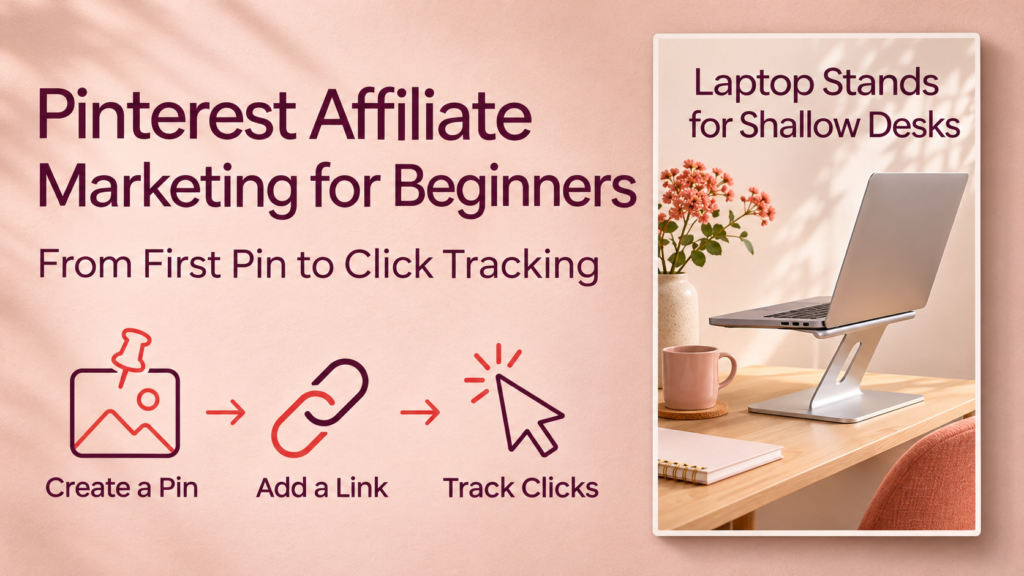

Your first Pinterest affiliate pin only needs to answer one useful question. If you run a home-office blog, that might be “Which laptop stand fits a shallow desk?” Give readers a clear reason to click and take them to a page that answers the question. Then use the right reports to see what happened after they clicked.
This guide to Pinterest affiliate marketing for beginners follows one pin from setup to reporting. It covers two possible destinations, explains where to disclose an affiliate relationship, and shows how to track off-Pinterest clicks separately from merchant conversions.
How Pinterest affiliate marketing works
An affiliate link identifies the publisher who referred a visitor. If the visitor takes a qualifying action under the program’s rules, the publisher may earn a commission. On Pinterest, you can either send people to your own article with affiliate links or use a direct affiliate destination where both Pinterest and your program allow it.
| Route | Where the pin sends readers | What you can measure |
|---|---|---|
| Pin → your article → merchant | A product guide, comparison, or tutorial you own | Pinterest outbound clicks, visits to your article, merchant-link clicks if you track them, and affiliate results in your program dashboard |
| Pin → merchant | A product or other approved affiliate destination | Pinterest outbound clicks and whatever click or conversion reporting the affiliate program provides |
If you already have a blog, start with a useful article that matches the pin. It gives readers room to compare options and gives you access to site analytics. Use a direct link only when you’ve confirmed that both the program and the specific Pinterest placement allow it. Pinterest’s affiliate guidelines
How to create your first Pinterest affiliate pin
1. Set up a Pinterest business account and check program rules
Use a Pinterest business account to access Pinterest Analytics. If you own the blog you’ll link to, consider claiming its website through Pinterest to access analytics associated with the domain. Pinterest Analytics overview · Pinterest website guidance
Review your affiliate program’s approved placements, domain or account registration requirements, and rules for modifying links. Pinterest asks publishers to create original affiliate content, make its commercial purpose clear, and use affiliate links in moderation. Some link shorteners are unsupported. Pinterest’s commercial and affiliate guidelines
2. Choose one buyer question and a destination that answers it
Suppose your audience sets up home offices in small rooms. A pin titled Laptop Stands for Shallow Desks could link to a comparison that explains base depth, laptop fit, and how much desk space each design leaves for a keyboard. A reader who clicks should find that comparison without having to search the site for it.
If an approved direct link goes to one product, make the pin specific to that product. A pin promising a three-product comparison needs a destination that delivers the comparison.
3. Design the pin and add a clear disclosure
Use a vertical layout. Pinterest’s creative guidance recommends a 2:3 image ratio, such as 1,000 × 1,500 pixels. Use a legible headline, a relevant photo or graphic you have permission to use, and enough contrast that the message reads on a phone. Pinterest creative best practices
Disclose the affiliate relationship where readers will see it. For a pin with a direct affiliate link, put a plain-language disclosure on the pin where it is easy to see and near the beginning of the description. Use Pinterest’s disclosure functionality when required and available. If your pin promotes an affiliate article, clearly disclose the commercial relationship in the pin and again on the article near its recommendations or links. For U.S. audiences, the FTC advises publishers to make material connections clear and conspicuous. Pinterest’s commercial guidelines · FTC endorsement and affiliate guidance
Sample disclosure. I may earn a commission if you buy through links in this guide.
4. Publish to a relevant board and test the destination
In Pinterest, choose Create Pin, upload the image, and add a title, description, and destination link. Select a board that matches the topic, such as Small Home Office Setup. Preview the pin on a phone, then open the published link and confirm that it leads to the intended page. Pinterest’s guide to creating a pin
Check the linked article on mobile too. Readers should be able to find the promised answer, read the disclosure, and open the merchant link. For a direct affiliate pin, confirm that the merchant page and product match the pin and that you used the link format the program provides.
How to track clicks from Pinterest to your article
Add UTM parameters to a link you control
If a pin points to your website and you use Google Analytics 4, add campaign parameters to the article URL. Use consistent, lowercase values so pins in the same campaign are easy to compare. Google treats differences in capitalization as different values. Google Analytics campaign URL guide
| Parameter | Example | What it identifies |
|---|---|---|
utm_source | pinterest | The referring platform |
utm_medium | organic_social | Your label for unpaid social traffic |
utm_campaign | small_desk_setup | The campaign or topic |
utm_content | laptop_stand_pin_a | The individual pin or creative |
Example pin URL
https://example.com/laptop-stands-small-desks?utm_source=pinterest&utm_medium=organic_social&utm_campaign=small_desk_setup&utm_content=laptop_stand_pin_aFor another genuinely different pin to the same article, keep the campaign value and change utm_content to laptop_stand_pin_b. Add these parameters to your own article URL. On merchant affiliate links, use the program’s approved tracking IDs or sub-IDs where offered, and follow its instructions for exactly how to apply them.
Match each question to the right report
| Question | Where to look |
|---|---|
| How often was the pin on screen? | Pinterest Analytics → Impressions |
| How many clicks led off Pinterest? | Pinterest Analytics → Outbound clicks |
| How many site sessions came from this pin? | In a GA4 exploration, use Sessions and filter Session manual ad content to the pin’s utm_content value |
| How often did article visitors click a merchant link? | Your site’s outbound or affiliate click events, if configured |
| How many qualifying actions did the program credit? | The affiliate program dashboard and any supported tracking ID report |
Pinterest Pin clicks can include clicks on or off Pinterest. Use Outbound clicks when your goal is to send people to an external page. Pinterest clicks and GA4 sessions can differ because the tools count different things, and some visitors may leave before your page or analytics loads. For a direct-to-merchant pin, you generally rely on Pinterest and affiliate-program reports because the destination belongs to the merchant. Pinterest Analytics metric definitions · Google Analytics campaign tracking · Google Analytics dimension definitions
Worked example from one pin
Suppose the laptop stand pin generates 2,000 impressions and 24 Pinterest outbound clicks in 30 days. GA4 records 19 sessions from its tagged URL, and your site records four clicks on the article’s merchant links during those sessions. These figures are illustrative.
The Pinterest outbound click rate is 24 ÷ 2,000 = 1.2%. The four merchant-link clicks show that some readers continued to a seller. To see whether any purchase qualified for a commission, check the affiliate dashboard. If the merchant link uses an ID shared across multiple pages or campaigns, the dashboard may show combined results, so avoid assigning all reported conversions to this pin.
Use the reports to decide what to investigate next. If the pin attracts views but few outbound clicks, test a clearer promise on the image. If people reach the article but rarely continue to the merchant, first check that the article delivers what the pin promises and that the merchant link works. Change one element at a time so your next comparison is easier to interpret.
Frequently asked questions
1. Do I need a blog for Pinterest affiliate marketing?
A blog is useful if you want room for comparisons or control over your analytics. A direct merchant link can work where Pinterest and the affiliate program allow that placement. Verify both sets of rules before publishing a commercial pin. Pinterest’s affiliate guidelines
2. Can I use Amazon affiliate links on Pinterest?
Pinterest documents an integration for linking an eligible Amazon Storefront and adding affiliate links through product tags. Amazon Associates separately lists which social networks it accepts for applications through a social page, and that list does not include Pinterest. Follow the rules for your specific Amazon account and placement. Pinterest’s integration is a separate workflow from pasting a standard Amazon Associates link into a pin. Pinterest’s Amazon integration guide · Amazon Associates application requirements
3. What’s the difference between a pin click and an outbound click?
A pin click can lead to content on or off Pinterest. An outbound click takes someone to a destination outside Pinterest. Use outbound clicks to evaluate traffic to your site or another external destination. Pinterest Analytics metric definitions
4. Can I use UTMs to track affiliate commissions?
UTMs tell your site analytics where a visit came from. The affiliate program tracks and credits qualifying transactions. For campaign-level commission reporting, check whether your program supports separate tracking IDs or sub-IDs and what its reports show. Google Analytics campaign URL guide
5. How many pins should I publish for one article?
Start with one pin. If the article answers another useful question, create a second design centered on that question and give it its own tracking label. Pinterest asks publishers to avoid repetitive, high-volume affiliate pins, so test meaningful differences in the message or visual. Pinterest’s affiliate guidelines
Conclusion
Pick one buyer question and publish one clearly disclosed pin that leads to a page that answers it. Give the pin a distinct tracking label when it links to your own site, then check outbound clicks, site visits, and any affiliate results in their respective reports. That gives you a starting point for improving the next pin.