
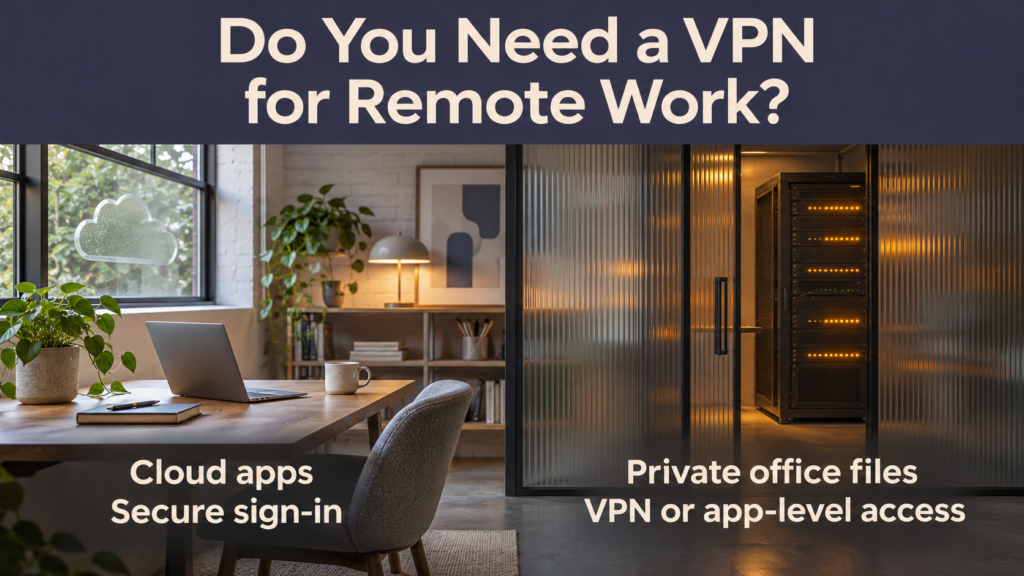

Your team may need a business VPN if remote workers must reach a private office server, file share, or application that has no suitable app-level remote access. If everyone works in cloud apps that already support secure sign-in and access controls, a VPN may add little to those workflows. A team that uses both can make the decision for each app.
Start with one question: What does someone need to open from home that they can only open at the office? Ask employees and contractors to name the exact tools. “The accounting software” could mean a cloud service anyone with permission can sign in to, or an application installed on a private office server. The difference determines what kind of access you need.
What does a VPN do for remote work?
A business remote-access VPN creates an encrypted connection between an authorized device and a company-controlled gateway. Through that connection, staff can reach private resources that the company permits them to use. The gateway and its policies determine which traffic goes through it and what employees can reach. NIST guide to enterprise telework and remote access
A consumer VPN typically routes internet traffic through the provider’s servers. Buying a subscription for each employee does not, by itself, connect them to your office network. And even on a business VPN, you still need controls for stolen credentials, lost devices, and access to sensitive apps. CISA joint guidance on secure network access
When should a small business use a VPN?
| What your team needs to reach | Practical starting point | What to verify |
|---|---|---|
| Email, shared documents, and other cloud apps | Use the apps’ secure sign-in and access controls. | Enforce multifactor authentication (MFA), review sharing permissions, and check any client or company access requirements. |
| An office file server or locally hosted app | Compare a managed business VPN with an app-specific access option that supports the resource. | Check which employees need access and whether it can be limited to the required server or app. |
| One private web app for a contractor | Consider a supported app-level remote access service. | Confirm that it restricts the contractor to that app and that access can be revoked when the work ends. |
| A supplier portal that accepts only approved IP addresses | Ask the supplier whether it supports individual or app-level access. If it requires a fixed IP, consider a managed gateway with an approved outbound IP. | Verify the supplier’s requirements and check that only the relevant staff and traffic are covered where feasible. |
These are starting points. Existing company policy, client contracts, and the app’s supported access methods can affect the decision.
A worked example for a small design studio
A fictional six-person design studio uses cloud email, cloud project management, and an office server for archived projects. All six staff need the cloud apps, but only the owner and one designer need archived files from home.
The studio gives everyone named cloud accounts with MFA and access based on their role. It compares a supported app-level option for the archive with a managed VPN that can limit the two authorized users to the file server. During a pilot, they test opening and saving a representative file on a home connection, then remove a test account and verify that it can no longer reach the archive. The other four staff can continue using the cloud apps through their usual sign-in.
What to compare before buying remote access
1. Decide how narrowly you can grant access
List the private systems and who needs each one. Ask whether a candidate can restrict access to a particular app, server, or network segment. A VPN can be configured with narrow permissions. App-level access, often offered as part of a zero trust network access (ZTNA) service, can be a good fit when users only need specific apps. Check whether it supports the resource and devices you actually use. Zero trust calls for explicit access decisions even when someone connects from an internal network. NIST overview of zero trust networks
2. Check how people and devices sign in
Use named accounts and require MFA for remote access and administrators. Prefer phishing-resistant methods where supported. Decide which devices can connect and how you’ll check that they are updated and meet your requirements. For example, you might restrict access to a sensitive office system to company-managed laptops. CISA and NSA guidance on selecting and hardening remote-access VPNs
3. Assign responsibility for updates and support
Include subscription fees, device setup, administration, and support time in your comparison. If you run a VPN gateway, decide who applies security updates, reviews sign-in logs, removes access, and handles outages. For a managed service, check what the provider maintains and what your team still owns, such as membership and permissions. CISA and NSA guidance on selecting and hardening remote-access VPNs
4. Pilot it with real work before rolling it out
Pick a small group and test from an ordinary home or mobile connection. Verify that users can complete their usual work and reach only the resources they’ve been assigned. Test recovery after a lost device and verify that removing a test user revokes their access. If the office internet connection goes down, check which resources are affected and tell staff what to do.
Frequently asked questions
1. Do I need a VPN to use cloud apps from home?
Usually, a cloud app with secure sign-in can be used directly if your company and clients permit it. Verify MFA, account permissions, and any device or network rules that apply to the app.
2. Does public Wi-Fi mean every remote worker needs a VPN?
Follow your company’s policy. A VPN can encrypt traffic routed through it, and HTTPS protects the connection to a correctly authenticated site. For sensitive work, a trusted connection or mobile hotspot is a practical choice when available. Keep the device updated and take certificate warnings seriously.
3. Can I use a free consumer VPN to access my office files?
A consumer VPN generally connects to the provider’s gateway. Office files require an authorized connection to the company’s network or to a service that gives approved users access to those files.
4. Will a VPN slow down remote work?
It can. Performance depends on the connection, gateway location, office bandwidth, and the traffic routed through the VPN. Test typical tasks, especially large file transfers and any calls that would go through the gateway.
5. Can I use both a VPN and app-level access?
Yes. A team might use direct sign-in for cloud apps, app-level access for one internal web tool, and a restricted VPN for an older file server. Document which method each tool uses so staff know how to connect and admins know where to remove access.
Conclusion
List the resources your remote team needs, then start with the one that requires the most restricted access. If it’s an office-only resource, test a VPN or supported app-level option with the people who actually use it. If your team works entirely in cloud apps, review sign-in, device, and sharing controls before adding another service.


