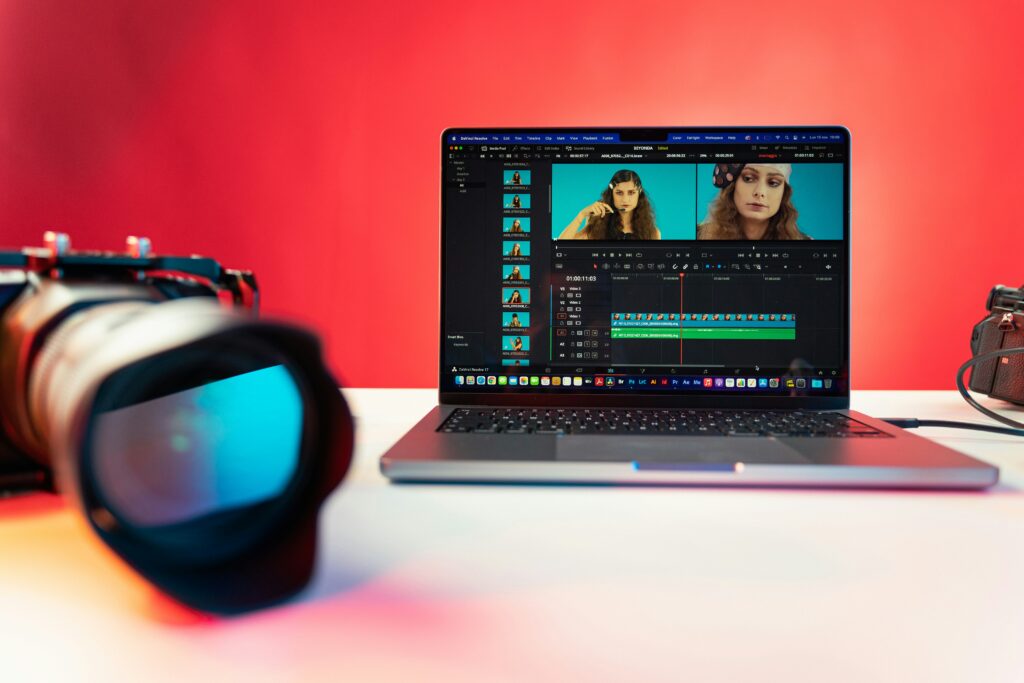

Creating video content traditionally required cameras, editing software, recording equipment, actors, voice talent, or a dedicated production team. AI video generators are changing that process by allowing users to create video clips, presenter-led content, animations, and other visual material from text, images, scripts, or existing documents.
Today, the best AI video generators are not all designed for the same purpose. Some focus on cinematic text-to-video generation, while others are better suited to business presentations, marketing videos, training content, social media, or quick visual experiments.
The right choice therefore depends on what you want to create, how much control you need, and whether you need features such as AI avatars, voiceovers, editing, localization, or generated B-roll.
This guide looks at several leading AI video platforms and explains what each is best suited for, along with their advantages, limitations, and practical considerations.
What Is an AI Video Generator?
An AI video generator is software that uses artificial intelligence to create or assemble video content from instructions or source material.
Depending on the platform, you may be able to start with:
- A text prompt
- A written script
- An image
- A presentation
- A document
- A web page or URL
- An existing video
- An AI avatar or digital presenter
Some tools generate individual video clips, while others can create a more complete production containing narration, scenes, captions, avatars, music, and visual elements.
For example, Google’s Veo is designed for generative video and includes capabilities around visual control and audio, while platforms such as Synthesia and HeyGen focus heavily on presenter-led and business-oriented video production.
The Best AI Video Generators to Consider in 2026
There is no single AI video generator that is best for every situation. The following tools stand out for different types of video creation.
1. Google Veo — Best for Generative Video and Creative Work
Google’s Veo is one of the major generative video models available to creators and filmmakers.
Google describes Veo 3.1 as its leading video generation model, with an emphasis on greater control, consistency, creativity, and audio capabilities. It can be accessed through Google’s creative products, including Gemini and Flow.
Best suited for:
- Creative video concepts
- Cinematic-style scenes
- Storytelling
- Visual experiments
- Short-form video production
Advantages:
- Strong focus on visual generation
- Increasing creative control
- Audio capabilities
- Useful for filmmakers and storytellers
Limitations:
Generative video can still require experimentation. A prompt may not produce exactly the scene, movement, composition, or continuity you originally imagined. Longer or more complicated sequences may also need multiple generations and editing.
2. Runway — Best for Creative Control and Video Workflows
Runway is designed around AI-assisted creative production rather than simply generating one video and stopping there.
Runway’s current documentation identifies Gen-4.5 as its most advanced model for text-to-video and image-to-video generation. Its platform also includes workflows and an agent designed to support more complete video creation processes.
Best suited for:
- Creative professionals
- Short cinematic clips
- Image-to-video projects
- Visual effects
- Experimental storytelling
One advantage of Runway is the ability to iterate. Instead of treating the first generation as the final product, creators can adjust prompts and continue working with generated material.
Runway also emphasizes the importance of describing motion clearly when working with image-to-video generation.
Limitations:
AI-generated clips can require several attempts. Costs may also increase when users generate many variations, so planning prompts before generating large numbers of clips can help manage resources.
3. Adobe Firefly — Best for AI Video Within a Broader Creative Workflow
Adobe Firefly is particularly interesting for users who already work with Adobe’s creative ecosystem.
Adobe’s current Firefly video generator can create video from text prompts or images and provides access to multiple video models, including Firefly Video, Veo 3.1, Runway Gen-4.5, and other models depending on availability.
Best suited for:
- Designers
- Marketing teams
- Creative professionals
- Brand content
- Video editing workflows
A major benefit is that AI generation can be part of a broader creative workflow rather than an isolated tool.
Limitations:
The availability of specific models, features, credits, and commercial-use terms can change. Users should check Adobe’s current product documentation and terms before using generated material for commercial projects.
4. Synthesia — Best for Business Training and Presenter-Led Videos
Synthesia takes a different approach from purely cinematic video generators.
It is particularly focused on professional communication, training, onboarding, marketing, and other presenter-led content. Users can start with a prompt, script, document, presentation, or other source material and build a video around AI presenters and generated media.
Best suited for:
- Employee training
- Onboarding
- Business presentations
- Internal communications
- Educational content
- Product explanations
Synthesia also provides localization capabilities, which can be useful for organizations creating content for audiences speaking different languages.
Limitations:
It is not necessarily the first choice for someone who wants highly cinematic, experimental scenes. Its strongest use cases are structured communication and presenter-led video.
5. HeyGen — Best for AI Avatars and Marketing Videos
HeyGen combines AI avatars, voice generation, B-roll, editing, and video generation in a browser-based workflow.
Its AI video generator can start from a script, URL, or creative idea, while its platform also provides presenter avatars and multilingual video capabilities.
Best suited for:
- Marketing videos
- Social media content
- Product explainers
- Sales presentations
- Presenter-led videos
- Multilingual content
One of its useful characteristics is that creators can combine an AI presenter with supporting visuals rather than producing every scene manually.
Limitations:
Avatar-based videos may not be appropriate for every brand or audience. Businesses should also consider whether an AI presenter fits their communication style and whether viewers would prefer a real person.
6. Canva AI — Best for Beginners and Quick Marketing Content
Canva is widely used for graphic design, and its AI video features extend that workflow into video creation.
Canva’s AI video generator can turn text prompts into video clips and integrate generated content with its broader editing environment. Its current feature set includes synchronized audio capabilities and tools for combining AI-generated material with other design elements.
Best suited for:
- Beginners
- Social media content
- Marketing graphics and videos
- Short promotional content
- Presentations
- Simple video projects
Advantages:
- Familiar design-oriented interface
- Easy combination of video and graphics
- Useful templates and editing tools
- Suitable for users who do not want a complicated production workflow
Limitations:
Users looking for advanced cinematic control may prefer a dedicated generative video platform.
Quick Comparison of AI Video Generators
| Platform | Particularly useful for | Main strength |
|---|---|---|
| Google Veo | Creative video | Generative video and audio |
| Runway | Creative professionals | Generation and creative workflows |
| Adobe Firefly | Designers and marketers | AI generation within creative workflows |
| Synthesia | Business teams | Presenter-led and training videos |
| HeyGen | Marketing and communication | AI avatars and video creation |
| Canva AI | Beginners and marketers | Simple creation and editing |
This comparison is a practical guide rather than a permanent ranking. AI video platforms develop quickly, and features, pricing, model availability, and usage limits can change.
How to Choose the Best AI Video Generator
Instead of choosing a platform simply because it is popular, start with the type of video you actually need.
For cinematic or creative videos
Consider a generative video platform such as Veo or Runway.
These tools are more appropriate when the main goal is creating visual scenes rather than presenting information through an AI avatar.
For business training
A platform such as Synthesia may be more appropriate when your video needs a presenter, structured scenes, narration, and professional communication.
For marketing videos
HeyGen, Canva, Adobe Firefly, and other creative platforms can be useful depending on whether you need an avatar, generated footage, branded graphics, or a combination of these.
For beginners
A platform with an accessible editor can be easier to learn than a specialized production environment.
Canva is particularly relevant for people who already use its design tools and want to add AI-generated video to their workflow.
What Are the Benefits of AI Video Generators?
AI video generators can provide several practical benefits.
Faster content development
Generating an initial visual concept can be faster than organizing an entire traditional production.
This does not mean every AI-generated video is ready to publish immediately. Reviewing, editing, correcting, and refining the result are still important steps.
Lower production barriers
AI tools can make video creation accessible to people who do not own cameras or have advanced editing skills.
A small business, for example, can experiment with an explainer video without immediately building a full production setup.
Easier content experimentation
AI makes it relatively easy to test different visual concepts.
A marketer might create several versions of a short concept, compare them, and then develop the strongest idea further.
Support for different formats
Many modern platforms support different aspect ratios and workflows for websites, presentations, social media, and mobile viewing.
However, users should confirm the exact output formats supported by their chosen platform before starting a project.
Multilingual communication
Some AI video platforms provide AI voices, avatars, dubbing, or translation features. This can make it easier for organizations to adapt content for international audiences. Synthesia, for example, advertises video localization and AI voice capabilities across many languages.
What Are the Limitations of AI Video Generators?
AI video generation is powerful, but it is not a replacement for human judgment.
Generated results can be inconsistent
A video may contain visual details that differ from the prompt or from previous scenes.
Characters, objects, environments, and movements can sometimes change unexpectedly.
Complex scenes can be difficult
The more complicated a prompt becomes, the harder it may be to achieve exactly the intended result.
A practical approach is to divide a complex production into smaller scenes and edit the clips together afterward.
Editing is still important
AI can generate a starting point, but professional content may still require:
- Script editing
- Fact checking
- Video trimming
- Audio adjustment
- Caption review
- Brand customization
- Scene selection
- Final quality control
Costs vary
AI video platforms often use different pricing systems, subscriptions, credits, usage limits, or model-specific costs.
Because these policies can change, users should check the official pricing page of the platform before making a purchase decision.
Copyright and commercial-use questions
Users should understand the terms governing the content they generate and the assets they upload.
This is especially important for businesses using AI-generated videos in advertising, product marketing, client work, or commercial campaigns.
Do not assume that every generated asset can automatically be used in every commercial context. Review the platform’s current terms and any relevant licensing requirements.
How to Create a Better AI Video
Choosing a good platform is only part of the process. The quality of your instructions also matters.
1. Start with a clear objective
Before opening an AI video tool, answer one simple question:
What should this video accomplish?
For example:
- Explain a product
- Teach a concept
- Promote a service
- Introduce a business
- Create a social media clip
- Demonstrate a process
A clear objective makes it easier to choose the right format.
2. Write the script before generating
For educational and business videos, prepare the main message first.
A strong script usually has:
- A clear opening
- The main information
- Supporting examples
- A concise conclusion or next step
This can prevent the AI tool from producing visually attractive content that does not communicate a useful message.
3. Describe the scene clearly
For generative video, include useful details such as:
- Subject
- Location
- Action
- Camera movement
- Lighting
- Visual style
- Time of day
- Desired mood
Avoid adding unnecessary details that do not contribute to the scene.
4. Generate short sections
Instead of attempting to create a complicated ten-minute video in one generation, consider producing smaller scenes.
Short clips are often easier to review, replace, rearrange, and edit.
5. Review every scene
Do not publish an AI-generated video without checking it.
Look for:
- Incorrect text
- Strange visual details
- Inconsistent characters
- Audio problems
- Incorrect pronunciation
- Unwanted objects
- Factual errors
- Branding mistakes
Human review remains essential.
AI Video Generator vs. Traditional Video Production
AI video generation and traditional production each have strengths.
Traditional production provides direct control over real people, locations, physical products, lighting, camera work, and performances.
AI generation can make experimentation and certain types of production faster and more accessible.
For many businesses, the most practical approach may be a combination of both.
For example, a company could use real footage of its office or product and supplement it with AI-generated visual sequences, graphics, narration, or B-roll.
Are AI Video Generators Good for Marketing?
Yes, they can be useful for marketing, but the technology itself does not guarantee effective marketing.
A successful marketing video still needs:
- A clear audience
- A useful message
- Strong storytelling
- Appropriate branding
- Accurate information
- Good pacing
- A clear purpose
AI can help with production, but it does not replace marketing strategy.
For example, a software company could use an AI video tool to create an introductory explainer, but the company still needs to understand its customers and communicate why the product matters.
Tips for Businesses Using AI Video
Businesses should establish simple guidelines before using AI-generated video at scale.
Protect brand consistency
Use consistent fonts, colors, terminology, visual style, and messaging.
Review sensitive information
Do not allow confidential business information, customer information, passwords, private documents, or other sensitive material to be uploaded to an AI service unless the organization has reviewed the service’s privacy and data-handling terms.
Fact-check generated content
AI systems can produce incorrect information. Every factual statement should be reviewed before publication.
Be transparent when appropriate
Depending on the context, audience expectations, platform rules, and applicable laws, businesses may need to consider whether and how AI-generated or AI-presented content should be disclosed.
Keep human oversight
The best workflow is often AI-assisted rather than AI-only.
Use AI to accelerate repetitive or creative tasks while keeping people responsible for accuracy, quality, brand decisions, and final approval.
Frequently Asked Questions
What is the best AI video generator?
There is no universal winner. Google Veo and Runway are strong options for generative creative video, while Synthesia and HeyGen are particularly useful for presenter-led business content. Canva and Adobe Firefly can be useful for users who want AI video alongside broader design and editing workflows.
Can AI generate a complete video from text?
Some platforms can turn a prompt or script into a substantially developed video, including scenes, narration, avatars, or supporting visuals. However, the amount of human editing required varies by platform and project. A generated draft should generally be reviewed before publication.
Are AI video generators free?
Some platforms provide free access, trials, or limited free features, while others use subscriptions or usage-based systems. Availability and limits can change, so check the provider’s current pricing and plan information before choosing a tool.
Can AI video generators create videos for YouTube and social media?
Yes. AI-generated clips can be used as part of YouTube videos, short-form social content, advertisements, educational material, and other formats. The appropriate tool depends on the required aspect ratio, length, editing features, narration, and platform requirements.
Will AI replace video editors?
AI is likely to automate some video-production tasks, but that does not mean human editors become unnecessary. Editing involves storytelling, pacing, judgment, visual consistency, fact checking, sound decisions, and understanding the audience. AI can assist with many tasks while human expertise remains important.
Conclusion
The best AI video generators are not necessarily the platforms with the largest feature lists. The right choice depends on the type of video you want to produce.
Google Veo and Runway are worth considering for creative generative video. Adobe Firefly is useful for people working within a broader creative ecosystem. Synthesia and HeyGen are strong choices for presenter-led business communication, while Canva can be convenient for beginners and marketers who want video alongside graphic design.
Most importantly, AI video generation should be treated as a production tool rather than a substitute for good ideas. A clear objective, strong script, thoughtful prompting, careful editing, and human quality control will usually matter more than simply selecting the newest AI model.
Because AI video technology is evolving rapidly, always check the official documentation, pricing, usage limits, licensing terms, and available features of a platform before starting an important commercial project.