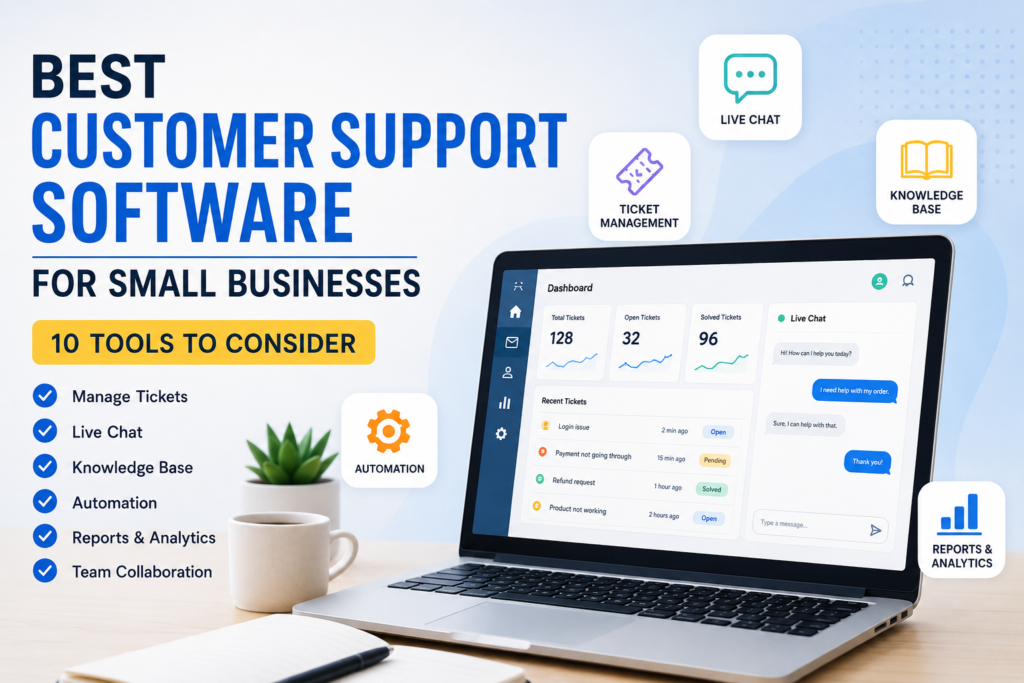

Running a small business often means answering customer questions while also handling sales, operations, marketing, and administrative work. As customer inquiries increase, managing conversations through scattered emails, social media messages, and spreadsheets can become difficult.
The best customer support software for small businesses can bring these conversations into one organized system. Depending on the platform, businesses can manage email tickets, live chat, customer information, knowledge bases, automation, and reporting from a central workspace.
However, there is no single tool that is best for every company. A local service business may need a simple shared inbox, while an online store may benefit more from live chat, automation, and integrations.
This guide explains what customer support software does, which features matter most, and several popular platforms small businesses can consider.
What Is Customer Support Software?
Customer support software is a tool that helps businesses organize and respond to customer questions, requests, complaints, and other support conversations.
Instead of relying entirely on individual email accounts or messaging applications, a support platform can provide a structured way to manage customer interactions.
Common capabilities include:
- Support ticket management
- Shared inboxes
- Email support
- Live chat
- Help centers and knowledge bases
- Automated responses
- Customer profiles
- Reporting and analytics
- Team collaboration
- Integration with other business applications
The exact features vary significantly between providers and subscription plans.
Why Small Businesses Need Customer Support Software
A small company may initially manage customer service with ordinary email. That can work when the number of inquiries is low. Problems often appear as the business grows.
For example, several employees may respond to the same customer, important messages can become difficult to find, and unresolved requests may be forgotten.
A dedicated support platform can help create a more consistent process.
1. Keep Customer Conversations Organized
A ticketing system can give each support request a clear status, such as open, pending, or resolved.
This makes it easier for employees to understand which issues still require attention.
2. Improve Team Collaboration
When multiple employees handle customer service, a shared system can help everyone see relevant conversations and internal notes.
This reduces the need to forward emails or repeatedly explain the same customer issue to colleagues.
3. Create Faster Workflows
Automation can handle repetitive tasks such as assigning tickets, sending acknowledgments, or directing customers toward relevant resources.
Automation should support employees rather than replace thoughtful responses when a situation requires human judgment.
4. Track Support Performance
Many customer service platforms provide reports covering areas such as ticket volume, response activity, and resolution trends.
These reports can help managers identify recurring problems and determine where the support process needs improvement.
10 Customer Support Software Options for Small Businesses
The following platforms represent different approaches to customer service. Features, availability, and pricing can change, so businesses should review the provider’s official website before purchasing.
1. HubSpot Service Hub
HubSpot offers Service Hub as part of its broader customer platform.
It can be useful for businesses that want customer support connected with CRM and other customer-facing activities.
Potential strengths:
- CRM integration
- Ticket management
- Customer communication tools
- Knowledge-base capabilities
- Reporting and automation options
- Integration with other HubSpot products
Potential limitation: Businesses that only need a very simple help desk may find a broader customer platform more than they require.
2. Zendesk
Zendesk is widely associated with help desk and customer service management.
It provides tools for organizing support requests and managing customer conversations across supported channels.
Potential strengths:
- Ticket management
- Omnichannel support options
- Knowledge base
- Reporting
- Automation
- Extensive integration ecosystem
Potential limitation: The range of features can make the platform more complex than a very small team needs.
3. Freshdesk
Freshworks offers Freshdesk, a customer support platform designed around help desk operations.
It is worth considering for small businesses that want structured ticket management without building their own system.
Potential strengths:
- Ticket management
- Email support
- Automation
- Knowledge base
- Reporting
- Team collaboration features
Potential limitation: Businesses should compare the features included in each plan because advanced capabilities may depend on the subscription level.
4. Zoho Desk
Zoho provides Zoho Desk as part of its larger collection of business applications.
It may be particularly attractive to businesses already using other Zoho products.
Potential strengths:
- Help desk management
- Automation
- Reporting
- Customer service workflows
- Integration with the wider Zoho ecosystem
Potential limitation: New users may need time to understand the broader Zoho environment if they are unfamiliar with it.
5. Intercom
Intercom focuses heavily on customer communication, including conversational support and messaging.
It can be relevant for online businesses that want to communicate with customers directly through digital channels.
Potential strengths:
- Live chat
- Customer messaging
- Automated workflows
- Help center capabilities
- Customer engagement features
Potential limitation: Its broader communication approach may not be necessary for businesses that primarily need traditional email-based ticketing.
6. Help Scout
Help Scout is designed around customer support and shared inbox workflows.
Its approach can suit smaller teams looking for a relatively focused customer service environment.
Potential strengths:
- Shared inbox
- Customer conversations
- Knowledge base
- Collaboration tools
- Reporting
Potential limitation: Businesses requiring highly specialized enterprise workflows should carefully compare its capabilities with larger help desk platforms.
7. Gorgias
Gorgias is particularly relevant to e-commerce businesses.
Its focus on customer support for online stores can make it worth considering for businesses that receive questions about orders, products, returns, and related issues.
Potential strengths:
- E-commerce integrations
- Customer support tickets
- Automation
- Customer information
- Support through multiple communication channels
Potential limitation: A traditional local business without an online store may not benefit from many of its e-commerce-focused capabilities.
8. LiveAgent
LiveAgent provides help desk functionality with support for multiple communication channels.
It can be considered by businesses looking for a platform that combines ticket management with other customer communication tools.
Potential strengths:
- Ticketing
- Live chat
- Call center functionality
- Knowledge base
- Automation
- Reporting
Potential limitation: Businesses should determine whether they actually need its wider collection of communication features before choosing a plan.
9. Front
Front takes a shared-inbox approach to customer communication.
It can be useful for teams that manage customer conversations through shared email and other supported channels.
Potential strengths:
- Shared inboxes
- Team collaboration
- Email management
- Automation
- Customer communication workflows
Potential limitation: Companies looking for a traditional ticketing system may want to compare Front’s workflow with dedicated help desk products.
10. Tidio
Tidio combines customer communication tools such as live chat with automation features.
It may appeal to smaller online businesses that want to communicate with website visitors and customers.
Potential strengths:
- Live chat
- Automated conversations
- Customer support features
- Website communication
- Integration options
Potential limitation: Businesses with complex support operations may require a more advanced ticketing and reporting system.
Customer Support Software Comparison
| Software | Best suited for | Notable focus |
|---|---|---|
| HubSpot Service Hub | Businesses wanting CRM + support | CRM and customer service |
| Zendesk | Growing support teams | Help desk and omnichannel support |
| Freshdesk | Small and growing teams | Ticket management |
| Zoho Desk | Zoho users | Help desk and business integration |
| Intercom | Online businesses | Customer messaging |
| Help Scout | Small support teams | Shared inbox and customer support |
| Gorgias | E-commerce businesses | Store-related support |
| LiveAgent | Multichannel teams | Ticketing and communication |
| Front | Collaborative teams | Shared inbox |
| Tidio | Small online businesses | Live chat and automation |
The “best” choice depends on your business model, team size, communication channels, existing software, and budget.
Key Features to Look For
Choosing customer support software based only on the number of features can lead to unnecessary complexity. Instead, focus on the capabilities your team will actually use.
Ticket Management
Ticketing is important when your business receives many support requests.
Look for tools that make it easy to:
- Create tickets
- Assign tickets to employees
- Set priorities
- Track status
- Add internal notes
- Search previous conversations
- Identify unresolved requests
Shared Inbox
A shared inbox can be valuable for small teams that receive customer messages through common email addresses such as support@ or help@.
It allows several employees to work from the same system without relying on one person’s mailbox.
Live Chat
If customers frequently visit your website with questions, live chat can provide another communication channel.
Before adding it, consider whether your team can monitor and respond to chats consistently.
Knowledge Base
A knowledge base allows businesses to publish useful answers to common questions.
Examples include:
- Shipping information
- Return policies
- Account instructions
- Product setup
- Billing explanations
- Frequently asked questions
A good knowledge base can also reduce repetitive questions by giving customers a place to find information themselves.
Automation
Automation can help with repetitive support tasks.
For example, a system might automatically categorize incoming requests or assign certain conversations to a particular team.
The goal should be to reduce repetitive administrative work while keeping human support available for complex situations.
Reporting
Reports can help businesses understand support workload and identify recurring problems.
Useful information may include ticket volume, response activity, unresolved conversations, and other service metrics supported by the platform.
Integrations
Consider the software your business already uses.
Depending on your business, useful integrations may include:
- CRM software
- E-commerce platforms
- Accounting applications
- Communication tools
- Project management software
- Customer databases
An integration is most valuable when it removes duplicate work or gives employees information they need to help customers.
How to Choose the Best Customer Support Software for Your Business
Instead of selecting software based on popularity alone, follow a simple evaluation process.
Step 1: Identify Your Support Channels
Write down where your customers currently contact you.
For example:
- Website chat
- Phone
- Social media
- Contact forms
- E-commerce platforms
Choose software that supports the channels that matter most to your customers.
Step 2: Understand Your Support Volume
Estimate how many customer requests your team handles during a typical week or month.
A business with a small number of inquiries may only need a simple shared inbox, while a growing company may benefit from ticketing and automation.
Step 3: List Your Must-Have Features
Separate features into three groups:
Essential: Features you cannot operate without.
Useful: Features that would improve your workflow.
Optional: Features that sound attractive but are not currently necessary.
This prevents you from paying for complexity your team will not use.
Step 4: Check the Total Cost
Do not look only at the advertised starting price.
Check:
- Number of users included
- Monthly versus annual billing
- Feature limitations
- Automation limits
- Additional channels
- Integration availability
- Add-on costs
- Higher-tier requirements
Pricing structures can change, so verify current costs directly with the provider before making a purchasing decision.
Step 5: Test the User Experience
If a free trial or demonstration is available, use it.
Ask employees to perform common tasks such as:
- Creating a ticket
- Assigning it to another employee
- Searching for a customer
- Adding an internal note
- Closing a request
- Finding an old conversation
If these basic tasks are unnecessarily difficult, the software may not be a good fit.
Step 6: Consider Future Growth
A tool should meet your current needs without creating unnecessary complexity.
However, consider whether you may need additional channels, employees, automation, reporting, or integrations as your business grows.
Common Mistakes When Choosing Support Software
Choosing Too Many Features
More features do not automatically mean better software.
A small business may be better served by a simple platform that employees actually use consistently.
Ignoring Employee Training
Even an excellent support system can fail if employees do not understand how to use it.
Create simple internal procedures for assigning, responding to, escalating, and closing support requests.
Focusing Only on Price
The cheapest option is not necessarily the least expensive in practice.
If a platform causes significant manual work or lacks an important integration, the business may spend more time managing support.
Forgetting About Customer Experience
The software should make support easier for customers, not simply easier for employees.
Consider whether customers can easily find answers, contact your team, and follow up on their requests.
How Small Businesses Can Get More Value From Support Software
Software alone does not create excellent customer service. The way the business uses it matters just as much.
Create Standard Responses
Prepare templates for common questions while keeping enough flexibility to personalize responses.
Templates can help employees avoid rewriting the same basic information repeatedly.
Build a Useful Knowledge Base
Start with questions customers ask most often.
Review the articles regularly and update them when products, policies, or processes change.
Establish Clear Responsibilities
Make sure employees know who handles different types of requests.
For example, billing questions might go to finance, technical issues to technical support, and product questions to a sales or product team.
Review Recurring Problems
If customers repeatedly ask the same question, the problem may not be the support team.
The website, product instructions, checkout process, or communication may need improvement.
Customer support conversations can therefore provide useful information for improving the wider business.
Free vs. Paid Customer Support Software
Some platforms offer free plans or trials, while others focus primarily on paid subscriptions.
A free option may be appropriate when:
- The support volume is low
- The team is small
- Basic functionality is sufficient
- Advanced reporting is not required
A paid platform may make more sense when:
- Support volume is increasing
- Multiple employees handle customer service
- Automation is valuable
- Detailed reporting is needed
- Several communication channels must be managed
- Integrations are important
Always compare the actual features and limits of each plan rather than assuming a free or expensive option is automatically better.
Frequently Asked Questions
What is the best customer support software for a small business?
There is no universal best option. HubSpot Service Hub, Zendesk, Freshdesk, Zoho Desk, Help Scout, Intercom, and other platforms serve different needs. The right choice depends on your support channels, team size, required features, integrations, and budget.
Is customer support software worth it for a small business?
It can be worthwhile when customer inquiries become difficult to organize through ordinary email or messaging tools. Businesses with very low support volume may not need a dedicated platform yet.
What features should small businesses prioritize?
Start with the features that solve your current problems. For many businesses, these include ticket management, shared inboxes, search, customer history, basic reporting, integrations, and automation.
Should a small business choose free or paid customer service software?
It depends on the business. A free plan may be sufficient for a small support operation with basic requirements. Paid plans can provide additional features and capacity, but businesses should evaluate whether those capabilities justify the cost.
How much does customer support software cost?
Costs vary widely depending on the provider, number of users, features, and billing structure. Because pricing and plan limits can change, check the provider’s official pricing page before making a decision.
Conclusion
The best customer support software for small businesses is not necessarily the platform with the largest feature list. It is the solution that fits the company’s actual support workflow, budget, team, and customer expectations.
Start by identifying how customers contact your business and where your current support process creates problems. Then compare essential features such as ticket management, shared inboxes, live chat, knowledge bases, automation, reporting, and integrations.
For a small team, simplicity can be just as important as functionality. Test shortlisted platforms with real support scenarios before committing, and review current pricing and feature limits directly with each provider.
Most importantly, treat customer support software as a tool for creating a better process—not as a substitute for clear communication, helpful employees, and a genuine focus on customers.