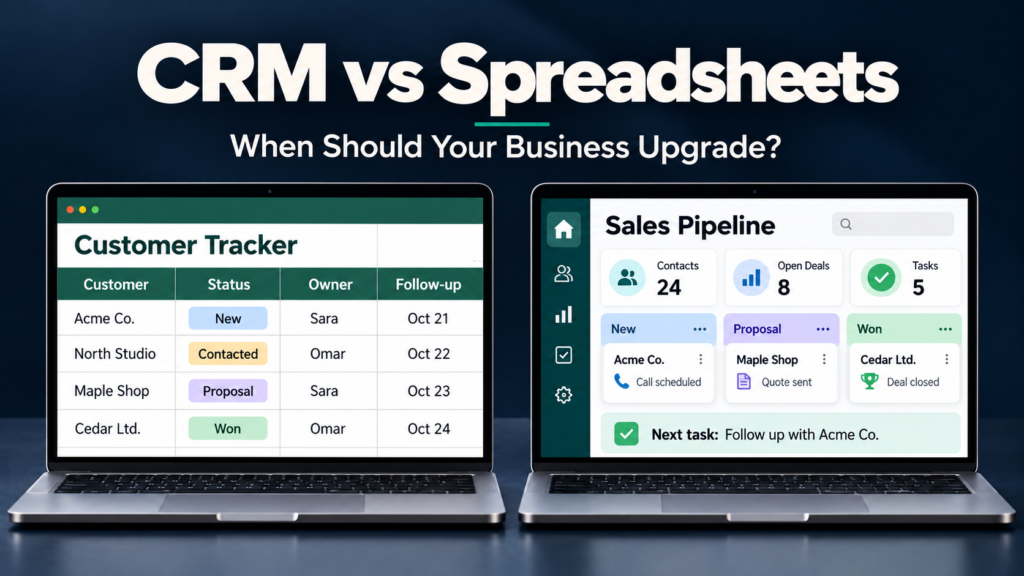

A customer spreadsheet often starts with a few useful columns: name, email address, phone number, purchase history, and next follow-up date. For a small business with straightforward needs, that can be enough.
The difficulties begin when customer information spreads across several files, follow-ups depend on memory, and colleagues cannot easily see who last contacted a prospect. At that point, maintaining the spreadsheet can become a separate job.
CRM vs spreadsheets: when should your business upgrade? The answer depends less on how many contacts you have and more on how reliably your current system supports customer relationships.
This guide explains where each option works well, the warning signs to watch for, and how to evaluate a move without buying more software than you need.
CRM vs Spreadsheets: What Is the Difference?
A spreadsheet is a flexible tool for organizing information, performing calculations, and analyzing data. You decide which columns, formulas, filters, and charts to use.
A customer relationship management system, or CRM, organizes information around customers, prospects, and the activities connected to them. Depending on the product and subscription, it can connect contact records with sales opportunities, communication histories, tasks, and other customer-related work.
The practical difference is how the tools support daily work. A spreadsheet can record that a follow-up is due. A suitably configured CRM can also assign that follow-up, remind the responsible person, and show it alongside the customer’s history.
Neither tool maintains itself. Both require accurate information and clear responsibilities.
CRM vs Spreadsheets at a Glance
| Area | Spreadsheets | CRM software |
|---|---|---|
| Initial setup | Quick for a simple contact list | Requires configuration and onboarding |
| Flexibility | Easy to change columns and calculations | Customization depends on the product and plan |
| Customer history | Usually maintained through notes or linked sheets | Can connect activities to customer records |
| Follow-ups | Often managed manually or through separate tools | Task assignment and reminders may be built in |
| Team coordination | Shared editing helps, but ownership needs clear rules | Can assign record owners and organize handovers |
| Reporting | Flexible formulas, pivots, and charts | Can provide pipeline and activity reports |
| Automation | Possible through scripts and connected tools | Availability and limits vary by subscription |
| Costs | May be covered by existing software | May include subscriptions, setup, and administration |
| Best fit | Simple processes with manageable coordination | Processes needing structured follow-up and shared visibility |
These are typical differences, not universal product specifications. An advanced spreadsheet setup may offer automation, while an entry-level CRM may have limited reporting.
When Spreadsheets Are Still a Good Choice
Using a spreadsheet is not automatically a sign that your business is behind. It can be a sensible choice when the process remains simple and dependable.
One Person Manages Customer Relationships
If one person handles enquiries, updates records, and completes follow-ups, a well-maintained spreadsheet may provide sufficient visibility.
The important question is whether that person can consistently identify the next action for each active customer or prospect.
Your Sales Process Has Few Steps
A straightforward process—such as enquiry, quotation, and purchase—may be manageable with a small number of clearly defined columns.
More complicated processes involving several decision-makers, repeated follow-ups, or departmental handovers create greater coordination demands.
You Mainly Need a List or Analysis Tool
Spreadsheets work well for sorting contacts, reviewing historical sales, comparing figures, and preparing custom calculations.
If your main task is analyzing data rather than coordinating customer activity, a CRM may not address your immediate need.
Your Current System Is Reliable
Before upgrading, ask whether your spreadsheet has:
- A clearly identified main version.
- Consistent fields and status definitions.
- A named owner for each active lead.
- A next action and follow-up date.
- Appropriate access controls.
- Regular checks for duplicates and missing information.
Cloud spreadsheets can support collaboration and sharing permissions. Google Drive, for example, provides viewer, commenter, and editor access. The issue is whether those controls meet your actual needs.
Signs Your Business Should Consider a CRM
A growing contact list alone does not establish the need for a CRM. Repeated problems with ownership, visibility, and follow-through provide stronger evidence.
1. Follow-Ups Are Regularly Missed
Prospects request information, receive a quotation, and then hear nothing further because nobody remembers the next step.
First, check whether assigning an owner and a follow-up date would solve the problem. If the team still struggles to manage outstanding actions, CRM task management may help.
2. Customer Information Is Scattered
A customer’s phone number sits in a spreadsheet, their requirements are in an inbox, and a colleague keeps meeting notes elsewhere.
This makes preparation and handovers difficult. A CRM can provide a shared place for relevant information, provided the necessary integrations work and staff maintain the records.
3. Colleagues Duplicate Work
Two employees contact the same prospect with different messages. Alternatively, each assumes the other is handling the enquiry.
These problems suggest that ownership and activity visibility need improvement. Evaluate whether a CRM makes those responsibilities clearer during everyday use.
4. Reports Require Repeated Manual Reconstruction
If every sales meeting starts with combining files, correcting status labels, and checking whose figures are current, reporting has become unnecessarily demanding.
A CRM may simplify routine reporting, but dashboards still depend on consistent stage definitions and timely updates.
5. Customer Service Depends on One Employee’s Memory
When an employee is absent, can someone else understand what the customer needs and what has already been promised?
If the answer is frequently no, your business needs a more dependable shared history. Software can support that history, but the team must agree on what to record.
6. Spreadsheet Maintenance Is Becoming a Recurring Burden
Cleaning duplicates, repairing formulas, reconciling copies, and chasing updates all consume time.
Track that work over several weeks. The actual effort provides a better basis for a purchasing decision than assuming a CRM will automatically save money.
CRM vs Spreadsheets: When Should Your Business Upgrade?
Consider upgrading when three conditions come together:
- The problems recur. They are part of normal operations rather than occasional mistakes.
- They have a meaningful effect. They delay responses, weaken handovers, create rework, or obscure important information.
- A tested CRM workflow addresses them. Your team can demonstrate the improvement during a trial.
There is no universal contact count or team size at which every business needs a CRM.
A consultant managing a large historical contact list may remain comfortable with a spreadsheet. A smaller team handling a handful of complex opportunities may need more structured coordination.
A Practical Readiness Check
| Question | If the answer is “no” |
|---|---|
| Does every active lead have an owner? | Establish responsibility before automating |
| Can staff quickly find the latest customer update? | Assess shared records and activity history |
| Are follow-ups completed reliably? | Test task assignment and reminders |
| Can another colleague take over an account? | Improve notes and handover procedures |
| Can managers produce useful reports without extensive cleanup? | Review data structure and reporting needs |
| Will the team consistently use the new system? | Address adoption before committing |
Use this as a discussion guide, not a numerical scoring system. One serious coordination problem may justify a pilot; several minor issues may be fixable within your existing spreadsheet.
Compare the Full Cost of Both Options
The subscription price is only one part of the decision.
Spreadsheet Costs
Your business may already pay for spreadsheet software, but customer management still takes time.
Relevant costs include maintaining formulas, cleaning records, preparing reports, administering access, and transferring information between tools.
CRM Costs
Depending on the provider and your requirements, costs may include:
- User subscriptions.
- Data cleanup and migration.
- Configuration and training.
- Integrations or additional modules.
- Usage-based charges.
- Ongoing administration.
- Future data export and transition work.
Some providers offer free editions, but limits and features differ. HubSpot’s official catalog, for example, separates free tools from paid offerings and documents subscription limits. Check the current official details before choosing a plan.
An Illustrative Cost Calculation
Suppose maintaining your spreadsheet takes six staff hours per month. If you value that time at $15 per hour, the estimated monthly effort is:
6 hours × $15 = $90
Now suppose a CRM subscription costs $60 per month and ongoing administration takes two hours at the same hourly value:
$60 + (2 × $15) = $90
These are hypothetical figures, not market prices. They show why comparing subscription fees alone can be misleading.
Also, time saved is not necessarily a cash saving. Consider whether the team can use that time productively, and include setup and training costs separately.
What to Test Before Choosing a CRM
Start with the problems you need to solve, then evaluate features.
Contact and Opportunity Management
Can the system represent how your business actually works? Check whether it handles multiple contacts at one company, repeat enquiries, and separate sales opportunities.
Tasks and Activity History
Test whether staff can record a call, assign the next action, and find previous notes without excessive effort.
Integrations
Confirm compatibility with the email, calendar, forms, or other tools you already use. Check what synchronizes, in which direction, and whether the connection costs extra.
Permissions and Data Handling
Review who can view, edit, delete, and export information. Check account security options, backup arrangements, and the provider’s data-handling documentation.
A CRM does not automatically make customer information secure. Configuration and staff practices remain essential.
Export and Exit Options
Test a sample export before committing. Confirm whether you can retrieve contacts, opportunities, notes, and other important information in usable formats.
Mobile and Connectivity Needs
If staff work away from the office or with unreliable internet, test the actual mobile and offline functions. Do not assume every feature remains available without a connection.
How to Move from Spreadsheets to CRM
A manageable migration starts with clean data and a limited scope.
Step 1: Document Your Current Process
Write down how enquiries arrive, who handles them, what stages they pass through, and what happens after a sale.
Keep the first version simple enough for staff to explain consistently.
Step 2: Clean and Structure the Data
Remove duplicates, standardize names and dates, review outdated records, and identify missing information.
Distinguish customers from individual contacts where necessary. Use stable identifiers to connect records instead of relying only on names.
Step 3: Choose Essential Fields
Start with fields staff need for daily work, such as contact details, record owner, stage, last interaction, next action, and follow-up date.
Avoid making unnecessary fields mandatory.
Step 4: Import a Small Sample
Check that dates, owners, notes, and linked records appear correctly. Resolve errors before importing the remaining data.
Retain a secure backup of the original information.
Step 5: Pilot a Real Workflow
Ask users to complete normal tasks: add an enquiry, record a conversation, schedule a follow-up, hand over an account, and produce a report.
Review the pilot before expanding access.
Step 6: Establish One Main Operational Record
Define where staff must update customer information. Allowing both the spreadsheet and CRM to act as competing master records creates confusion.
Spreadsheets can remain useful for exports, calculations, and analysis.
Common Mistakes to Avoid
Buying before defining the process. Software cannot resolve unclear responsibilities on its own.
Importing everything without review. Unnecessary and outdated data makes the new system harder to navigate.
Choosing based on the longest feature list. Prioritize the functions your team will use regularly.
Overcomplicating the setup. Excessive fields and stages increase the effort required to maintain records.
Assuming adoption will happen automatically. Staff need practical guidance, clear expectations, and someone responsible for resolving problems.
Frequently Asked Questions
1. Is a CRM better than Excel for a small business?
A CRM can be better for coordinating customer activity, ownership, and follow-ups. Excel may remain sufficient for simple tracking and is useful for calculations and analysis. The right choice depends on your workflow.
2. How many contacts should a business have before upgrading?
There is no universal threshold. Consider the number of active relationships, complexity of follow-ups, team handovers, and time spent maintaining information.
3. Can a spreadsheet work as a basic CRM?
Yes. A structured spreadsheet can track contacts, stages, owners, notes, and follow-up dates. Maintaining reminders, linked histories, and more detailed controls may require additional tools or manual work.
4. Should a small business start with a free CRM?
A free edition can be useful for testing a simple workflow. Review user limits, storage, integrations, reporting, export options, and the cost of features you may need later.
5. Will a CRM automatically increase sales?
No. A CRM can support organization and consistent follow-up, but results also depend on demand, pricing, service quality, and how the team uses the system.
Conclusion
Upgrade when your customer management process needs more reliable coordination than your current spreadsheet provides.
Identify the recurring problem, measure its effect, and test whether a CRM improves the actual work. If clearer ownership and a better-maintained spreadsheet solve the issue, keep using them. If shared histories, structured follow-ups, and easier handovers make a practical difference, a carefully chosen CRM may justify the investment.