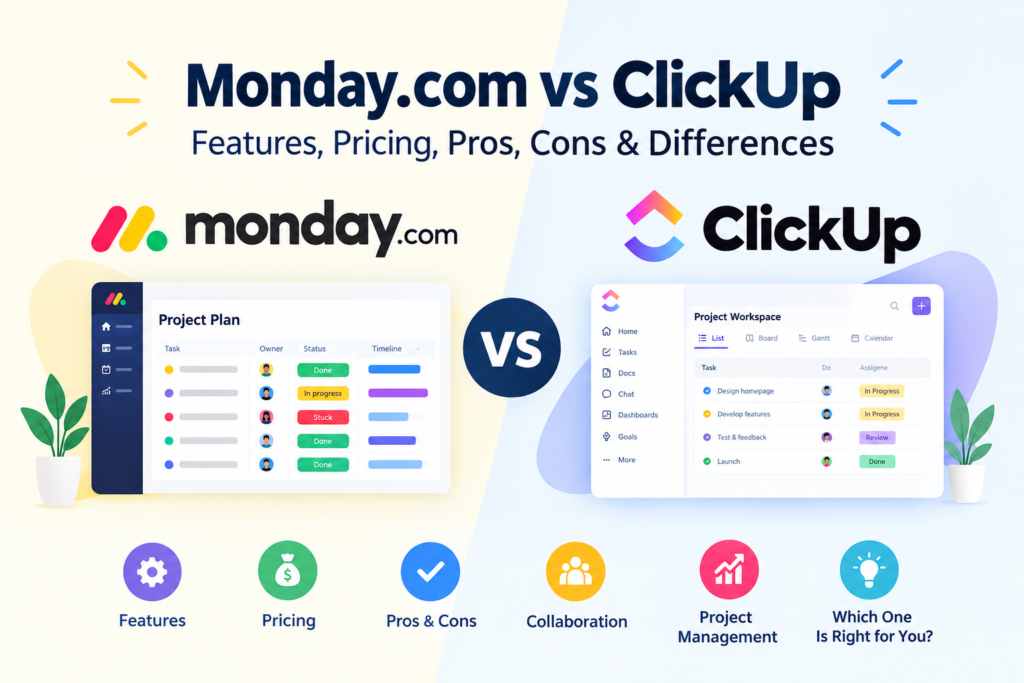

Choosing a work management platform can be difficult when several tools offer similar features. Monday.com vs ClickUp is a common comparison because both platforms can help teams organize projects, manage tasks, collaborate, automate workflows, and monitor work.
However, they approach work management differently. Monday.com emphasizes customizable visual workflows built around boards, while ClickUp combines tasks and projects with documents, dashboards, chat, time tracking, whiteboards, and other work-management features.
The right choice depends less on which platform has the longer feature list and more on how your team actually works.
This guide compares Monday.com and ClickUp across features, pricing, usability, automation, collaboration, reporting, and common business use cases.
Monday.com vs ClickUp: Quick Overview
Both platforms are designed to help teams organize work, but their structures are somewhat different.
| Area | Monday.com | ClickUp |
|---|---|---|
| Main approach | Visual work management and customizable workflows | Broad all-in-one work management |
| Task management | Yes | Yes |
| Project management | Yes | Yes |
| Boards | Strong board-based system | Available |
| Gantt charts | Available on eligible plans | Available |
| Automations | Available | Available |
| Integrations | Available | Available |
| Dashboards | Available | Available |
| Time tracking | Available on higher plans | Available on paid plans |
| Documents | Workdocs | Docs & Wikis |
| Whiteboards | Available | Available |
| Chat | Available through its ecosystem/products | Built into ClickUp |
| Free plan | Available with limitations | Free Forever plan available |
| CRM | Separate monday CRM product | CRM/workflow capabilities available |
| Developer-focused product | monday dev | Development workflows within ClickUp |
The exact features and limits depend on the product and subscription plan. Monday.com currently offers separate products including its AI work platform, CRM, dev, and service products.
ClickUp’s current offering includes tasks and projects, Docs & Wikis, Forms, Calendar, Whiteboards, Gantt charts, time tracking, dashboards, sprints, and other tools.
What Is Monday.com?
monday.com is a work management platform designed around flexible workflows and visual organization.
Teams can create boards to manage projects, customers, processes, campaigns, tasks, and other types of work. The platform provides customizable columns, views, templates, automations, integrations, dashboards, and collaboration features.
For example, a marketing team could create a content board containing:
- Content title
- Assigned writer
- Editor
- Publication date
- Status
- Content type
- Priority
- Campaign
- Approval status
The team can then use different views to understand the same information.
Monday.com’s Strengths
Monday.com can be useful for organizations that want:
- Highly visual project tracking
- Customizable workflows
- Board-based task management
- Business process management
- Marketing campaign management
- CRM capabilities through monday CRM
- Integrations with other business tools
- Automation of repetitive workflows
- Dashboards for management reporting
Its current plans also include features such as Timeline and Gantt views, Calendar views, automations, integrations, advanced board views, and time tracking depending on the plan.
Monday.com’s Limitations
The platform can become more expensive as teams add users and require advanced functionality.
Another consideration is that Monday.com now has multiple products. Businesses may need to determine whether they need the monday AI work platform, monday CRM, monday dev, monday service, or a combination.
Therefore, comparing only the headline subscription price may not provide a complete picture of the cost for a particular organization.
What Is ClickUp?
ClickUp is a broad work management platform that combines project and task management with additional collaboration and productivity tools.
Its current feature set includes tasks and projects, Docs & Wikis, Forms, Calendar, Whiteboards, Gantt charts, dashboards, time tracking, sprints, chat, and integrations.
A software development team, for example, could use ClickUp to organize:
- Product requirements
- Development tasks
- Bugs
- Sprints
- Documentation
- Team discussions
- Project timelines
- Reports
ClickUp’s Strengths
ClickUp can be useful for teams looking for:
- Detailed task management
- Multiple project views
- Custom fields
- Gantt charts
- Time tracking
- Dashboards
- Documents
- Whiteboards
- Automations
- Sprint management
- Extensive customization
- Multiple work-management tools in one platform
Its current Unlimited plan includes features such as unlimited storage, custom fields, native time tracking, Gantt charts, goals and portfolio management, resource management, and integrations.
ClickUp’s Limitations
The large number of features can also create complexity.
A small team that only needs a straightforward task list may not need many of ClickUp’s advanced functions. More customization can also mean more time spent designing the workspace and establishing consistent processes.
This means teams should evaluate whether they need ClickUp’s breadth of functionality rather than selecting it simply because it offers many features.
Monday.com vs ClickUp: Feature Comparison
1. Task Management
Both platforms provide task management, but the experience differs.
Monday.com organizes work heavily around boards and customizable columns. This can make project information easy to visualize, particularly for teams that like spreadsheet-style workflows.
ClickUp takes a more hierarchical approach that can accommodate tasks, subtasks, lists, folders, spaces, and projects.
Consider Monday.com if: your team prefers highly visual board-based workflows.
Consider ClickUp if: your projects require detailed task structures and multiple levels of organization.
2. Project Management
Both tools can support project planning and monitoring.
Monday.com provides Timeline and Gantt views on eligible plans, allowing teams to visualize schedules and dependencies.
ClickUp also provides Gantt charts and additional project-management functionality, including goals, portfolios, resource management, dashboards, and sprint-related tools on applicable plans.
For straightforward projects, either platform can work well. More complex projects may require testing both interfaces before deciding.
3. Automation
Automation can reduce repetitive administrative work.
For example, a team could create a workflow where:
Task completed → status changes → responsible person is notified → next task is assigned.
Monday.com includes automation actions in its paid plans, with different limits depending on the plan.
ClickUp also offers automation functionality, with higher plans providing larger automation allowances.
When comparing automation, don’t look only at whether automation exists. Check:
- Number of actions included
- Available triggers
- Available actions
- Integration requirements
- Monthly limits
- Additional costs
- Complexity of the workflows you need
Monday.com vs ClickUp: Collaboration
Collaboration is important when employees work across departments or locations.
Monday.com provides collaborative workspaces, documents, dashboards, integrations, and other tools for sharing project information.
ClickUp combines task management with Docs, Chat, Whiteboards, Forms, and other collaboration features.
Which approach fits your team?
A team that primarily wants project information organized visually may prefer Monday.com’s board-centered approach.
A team looking to bring more communication and documentation into the same work environment may prefer ClickUp’s broader toolset.
Neither approach is automatically better for every organization.
Monday.com vs ClickUp: Reporting and Dashboards
Managers often need more than a list of tasks. They may want to understand:
- What is completed?
- What is overdue?
- Who is responsible?
- How much work is outstanding?
- Which projects require attention?
- How is the team performing against its plan?
Both platforms provide dashboards and reporting capabilities, although the exact functionality depends on the subscription plan.
ClickUp’s Business plan, for example, includes advanced dashboards and reporting-related functionality.
Monday.com’s higher plans provide advanced board views, dashboards, and other reporting capabilities.
Before selecting a platform, identify the reports your managers actually need and test whether the platform can produce them without excessive manual work.
Monday.com vs ClickUp: Pricing
Pricing is one of the areas that requires particular attention because both companies offer multiple plans and pricing structures.
Monday.com’s current pricing page lists a Free plan, Basic, Standard, Pro, and Enterprise options for its AI work platform, with pricing affected by team size and billing arrangements.
ClickUp currently lists Free Forever, Unlimited, Business, and Enterprise plans on its standard pricing page, although ClickUp also notes that some workspaces may see newer plan structures.
For example, ClickUp’s currently displayed annual-billing prices include:
- Free Forever: $0
- Unlimited: $7/user/month
- Business: $12/user/month
- Enterprise: Custom pricing
These figures are subject to plan availability, billing terms, and changes.
Monday.com’s displayed annual-billing pricing currently starts at $9/seat/month for Basic and $12/seat/month for Standard for the example team sizes shown on its pricing page, while Pro is displayed at $19/seat/month.
Important: These prices should not be treated as permanent. Check the official pricing pages before making a purchasing decision.
Monday.com vs ClickUp: Ease of Use
Ease of use depends heavily on the team’s requirements.
Monday.com tends to present information through visual boards and customizable workflows. This can make it relatively straightforward for teams that prefer a visual approach.
ClickUp provides more configuration options and a wider range of tools. That flexibility can be useful, but it can also require more planning when setting up a workspace.
A practical approach is to create the same sample project in both platforms.
For example:
Project: Website redesign
Create:
- Ten tasks
- Three team members
- Five deadlines
- Two dependencies
- One dashboard
- One automated workflow
Then ask your team which workspace feels easier to understand and maintain.
Monday.com vs ClickUp for Small Businesses
Small businesses usually need to balance functionality with cost and simplicity.
Monday.com may be useful for a small business that wants a visually organized system for projects, customers, marketing activities, or internal processes.
ClickUp may be useful for a small business that wants to consolidate tasks, documentation, communication, time tracking, and project management into one environment.
The key question is not simply:
“Which platform has more features?”
Instead ask:
“Which platform can our team use consistently without unnecessary complexity?”
That distinction can have a significant impact on the practical value of any work-management platform.
Monday.com vs ClickUp for Marketing Teams
Marketing teams often manage many different types of work simultaneously.
For example:
- Blog production
- Social media
- Email campaigns
- SEO projects
- Advertising
- Graphic design
- Client approvals
- Content calendars
Monday.com can provide a visual campaign-management environment where different pieces of work are organized through boards and views.
ClickUp can also support marketing workflows while adding documents, tasks, dashboards, forms, and other project-management tools.
The better fit depends on how your marketing team organizes its work and how much customization it requires.
Monday.com vs ClickUp for Software Development
Software development teams typically need features such as:
- Backlogs
- Tasks
- Bugs
- Sprints
- Roadmaps
- Documentation
- Priorities
- Dependencies
- Reporting
- Developer integrations
Monday.com offers a dedicated monday dev product designed for software development workflows. Its current plans include features such as sprint management, roadmaps, GitHub integration, capacity planning, and development-focused reporting on applicable plans.
ClickUp also supports software-development workflows, including sprint management, dashboards, Gantt charts, custom fields, and other project-management capabilities.
Teams should test their actual development workflow rather than choosing based only on the number of features listed on a website.
Monday.com vs ClickUp: Pros and Cons
Monday.com Pros
- Visual and customizable workflows
- Strong board-based organization
- Multiple work-management products
- Automation and integrations
- Dashboards and reporting
- CRM and development products available
- Templates for different workflows
Monday.com Cons
- Advanced functionality may require higher plans
- Pricing can vary with team size and product selection
- Multiple products can make plan comparisons more complicated
- Some teams may need time to customize their workspace
ClickUp Pros
- Broad collection of work-management features
- Detailed task organization
- Docs, Chat, Whiteboards, Forms, and other tools
- Gantt charts and time tracking
- Dashboards and reporting
- Automation and integrations
- Free Forever plan available
ClickUp Cons
- Large feature set can create a learning curve
- Workspace configuration may require planning
- Some advanced capabilities depend on paid plans
- Current pricing and AI offerings can vary by workspace and plan structure
How to Choose Between Monday.com and ClickUp
Instead of choosing based on popularity, follow these steps.
Step 1: Define Your Main Requirement
Decide whether you primarily need:
- Project management
- Task management
- CRM
- Marketing management
- Software development
- Team collaboration
- Reporting
- Automation
- Documentation
Step 2: Identify Essential Features
Make a list of five to ten features your team cannot work without.
For example:
Gantt charts + time tracking + automation + dashboards + integrations.
Step 3: Calculate the Real Cost
Consider:
- Number of users
- Billing frequency
- Required plan
- Additional products
- AI features
- Automation limits
- Integration limits
- Future team growth
Step 4: Test Both Platforms
Use free plans or available trials where appropriate.
Build one realistic project in each platform instead of simply clicking through a demonstration.
Step 5: Evaluate Adoption
Ask your team:
- Is the interface understandable?
- Can new employees learn it?
- Can managers get the information they need?
- Are workflows easy to maintain?
- Are important notifications manageable?
- Can the platform integrate with existing tools?
The platform that fits your team’s actual workflow is generally more useful than a platform selected solely because it has more features.
Monday.com vs ClickUp: Common Mistakes to Avoid
Choosing Based Only on Price
A cheaper plan may not include the features your organization actually needs.
Buying Too Many Features
More functionality isn’t automatically more useful.
If your team only needs task management and deadlines, an extremely complex setup may create unnecessary administrative work.
Ignoring User Adoption
Even a capable platform can become ineffective if employees do not use it consistently.
Not Checking Current Pricing
Both platforms change their products and pricing structures over time. Always check the official pricing information before purchasing.
Failing to Plan the Workspace
Before importing thousands of tasks, establish naming conventions, statuses, ownership, permissions, and reporting requirements.
Frequently Asked Questions
1. Is Monday.com better than ClickUp?
There isn’t one answer that applies to every team. Monday.com emphasizes customizable visual workflows, while ClickUp provides a broader collection of project-management and productivity features. The appropriate choice depends on your team’s workflow, required features, budget, and preferred interface.
2. Is ClickUp cheaper than Monday.com?
The answer depends on the plan, number of users, billing cycle, and features required. ClickUp’s current standard pricing page lists lower starting prices for some paid plans than Monday.com’s displayed pricing, but the two platforms do not have identical feature structures or pricing models.
3. Can Monday.com and ClickUp manage projects?
Yes. Both platforms provide project and task-management capabilities, including views for organizing schedules and monitoring work. Their approaches and available features vary by plan.
4. Which is easier to use, Monday.com or ClickUp?
Ease of use depends on the team’s needs. Monday.com’s visual board approach may suit teams that prefer simple visual workflows, while ClickUp’s broader feature set may require more configuration. Testing both with a real project is a practical way to compare them.
5. Can a business use Monday.com or ClickUp for multiple departments?
Yes. Both platforms can be configured for different teams and workflows. However, organizations should establish clear workspace structures, permissions, naming conventions, and ownership rules before expanding the system across departments.
Conclusion
Monday.com vs ClickUp is not simply a comparison between two project-management applications. Both platforms have expanded into broader work-management ecosystems, offering tools for tasks, projects, collaboration, automation, reporting, and other business workflows.
Monday.com provides a strong visual approach centered around customizable boards and workflows, while ClickUp offers a broad collection of work-management and productivity features in one environment.
For businesses deciding between them, the most useful approach is to define the team’s requirements first, compare the relevant plans, calculate the total cost, and test both platforms with a realistic workflow.
Most importantly, remember that software should support the way your team works—not force your team into a complicated process simply because the software offers more features.