






Skip to content
Gobsoor Marketing

Gobsoor Marketing

  • Home
  • Business
  • Marketing
    • Reviews
  • Technology
Subscribe
Top Stories
Cloud Migration Checklist for Moving Small-Business Files
November 15, 2026
Small Business Bookkeeping in Excel With a Monthly Checklist
November 15, 2026
How to Build a Sales Funnel for a Service Business
How to Build a Sales Funnel for a Service Business With an Example
November 15, 2026
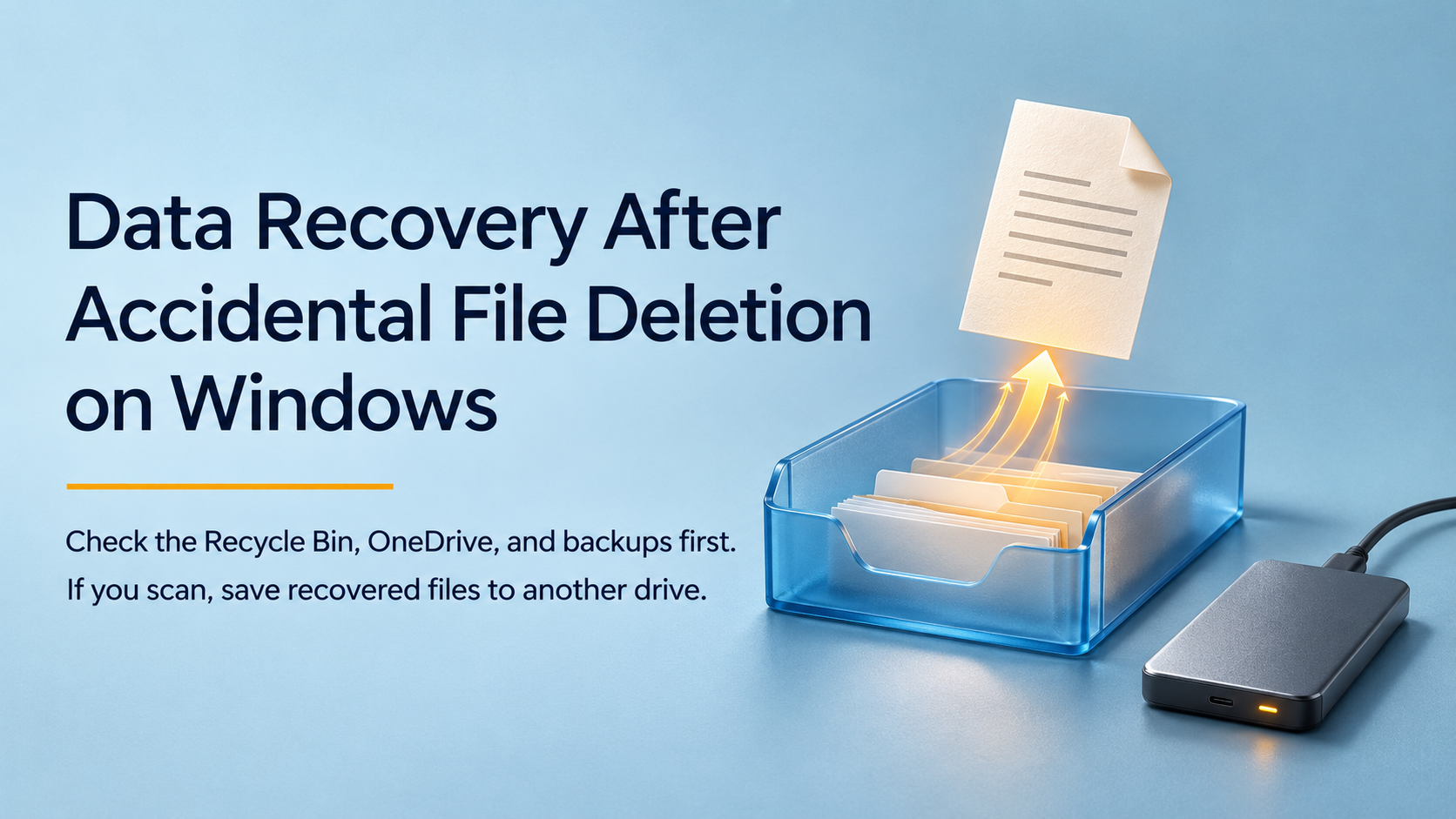
Data Recovery After Accidental File Deletion on Windows
November 15, 2026
7 Lead Generation Ideas for B2B Service Businesses
November 15, 2026
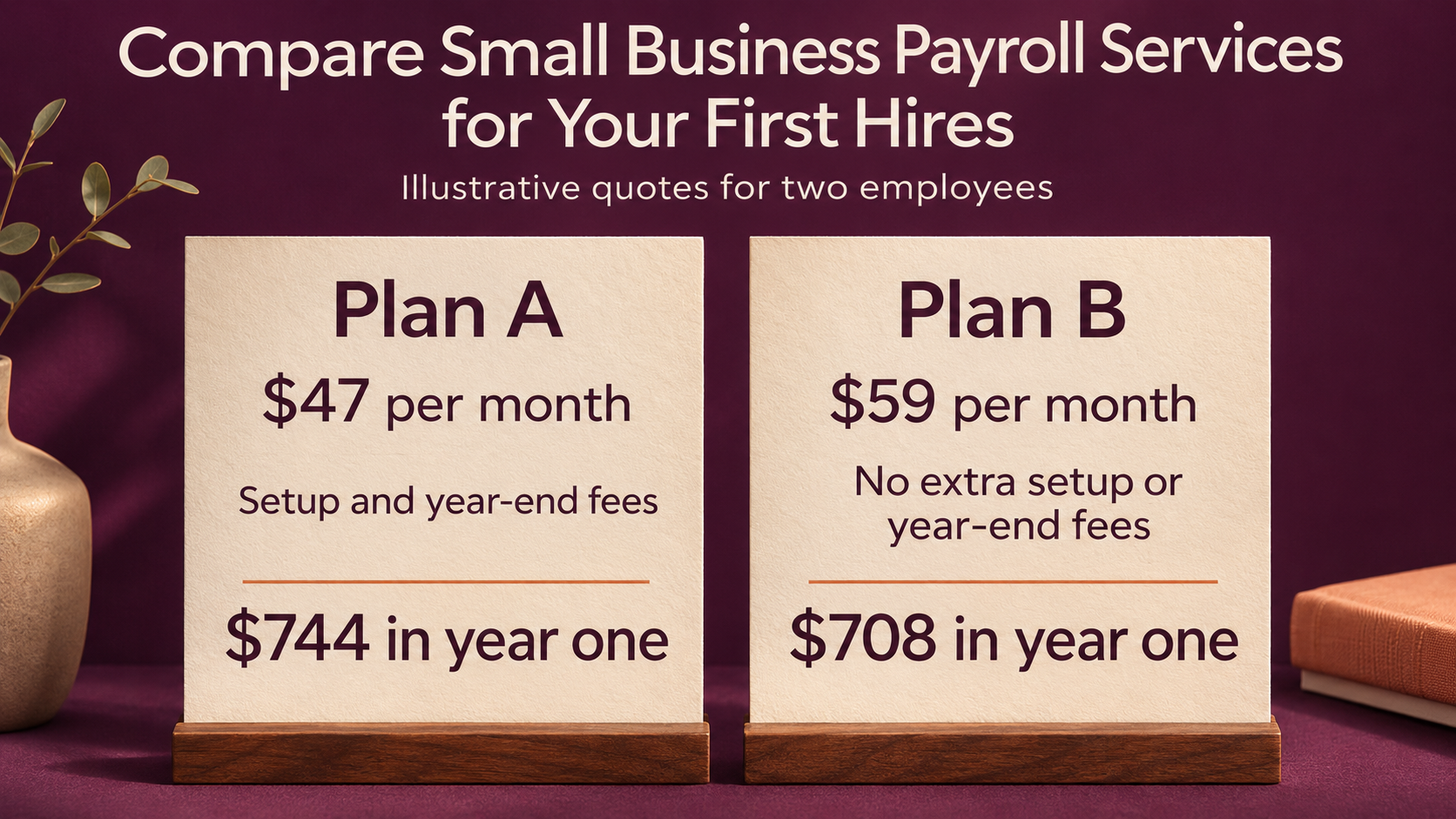
How to Compare Small Business Payroll Services
How to Compare Small Business Payroll Services for Your First Hires
November 15, 2026
Amazon eero 6+ Mesh WiFi System Review (2026): Is the Three-Pack Worth It?
November 14, 2026
Ring Battery Doorbell 2K Review (2026): Is It Worth Buying Without a Subscription?
November 14, 2026
How to Spot Phishing Emails That Look Like Client Invoices
November 14, 2026
How to Do a Competitive Analysis Using a Simple Spreadsheet
November 14, 2026
Small Business Funding Options and How to Compare Their Costs
November 14, 2026
Why Your Bluetooth Headphones Keep Disconnecting During Calls
November 14, 2026
How to Do Market Research Before Launching a New Service
November 14, 2026
Business Proposal Template With a Sample for Service Businesses
November 14, 2026
Why Your Office Wi-Fi Is Slow and What to Check First
November 13, 2026
How to Write a Value Proposition With 5 Examples
How to Write a Value Proposition With 5 Small-Business Examples
November 13, 2026
How to Start an Online Business and Get Your First Sale
November 13, 2026
How to Build Your First Power BI Dashboard From an Excel File
November 13, 2026
Website Copywriting for Service Businesses With Examples
Website Copywriting for Service Businesses With Before-and-After Examples
November 13, 2026
Small Business Accounting Basics for Your First Year
November 13, 2026
How to Organize Client Projects in OneNote With a Simple Template
November 12, 2026
Influencer Marketing for Small Businesses on a Limited Budget
November 12, 2026
Small Business Insurance Explained for Freelancers and Service Teams
November 12, 2026
How to Create a QR Code for Guest Wi-Fi and Test It Before Printing
November 12, 2026
How to Identify Your Target Market Before You Spend on Ads
November 12, 2026
12 Small Business Ideas You Can Test Before Spending Money
November 12, 2026
Anker 553 USB-C Hub Review (2026): Do Both HDMI Monitors Extend?
November 11, 2026
Apple MacBook Neo 13-Inch Review (2026): Is 8GB/256GB Enough?
November 11, 2026
Do You Need a VPN for Remote Work? A Small-Business Guide
November 11, 2026
Market Segmentation Examples for Small Businesses With Limited Data
November 11, 2026
How to Read a Cash Flow Statement for a Small Business
November 11, 2026
How to Choose a Password Manager for a Small Team
November 11, 2026
How to Create a One-Page Marketing Plan for a Small Business
November 11, 2026
Small Business Plan Template With a Completed Example
Business Plan Template for Small Businesses With a Completed Example
November 11, 2026
Havit HV-F2056 Laptop Cooling Pad Review (2026): Is It Worth It?
November 10, 2026
USB-C Charging Cable vs Data Cable: How to Tell What Yours Supports
November 10, 2026
How to Find Orphan Pages and Add Relevant Internal Links
How to Find Orphan Pages and Add Internal Links That Make Sense
November 10, 2026
How to Calculate Billable Utilization for a Small Service Team
November 10, 2026
CNAME vs A Record: Which Should You Use for a Website?
CNAME vs A Record: Which One Should You Use for Your Website?
November 10, 2026
How to Clean Your Email List and Handle Inactive Subscribers
November 10, 2026
i need a beautiful and clear post image for all contents appear
How to Write a Change Order When a Client Expands the Project Scope
November 10, 2026
Apple Mac mini M6 Review (2026): Is 256GB Enough?
November 9, 2026
DNS Records Explained for Website Owners
DNS Records Explained: What Website Owners Should Know Before Editing Them
November 9, 2026
How to Price Your First Newsletter Sponsorship
November 9, 2026
Statement of Work Template for Freelancers & Small Agencies
Statement of Work Template for Freelancers and Small Agencies
November 9, 2026
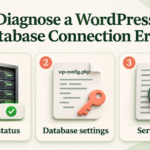
Diagnose the WordPress Database Connection Error
How to Diagnose the WordPress “Error Establishing a Database Connection”
November 9, 2026
How to Price Your First Newsletter Sponsorship
How to Build an Email Preference Center Subscribers Can Use
November 9, 2026
How to Evaluate a Supplier’s Minimum Order Quantity
How to Decide Whether a Supplier’s Minimum Order Quantity Works for You
November 9, 2026
MacBook Air 13-inch M5 Review (2026): Is 16GB/512GB Enough?
November 8, 2026
Why WordPress Misses Scheduled Posts: A Diagnostic Guide
Why WordPress Misses Scheduled Posts and How to Diagnose the Problem
November 8, 2026
10 Lead Magnet Ideas for Service Businesses, With Examples
November 8, 2026
How to Calculate the Landed Cost of Imported Products
November 8, 2026
WordPress Media Upload Error: What to Check First
November 8, 2026
A Landing Page Checklist for Small Businesses Running Google Ads
November 8, 2026
What Is Dead Stock? Identify and Clear Unsold Inventory
What Is Dead Stock? How Small Retailers Can Identify and Clear It
November 8, 2026
Roku Streaming Stick HD with Voice Remote Review (2026): Worth Buying?
Roku Streaming Stick HD with Voice Remote Review (2026): When HD Is Enough
November 7, 2026
How to Diagnose the “Too Many Redirects” Error in WordPress
November 7, 2026
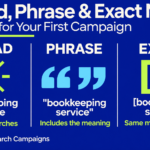
Broad, Phrase, and Exact Match: How to Choose for Your First Campaign
November 7, 2026
How to Calculate Inventory Shrinkage and Investigate the Difference
November 7, 2026
How to Fix WordPress 404 Errors After Changing Permalinks
November 7, 2026
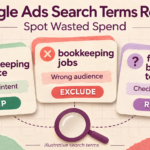
How to Read the Google Ads Search Terms Report and Spot Wasted Spend
November 7, 2026
How to Calculate Reorder Point for a Small Online Store
November 7, 2026
AI Chatbot vs Website Search: What Does a Small Business Need?
November 6, 2026
Email Marketing Getting Clicks but No Sales? What to Check
November 6, 2026
How to Handle Late Client Payments: A Practical Follow-Up Process
November 6, 2026
Website Accessibility Checklist for Small Businesses
A Practical Website Accessibility Checklist for Small Businesses
November 3, 2026
GA4 Ecommerce Tracking: What Your Store Should Measure
GA4 Ecommerce Tracking: What an Online Store Should Measure
November 3, 2026
Payment Gateway vs Payment Processor: Key Differences
Payment Gateway vs Payment Processor: What Online Businesses Should Know
November 3, 2026
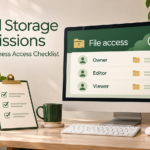
Cloud Storage Permissions: A Small-Business Access Checklist
November 3, 2026
How to Use UTM Links to Track Your Marketing Campaigns
November 3, 2026
Cash Conversion Cycle Explained for Small Online Stores
November 3, 2026
Anker 332 USB C Hub Review (2026): Compatibility, Charging, and HDMI Limits
November 2, 2026
Why Your Automation Creates Duplicate Records: Fixes
Why Your Automation Creates Duplicate Records and How to Prevent It
November 2, 2026
How to Plan a Google Ads Test Budget for a Small Business
November 2, 2026
Client Portal Software: Small-Business Features and Costs
Client Portal Software for Small Businesses: Features and Costs to Compare
November 2, 2026
API vs Webhook: Business Examples and Key Differences
API vs Webhook: Simple Business Examples and Key Differences
November 2, 2026
Why Your Marketing Emails Go to Spam: A Checklist
Why Your Marketing Emails Go to Spam: A Troubleshooting Checklist
November 2, 2026
CRM vs Project Management Software: Which Do You Need?
CRM vs Project Management Software: Which Does Your Business Need?
November 2, 2026
Soundcore Q20i Review 2026: Budget ANC for Commuting and Everyday Work
November 1, 2026
Logitech M720 Triathlon Review 2026: A Practical Mouse for Two Computers?
November 1, 2026
GL.iNet Beryl AX Review 2026: Hotel Wi-Fi, VPN Setup, and Travel Trade-Offs
November 1, 2026
How to Test a WordPress Backup Before You Need It
November 1, 2026
Abandoned Cart Emails: Examples, Timing, and Common Mistakes
November 1, 2026
How to Calculate Project Profitability for a Small Service Business
November 1, 2026
WordPress Not Sending Emails? A Practical Troubleshooting Guide
November 1, 2026
How to Create Useful Service-Area Pages Without Repeating Content
November 1, 2026
How to Read an Accounts Receivable Aging Report
November 1, 2026
Microsoft 365 Copilot vs Copilot Chat: Small-Business Guide
Microsoft 365 Copilot vs Copilot Chat: What Small Businesses Should Compare
October 31, 2026
Local SEO for Service-Area Businesses: A Practical Checklist
October 31, 2026
Purchase Order vs Invoice: Differences and When to Use Each
October 31, 2026
AI Tool Pricing Explained: Credits, Usage Limits, and Extra Costs
October 31, 2026
How to Respond to Negative Google Reviews: Examples and Templates
October 31, 2026
How to Price Your Services: Costs, Time, and Profit Explained
October 31, 2026
NotebookLM for Small Businesses: Practical Uses and Limits
October 30, 2026
Why Your Google Reviews Are Not Showing—and What to Check
October 30, 2026
How to Calculate Your Break-Even Point: Small-Business Examples
October 30, 2026
Anker 100W Smart-Display Charger Review (2026): Is the Screen Worth It?
October 29, 2026
How to Choose Business Apps That Work Together
October 29, 2026
How to Optimize Your Google Business Profile for Local Customers
How to Optimize Your Google Business Profile to Attract Local Customers
October 29, 2026
Business Software Buying Checklist: Before You Pay
A Business Software Buying Checklist: What to Check Before Paying
October 29, 2026
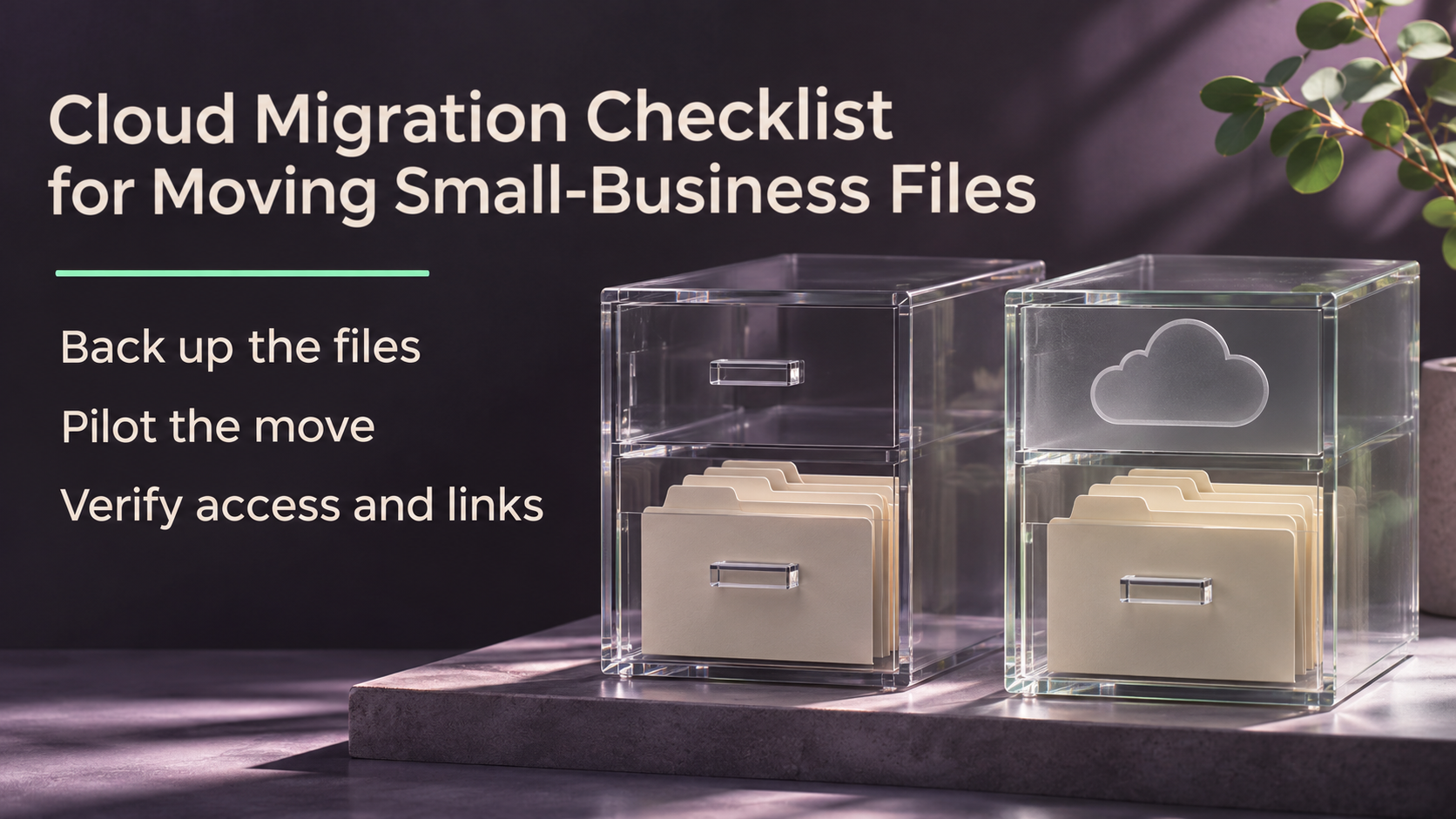
Cloud Migration Checklist for Moving Small-Business Files
Posted inTechnology

Cloud Migration Checklist for Moving Small-Business Files

You copy the client folders to cloud storage. The migration report looks good. Then an employee discovers they can’t edit a working file, an old link opens the wrong copy,…
Continue Reading
Posted by MOSALAD November 15, 2026
Small Business Bookkeeping in Excel With a Monthly Checklist
Posted inBusiness

Small Business Bookkeeping in Excel With a Monthly Checklist

Your bank statement shows a $970 deposit, but your customer paid a $1,000 invoice. Your processor kept a $30 fee. Recording only $970 as sales would hide part of the…
Continue Reading
Posted by MOSALAD November 15, 2026
How to Build a Sales Funnel for a Service Business
Posted inMarketing

How to Build a Sales Funnel for a Service Business With an Example

You receive 20 inquiries, but only a few people book a call. Where should you start? Check what happens after someone gets in touch. If qualified prospects struggle to find…
Continue Reading
Posted by MOSALAD November 15, 2026
Data Recovery After Accidental File Deletion on Windows
Posted inTechnology

Data Recovery After Accidental File Deletion on Windows

Before installing recovery software, work out where the missing file was stored. A report saved in a OneDrive-backed Documents folder may be in the OneDrive recycle bin. A file deleted…
Continue Reading
Posted by MOSALAD November 15, 2026
7 Lead Generation Ideas for B2B Service Businesses
Posted inMarketing

7 Lead Generation Ideas for B2B Service Businesses

A referral email, a case study, and a webinar can all bring in inquiries. They take different amounts of time, and they attract people at different stages of buying. Before…
Continue Reading
Posted by MOSALAD November 15, 2026
How to Compare Small Business Payroll Services
Posted inBusiness

How to Compare Small Business Payroll Services for Your First Hires

A payroll quote can look affordable until you ask about year-end forms, an extra run to correct a mistake, or support when a filing is rejected. For your first hires,…
Continue Reading
Posted by MOSALAD November 15, 2026
How to Build a Simple Business Performance Dashboard Sales figures sit in one spreadsheet, expenses in another, and customer updates arrive through messages. When someone asks how the business is performing, finding a reliable answer takes longer than it should. Learning how to build a simple business performance dashboard helps you bring the most useful information into one place. A well-designed dashboard shows what is happening, how results compare with expectations, and where someone needs to act. You can start with a spreadsheet and a small number of carefully defined metrics. This guide explains how to choose those metrics, organize your data, build a readable dashboard, and use it in regular business reviews. What Is a Business Performance Dashboard? A business performance dashboard is a visual summary of selected measures that help you monitor business objectives. For example, a small service business might track: Revenue against its monthly target. Gross profit margin. New paying customers. Invoices overdue for payment. Projects completed on time. A useful dashboard adds context to each result. Revenue of $12,000 means little by itself. Knowing that the target was $15,000 and the previous month’s revenue was $10,000 makes the figure more informative. A dashboard provides an overview. Detailed reports and source records help you investigate the reasons behind the numbers. 1. Start With the Decisions You Need to Make Before choosing charts, identify the questions the dashboard should answer. For a small business owner, these might include: Are sales keeping pace with the plan? Are direct costs reducing our margin? Are customers paying on time? Are we delivering work as promised? Which problem needs attention this week? Choose one primary audience. An owner may need a broad business overview, while a sales manager needs more detail about leads, opportunities, and completed sales. Practical starting point: Write down three decisions you want the dashboard to support. Keep a metric only if it helps inform one of those decisions. For example, if your goal is to improve payment collection, overdue invoice value is more useful than social media follower count. 2. Choose a Small Set of Relevant KPIs A key performance indicator, or KPI, is a measure linked to an important objective. For a first dashboard, consider starting with five to seven KPIs. This is a practical design suggestion, rather than a fixed rule. The right number depends on your audience and the decisions involved. Business question Possible KPI What it helps you assess Are sales meeting expectations? Revenue versus target Progress toward the sales plan Are direct costs under control? Gross profit margin Revenue remaining after direct costs Are we gaining customers? New paying customers Customer acquisition Are payments delayed? Overdue invoice value Collection priorities Are we delivering reliably? On-time completion rate Delivery performance Are sales opportunities progressing? Qualified lead conversion rate Sales effectiveness Define Each Metric Before Using It A label such as “sales” can mean orders placed, invoices issued, recognized revenue, or payments received. Those figures can differ. Create a short definition sheet containing: Metric name and purpose. Calculation method. Data source. Reporting period. Included and excluded records. Person responsible for updates. For revenue, document how you handle refunds, discounts, taxes, and cancellations. Use definitions consistent with your business records, and confirm accounting treatment with the person responsible for your accounts. Combine Results With Early Signals Revenue and completed sales describe results that have already happened. Measures such as qualified leads, scheduled consultations, or proposals awaiting decisions can provide earlier signals about future activity. Use both where relevant, but avoid assuming that more activity always produces better results. More proposals, for example, may not help if they reach unsuitable prospects. 3. Set the Reporting Period and Comparisons Choose a reporting schedule that fits the pace of your decisions. Review frequency Potential focus Daily Orders, delivery issues, urgent operational exceptions Weekly Leads, sales progress, overdue invoices, project delivery Monthly Revenue, margins, expenses, customer trends You do not need every metric to update at the same frequency. However, each figure should clearly show the period it covers. Useful comparisons include: Actual result versus target. Current period versus the previous comparable period. Current month versus the same month last year, when reliable historical data exists. Avoid comparing a partial month with a completed month without explaining the difference. Where possible, compare equivalent dates or business days. Targets also need context. A seasonal business may reasonably expect different results in different months. 4. Organize Your Source Data Charts become unreliable when the underlying records contain duplicates, inconsistent dates, or missing values. Keep source data in structured tables. Each row should represent one clearly defined record, such as an order, invoice, invoice line, or project. For an order-level sales table, useful fields might include: Field Purpose Order ID Identifies the order Order date Supports reporting by period Customer ID Supports customer analysis Product or service Groups sales by offering Sales amount Records the amount under your chosen definition Direct cost Supports gross profit calculations Order status Identifies completed, cancelled, or pending orders Keep invoice due dates and payment records in a separate table when orders can have multiple invoices or partial payments. Forcing everything into one row can create duplicate totals. Clean the Data Before Building Charts Check for: Duplicate identifiers. Dates stored as text. Inconsistent product or customer names. Missing amounts. Mixed currencies. Cancelled transactions included incorrectly. Subtotal rows mixed into transaction records. A blank value does not automatically mean zero. It may indicate missing information. If you combine multiple currencies, document the conversion method and applicable exchange-rate date. 5. Choose a Tool That Fits Your Workflow Use a tool your team can maintain. Excel supports dashboards built with PivotTables and PivotCharts. Google Sheets also supports pivot tables and charts for summarizing spreadsheet data. Their official documentation provides instructions for these features. For a first version, the spreadsheet application you already use may be sufficient. Consider a more specialized reporting tool when you need to combine many systems, manage different access levels, or refresh larger datasets regularly. Before adopting one, check its current: Subscription and sharing costs. Data connection requirements. Refresh limits. Access controls. Export options. Maintenance requirements. Automation can save repeated work, but it also introduces connections and processes that someone must monitor. 6. Build the Spreadsheet in Four Parts Separating records, calculations, and presentation makes the dashboard easier to maintain. Raw Data Store imported or entered records here. Keep column names consistent and avoid placing decorative headings or merged cells inside the data table. KPI Definitions Document calculations, sources, targets, update schedules, and responsibilities. Summary Calculate the figures used by the dashboard. Use formulas or pivot tables to summarize results by reporting period, product, or other relevant category. Dashboard Display the selected KPIs, comparisons, charts, and action notes. Reference the summary calculations rather than manually typing the same totals again. 7. Calculate Your Metrics Consistently The following calculations are useful starting points. Apply them only after defining which records belong in each measure. Revenue Target Achievement Target achievement = Actual revenue ÷ Revenue target × 100 If actual revenue is $12,000 and the target is $15,000: $12,000 ÷ $15,000 × 100 = 80% Label this “80% of target achieved” to make its meaning clear. Gross Profit Margin Gross profit margin = (Revenue − Direct costs) ÷ Revenue × 100 For $12,000 in revenue and $4,800 in direct costs: ($12,000 − $4,800) ÷ $12,000 × 100 = 60% Gross profit margin does not show final profitability because other expenses may still need to be deducted. On-Time Completion Rate On-time completion rate = Items completed by their deadline ÷ Items due during the period × 100 If 18 of 20 projects due during the month were completed on time, the rate is 90%. Include overdue, unfinished projects in the number due. Excluding them would make performance appear better than it was. Handle Zero Denominators If a calculation divides by zero, display an explanatory label such as “N/A.” Do not automatically convert every error into zero, because that can hide missing or invalid data. For rates covering several periods, calculate from the combined totals rather than simply averaging percentages with different denominators. 8. Design a Dashboard People Can Read Quickly Arrange the dashboard around the order in which someone reviews performance. Top: Business name, reporting period, and last update. Next: Main KPI values with targets or comparisons. Middle: A few charts showing trends or differences. Bottom: Exceptions, explanations, and agreed actions. Choose charts that match the question: Question Useful display How has revenue changed over time? Line chart Which products generated the most revenue? Sorted bar chart How do actual results compare with targets? Comparison table or bar chart Which invoices need follow-up? Exception table What is the current KPI value? Clearly labeled number Use readable labels, consistent units, and restrained colors. Avoid three-dimensional effects and decorative elements that make comparisons harder. If you use status colors, add text such as “Below target” or “Needs review.” Color alone should not carry the meaning. 9. Test the Dashboard Before Relying on It Reconcile the dashboard with its source records. Check that: Revenue agrees with the selected sales or accounting report. Cancelled transactions follow your stated rules. Customer counts use distinct customers where required. Date filters cover the intended period. Newly added records enter the summary. Refresh steps update every relevant chart. Missing information remains visible. Test a few records manually, including a cancellation, a partial payment, or an overdue project when relevant. Protect sensitive information through appropriate sharing permissions. Hiding a worksheet or protecting formulas should not be treated as a substitute for controlling access to the file. A Simple Business Performance Dashboard Example The following figures are hypothetical and illustrate a monthly dashboard. KPI Monthly result Target or reference Interpretation Revenue $12,000 $15,000 target 80% of target achieved Gross profit margin 60% 55% target Above the internal target New paying customers 18 20 target Two below target Overdue invoice value $2,400 $1,500 internal ceiling Collection follow-up needed On-time completion 90% 95% target Delivery review needed These targets are examples, not industry benchmarks. The figures suggest several questions: Did fewer customers contribute to the revenue gap? Are overdue payments concentrated among a few accounts? What delayed delivery? The dashboard identifies issues for investigation. It does not establish their causes. 10. Turn Reviews Into Actions Set a regular review time and assign someone to maintain the dashboard. During each review: Identify meaningful changes. Check whether data issues explain them. Investigate the business reasons. Agree on an action. Assign an owner and follow-up date. For example, “Overdue invoices increased” is an observation. “The accounts assistant will contact customers with invoices more than 14 days overdue by Friday” is an action. Keep a small action log so the next review can assess what happened. Common Mistakes to Avoid Tracking too many metrics: Extra measures create maintenance work and can distract from important decisions. Confusing revenue with cash received: A sale and its payment may occur in different periods. Using unsupported targets: Set targets using budgets, capacity, historical performance, and business priorities. Assuming automatic means accurate: Data connections can fail, and formulas can summarize incorrect records. Removing context: Label reporting dates, units, filters, and unusual events. Ignoring maintenance time: Include data cleaning, refresh checks, permissions, and staff time when assessing the dashboard’s cost. Frequently Asked Questions 1. What should a simple business dashboard include? Include a few relevant KPIs, a reporting period, targets or comparisons, selected charts, and action notes. Revenue, margin, customer acquisition, payment collection, and delivery performance are possible starting points. 2. Can I build a business dashboard without coding? Yes. A spreadsheet dashboard can use formulas, pivot tables, and charts. More complex integrations may require additional technical work, but a useful first version can start with manually imported data. 3. How often should I update the dashboard? Match updates to the decisions it supports. Weekly updates may suit sales and delivery reviews, while monthly reporting may suit financial performance. Always show the last update and the period covered. 4. What is the difference between a metric and a KPI? A metric measures an activity or result. A KPI is a metric selected because it reflects progress toward an important objective. Website visits are a metric; qualified inquiries may be a KPI when the objective is generating suitable sales opportunities. 5. When should I move beyond a spreadsheet? Consider another tool when maintaining the spreadsheet becomes difficult, multiple data sources require frequent consolidation, or access and refresh requirements exceed your current setup. Evaluate the maintenance burden and total cost before switching. Conclusion To build a simple business performance dashboard, begin with the decisions your business needs to make. Choose a small set of relevant KPIs, define them carefully, and connect them to reliable records. Build a readable first version, verify the calculations, and establish a review routine. Its value comes from helping people notice meaningful changes and take informed action.
Posted inBusiness

How to Build a Simple Business Performance Dashboard

Sales figures sit in one spreadsheet, expenses in another, and customer updates arrive through messages. When someone asks how the business is performing, finding a reliable answer takes longer than…
Posted by MOSALAD October 21, 2026
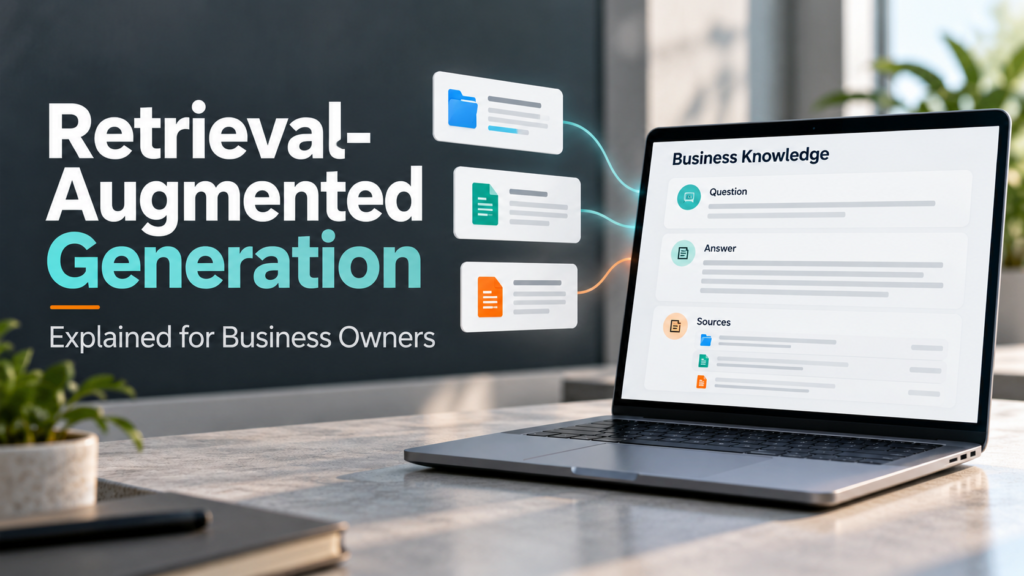
Retrieval-Augmented Generation Explained for Business Owners
Posted inTechnology

Retrieval-Augmented Generation Explained for Business Owners

Imagine an employee asking an AI assistant, “What does our standard maintenance package include?” A general-purpose chatbot may explain what maintenance packages typically cover. However, that answer might have little…
Posted by MOSALAD October 20, 2026
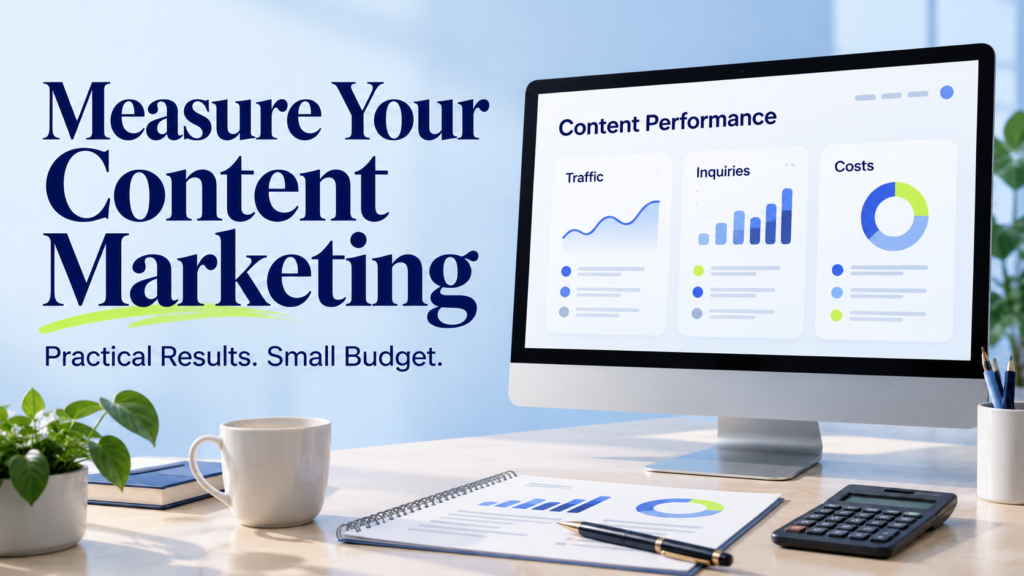
How to Measure Content Marketing Results With a Small Budget
Posted inMarketing

How to Measure Content Marketing Results With a Small Budget

Publishing content takes time, even when you write everything yourself. Research, editing, images, promotion, and updates all use resources. Without measurement, it is difficult to know which activities deserve more…
Posted by MOSALAD October 20, 2026
How to Create Standard Operating Procedures for a Small Team
Posted inBusiness

How to Create Standard Operating Procedures for a Small Team

When only one person knows how to complete an important task, the whole team can feel the disruption when that person is unavailable. Work slows down, colleagues repeat questions, and…
Posted by MOSALAD October 20, 2026
How to Check AI-Generated Answers Before Using Them
Posted inTechnology

How to Check AI-Generated Answers Before Using Them

An AI answer can sound clear, detailed, and convincing while containing an incorrect date, an unsupported claim, or a reference that does not exist. The problem is not always an…
Posted by MOSALAD October 20, 2026
How to Build a Topic Cluster Around Your Main Service
Posted inMarketing

How to Build a Topic Cluster Around Your Main Service

Publishing blog posts regularly does not automatically create a useful content strategy. A website can have dozens of articles while leaving visitors unsure about its services or where to find…
Posted by MOSALAD October 20, 2026
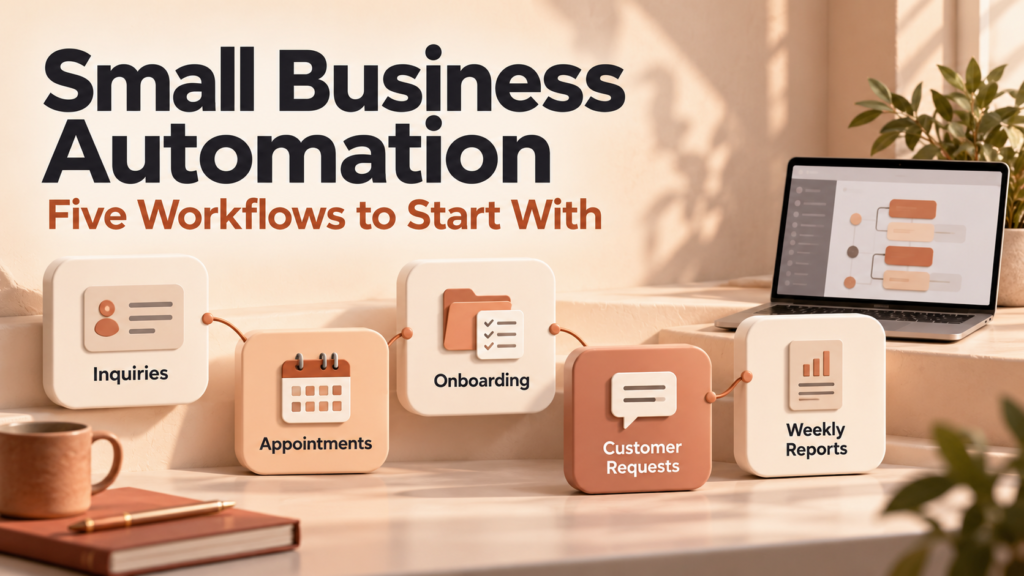
Small Business Automation: Five Workflows to Start With
Posted inBusiness

Small Business Automation: Five Workflows to Start With

Running a small business often means repeating the same administrative tasks: copying customer details, sending appointment reminders, creating project folders, and checking whether work is overdue. Each task may take…
Posted by MOSALAD October 20, 2026
AI Meeting Assistants: Privacy, Accuracy, and Features to Compare
Posted inTechnology

AI Meeting Assistants: Privacy, Accuracy, and Features to Compare

A meeting ends, but the follow-up work continues: writing notes, checking decisions, assigning tasks, and answering questions about what someone said. AI meeting assistants can help with parts of this…
Posted by MOSALAD October 20, 2026
How to Improve Click-Through Rates on Blog Search Results
Posted inMarketing

How to Improve Click-Through Rates on Blog Search Results

Your blog can appear in search results without attracting many visitors. Sometimes the page ranks too low to receive much attention. In other cases, the title is vague, the description…
Posted by MOSALAD October 20, 2026
7. How to Improve Click-Through Rates on Blog Search Results
Posted inBusiness

How to Move Customer Data Into a New CRM: A Step-by-Step Guide

Moving to a new customer relationship management system should make customer information easier to find and use. However, transferring names and email addresses is only part of the job. Your…
Posted by MOSALAD October 20, 2026

Posts pagination

Previous page 1 … 14 15 16 17 18 … 50 Next page

Recent Posts

  • Cloud Migration Checklist for Moving Small-Business Files
    Cloud Migration Checklist for Moving Small-Business FilesNovember 15, 2026
  • Small Business Bookkeeping in Excel With a Monthly Checklist
    Small Business Bookkeeping in Excel With a Monthly ChecklistNovember 15, 2026
  • How to Build a Sales Funnel for a Service Business
    How to Build a Sales Funnel for a Service Business With an ExampleNovember 15, 2026
  • Data Recovery After Accidental File Deletion on Windows
    Data Recovery After Accidental File Deletion on WindowsNovember 15, 2026
  • 7 Lead Generation Ideas for B2B Service Businesses
    7 Lead Generation Ideas for B2B Service BusinessesNovember 15, 2026

Recent Comments

No comments to show.

Archives

  • November 2026
  • October 2026
  • September 2026
  • August 2026

Categories

  • Business
  • Marketing
  • Reviews
  • Technology
You May Have Missed
Cloud Migration Checklist for Moving Small-Business Files
Posted inTechnology

Cloud Migration Checklist for Moving Small-Business Files

Posted by MOSALAD November 15, 2026
Small Business Bookkeeping in Excel With a Monthly Checklist
Posted inBusiness

Small Business Bookkeeping in Excel With a Monthly Checklist

Posted by MOSALAD November 15, 2026
How to Build a Sales Funnel for a Service Business
Posted inMarketing

How to Build a Sales Funnel for a Service Business With an Example

Posted by MOSALAD November 15, 2026
Data Recovery After Accidental File Deletion on Windows
Posted inTechnology

Data Recovery After Accidental File Deletion on Windows

Posted by MOSALAD November 15, 2026

Trending Post

  • Cloud Migration Checklist for Moving Small-Business Files
    Cloud Migration Checklist for Moving Small-Business FilesNovember 15, 2026
  • Small Business Bookkeeping in Excel With a Monthly Checklist
    Small Business Bookkeeping in Excel With a Monthly ChecklistNovember 15, 2026
  • How to Build a Sales Funnel for a Service Business
    How to Build a Sales Funnel for a Service Business With an ExampleNovember 15, 2026

Site Links

  • Home
  • Contact Us
  • About Us
  • Disclaimer
  • Privacy Policy
  • Terms and Conditions

Newsletter

Contact Us

Email: mmaxamed2014@gmail.com

Social Icons

  • Facebook
  • WhatsApp
  • X
  • Instagram
Copyright 2026 — Gobsoor Marketing. All rights reserved.
Scroll to Top

Get the Latest Updates & Tips

Don't miss valuable insights that can help you learn, grow, and stay competitive in today's rapidly changing digital environment.

Enter your email address below to receive our latest articles, expert tips, useful resources, and updates directly in your inbox.

Enter your email address

No thanks, I’m not interested!